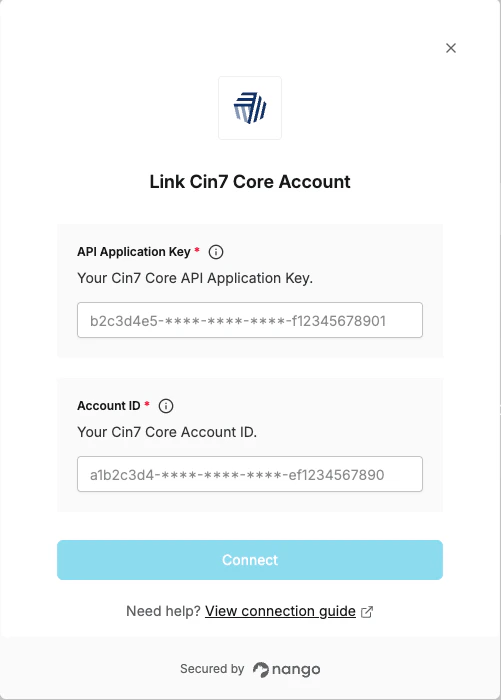
Overview
To authenticate with Cin7 Core, you will need:- Account ID — The unique identifier for your Cin7 Core company account.
- API Application Key — A key granting API access to your Cin7 Core account.
Instructions
Step 1: Find your Account ID and API Application Key
- Log in to your Cin7 Core Inventory account and navigate to the API page.
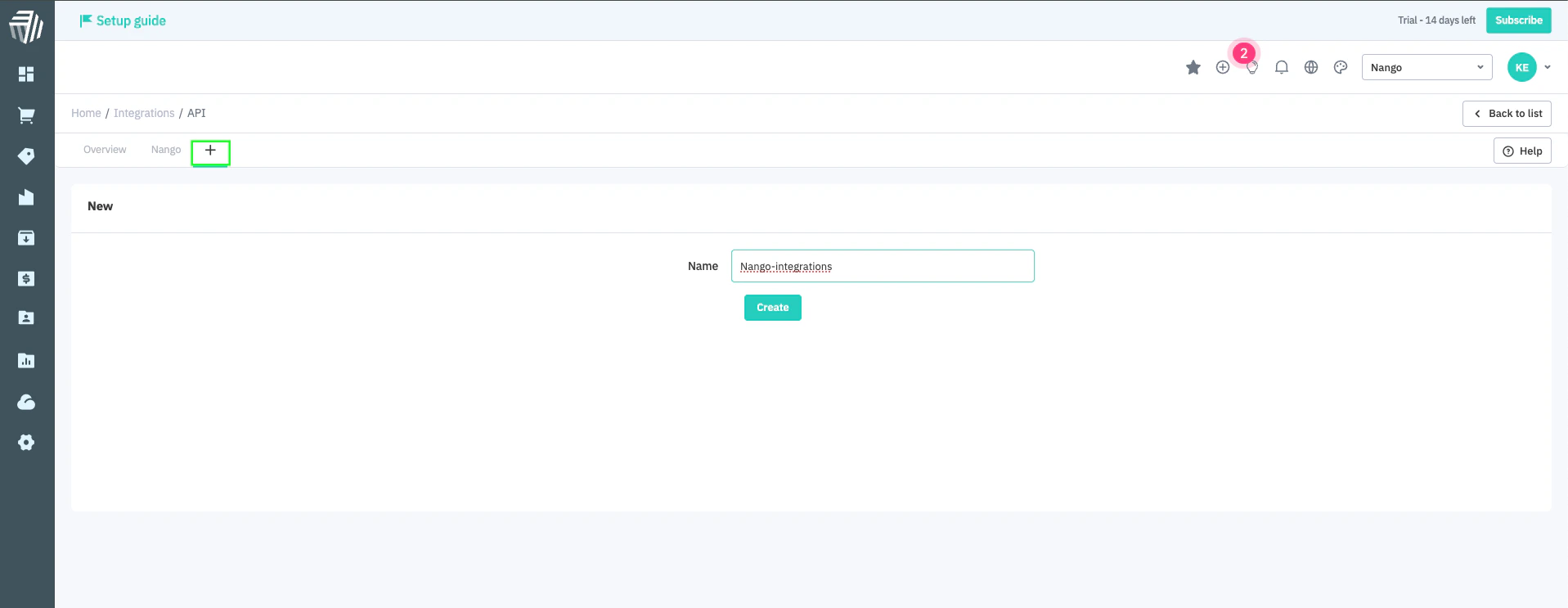
- On the API Integration page, click the + icon on the top right, enter a name for the API, and click the Create button to generate an API channel.
- Cin7 Core will generate an Account ID and Key under the Setup tab of the API Integration page.
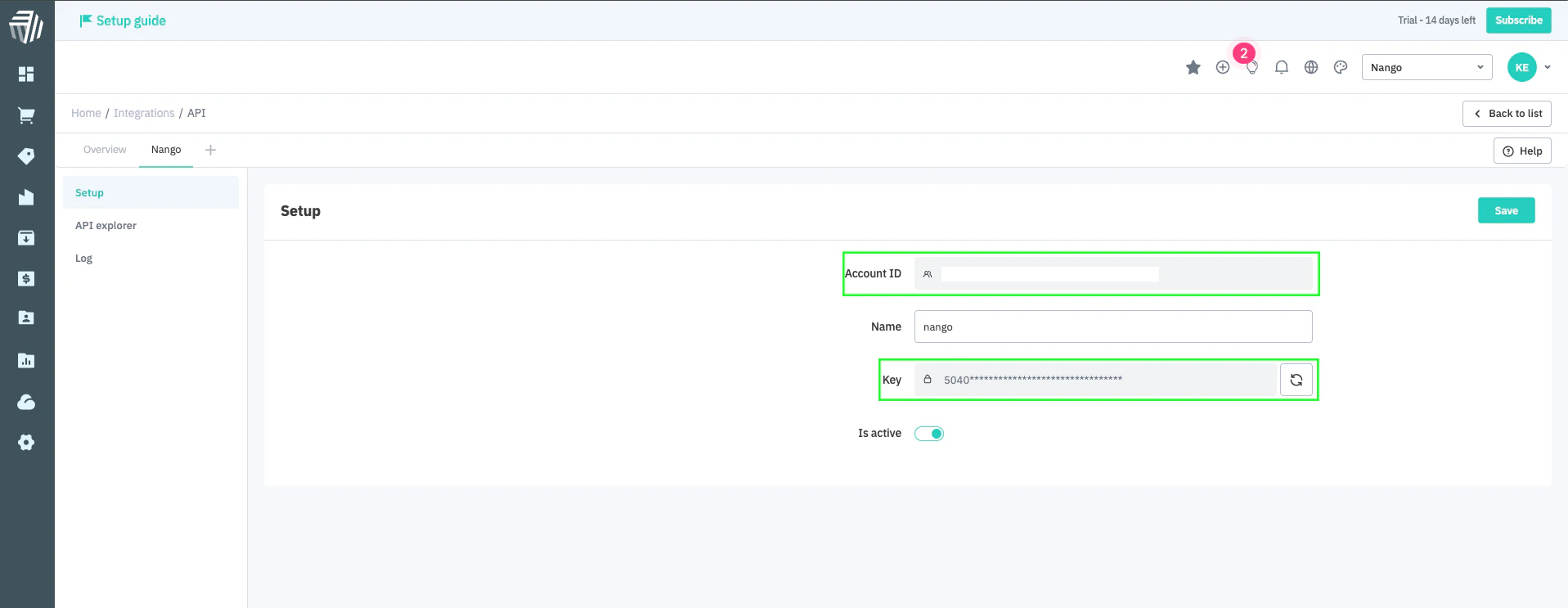
- Click Save.
Step 2: Enter your credentials in the Connect UI
Once you have your Account ID and API Application Key:- Open the form where you need to authenticate with Cin7 Core.
- Enter your Account ID and API Application Key in their respective fields.
- Submit the form, and you should be successfully authenticated.