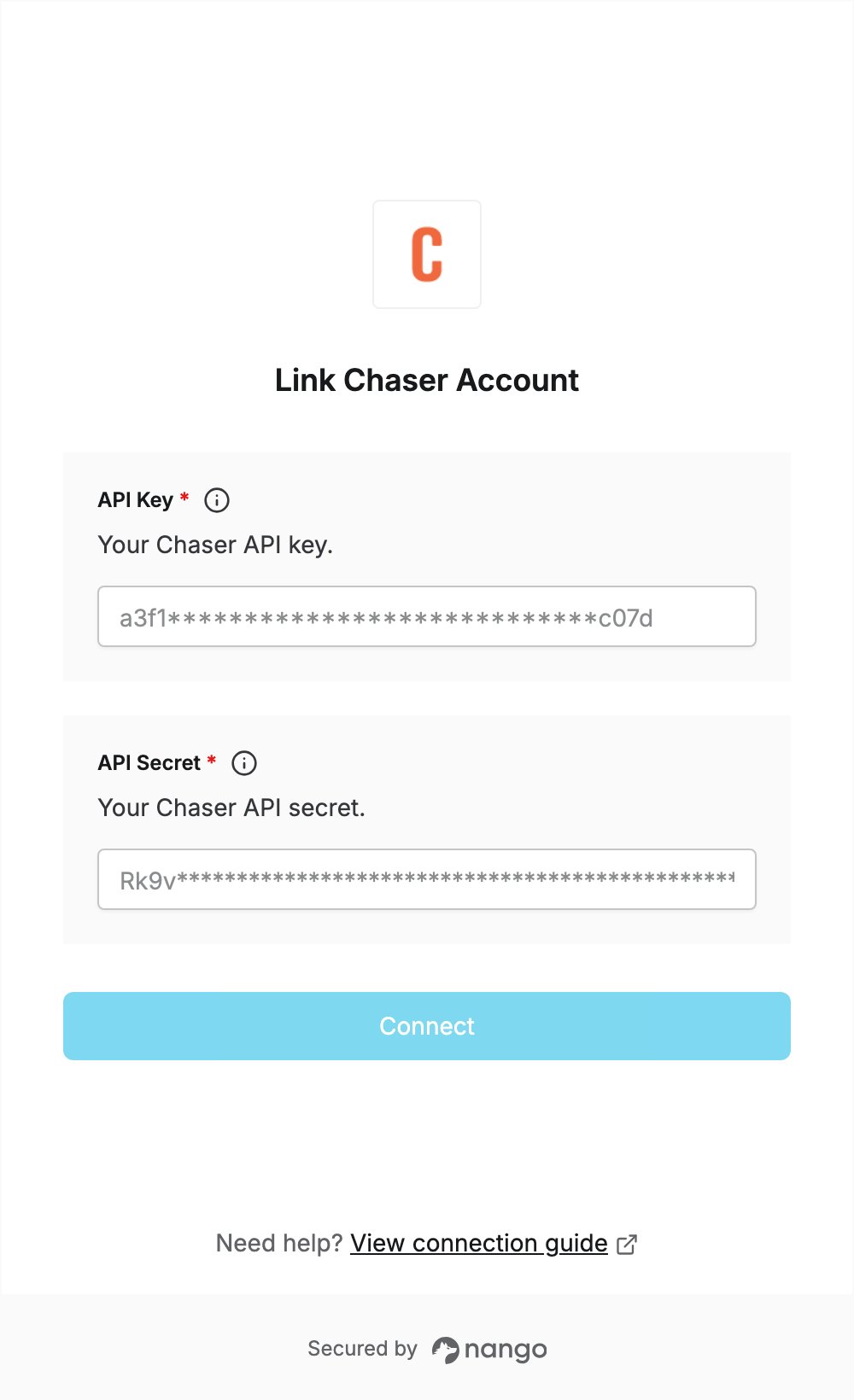
Overview
To authenticate with Chaser, you need:- API Key — the key of your Chaser organisation’s API key pair.
- API Secret — the secret issued together with the API key.
Prerequisites
- A Chaser account. You can start a 10-day free trial with your name and email, no credit card required.
Step 1: Create an API organisation
Chaser API keys belong to an organisation that is connected through the Chaser API. If your organisation already uses the Chaser API, skip to Step 2.- Log in to Chaser.
- On the Welcome screen, under Other ways to connect, select the API option and click Connect with Chaser API.
- Enter your company name and click Connect.
Step 2: Get your API key and secret
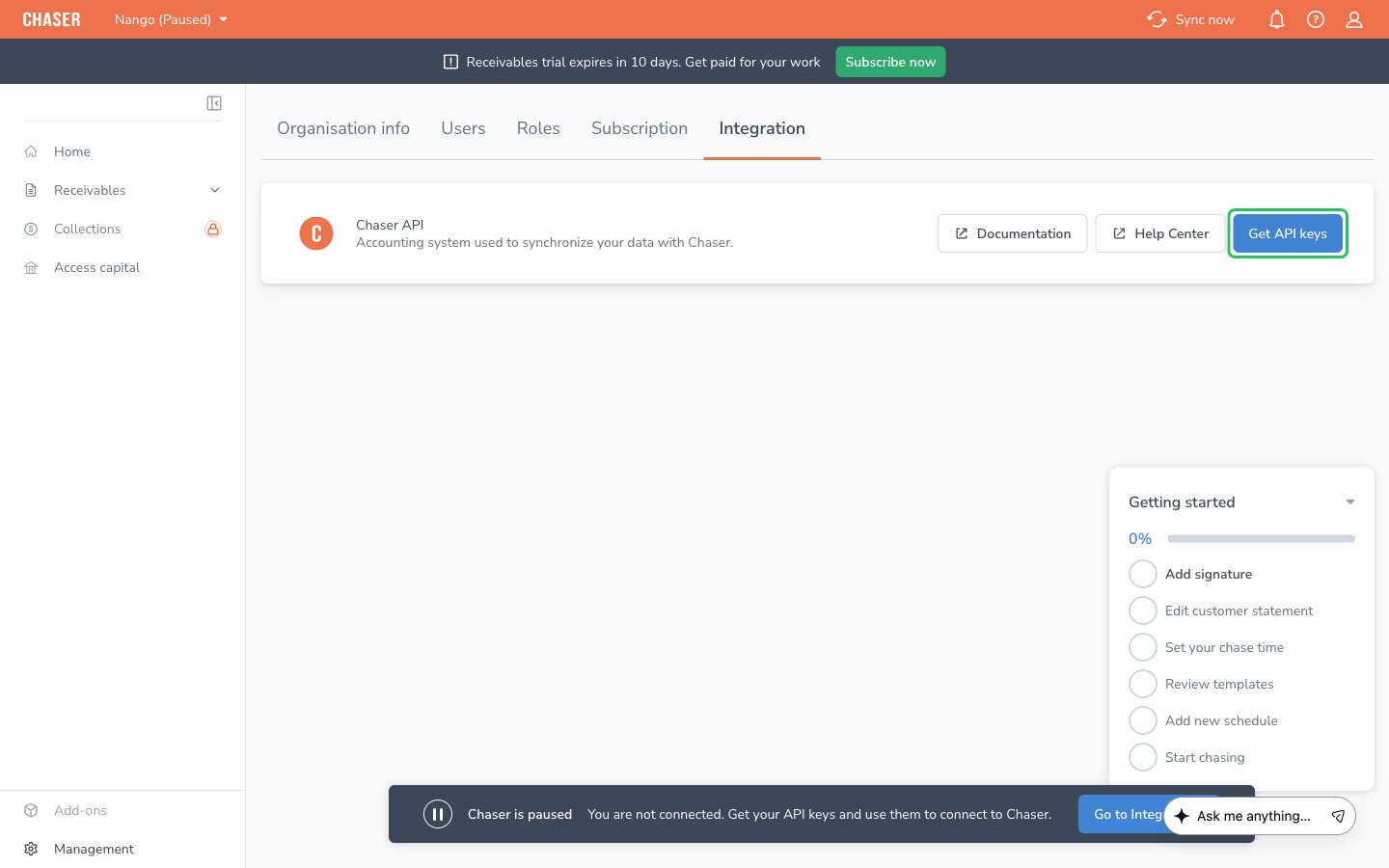
- In Chaser, go to Management > Integration.
- On the Chaser API card, click Get API keys.
- In the Your Chaser API keys dialog, copy the Key and the Secret, then click Done.
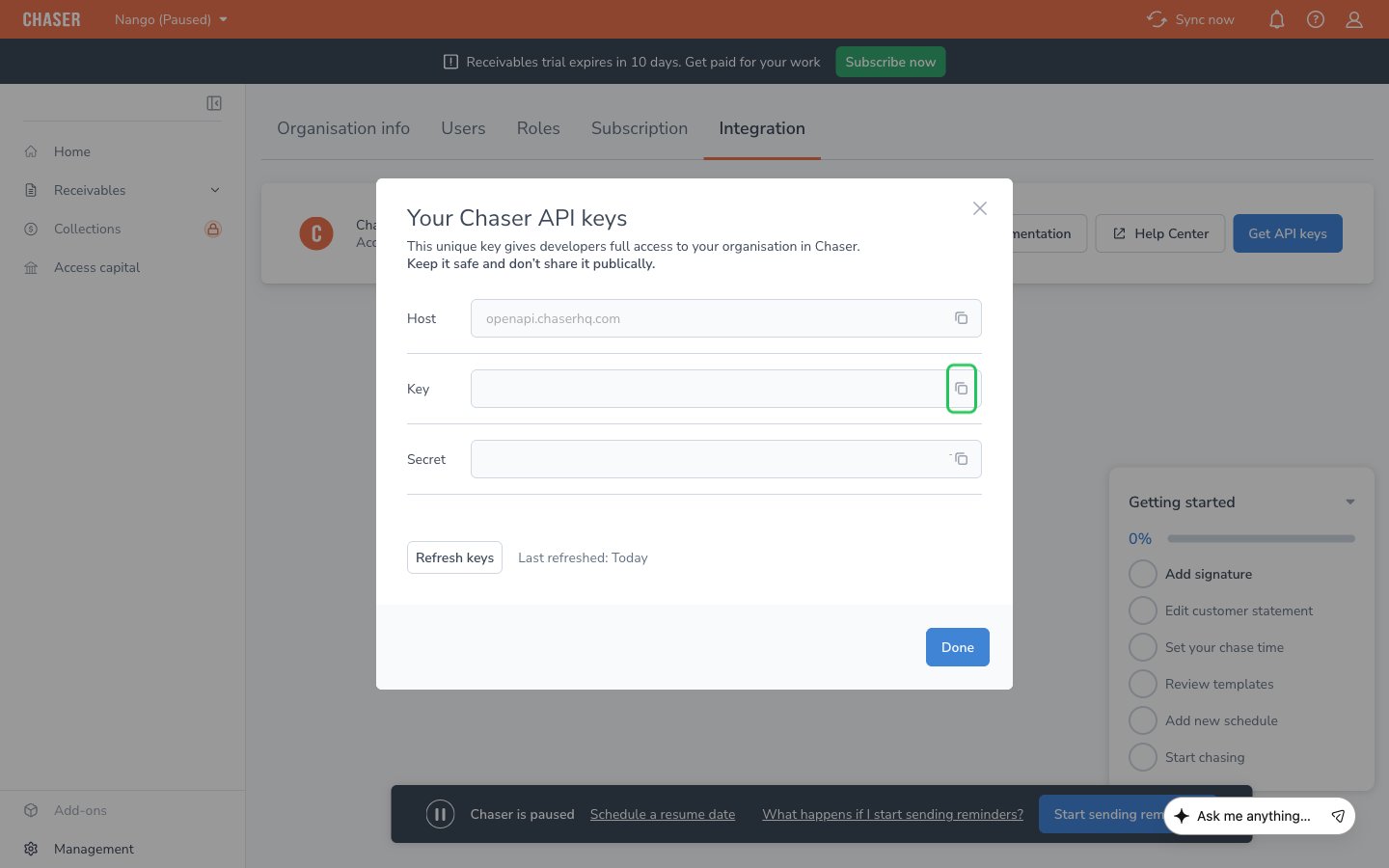
Chaser gives each organisation one key pair, with full access to the organisation. You cannot name it or limit its permissions.
Step 3: Enter your credentials in the Connect UI
- Open the form where you need to authenticate with Chaser.
- Enter the Key in the API Key field and the Secret in the API Secret field.
- Submit the form, and you should be successfully authenticated.