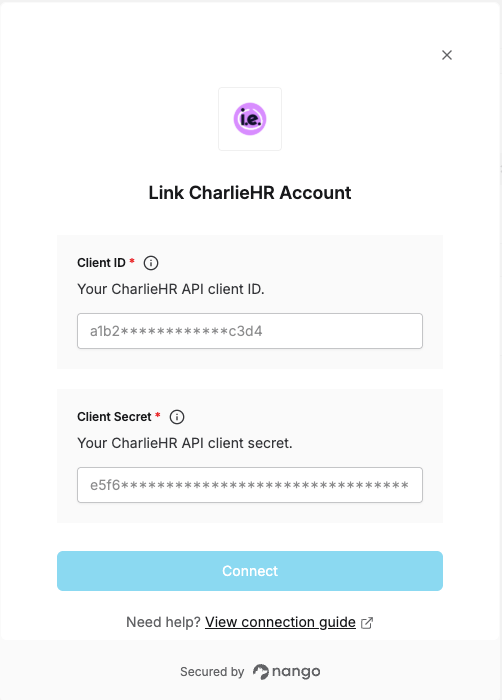
Overview
To authenticate with CharlieHR, you need:- Client ID and Client Secret — your CharlieHR API credentials.
Prerequisites
- A CharlieHR admin account.
Step 1: Get your API credentials
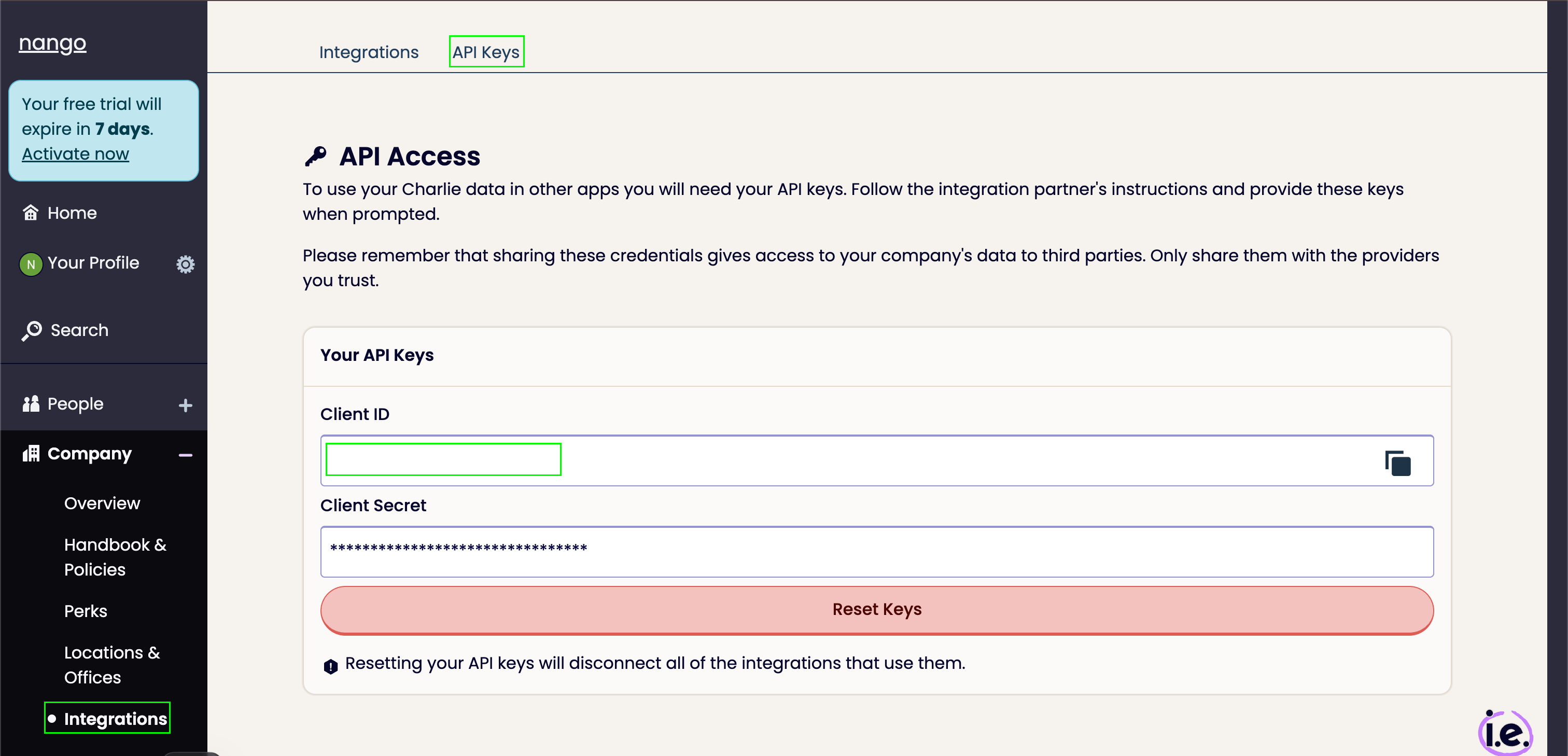
- Log in to CharlieHR with your admin account.
- From your dashboard, open the Integrations tab and go to API Keys.
- Generate a new set of keys, then copy the Client ID and Client Secret.
CharlieHR only shows your keys once, when you generate them. Save them somewhere secure before leaving the page.
Step 2: Enter your credentials in the Connect UI
- Open the form where you need to authenticate with CharlieHR.
- Enter your Client ID and Client Secret in the designated fields.
- Submit the form, and you should be successfully authenticated.