Overview
To authenticate with CallPage, you need:- API Key — a CallPage API key.
Prerequisites
- A CallPage account. You can start a 14-day free trial if you don’t have one.
Step 1: Create an API key
- Sign in to the CallPage dashboard.
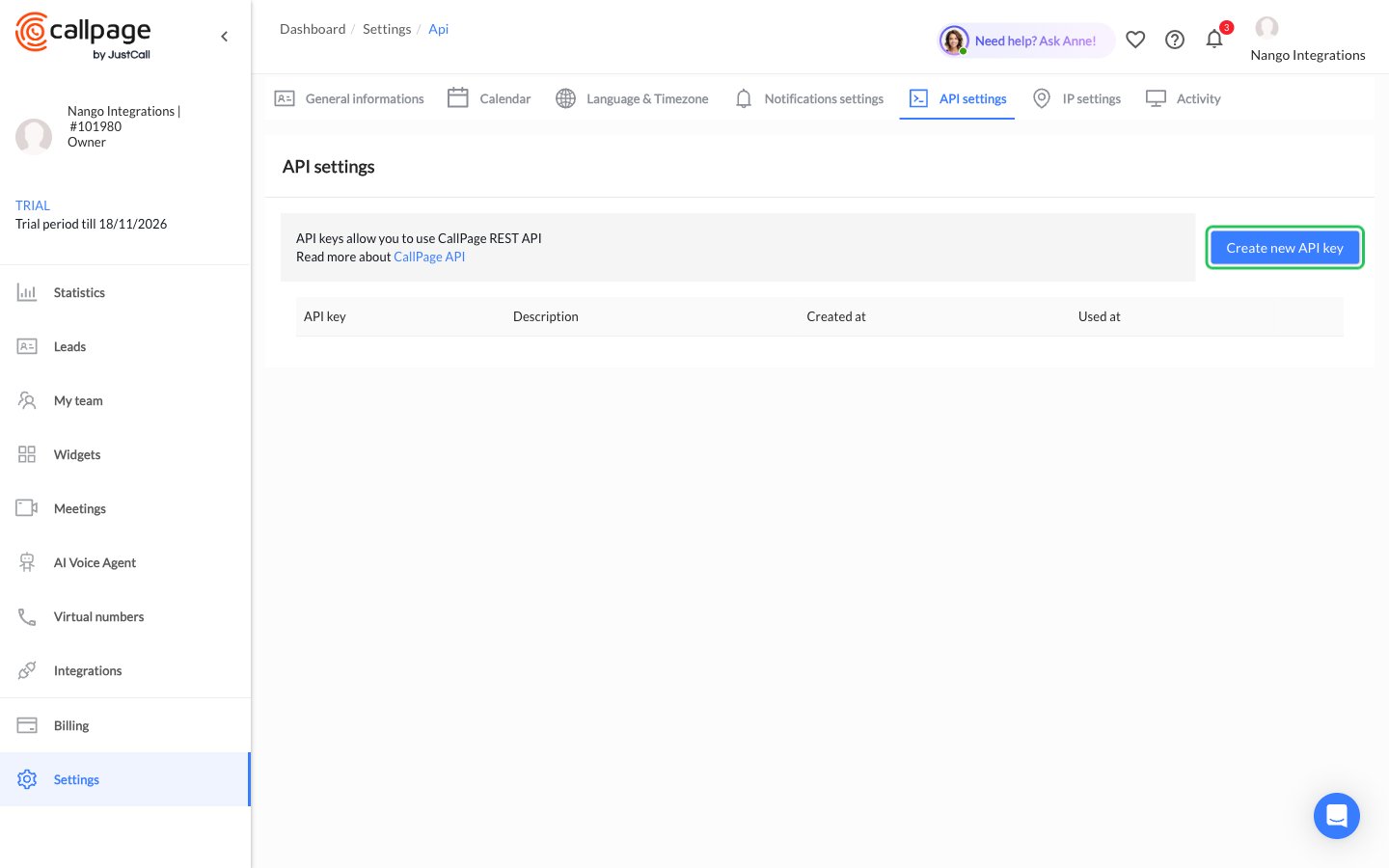
- In the sidebar, click Settings, open the API settings tab, then click Create new API key.
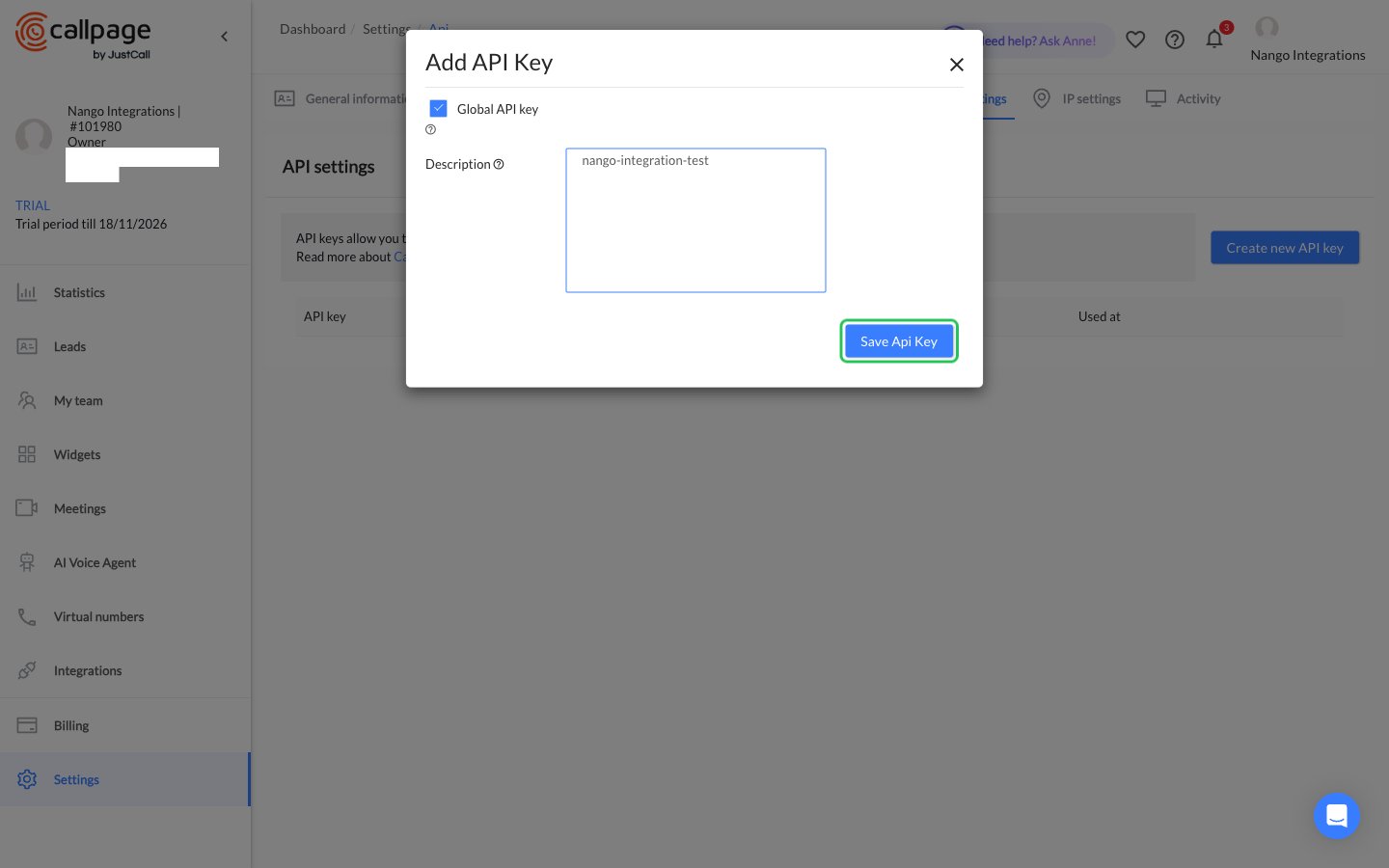
- In the Add API Key dialog, tick Global API key (or select the specific widgets and numbers the key can access), enter a description, then click Save Api Key.
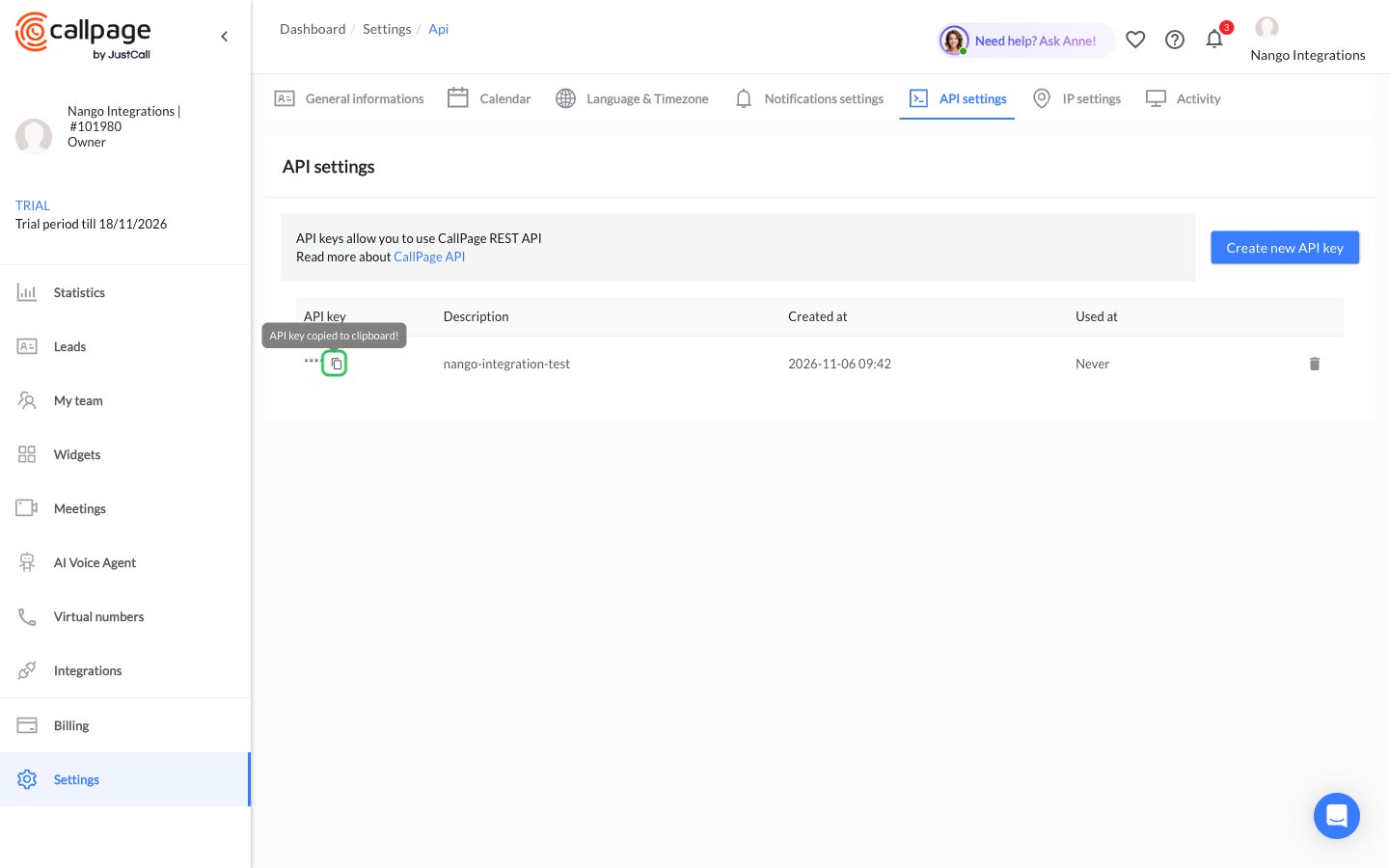
- In the API keys table, click the copy icon next to the masked key to copy your API key.
Step 2: Enter your API key in the Connect UI
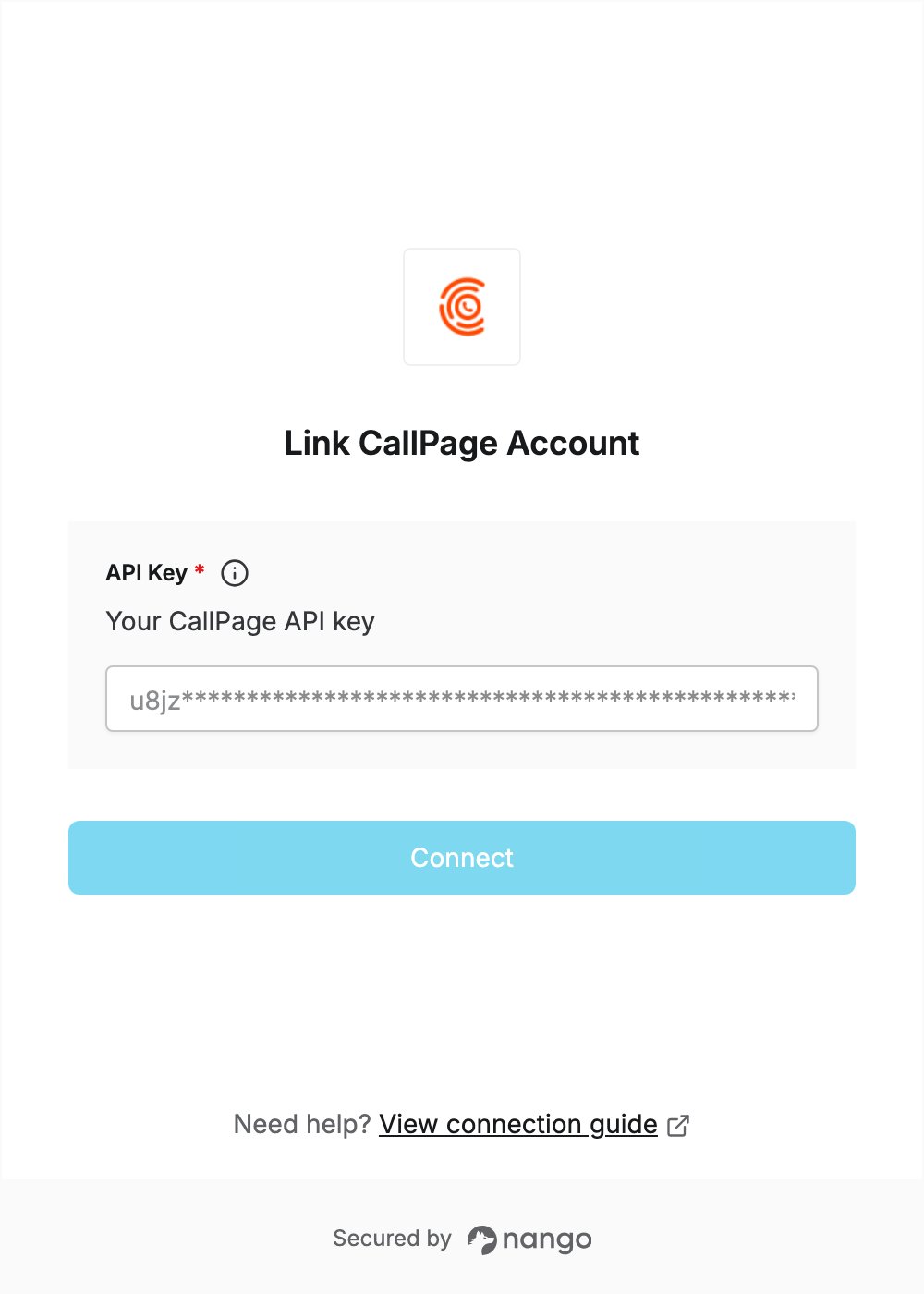
- Open the form where you need to authenticate with CallPage.
- Enter your API key in the API Key field.
- Submit the form, and you should be successfully authenticated.