Overview
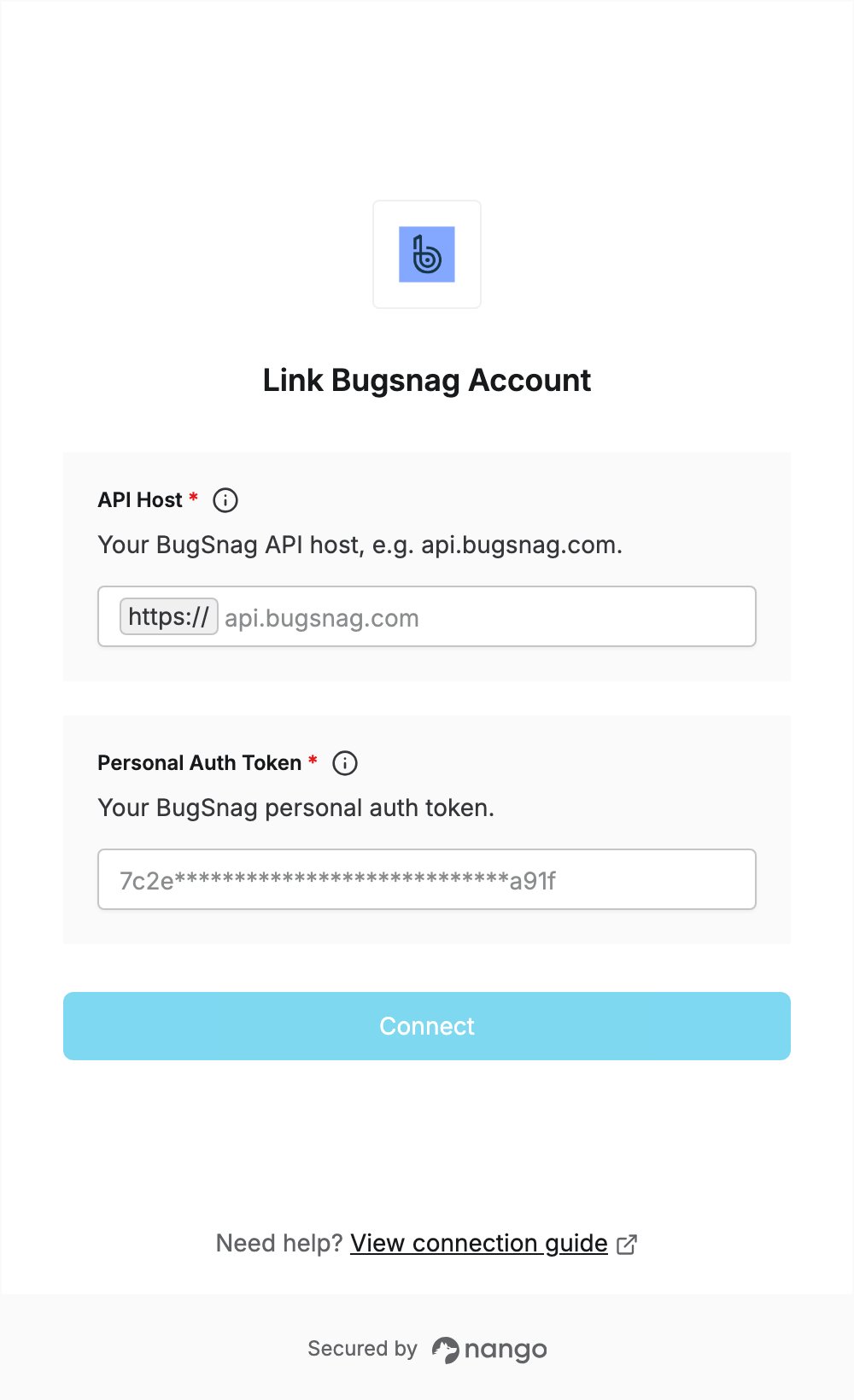
To authenticate with Bugsnag, you need:- API Host — the Bugsnag API host that matches your dashboard.
- Personal Auth Token — a token generated in your Bugsnag account.
Prerequisites
- A Bugsnag account with access to the organization you want to connect.
Step 1: Find your API host
Look at the address of the Bugsnag dashboard you log in to and pick the matching API host:
Enter the host only, without
https://. Use the host of the dashboard where you generate the token in the next step.
Step 2: Generate a personal auth token
- Log in to your Bugsnag dashboard.
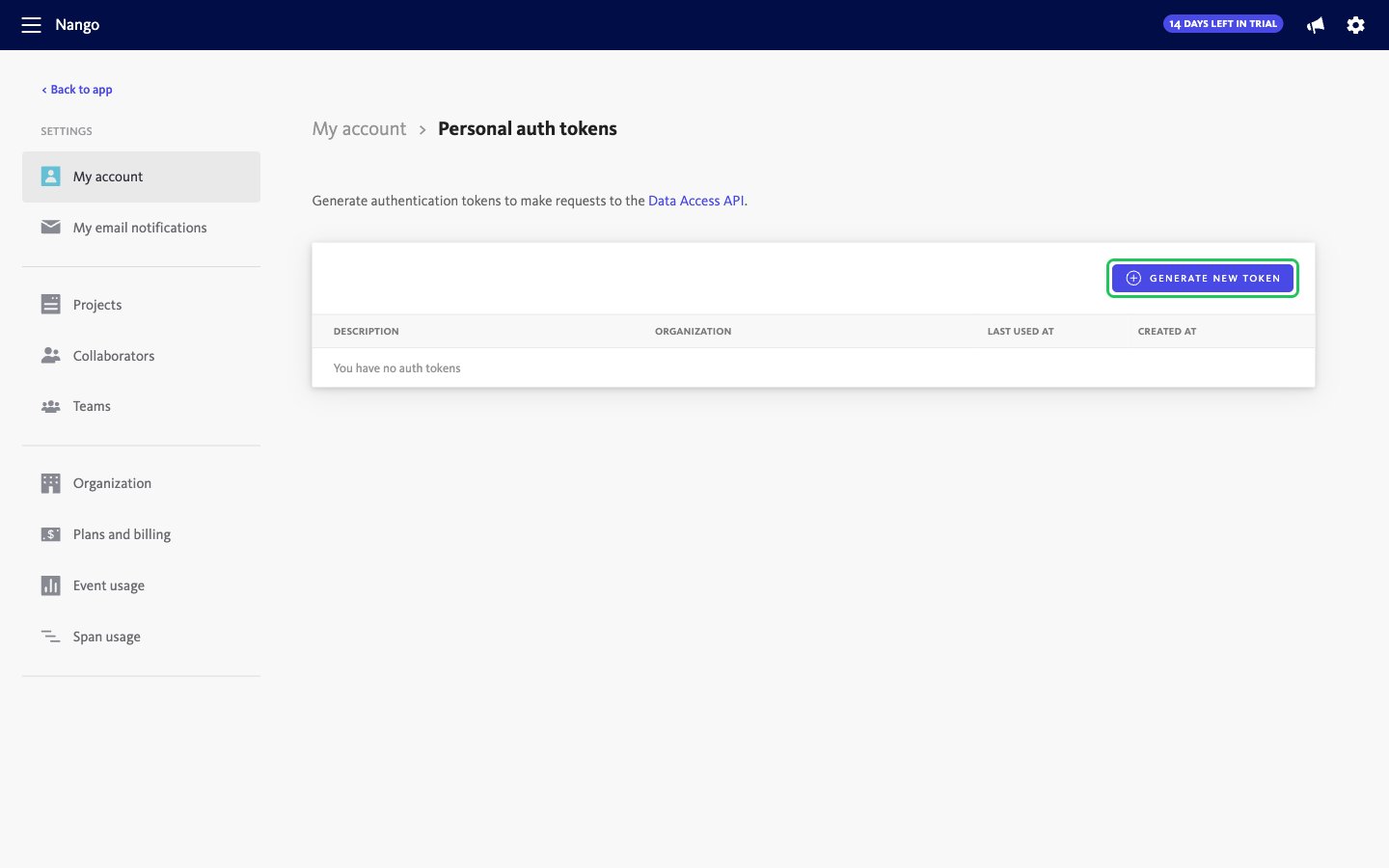
- Open Settings > My account > Personal auth tokens, then click Generate new token.
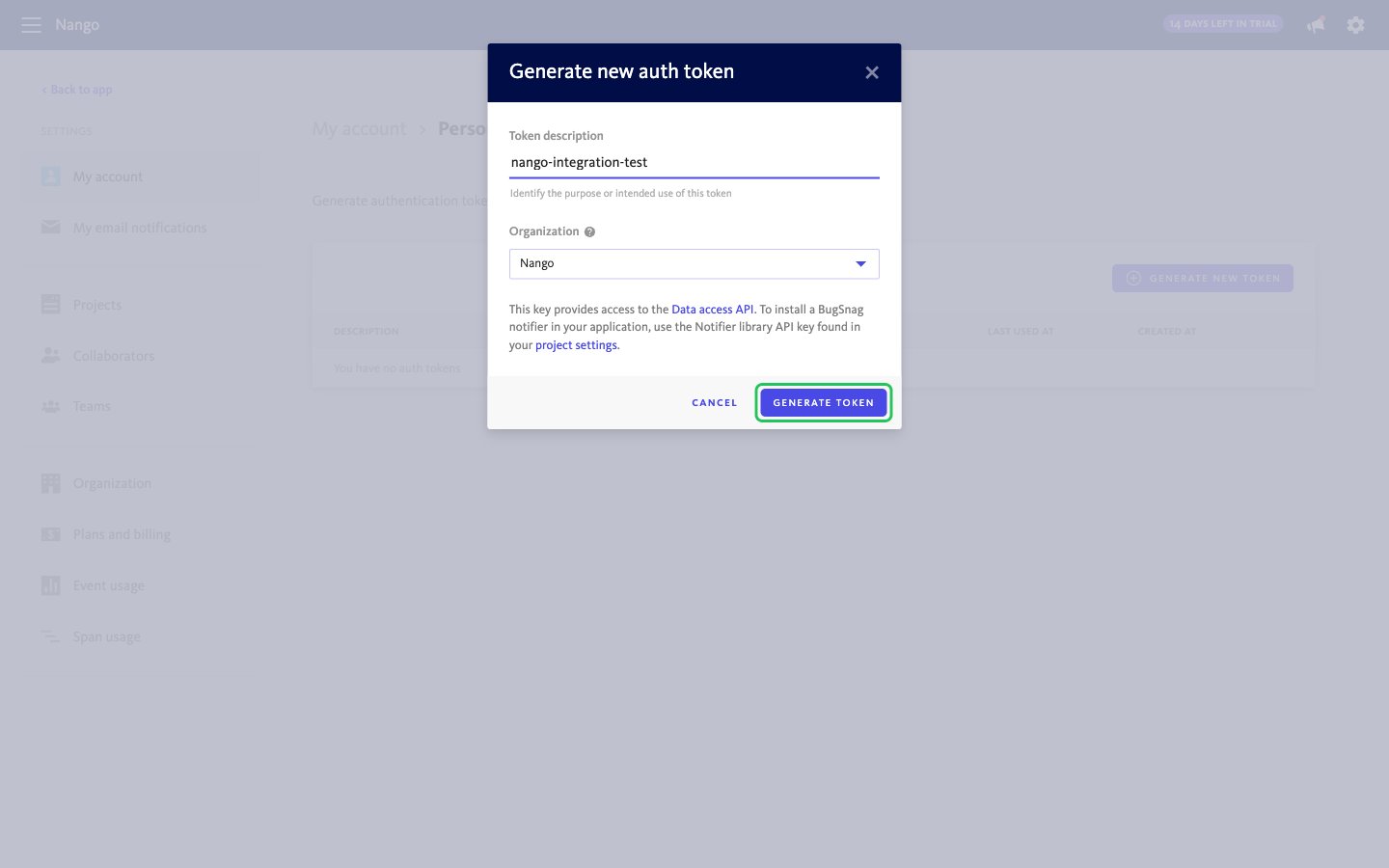
- Enter a description for the token, select your organization, and click Generate token.
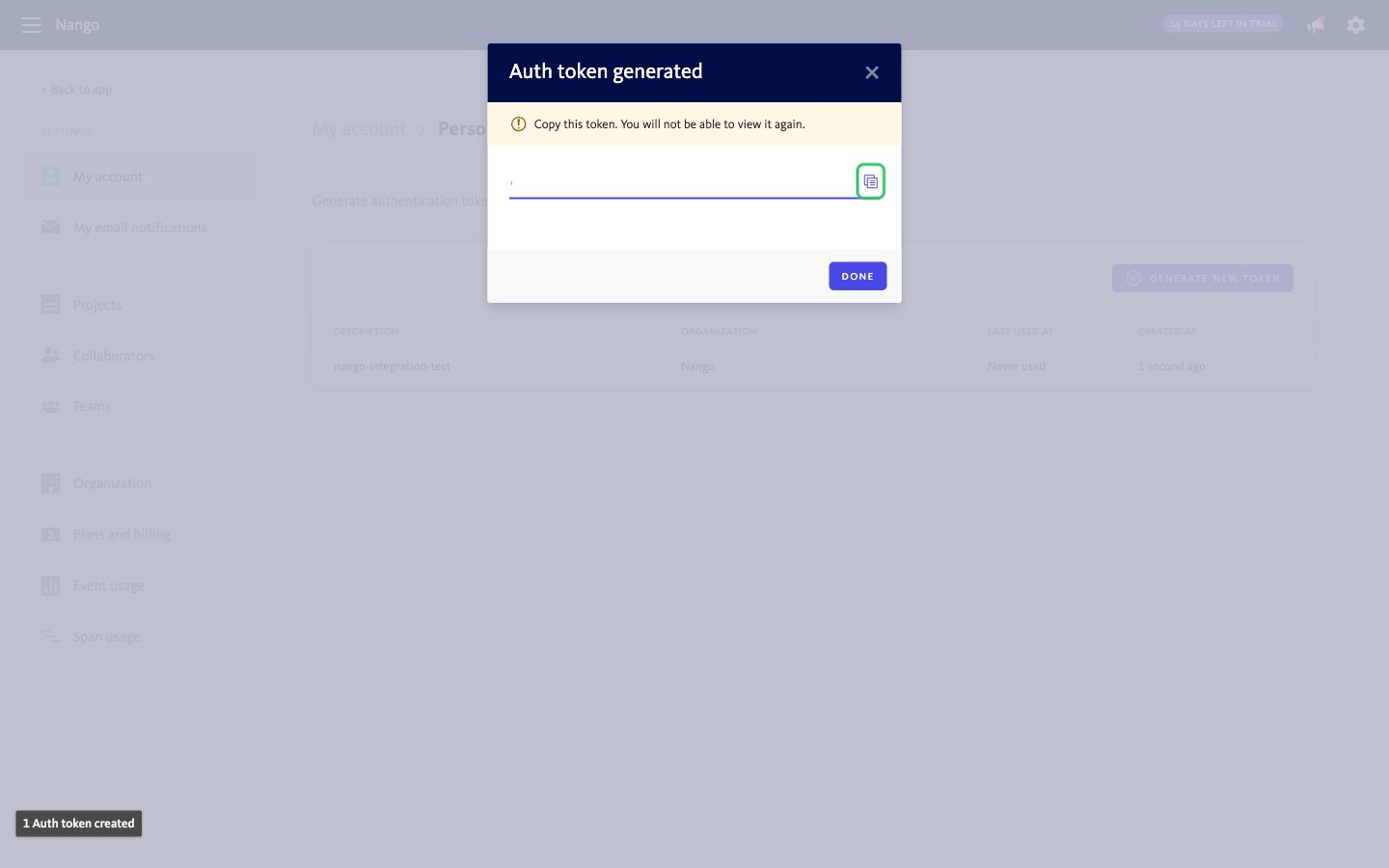
- Copy the token. Bugsnag shows it only once.
Step 3: Enter your credentials in the Connect UI
- Open the form where you need to authenticate with Bugsnag.
- Enter your API Host and Personal Auth Token in the designated fields.
- Submit the form, and you should be successfully authenticated.