Overview
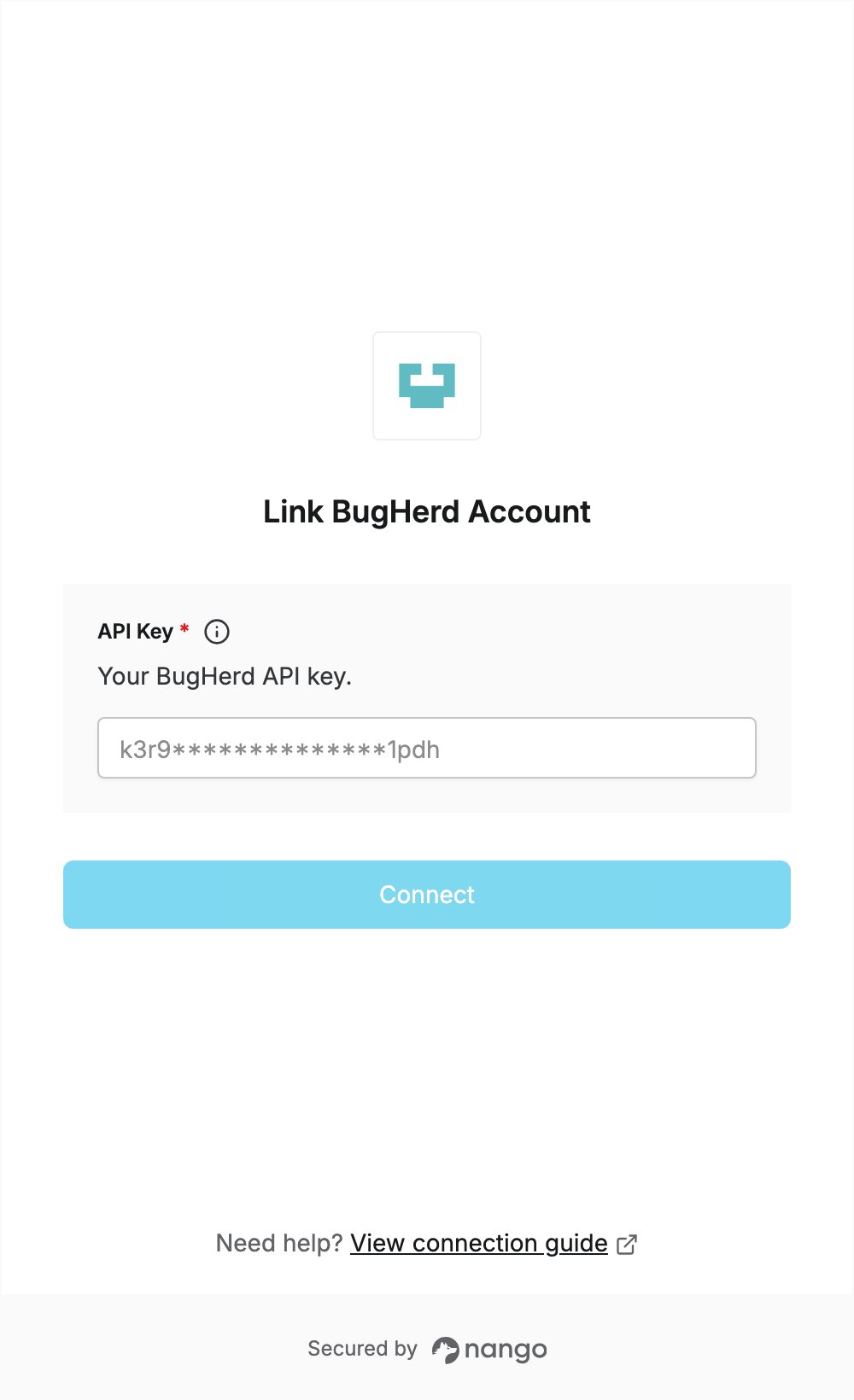
To authenticate with BugHerd, you need:- API Key — the API key from your BugHerd organization settings.
Prerequisites
- A BugHerd account. If you don’t have one, sign up.
Step 1: Open your organization settings
- Log in to BugHerd.
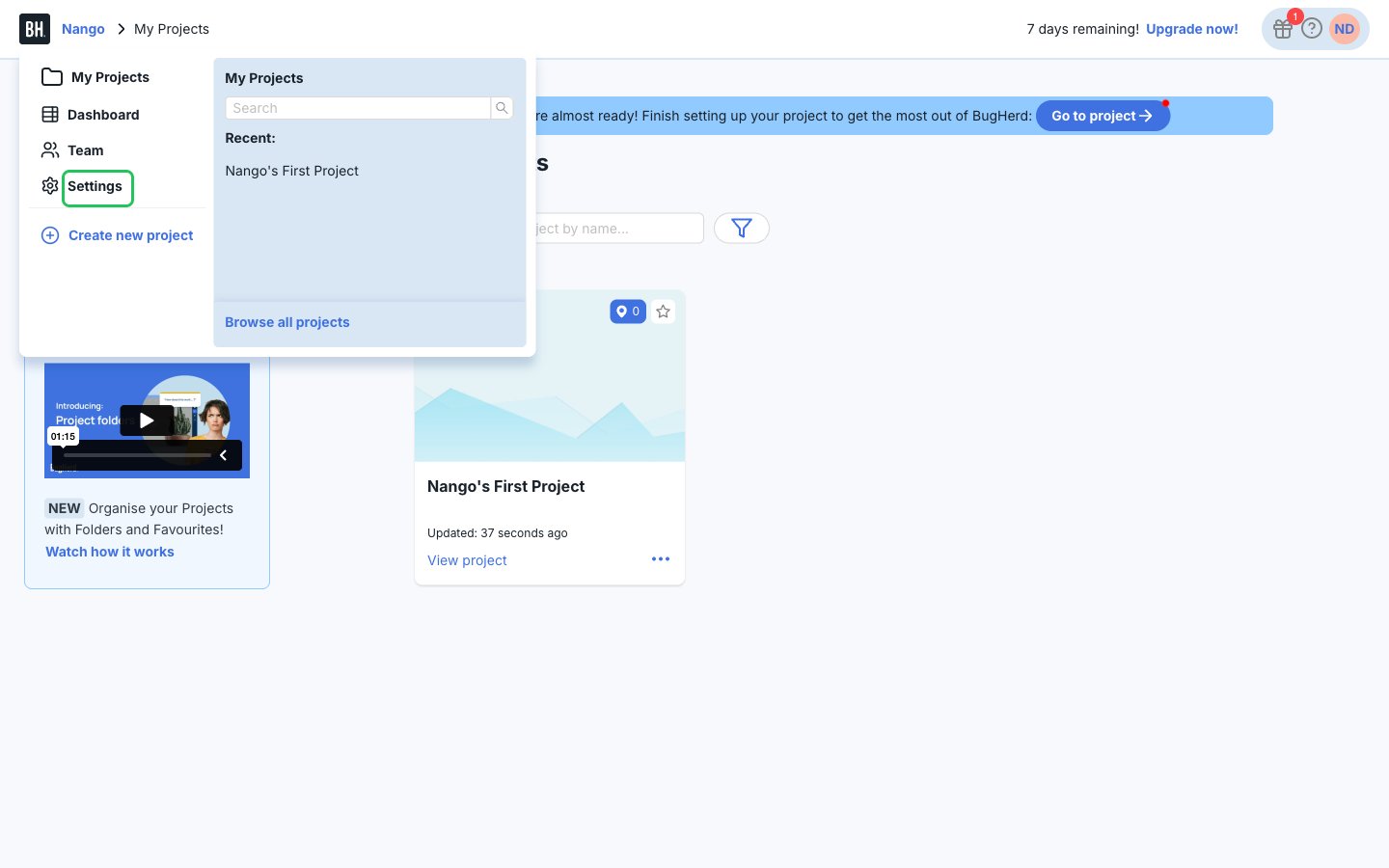
- Click your organization name in the top-left breadcrumb, then choose Settings.
Step 2: Copy your API key
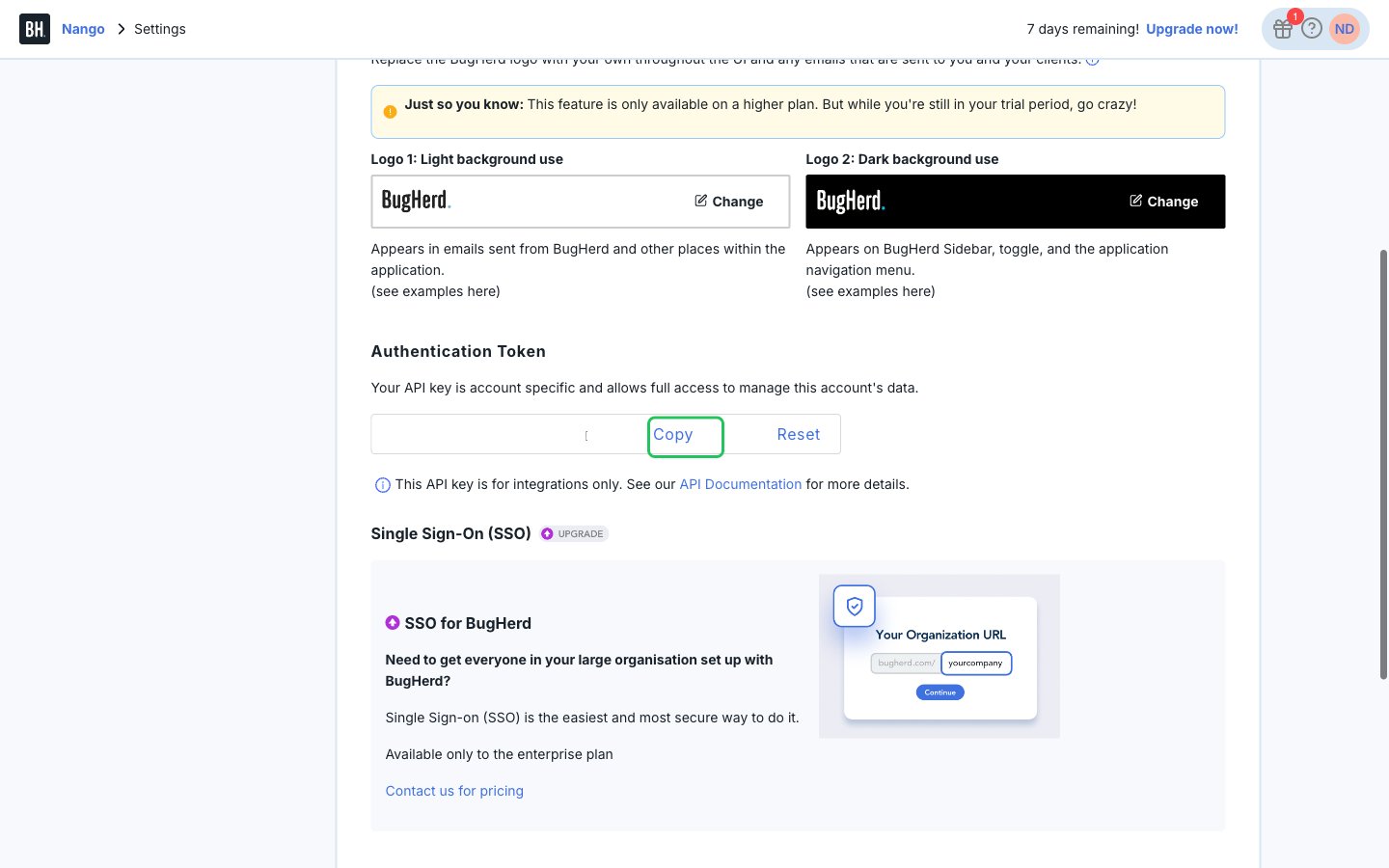
- Stay on the General tab and scroll to the Authentication Token section.
- Click Copy to copy your API key.
Step 3: Enter your API key in the Connect UI
- Open the form where you need to authenticate with BugHerd.
- Paste your API key into the API Key field. BugHerd’s password is always the letter
x, so Nango fills it in and the form does not ask for one. - Submit the form, and you should be successfully authenticated.