Overview
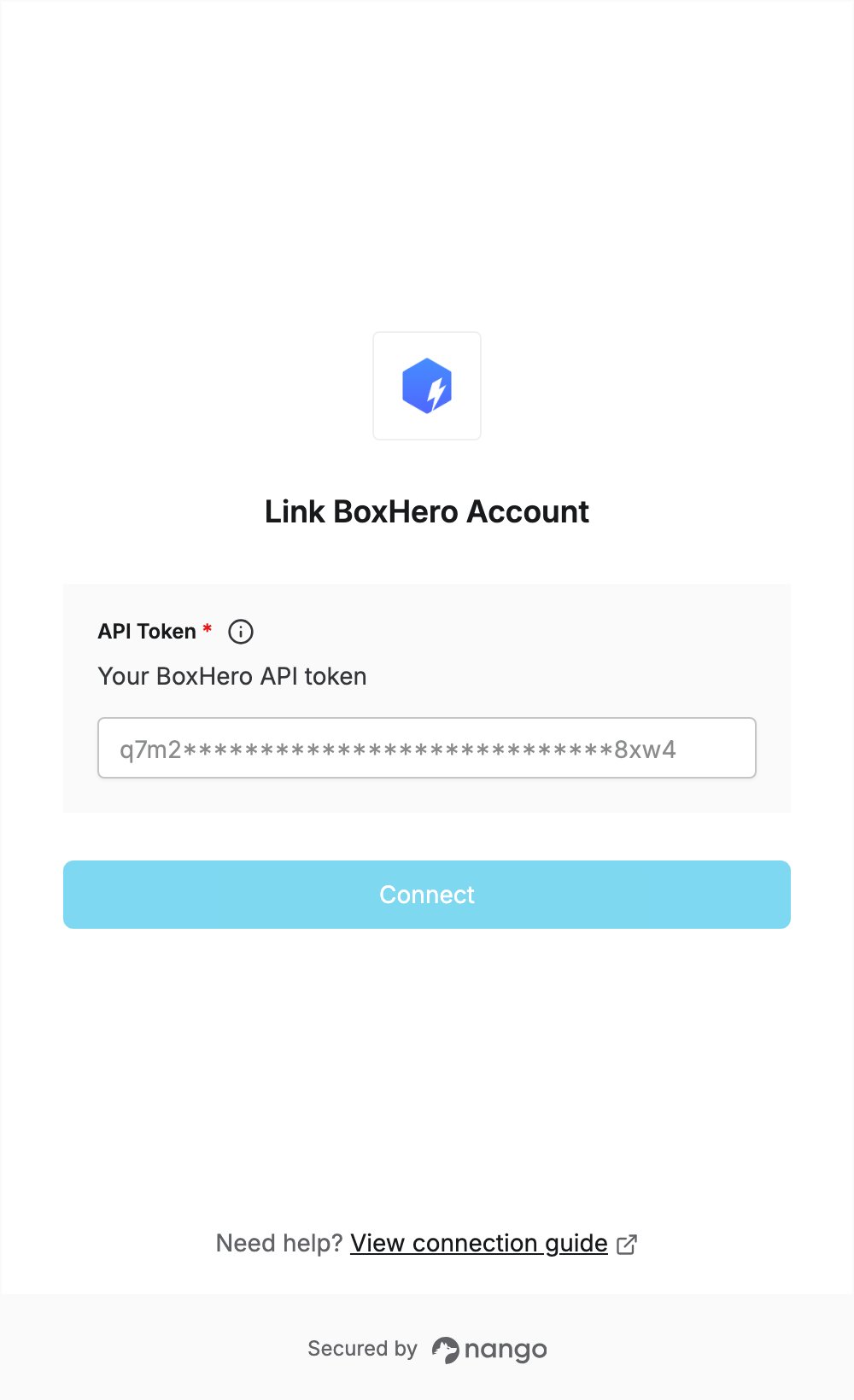
To authenticate with BoxHero, you need:- API Token — an API token generated in your BoxHero team’s settings.
Prerequisites
- A BoxHero account. If you don’t have one, sign up.
- Each API token is bound to a single team, so generate it in the team you want to connect.
Step 1: Generate an API token
- Sign in to the BoxHero web app and open the team you want to connect.
- In the left menu, expand Settings and click Integrations.
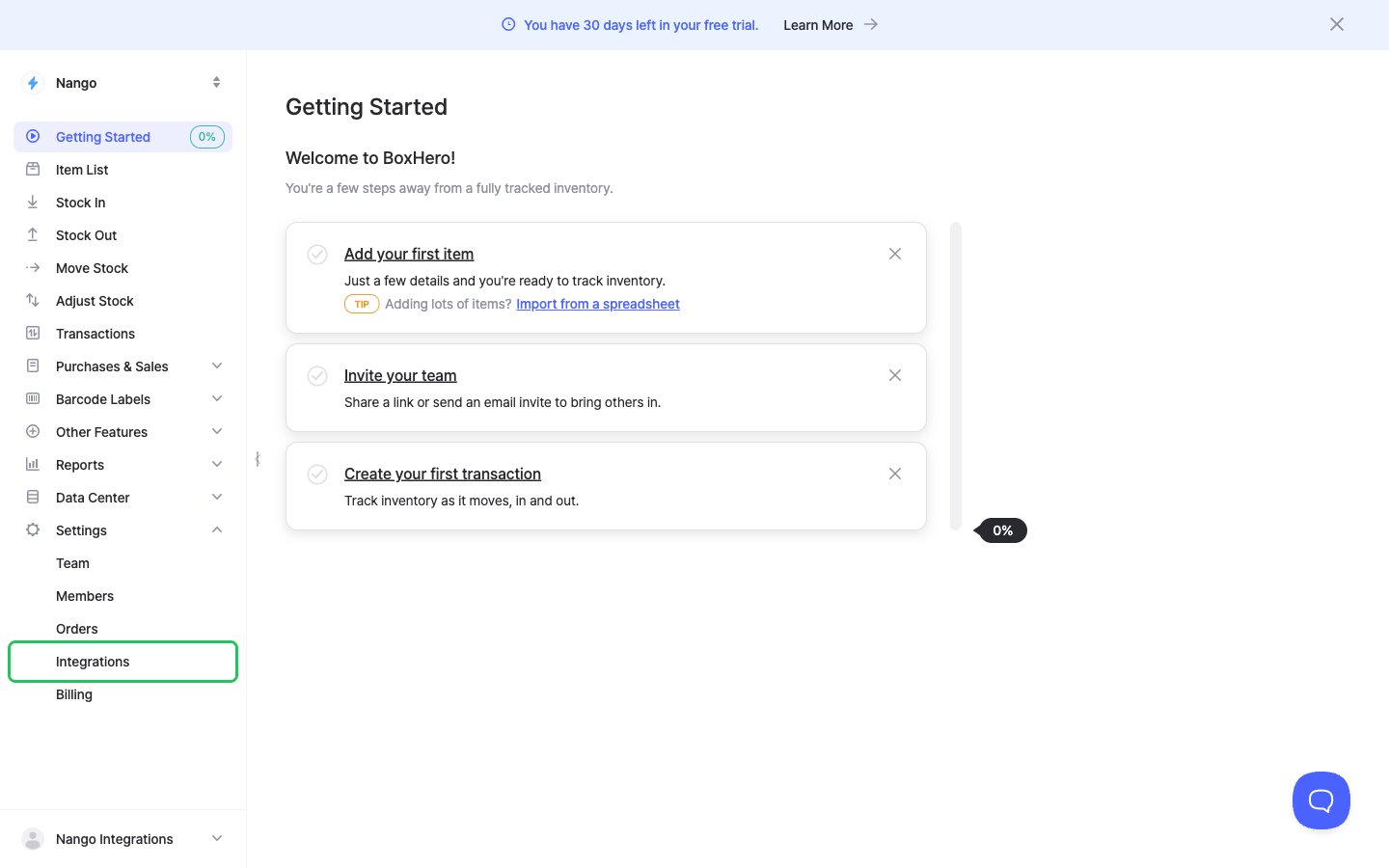
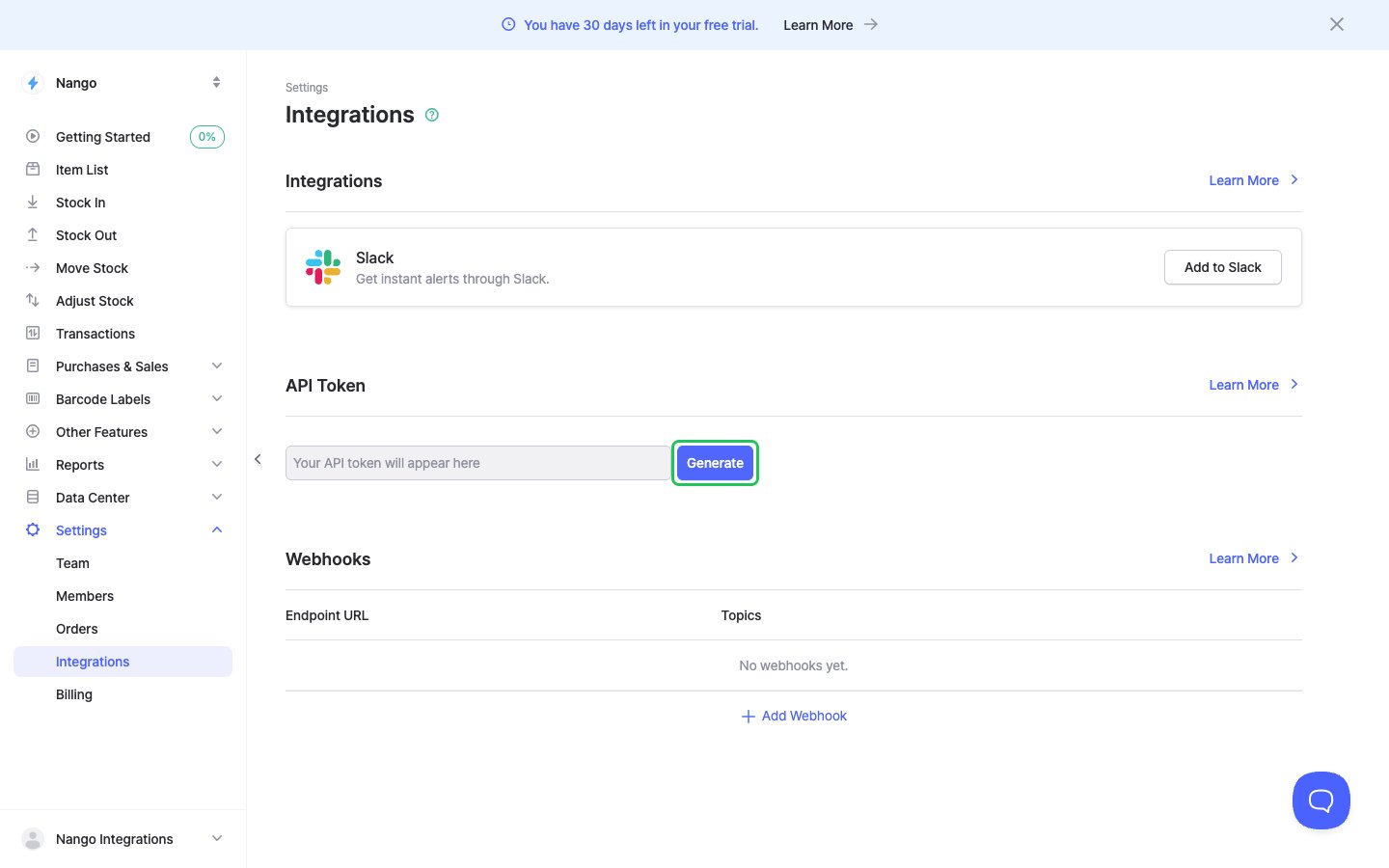
- In the API Token section, click Generate.
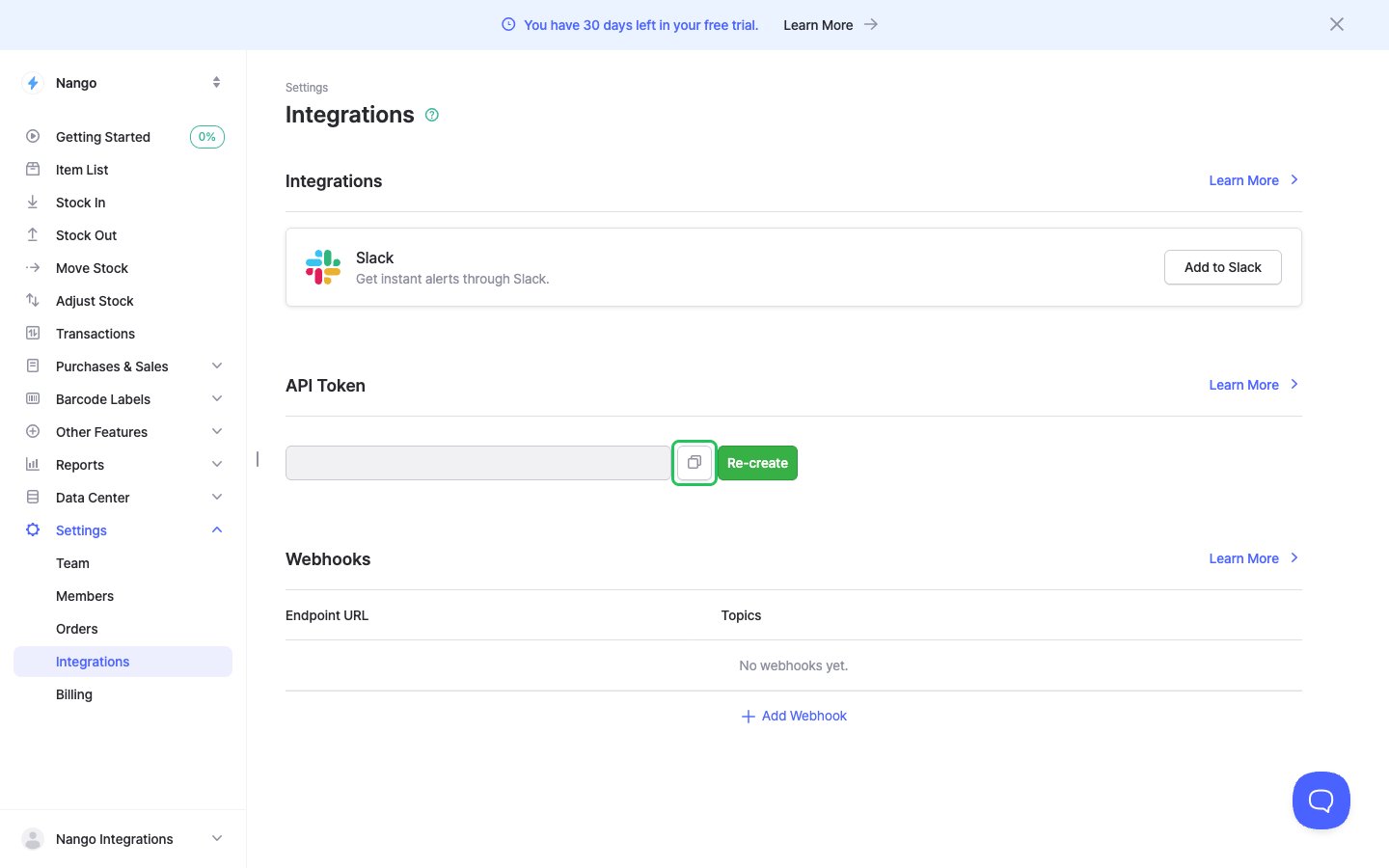
- Click the copy button next to the token to copy it.
Step 2: Enter your API token in the Connect UI
- Open the form where you need to authenticate with BoxHero.
- Enter your API token in the API Token field.
- Submit the form, and you should be successfully authenticated.