Overview
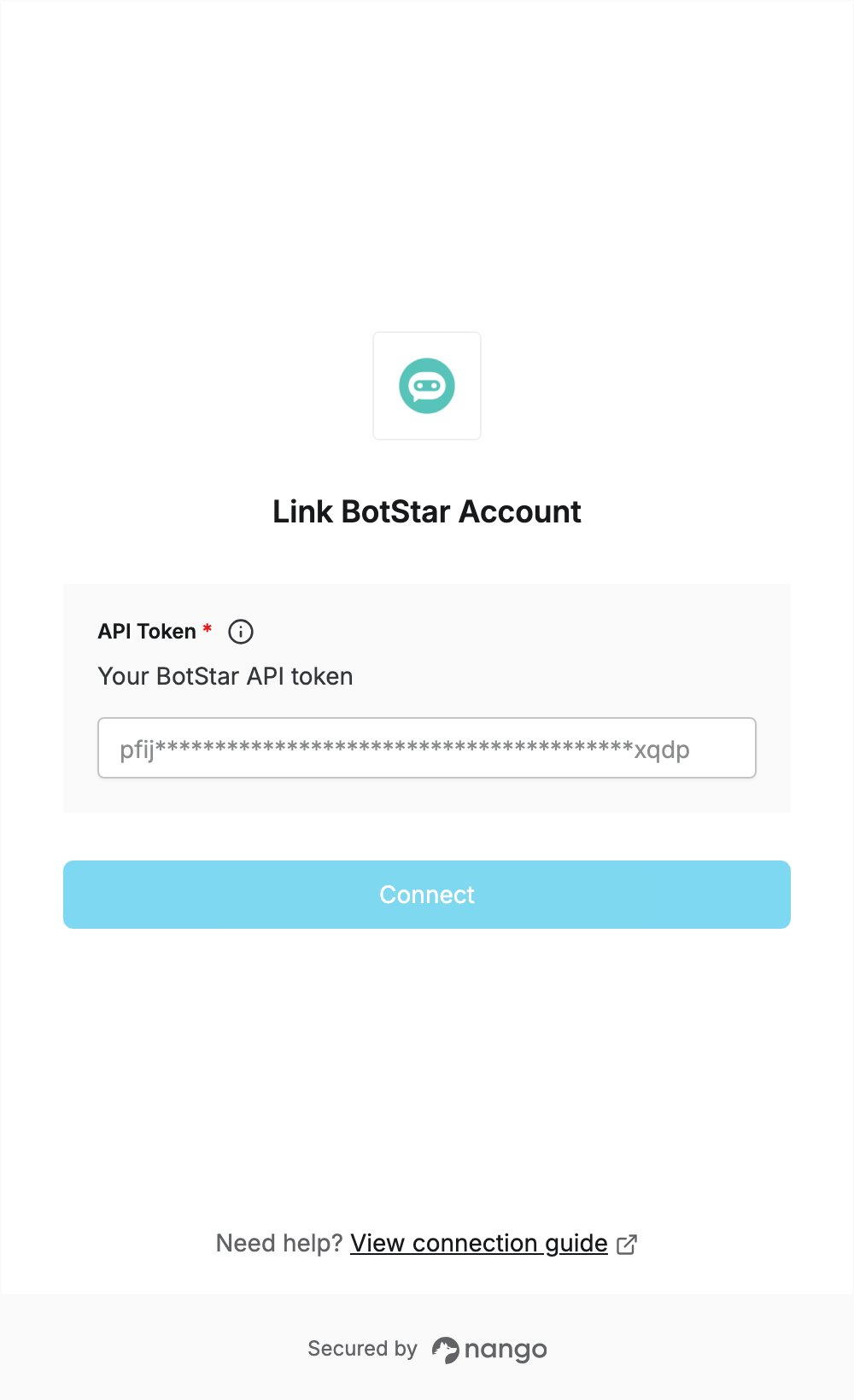
To authenticate with BotStar, you need:- API Token — the API token from your BotStar profile page.
Prerequisites
- A BotStar account. If you don’t have one, sign up.
Step 1: Generate an API token
- Sign in to BotStar.
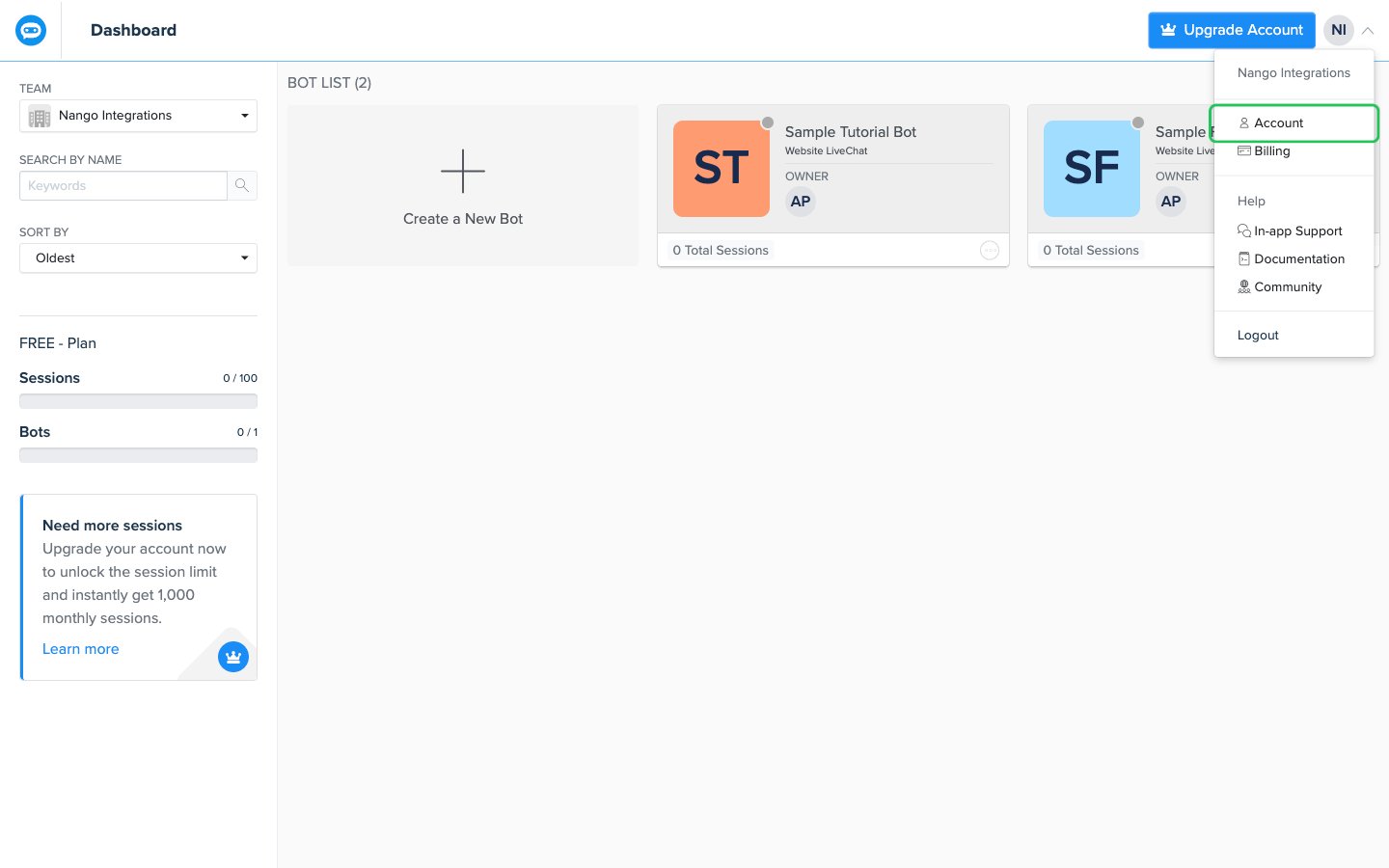
- Click your avatar in the top-right corner, then choose Account.
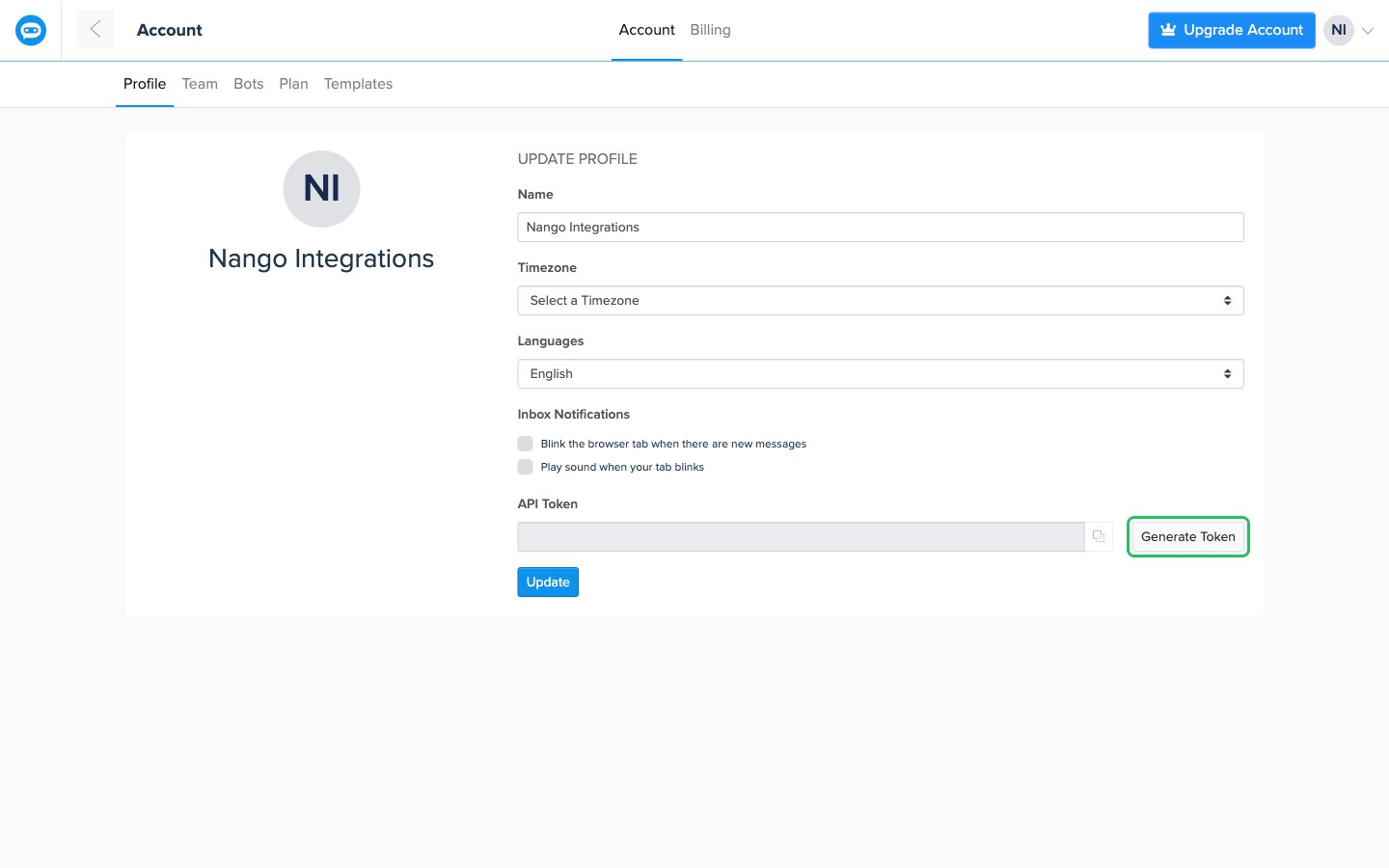
- On the Profile tab, find the API Token field. If no token exists, click Generate Token and continue to step 4. If one already exists, don’t click Change Token, since that replaces the current token: click the copy button next to the field and skip step 4.
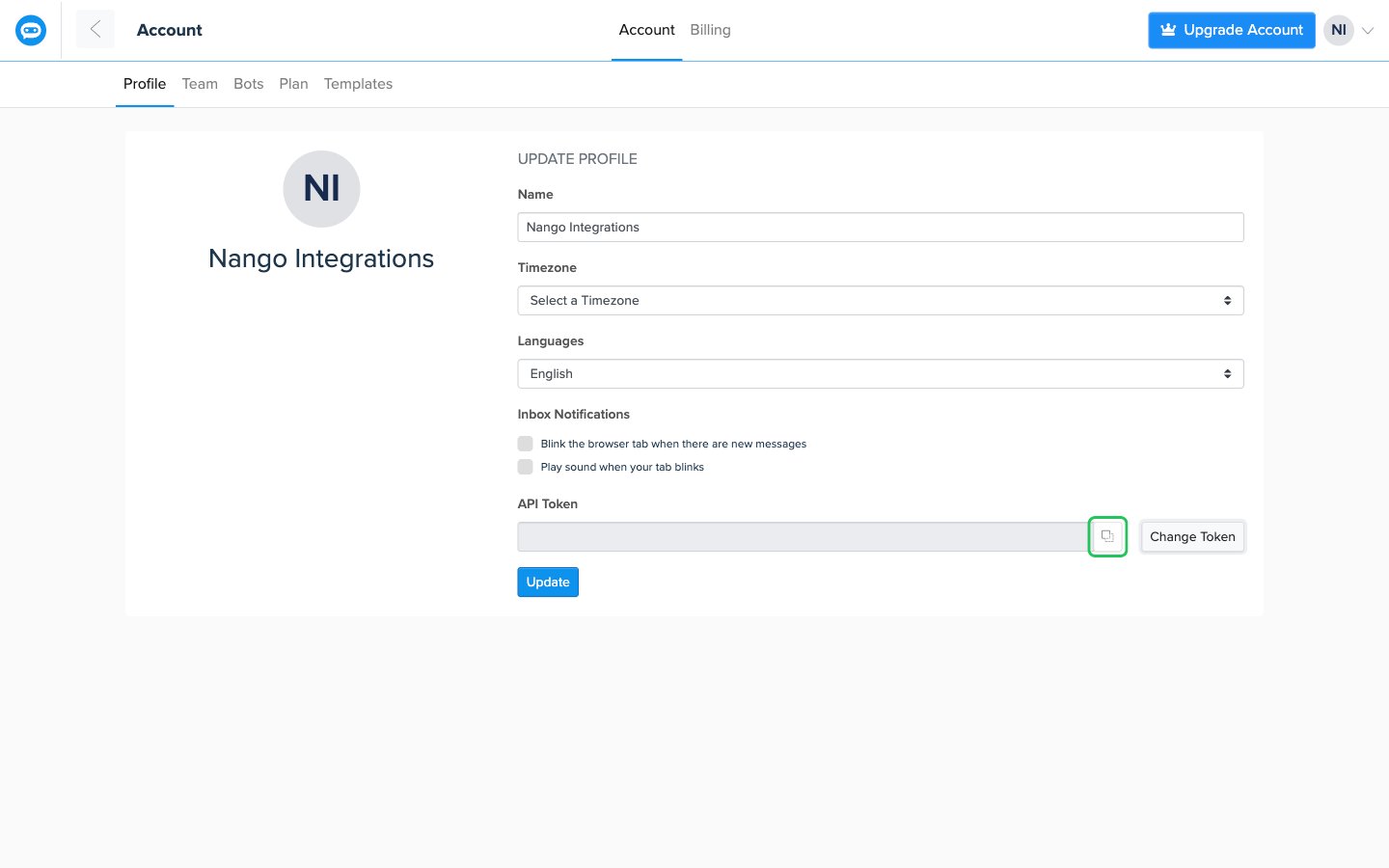
- Confirm the prompt with Yes, then click the copy button next to the API Token field to copy your token.
Step 2: Enter your API token in the Connect UI
- Open the form where you need to authenticate with BotStar.
- Enter your token in the API Token field.
- Submit the form, and you should be successfully authenticated.