Overview
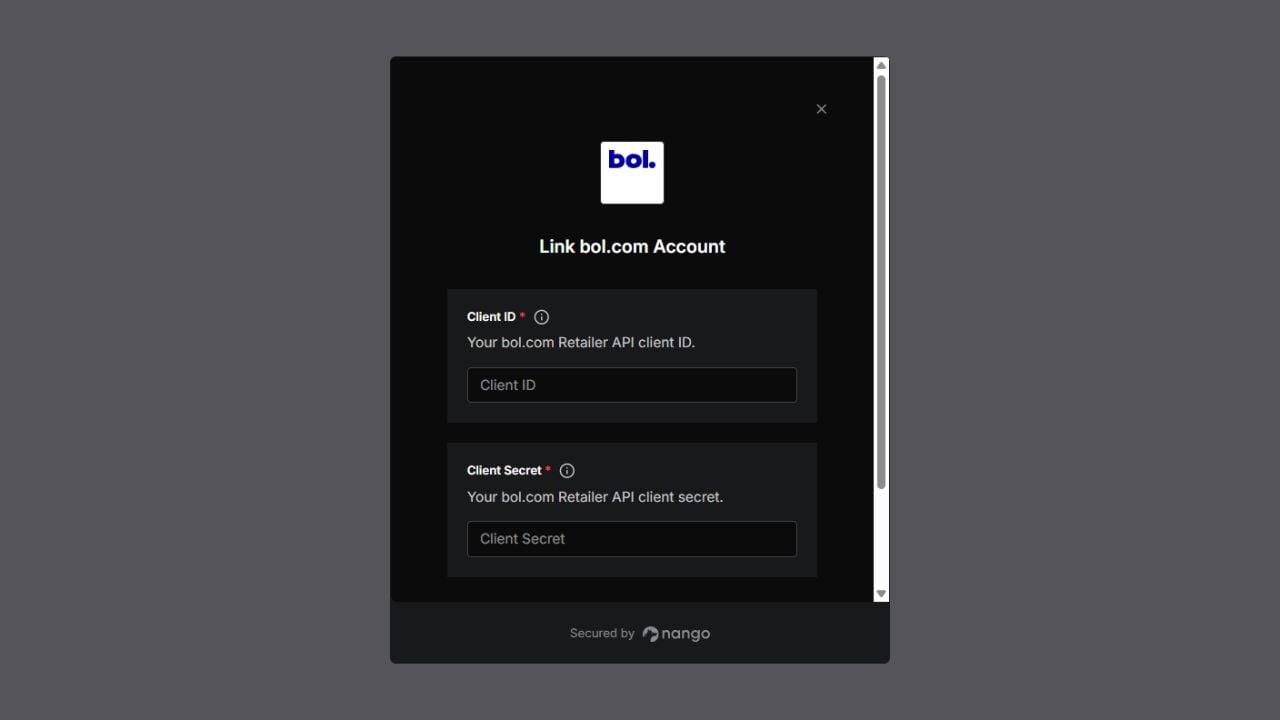
To authenticate with the bol.com Retailer API, you need:- Client ID - The identifier for your Retailer API client.
- Client Secret - The secret paired with your Client ID.
Prerequisites
- A bol.com seller account with access to the Retailer API.
Instructions
Step 1: Open API settings
- Sign in to your bol.com seller account.
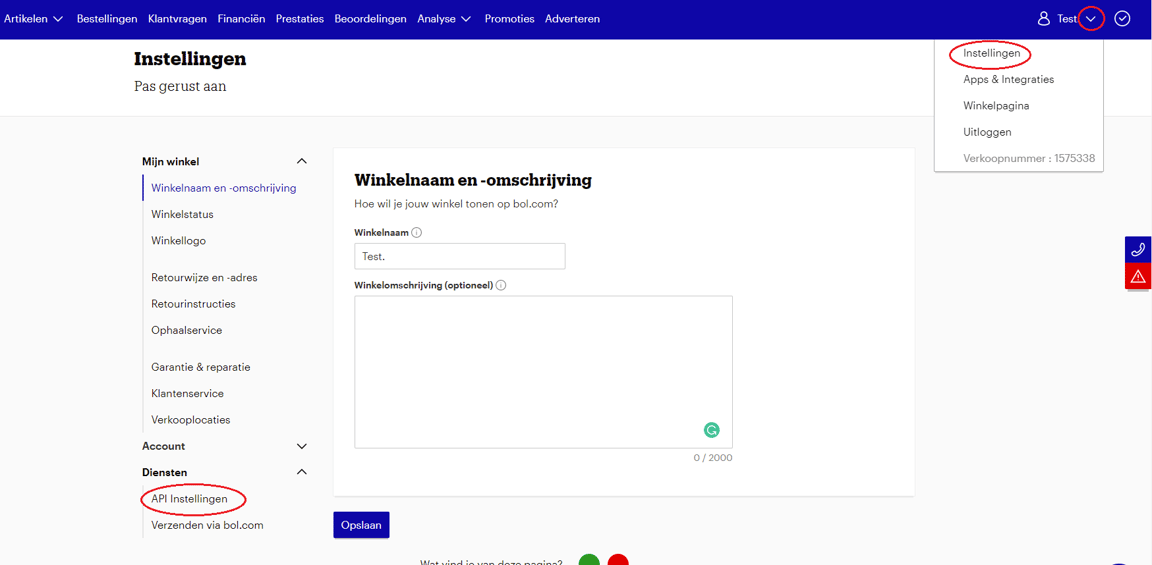
- Open your account profile and select Settings.
- Under Services, select API settings.
Step 2: Add a technical contact
Enter and save the contact details for the person responsible for the integration. bol.com requires a technical contact before you can create API credentials.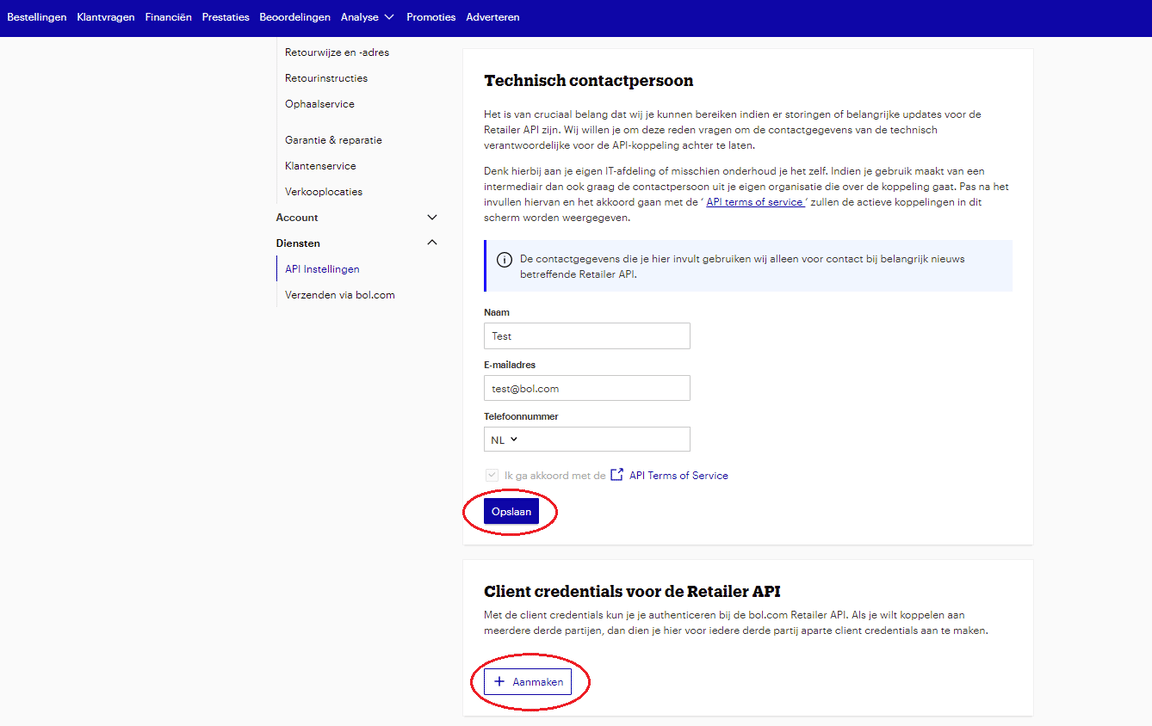
Step 3: Create client credentials
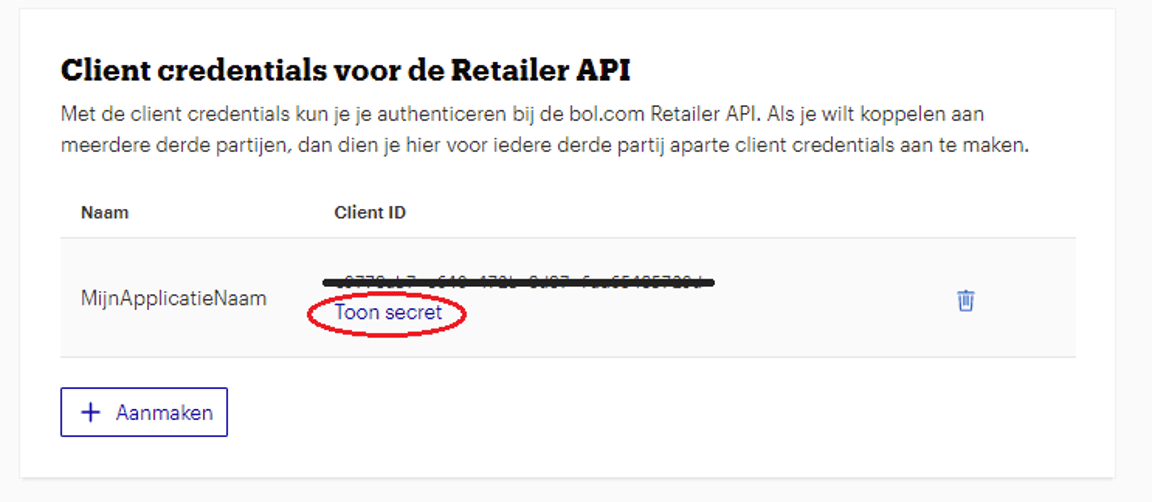
- Under Client credentials for the Retailer API, select Create.
- Enter a recognizable name for the credential and select Create.
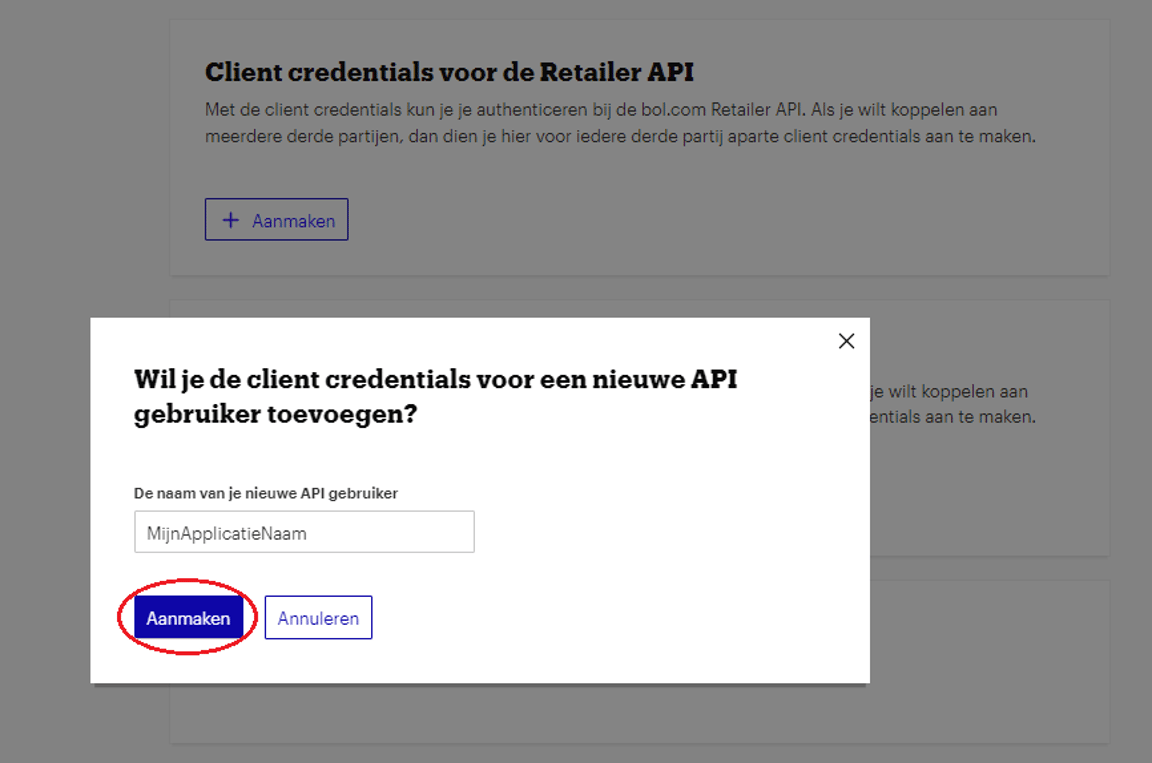
- Copy the generated Client ID, then select Show secret and copy the Client Secret.
Step 4: Enter credentials in the Connect UI
- Open the form where you need to authenticate with bol.com.
- Enter your Client ID and Client Secret in their respective fields.
- Submit the form to connect your account.