Overview
To authenticate with BigMailer, you need:- API Key — a BigMailer API key.
Prerequisites
- A BigMailer account. You can sign up for free on the Startup plan.
- An activated account: click the activation link in the email BigMailer sends after signup. Until then, you cannot create API keys.
- The Account Administrator role. The account owner has it by default.
Step 1: Create an API key
- Sign in to the BigMailer console.
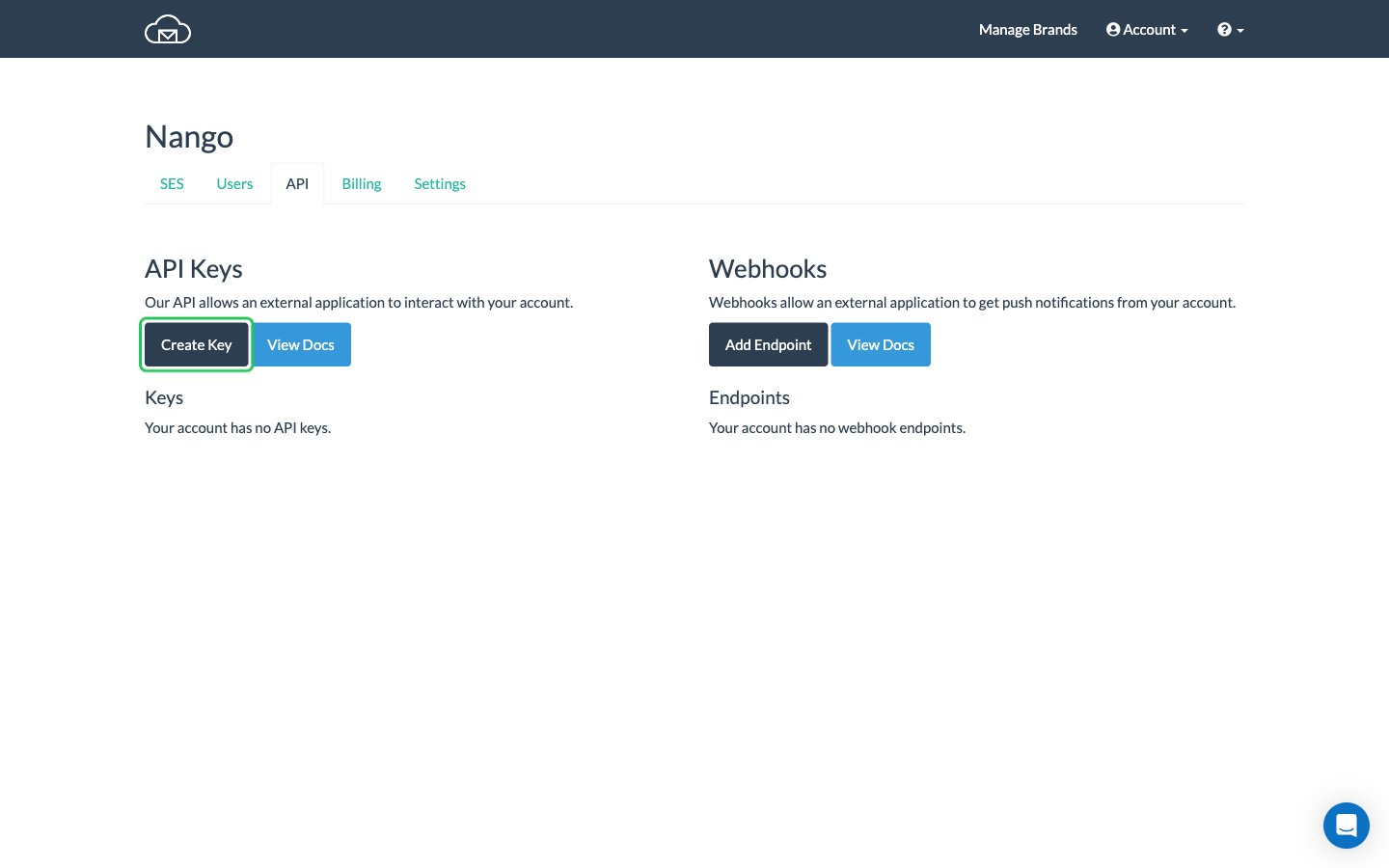
- Open Account -> API (API key management page) and click Create Key.
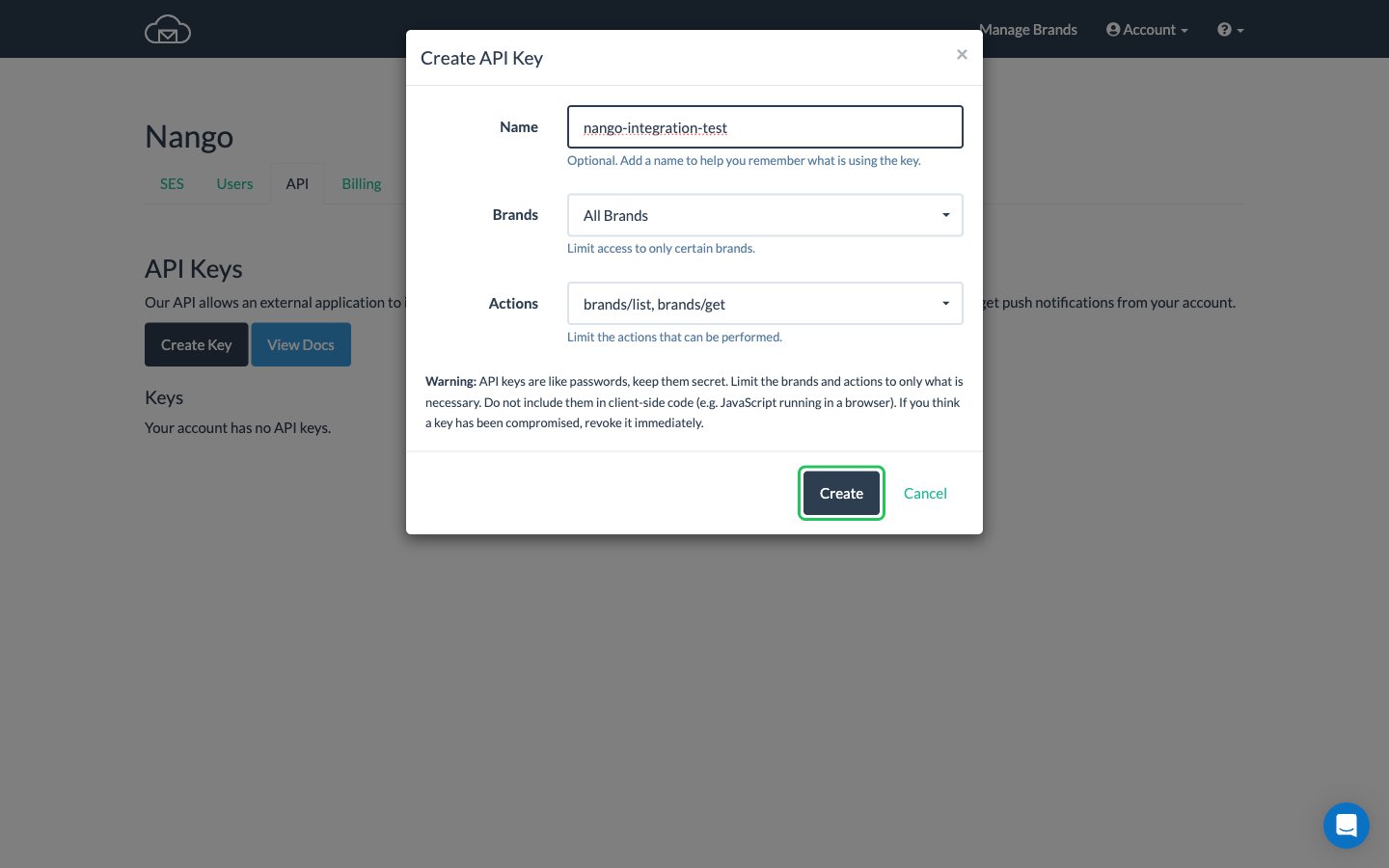
- Enter a Name that tells you which application uses the key.
- Under Brands and Actions, limit the key to what your integration needs (for example
brands/listandbrands/get), then click Create.
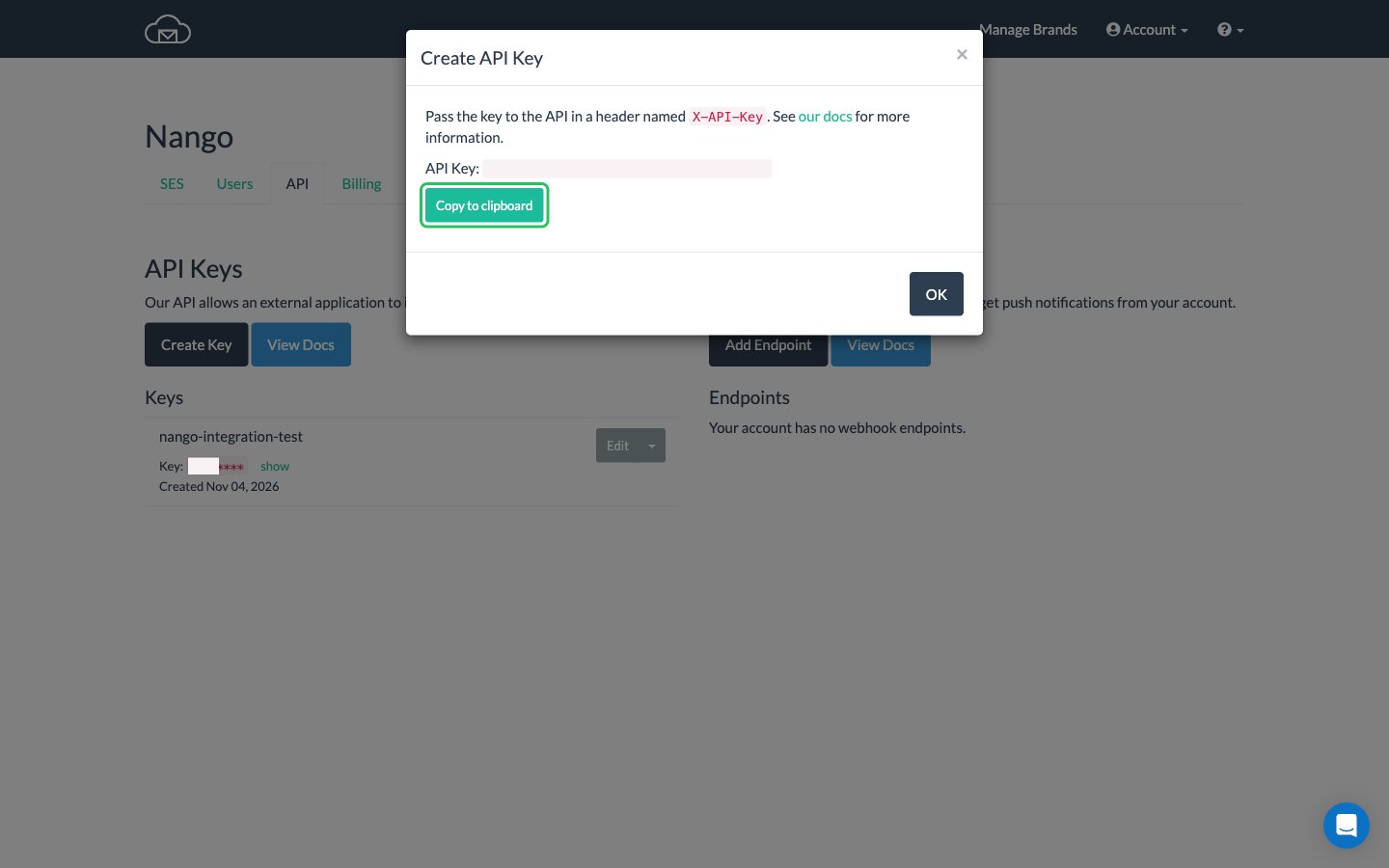
- Click Copy to clipboard to copy the API key, then click OK.
Step 2: Enter your API key in the Connect UI
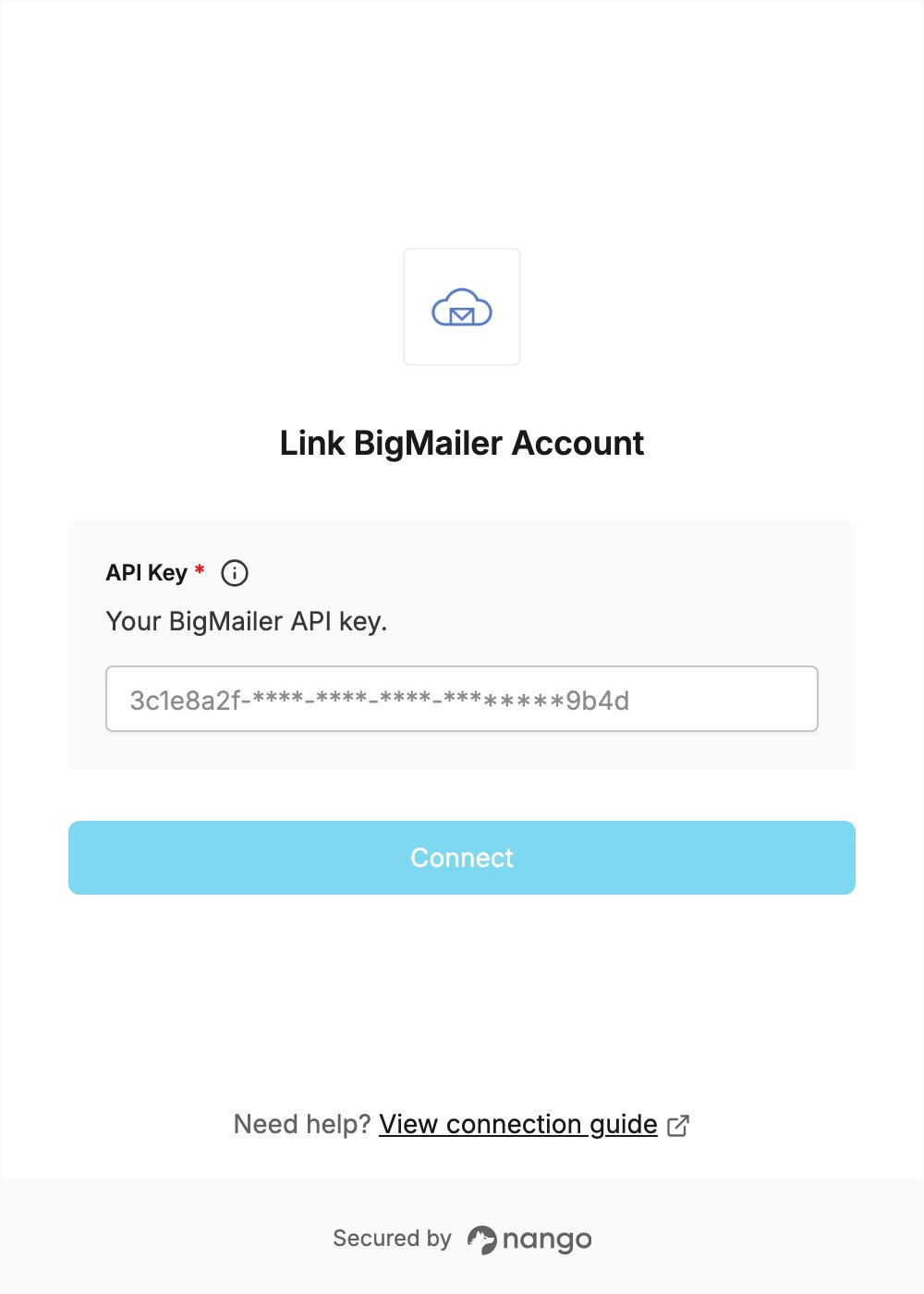
- Open the form where you need to authenticate with BigMailer.
- Enter your API Key in the designated field.
- Click Connect.