Overview
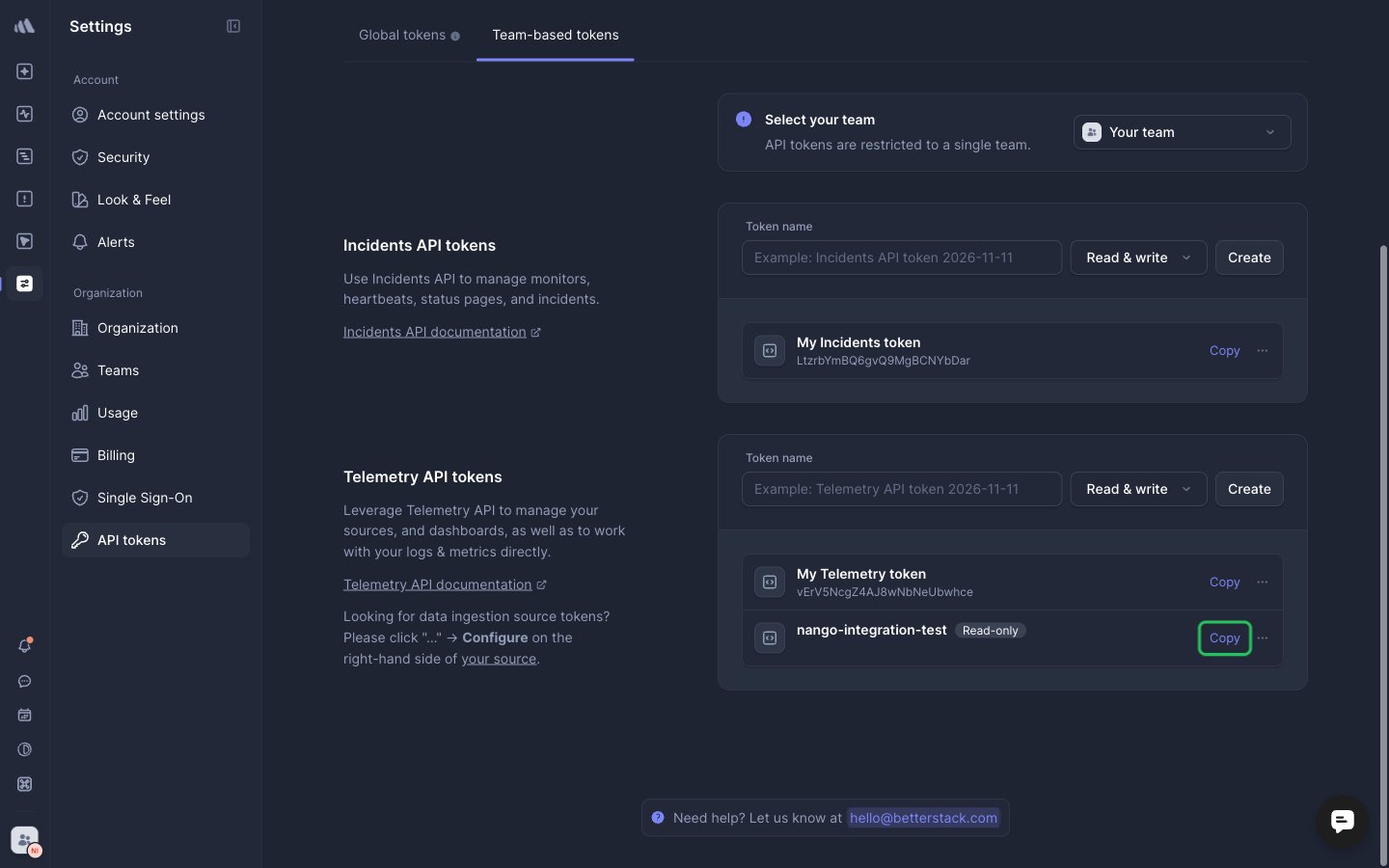
To authenticate with Better Stack, you need:- API Token — a Better Stack global API token, or a team-scoped Incidents API token.
Prerequisites
- A Better Stack account. If you don’t have one, sign up.
Step 1: Create an API token
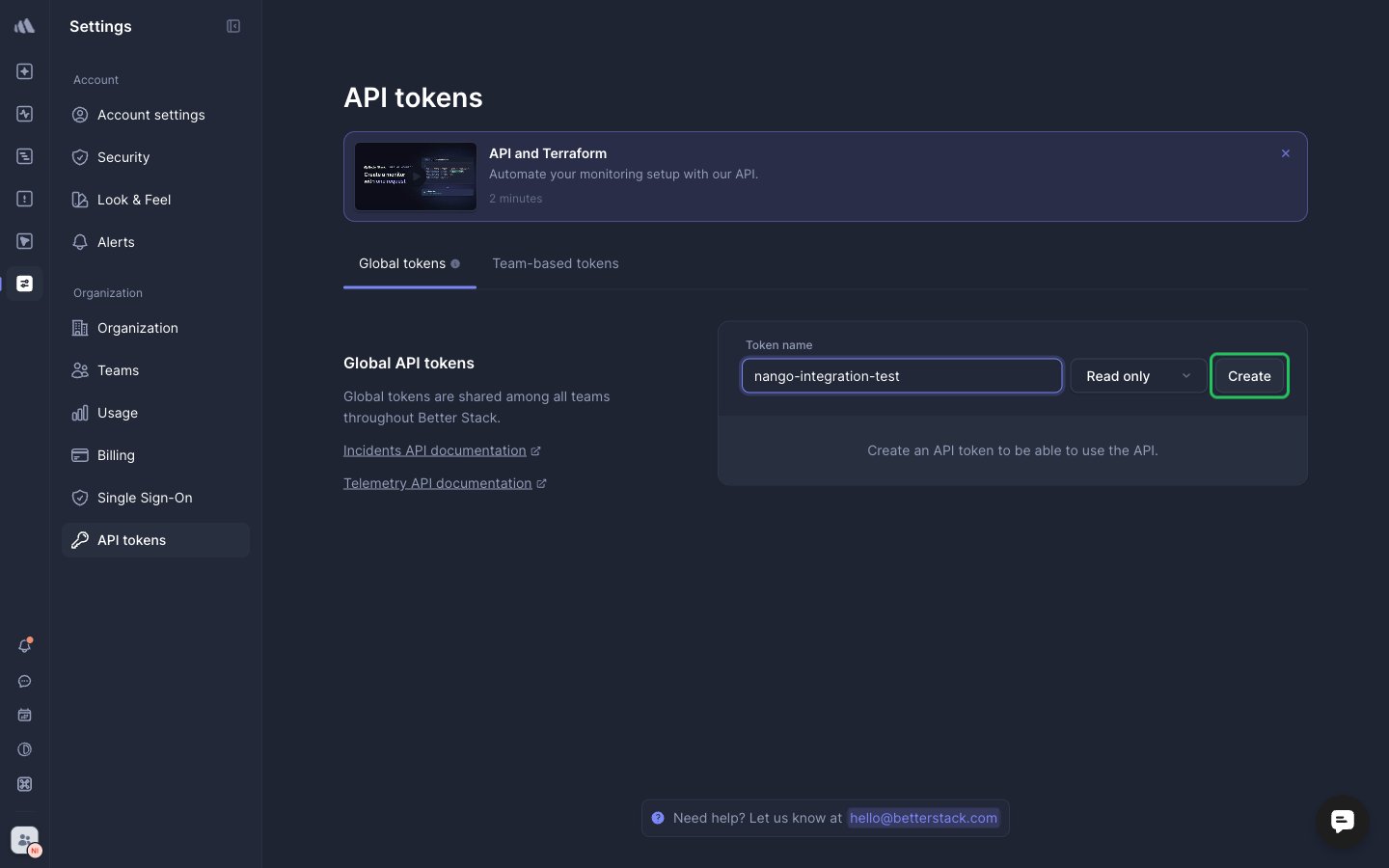
A global API token is valid across all your teams, for managing anything in Better Stack. To create one:- Sign in to Better Stack and open Settings → API tokens.
- In the Global API tokens section, enter a token name, choose an access level and click Create.
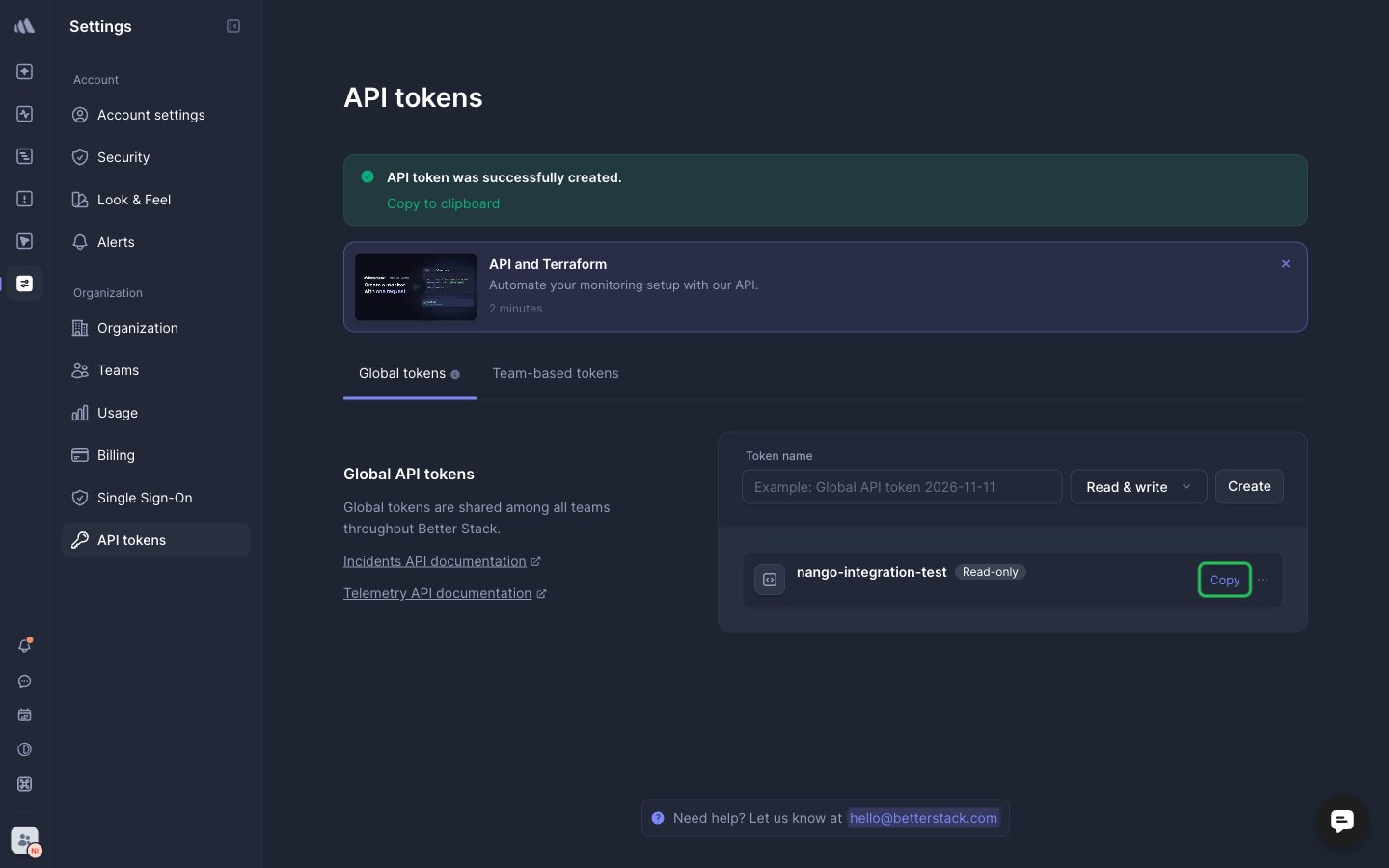
- Click Copy next to the new token.
Step 2: Enter your API token in the Connect UI
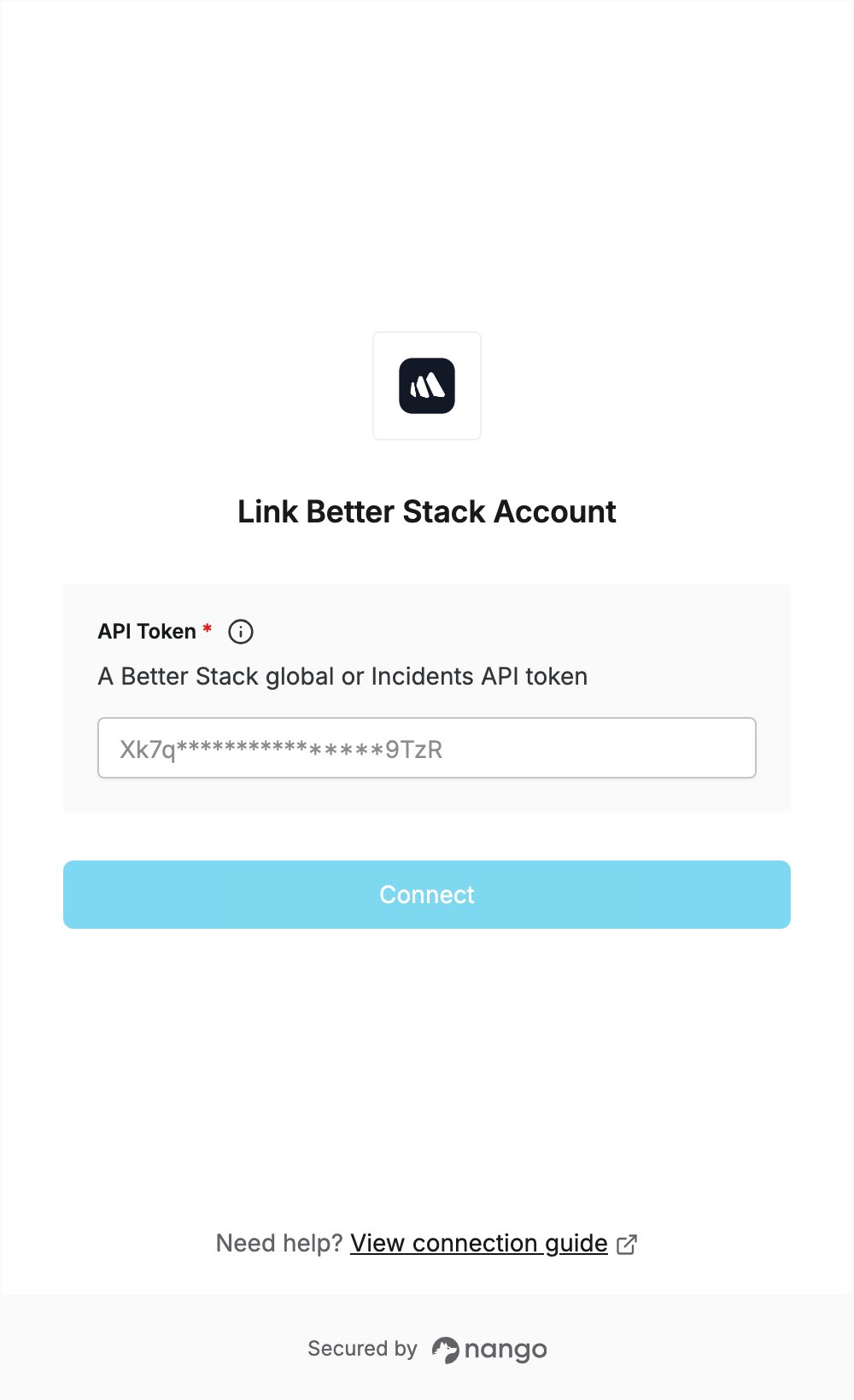
- Open the form where you need to authenticate with Better Stack.
- Enter your token in the API Token field.
- Submit the form, and you should be successfully authenticated.