Overview
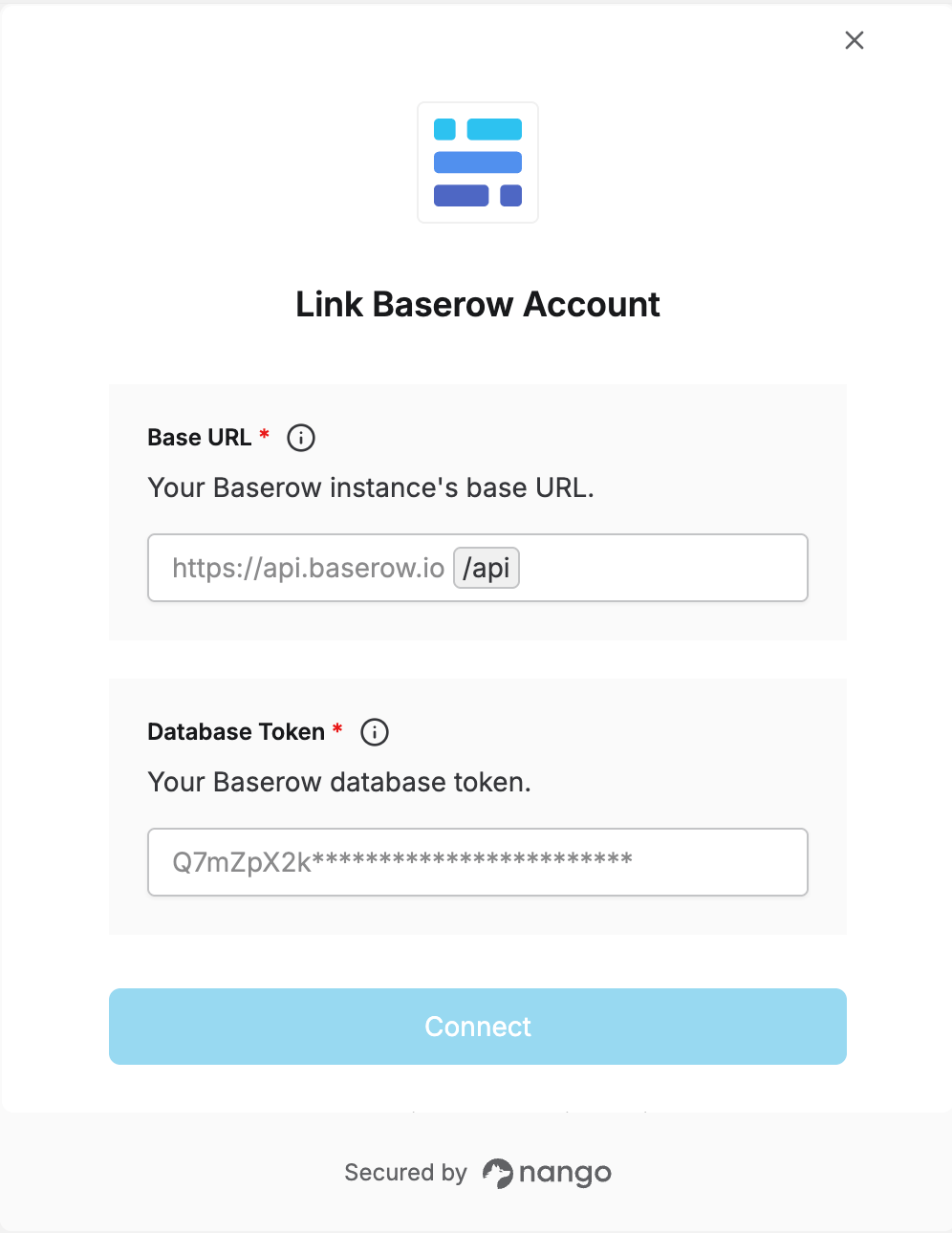
To authenticate with Baserow, you need:- Base URL - Your Baserow instance’s base URL.
- Database Token - A token that grants access to a database’s tables through the Baserow API.
Prerequisites
- A Baserow account (Cloud) or self-hosted instance.
Instructions
Step 1: Finding your base URL
Your Base URL is your Baserow instance’s root URL — don’t include/api:
- Baserow Cloud:
https://api.baserow.io. - Self-hosted:
https://<your-domain>.
Step 2: Generating your database token
- Log in to Baserow and open your account settings.
- Go to the Database tokens section.
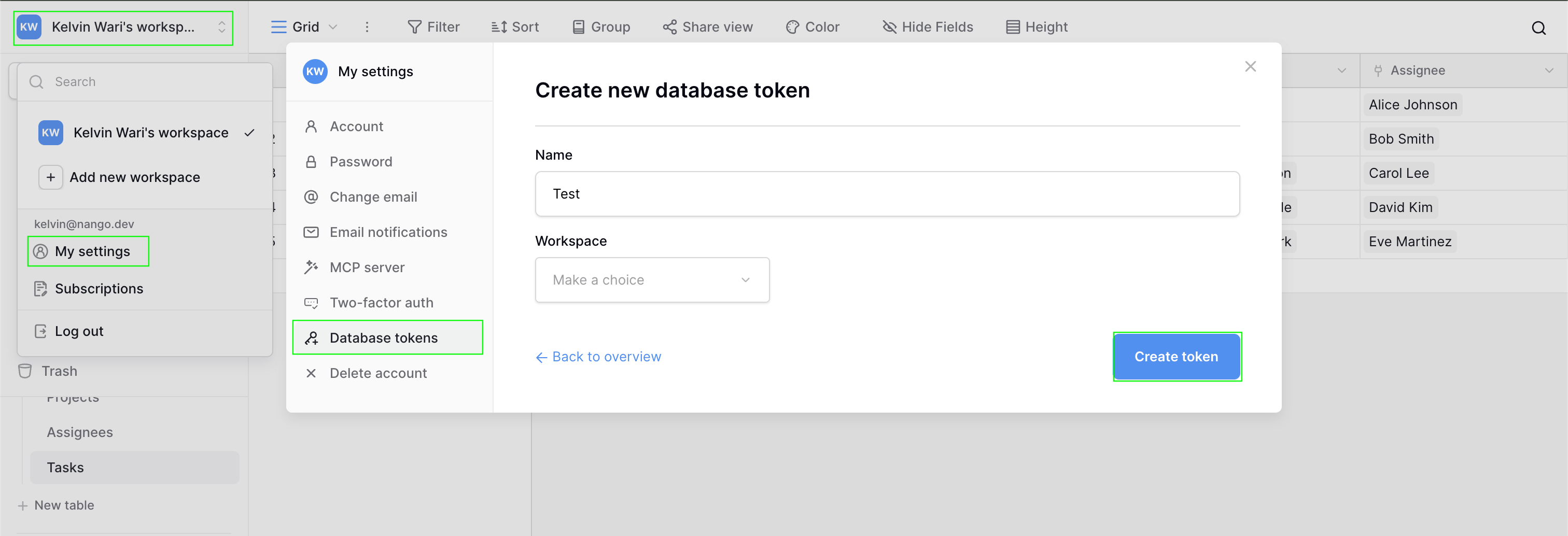
- Create a new token and choose a name for it.
- Select the workspace, and optionally scope it down to specific databases or tables, choosing which of create, read, update, and delete permissions to grant.
- Click the 3 dots next to the generated Token and copy the token.
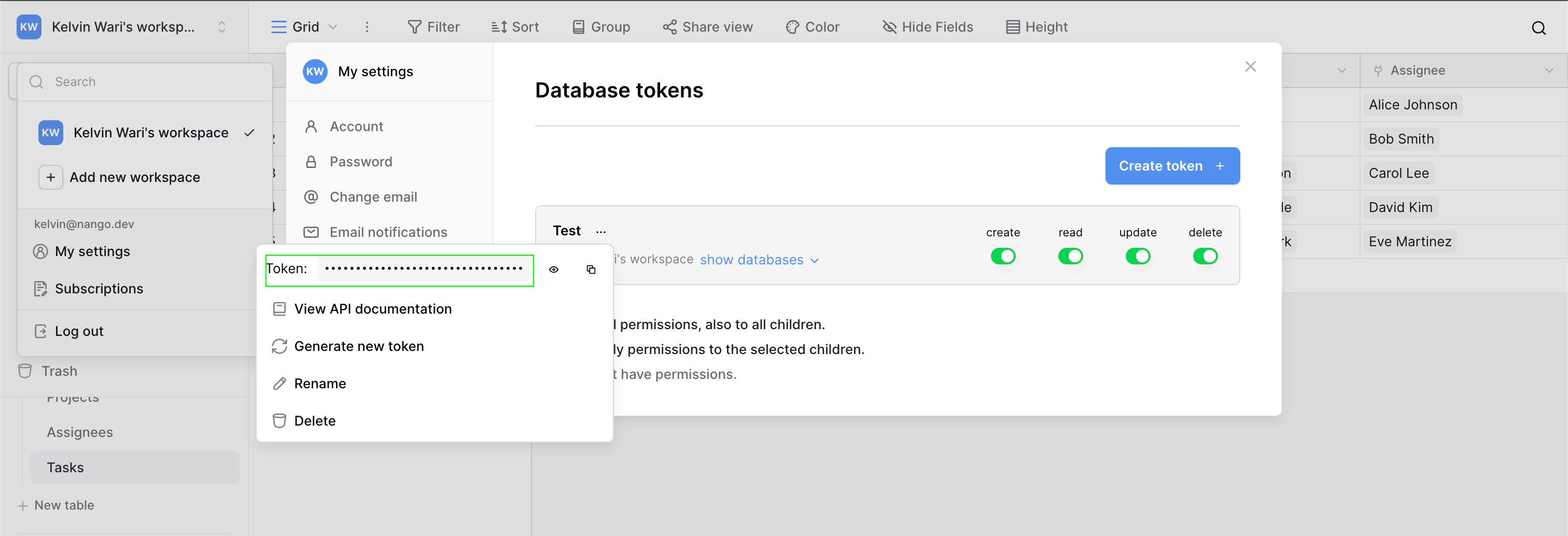
A token only grants the permissions and table access you assigned it. If a request fails with a permission error, check that the token has the right scope and CRUD permission for that table.
Step 3: Enter credentials in the Connect UI
Once you have your Base URL and Database Token:- Open the form where you need to authenticate with Baserow.
- Enter your Base URL and Database Token in the fields provided.
- Submit the form, and you should be successfully authenticated.