Overview
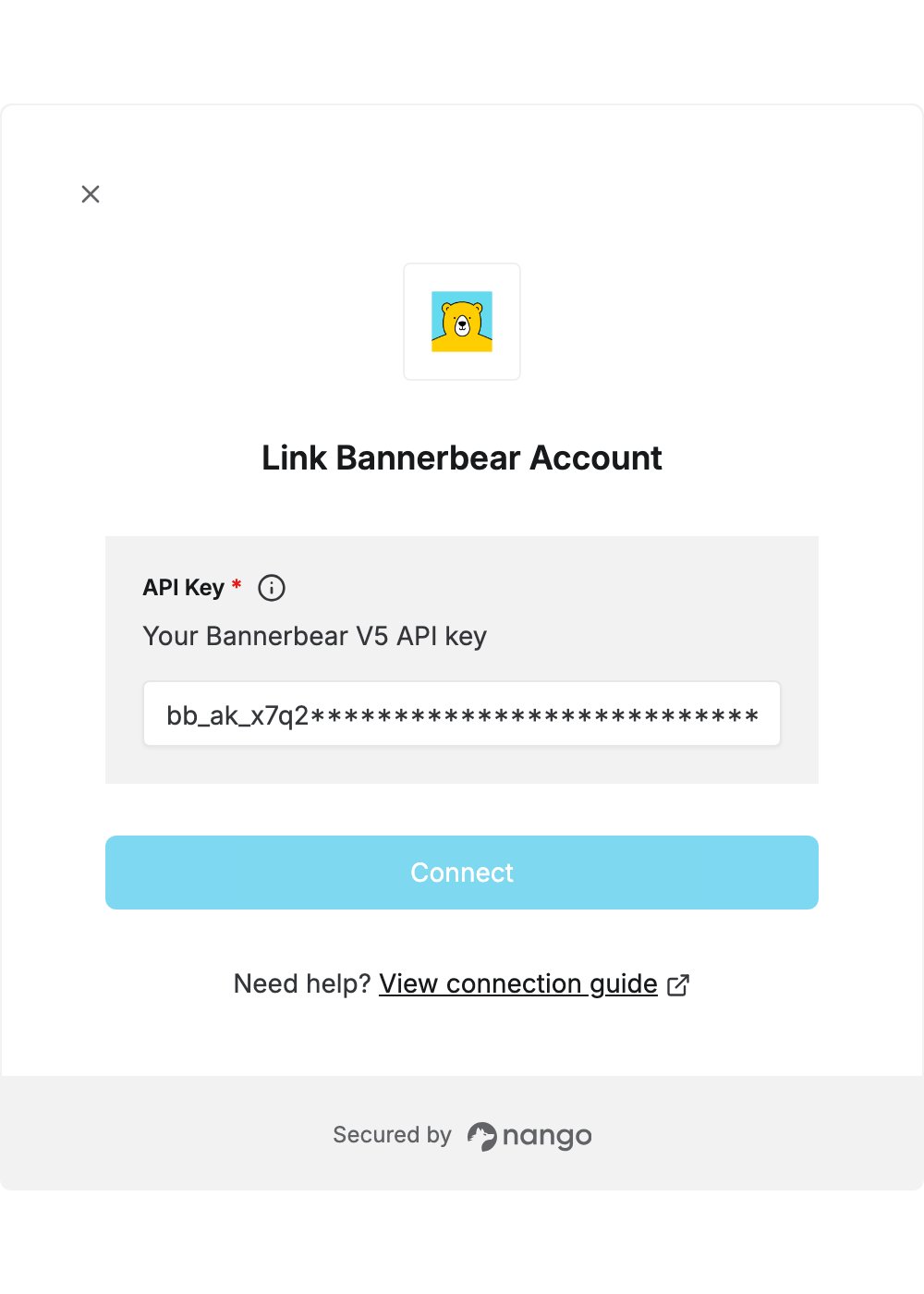
To authenticate with Bannerbear, you need:- API Key — a V5 API key of your Bannerbear workspace.
Prerequisites
- A Bannerbear account. The free trial includes API access. If you don’t have an account, start a free trial.
Step 1: Create a V5 API key
- Sign in to the Bannerbear dashboard.
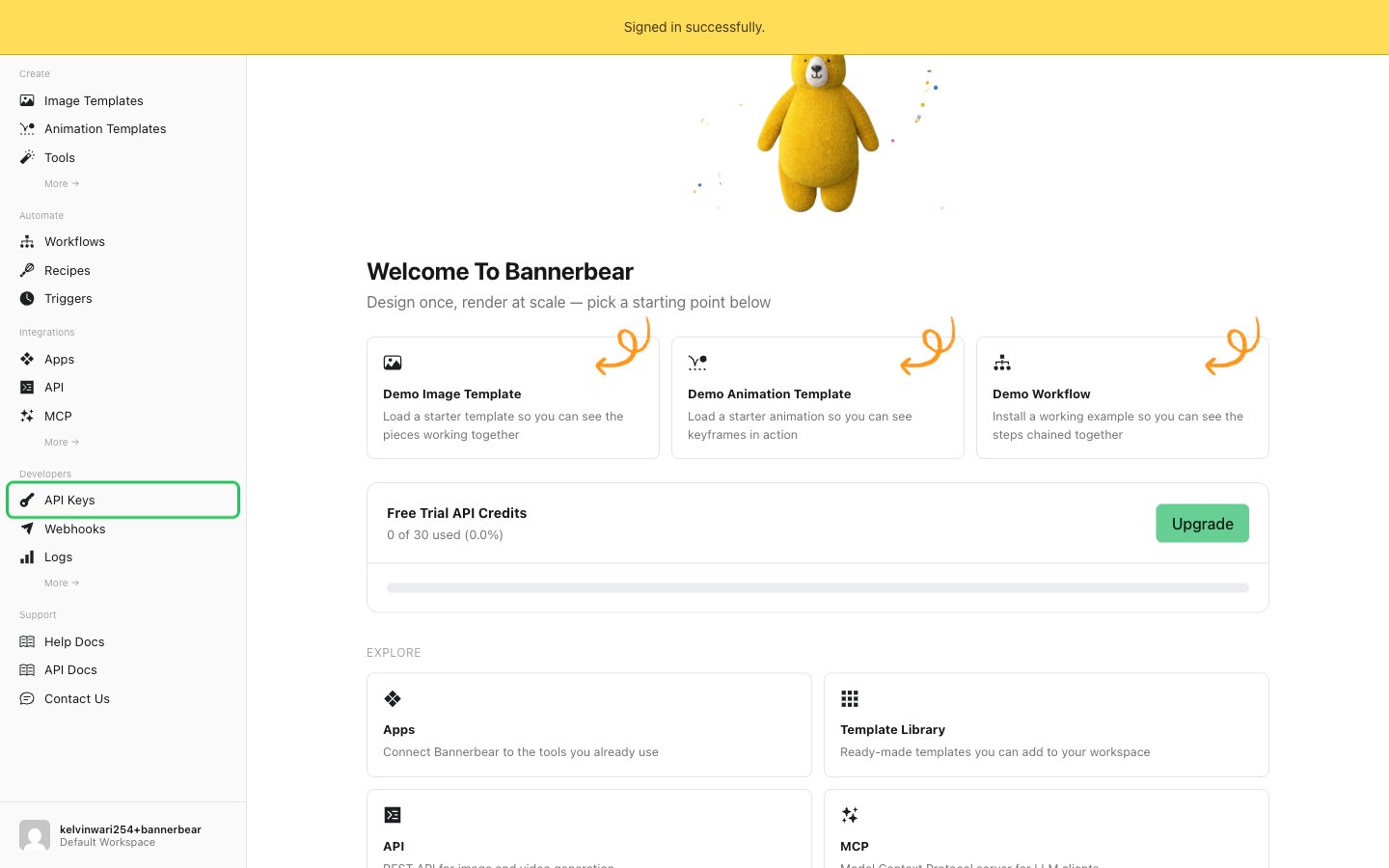
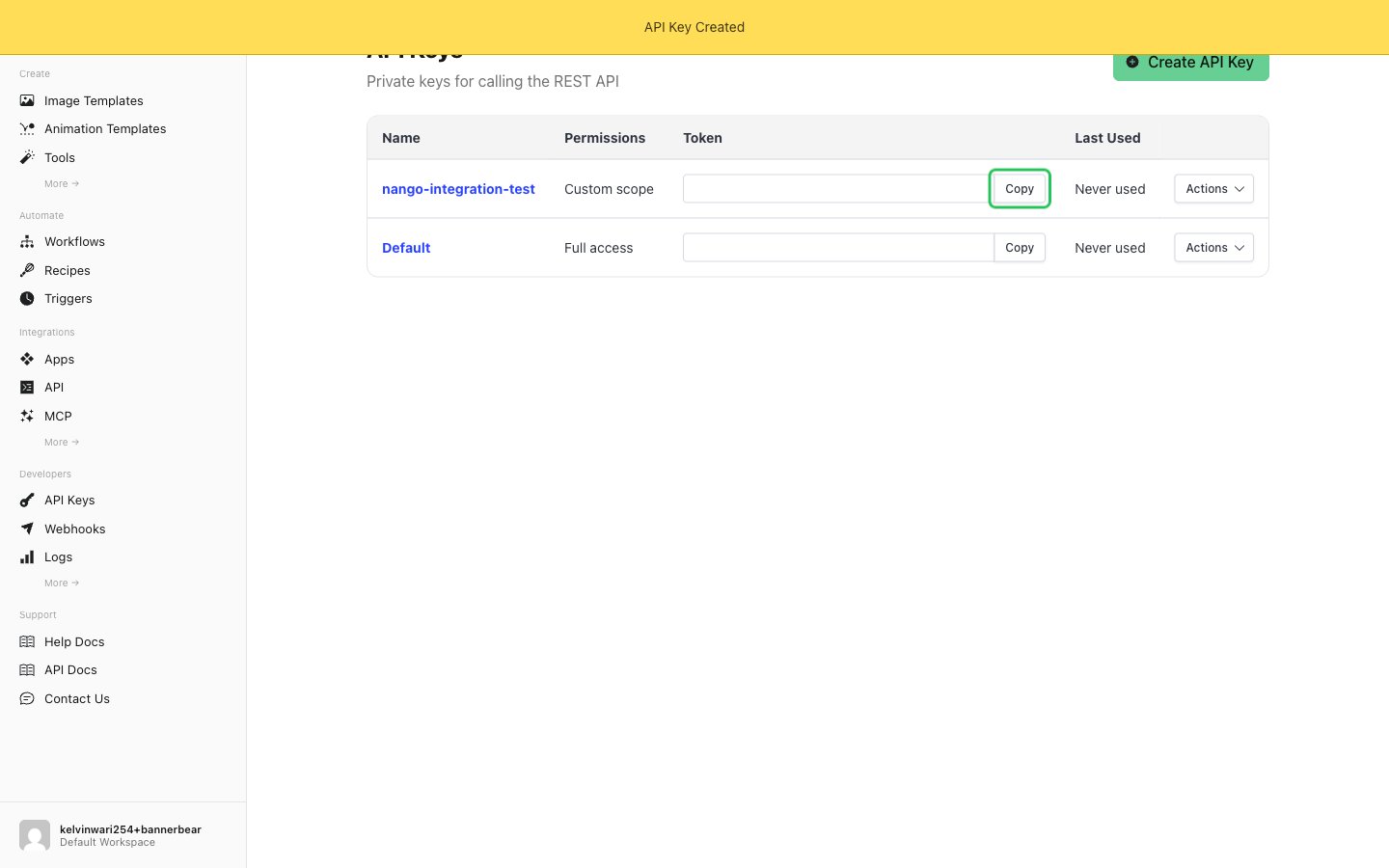
- In the sidebar, under Developers, click API Keys.
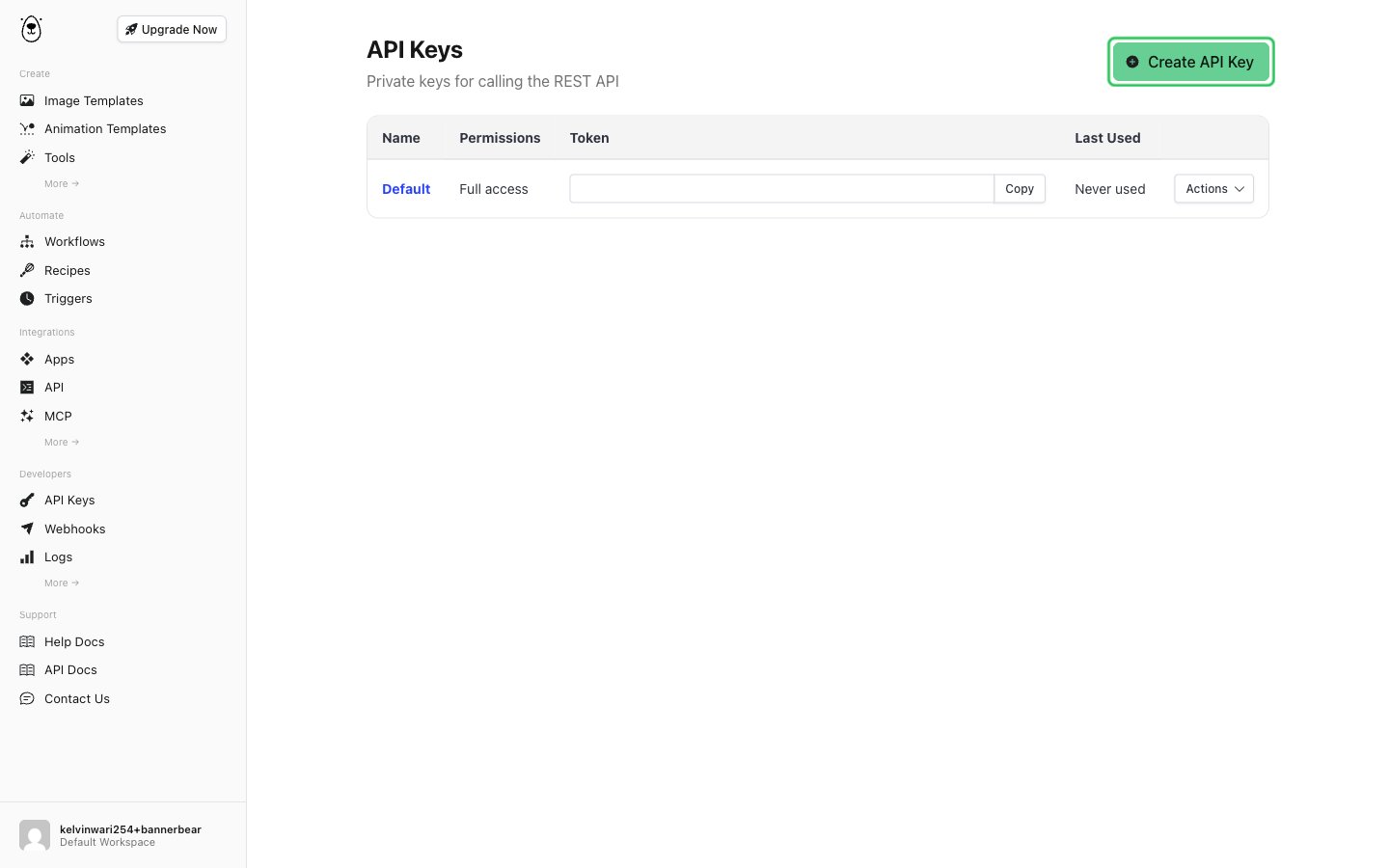
- On the API Keys page, click Create API Key.
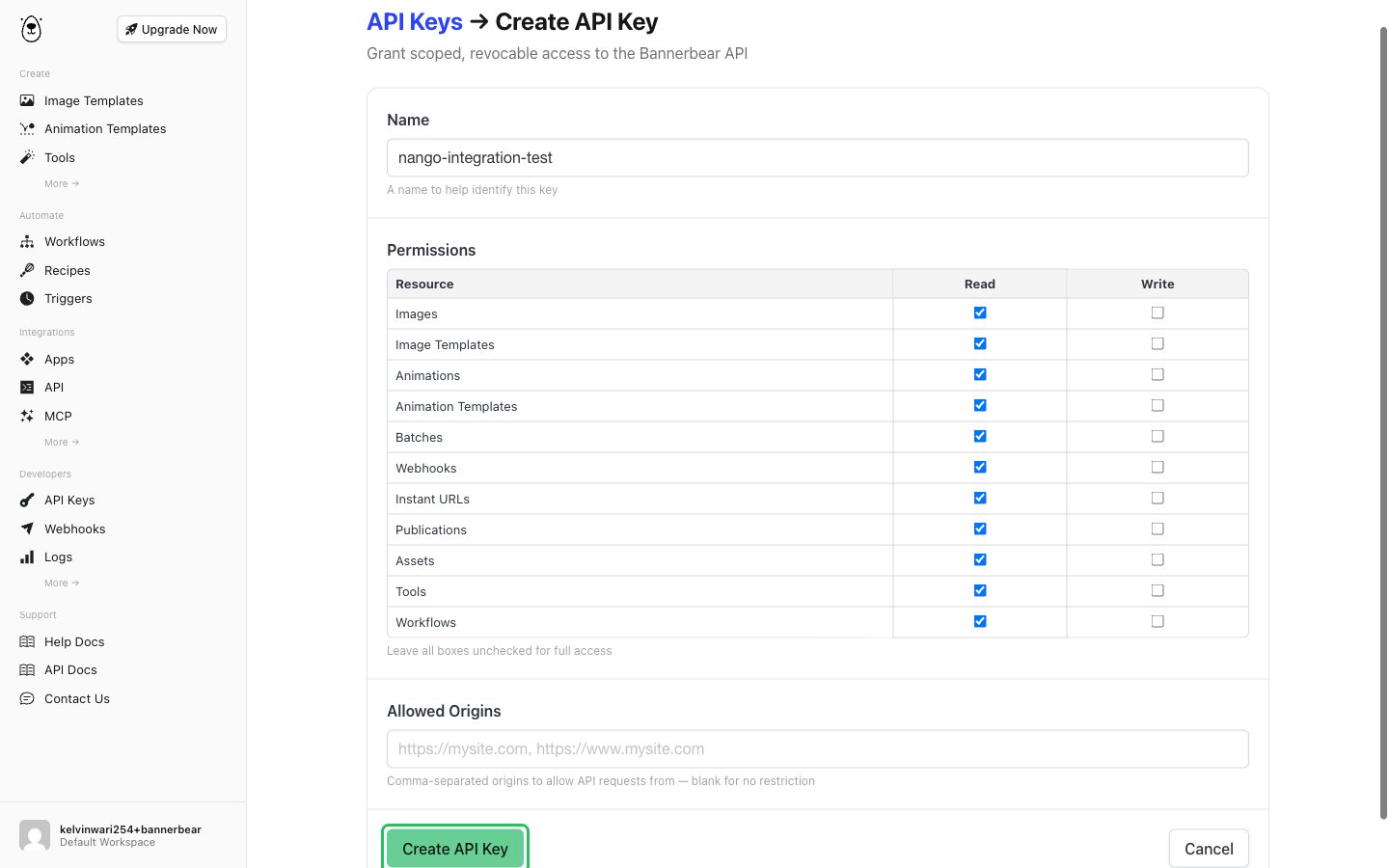
- Enter a name (for example,
nango-integration). Under Permissions, tick the Read and Write boxes for the resources your app needs, or leave every box unticked to give the key full access. Leave Allowed Origins blank, then click Create API Key.
- In the API Keys list, click Copy next to the new key.
Step 2: Enter your API key in the Connect UI
- Open the form where you need to authenticate with Bannerbear.
- Enter your V5 API key in the API Key field.
- Submit the form, and you should be successfully authenticated.