Overview
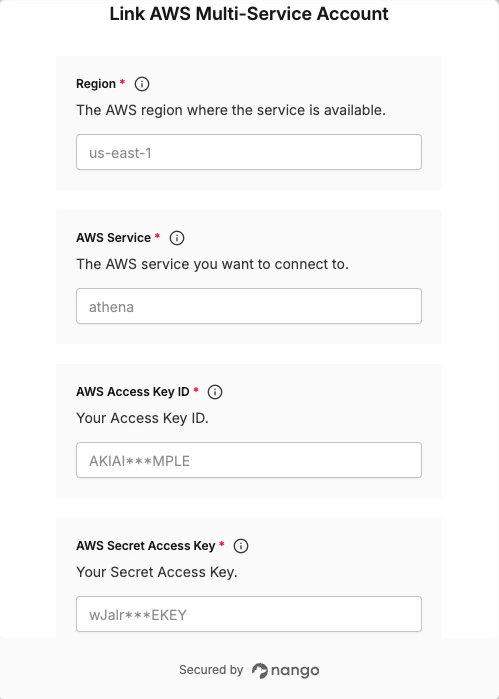
To authenticate with AWS Multi-Service, you will need:- Access Key ID - A unique identifier that specifies the IAM user or role making the request.
- Secret Access Key - A confidential key used to sign API requests made to AWS services.
Developer settings — the AWS Service (e.g.
s3, athena, inspector2) and Region (e.g. us-east-1) are configured by the developer when setting up the integration in Nango, not by the end user. Each integration targets a single service and region. End users only need to provide their Access Key ID and Secret Access Key.Prerequisites:
- You must have a registered account with AWS.
- The IAM user must have permissions for the AWS service targeted by this integration.
Instructions:
Step 1: Finding your access keys
- Log in to your AWS IAM console.
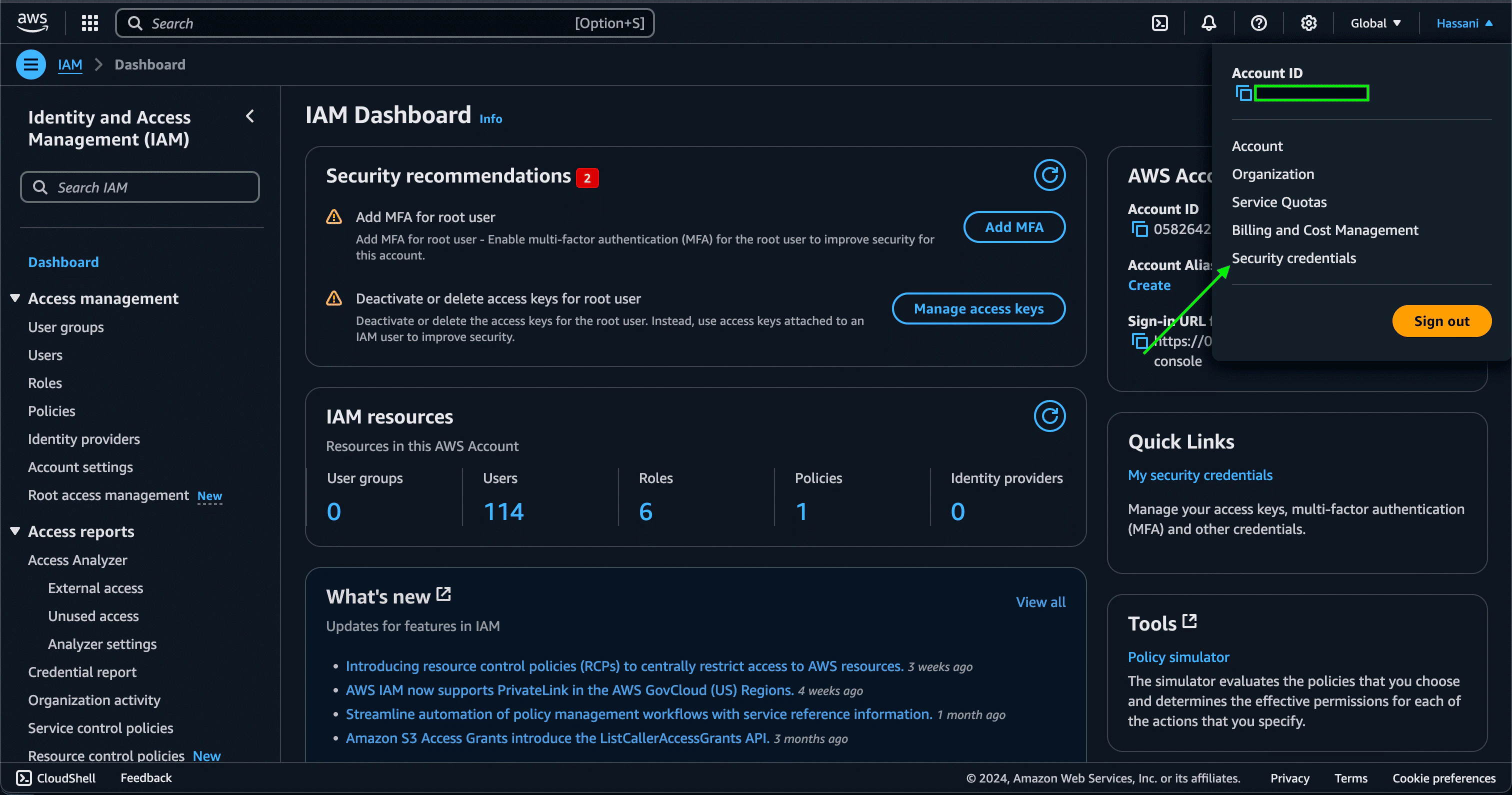
- In the navigation bar on the upper right, select your user name, and then select Security credentials.
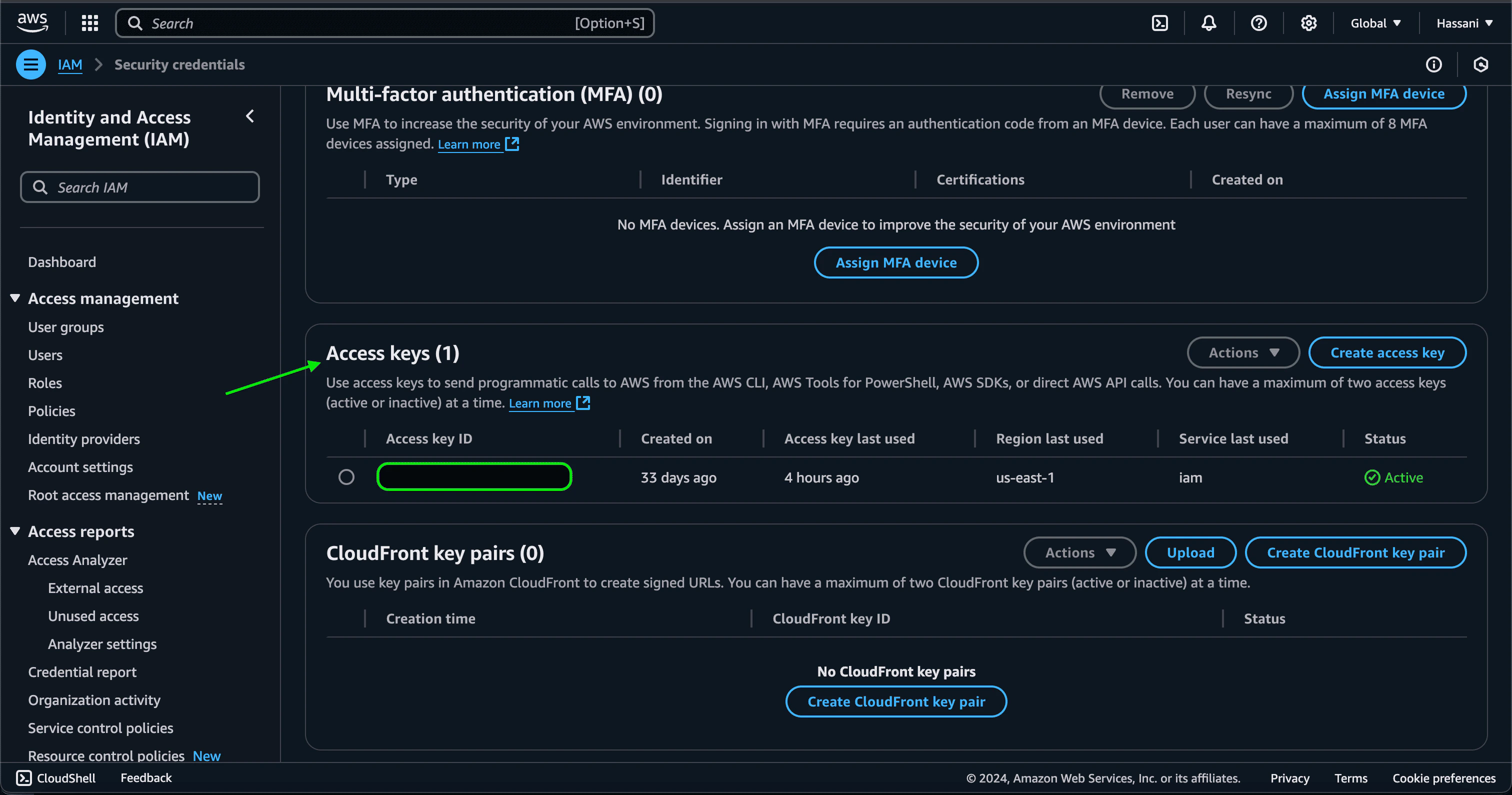
- In the Access keys section, click Create access key. If you already have two access keys, this button is deactivated and you must delete an access key before you can create a new one.
- On the Access key best practices & alternatives page, choose your use case to learn about additional options which can help you avoid creating a long-term access key. If you determine that your use case still requires an access key, click Other and then click Next.
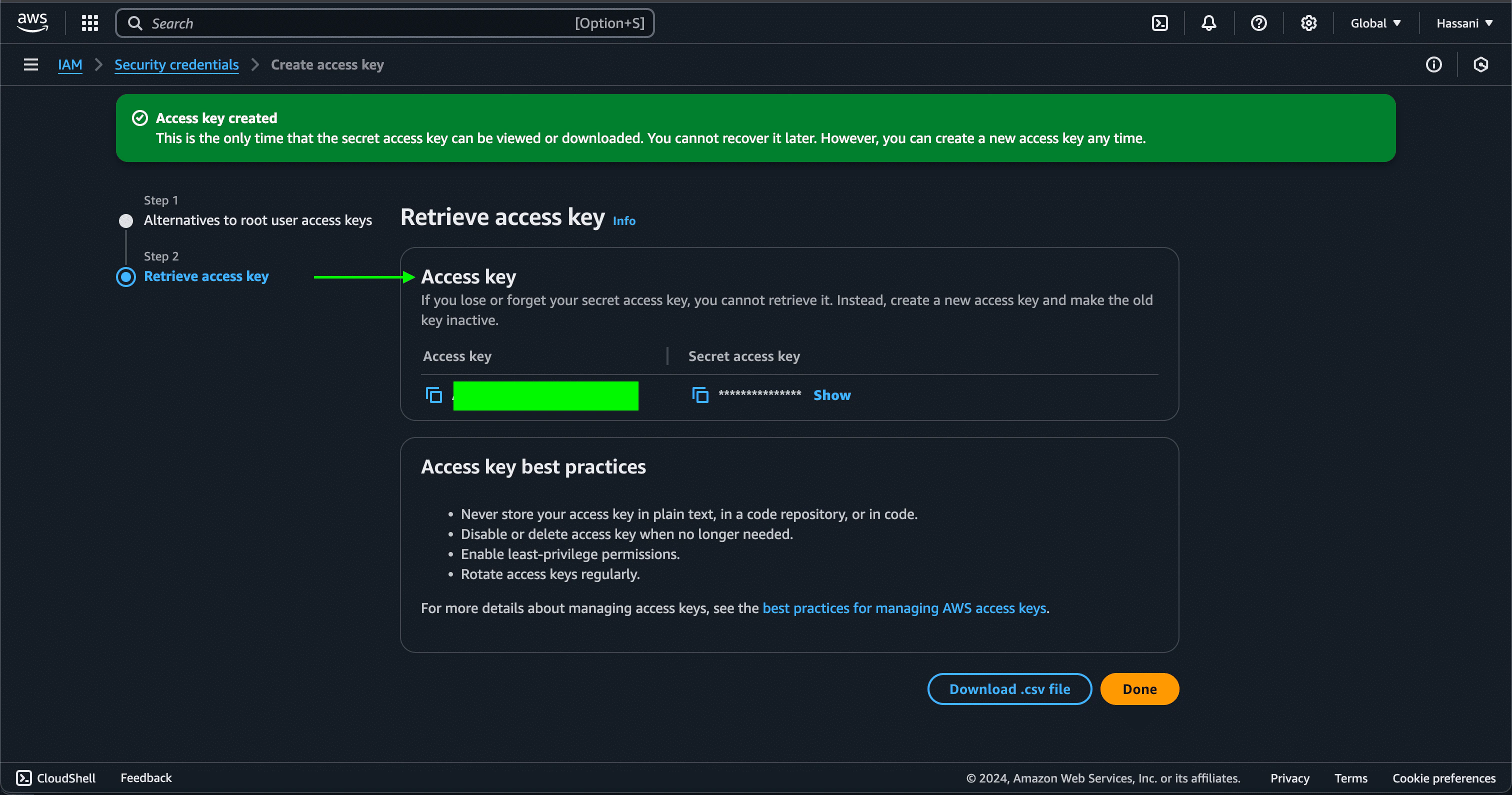
- Once you are done, a pair of both Access and Secret Access keys will be generated.
Step 2: Enter credentials in the Connect UI
Once you have your keys:- Open the form where you need to authenticate with AWS.
- Enter the Access Key ID and Secret Access Key in their respective fields.
- Submit the form, and you should be successfully authenticated.