Overview
athenahealth authenticates with 2-legged OAuth (client credentials) for this integration. To authenticate with athenahealth, you will need:- Client ID - The client ID for your registered athenahealth app.
- Client Secret - The client secret for your registered athenahealth app.
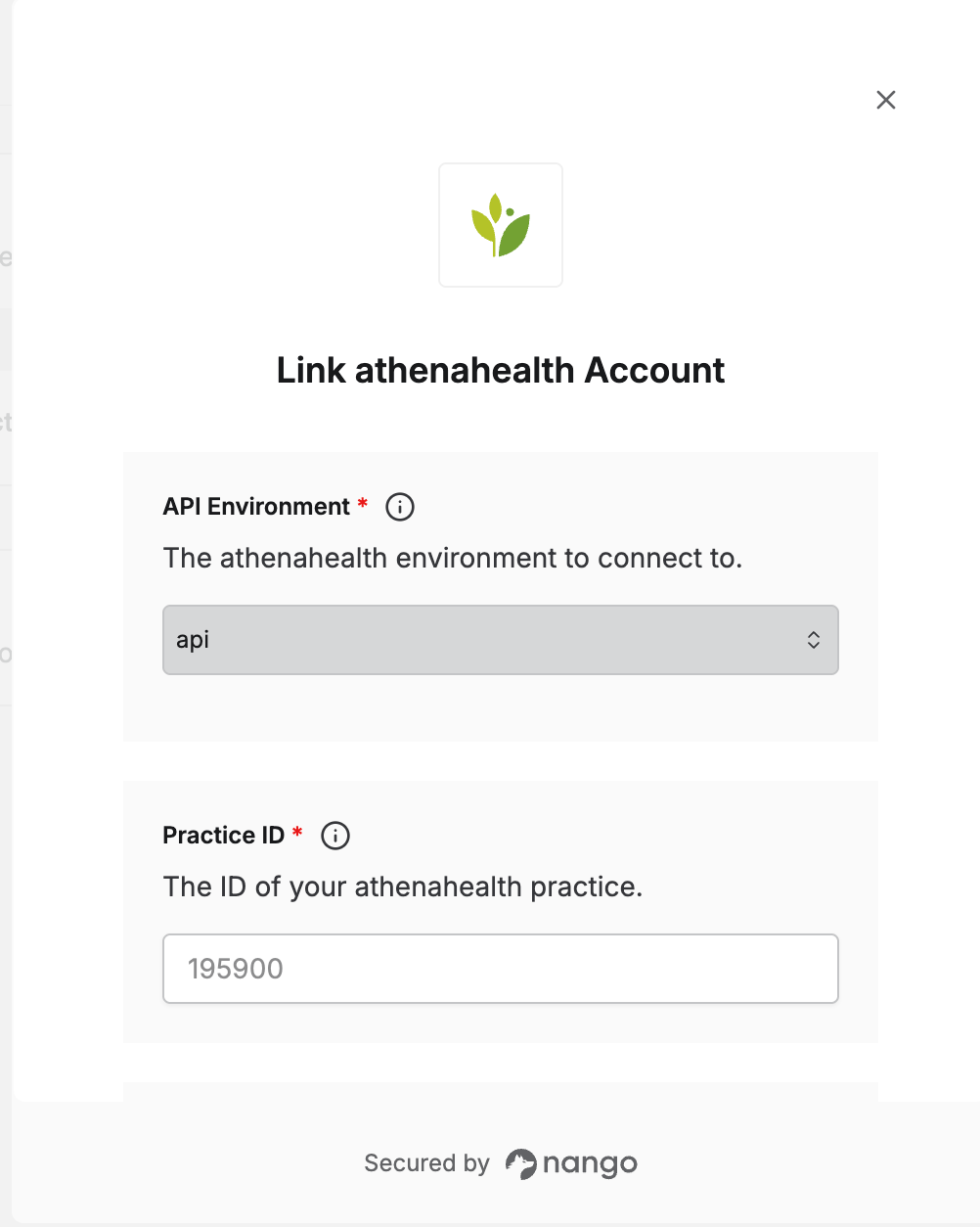
- API Environment - The athenahealth environment to connect to (production or preview).
- Practice ID - The ID of the athenahealth practice you’re connecting to.
Prerequisites:
- You must have a registered athenahealth app with client-credentials (2-legged OAuth) enabled.
Step 1: Registering your app with athenahealth
- Apply as a developer or partner with athenahealth to register your application for 2-legged OAuth (client credentials) access. This is a reviewed partner process rather than instant self-serve signup, so factor in an approval timeline before scoping your integration.
- Once approved, athenahealth will provide sandbox credentials — a Client ID and Client Secret — for testing.
- Production credentials are issued separately, after completing athenahealth’s partner validation process for production access.
Sandbox and production are separate athenahealth apps, each with its own Client ID and Client Secret — they are not interchangeable. Make sure the credentials you enter match the API Environment you select below.
Step 2: Choose your environment
athenahealth has two environments: production and a preview environment for testing. Decide which one you’re connecting to — you’ll select it as the API Environment in the next step, asapi for production or api.preview for preview/testing.
Step 3: Find your Practice ID
Nearly every athenahealth API endpoint is scoped to a specific practice, so Nango needs your Practice ID to build requests correctly. To find it:- Log in to athenaNet and click your username in the top-right corner.
- Your practice name is shown with a number in parentheses next to it — that number is your Practice ID.
Step 4: Connect your athenahealth account
Once you have your Client ID, Client Secret, chosen environment, and Practice ID:- Open the form where you need to authenticate with athenahealth.
- Select
apiorapi.previewfor API Environment. - Enter your Client ID and Client Secret in their respective fields.
- Enter your Practice ID.
- Submit the form, and you should be successfully authenticated.