Overview
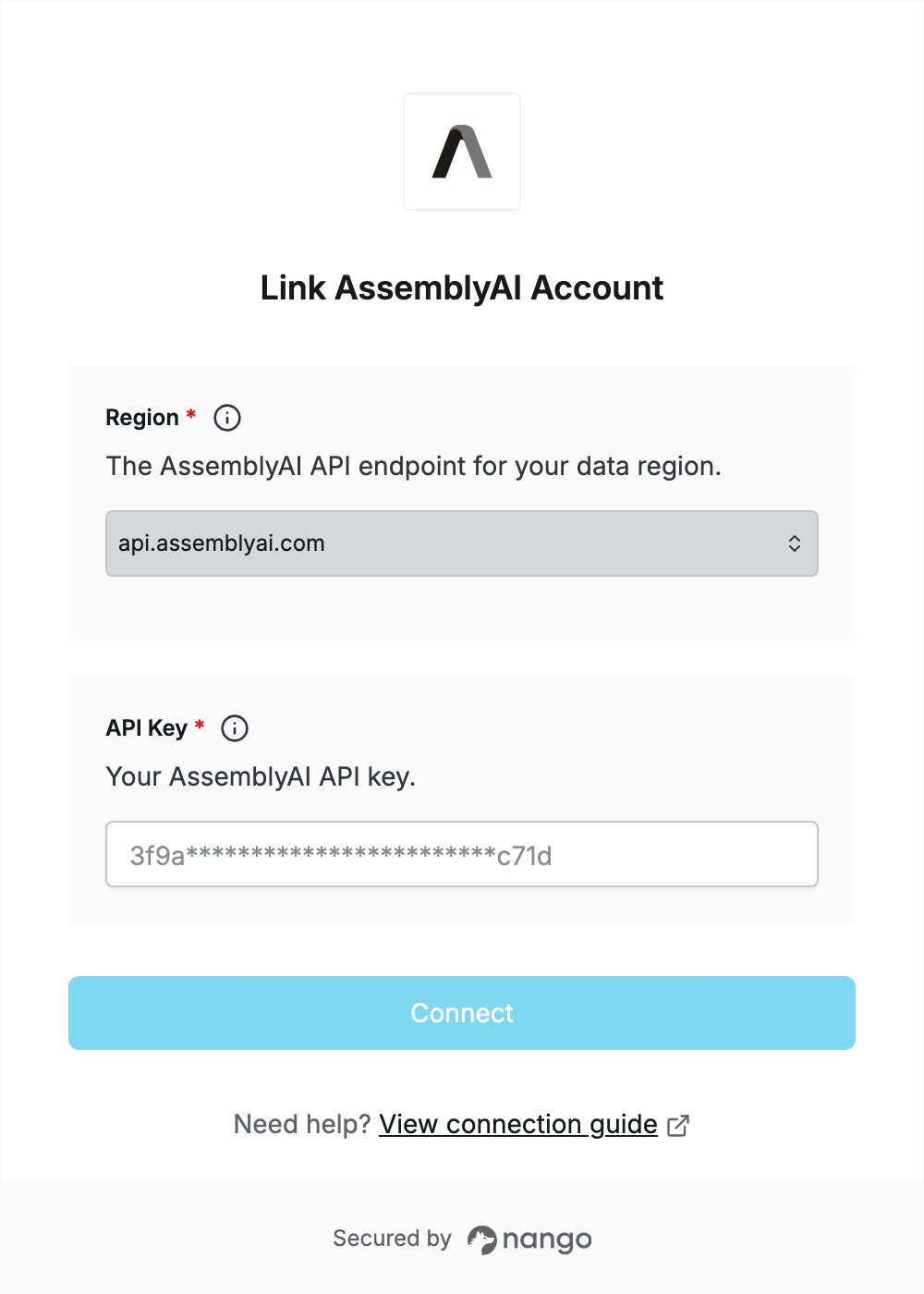
To authenticate with AssemblyAI, you need:- Region — the AssemblyAI API endpoint your account uses.
- API Key — an AssemblyAI API key.
Prerequisites
- An AssemblyAI account. You can sign up for free.
Step 1: Choose your region
AssemblyAI has two API endpoints. Pick the one where your audio and transcript data should be processed:
If you have no data residency requirement, use
api.assemblyai.com. See Cloud endpoints and data residency for details.
Step 2: Create an API key
- Sign in to the AssemblyAI dashboard.
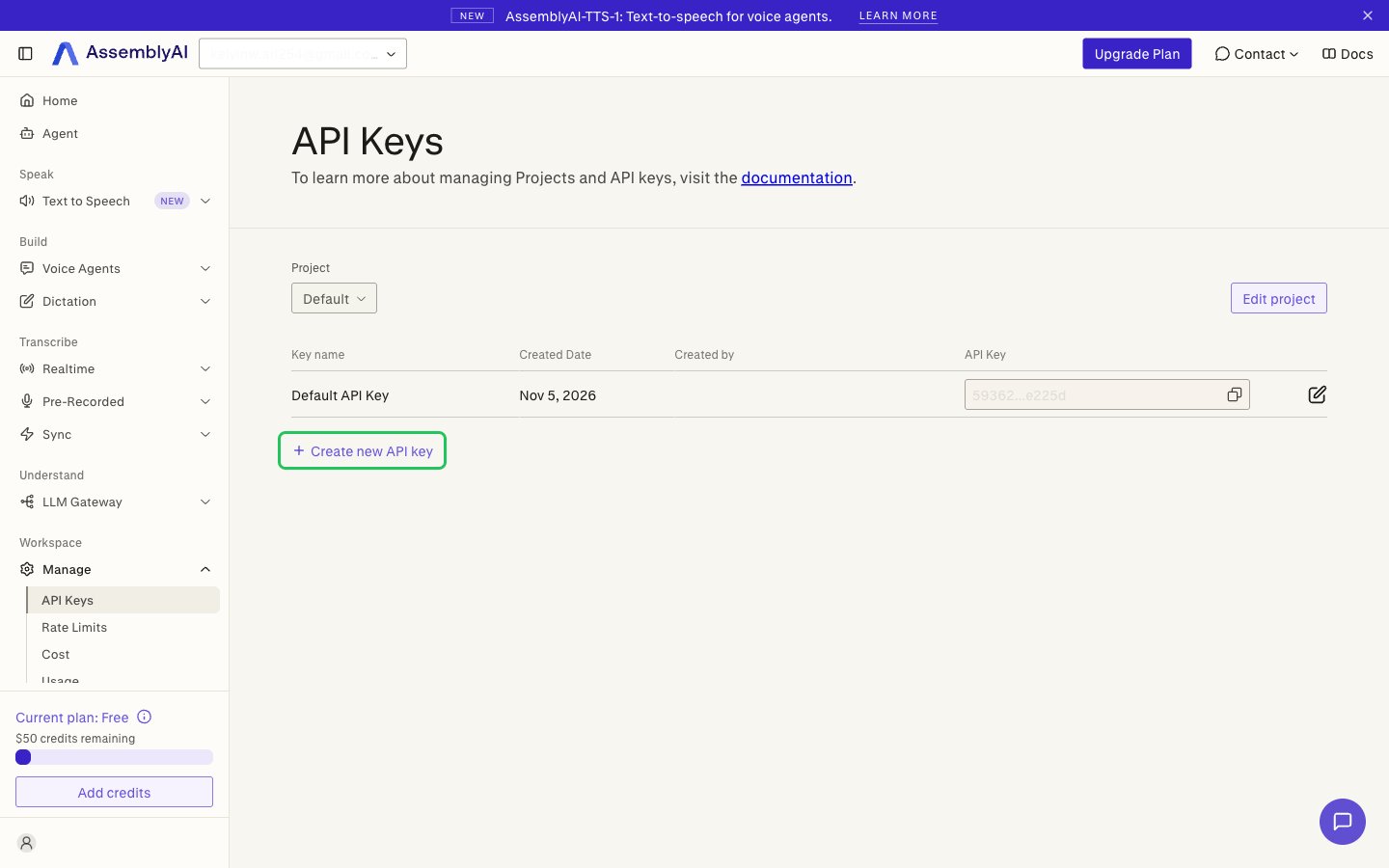
- In the sidebar, go to Workspace > Manage > API Keys, then click Create new API key.
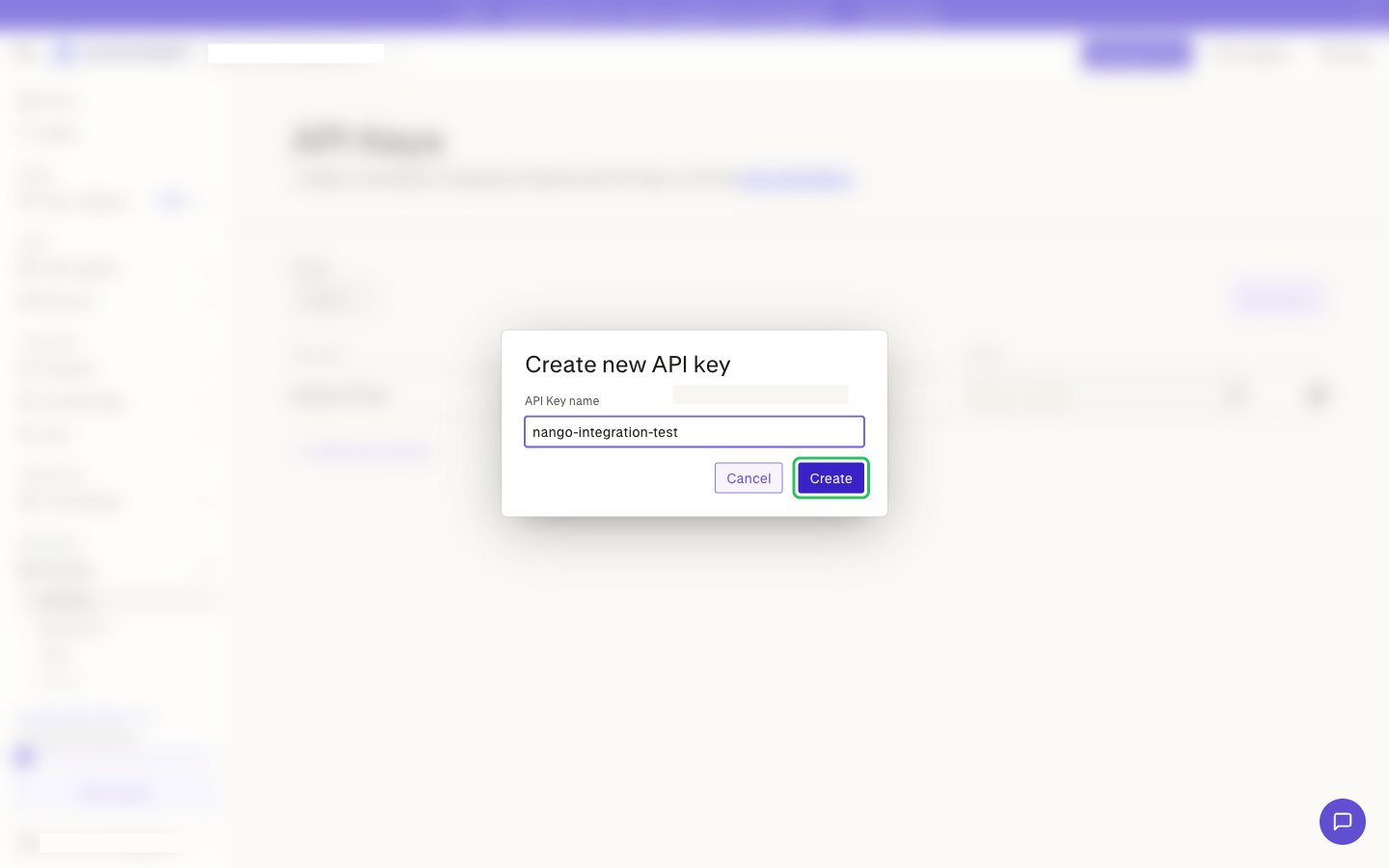
- Enter a descriptive name for the key and click Create.
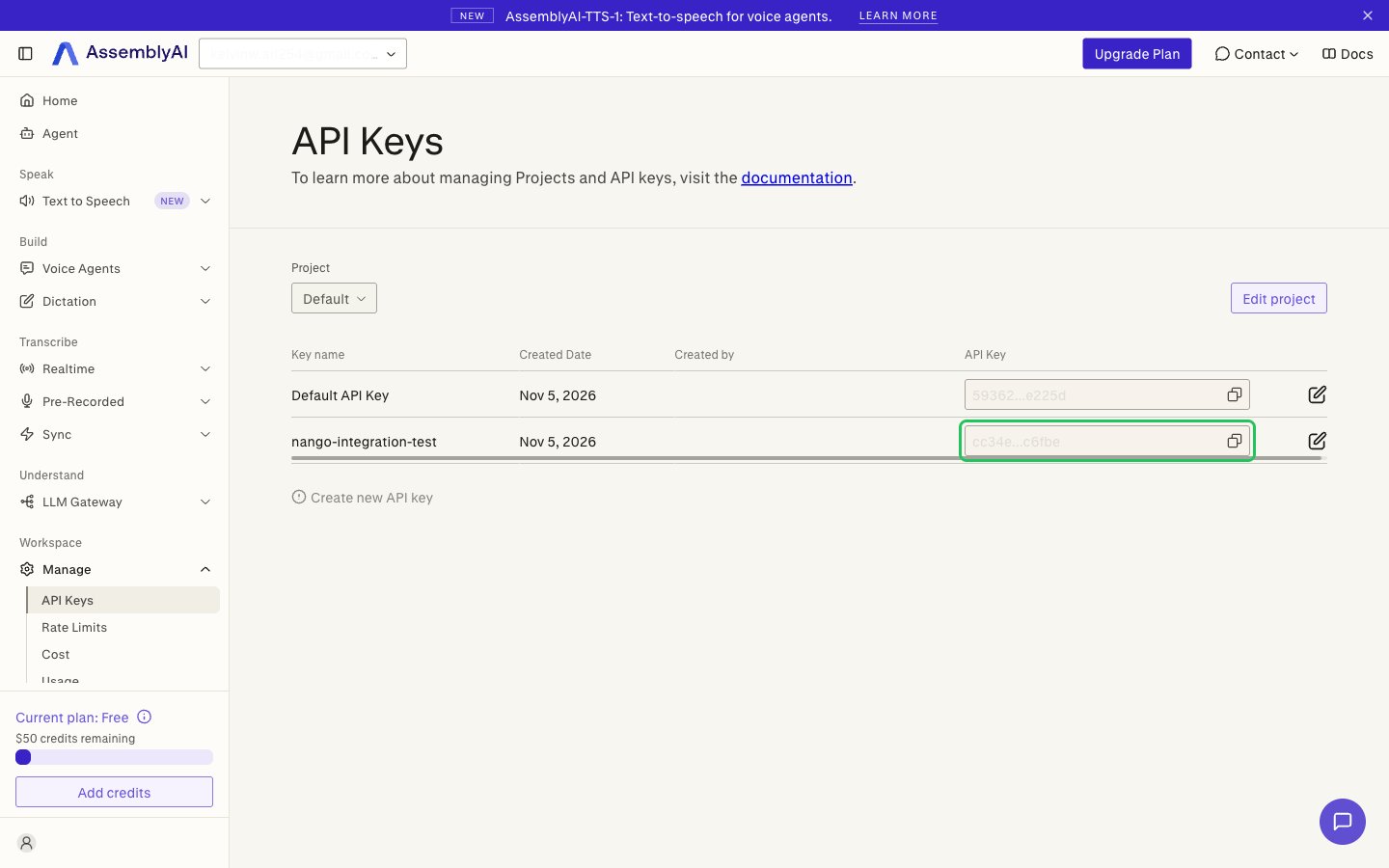
- Click the key value next to your new key to copy it.
Step 3: Enter your credentials in the Connect UI
- Open the form where you need to authenticate with AssemblyAI.
- Select your Region and enter your API Key in the designated fields.
- Submit the form, and you should be successfully authenticated.