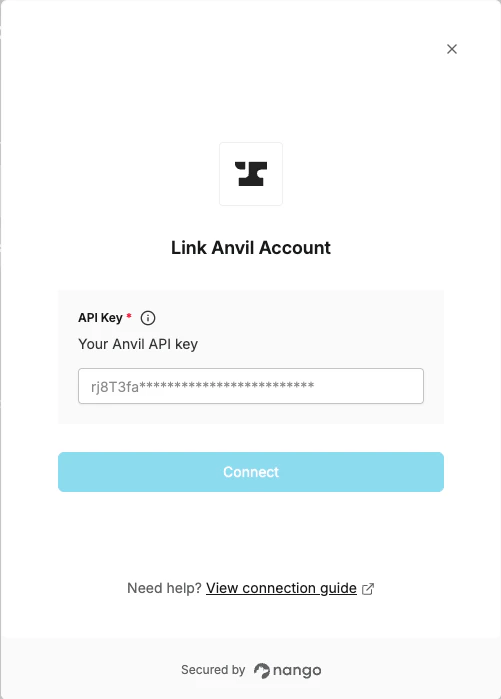
Overview
To authenticate with Anvil, you will need:- API Key - Your Anvil organization API key from the Organization Settings page.
Prerequisites
- You must have an Anvil account. Sign up here if you don’t have one.
Instructions
Step 1: Finding your API key
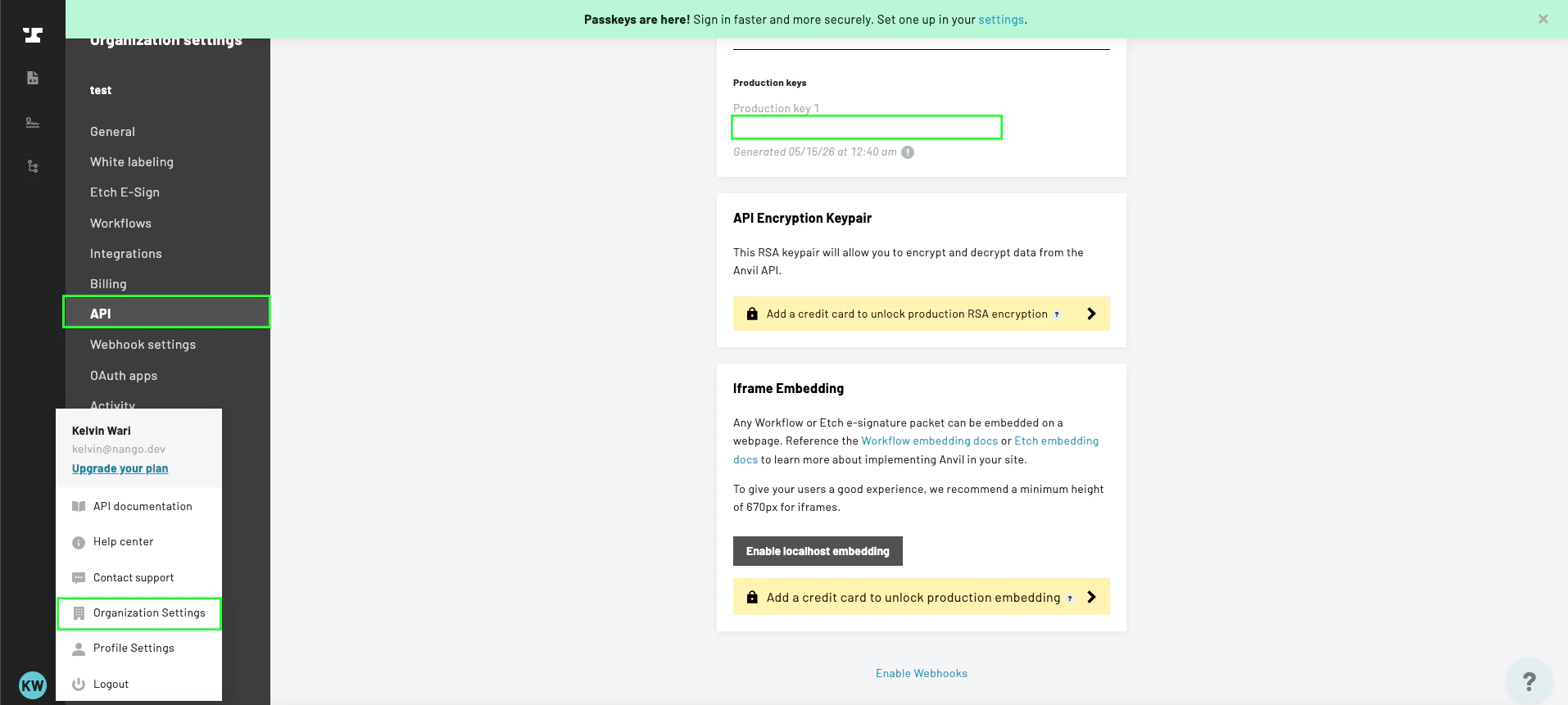
- Log in to your Anvil account, click your profile, then navigate to Organization Settings -> API.
- You will see two keys: a development key and a production key.
- Use the development key for testing — requests are free but rate-limited and generated PDFs will have a watermark.
- Use the production key for live use.
- Click to copy the key you want to use.
Step 2: Enter your API key in Nango
- Open the form where you need to authenticate with Anvil.
- Paste your API key into the API Key field.
- Submit the form, and you should be successfully authenticated.