Overview
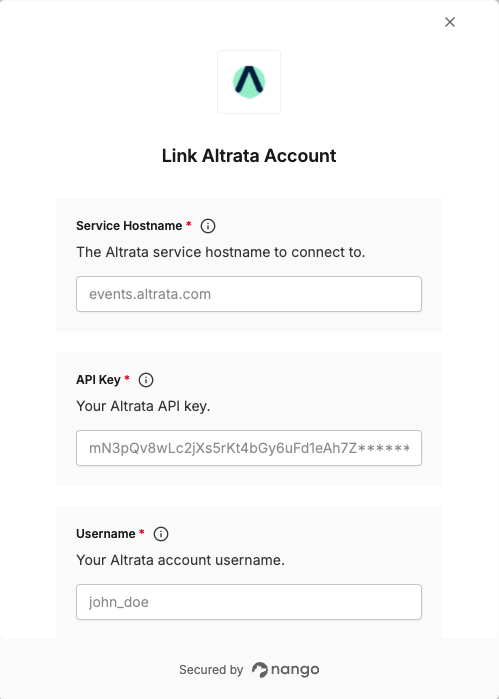
To authenticate with Altrata, you will need:- Service Hostname — The Altrata service hostname to connect to.
- API Key — Your Altrata API key.
- Username — Your Altrata Service User username.
- Password — Your Altrata Service User password.
Prerequisites
- An active Altrata subscription with API access.
Step 1: Obtain your credentials
Your Service User credentials and API key are sent to you by email during subscription setup. You will receive:- API Key — provided as part of your Altrata Salesforce app access.
- Username and Password — your Service User account details.
Step 2: Choose a service hostname
Altrata exposes four GraphQL services. Choose the hostname that matches your use case and enter it in the Service Hostname field:Step 3: Enter credentials in the Connect UI
- Open the form where you need to authenticate with Altrata.
- Enter your Service Hostname, API Key, Username, and Password in their designated fields.
- Submit the form, and you should be successfully authenticated.