Overview
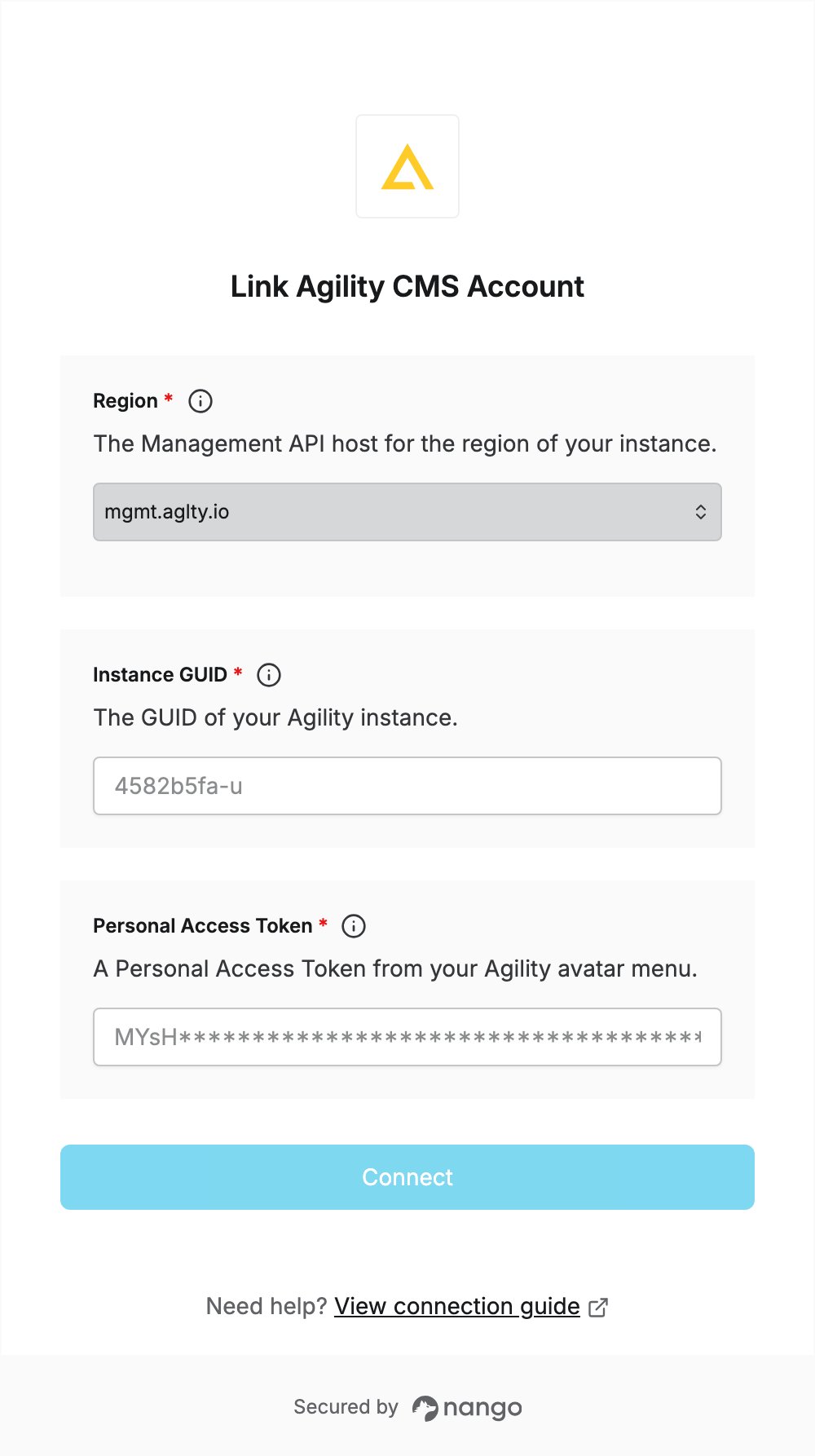
To authenticate with Agility CMS, you need:- Region — the Management API host for the region your instance is hosted in.
- Instance GUID — the unique identifier of your Agility instance.
- Personal Access Token — a token that lets apps call the Agility Management API as you.
Prerequisites
- An Agility CMS account. You can sign up at app.agilitycms.com.
- The Develop or Manage permission on the instance you connect.
Step 1: Find your instance GUID and region
- Sign in to Agility and open your instance.
- Copy the instance GUID from the URL:
app.agilitycms.com/instance/<GUID>/.... Enter it in the Instance GUID field. - The suffix of the GUID (the part after the last
-) tells the region your instance is hosted in. Select the matching Region:
For example, an instance GUID ending in
-u uses mgmt.aglty.io.
Step 2: Create a Personal Access Token
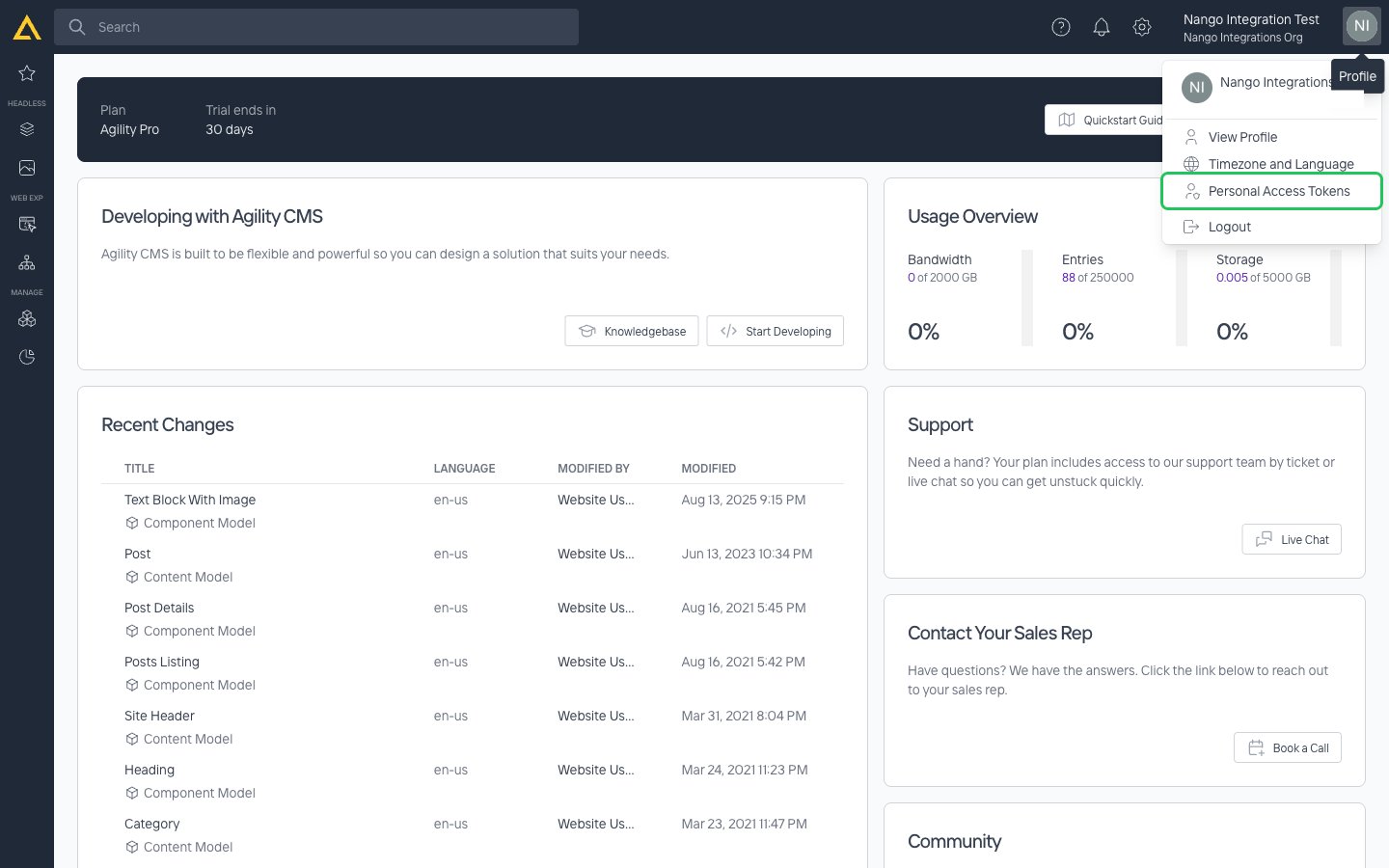
- Inside your instance, select your avatar in the top-right corner, then select Personal Access Tokens.
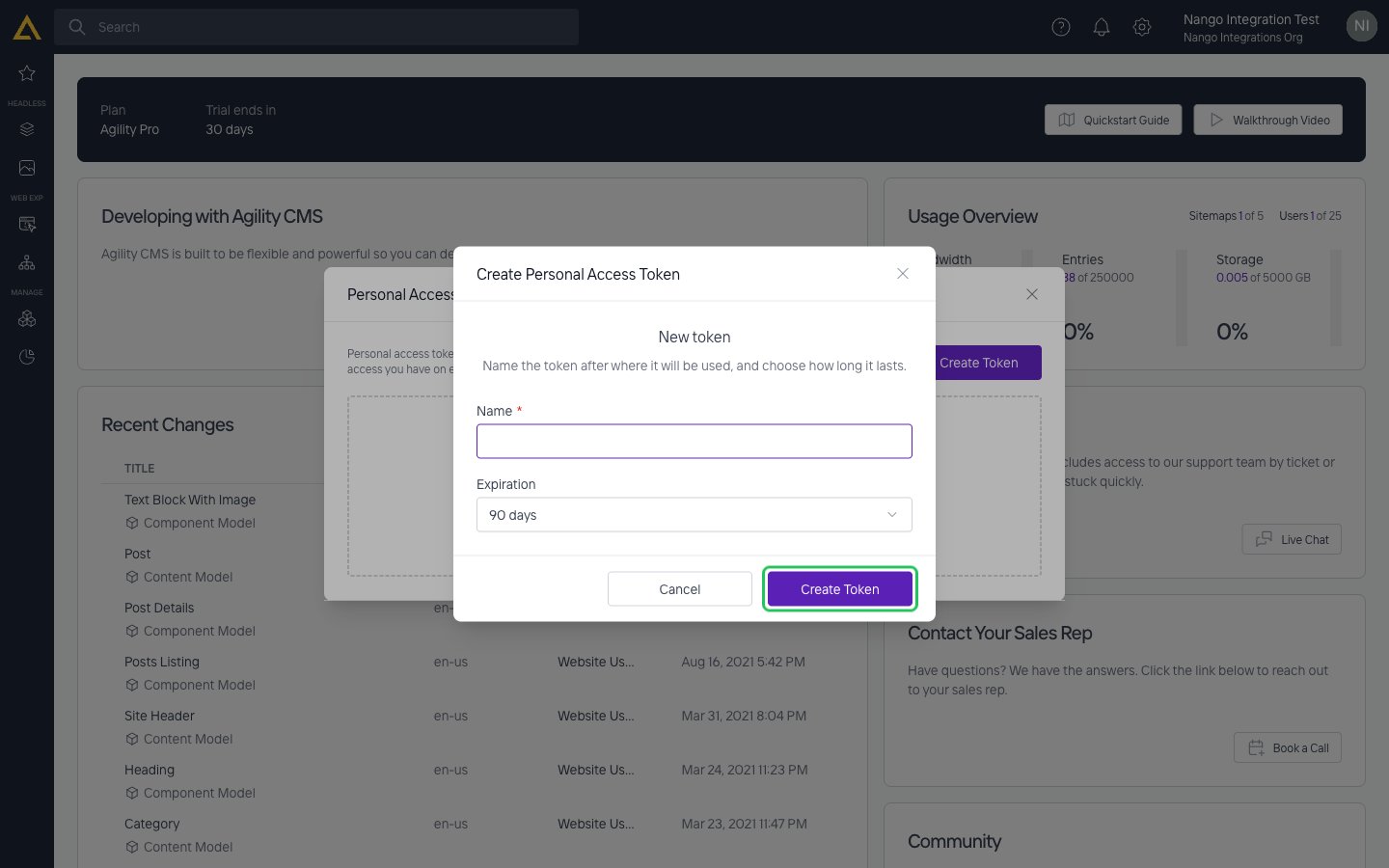
- Select Create Token. In Name, say where the token will be used. In Expiration, choose how long the token lasts: 30 days, 90 days (the default), 6 months, 1 year or 2 years. Then select Create Token.
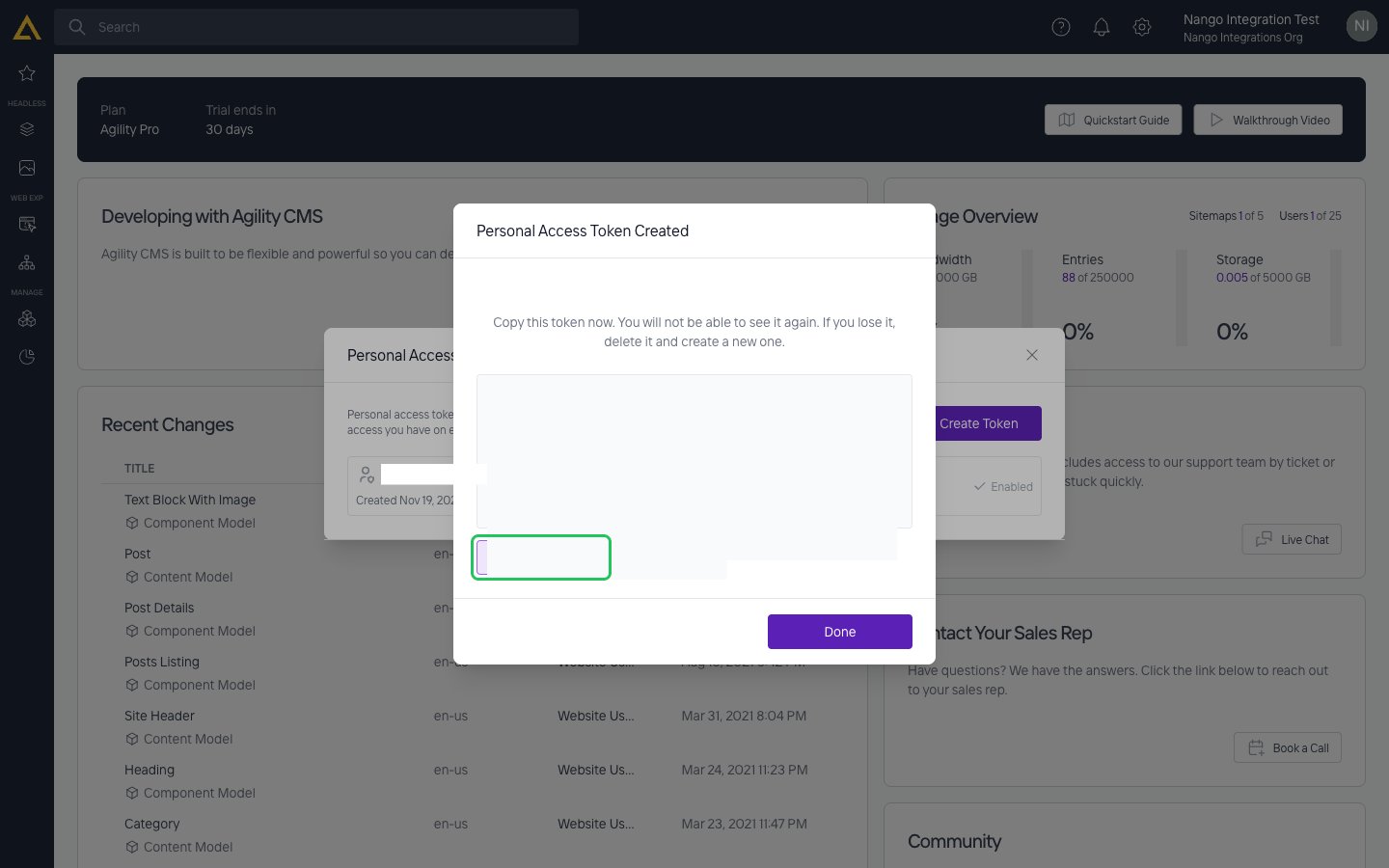
- Select Copy Token and store the token somewhere safe. It is shown only once and cannot be retrieved later. Then select Done.
Step 3: Enter your credentials in the Connect UI
- Open the form where you need to authenticate with Agility CMS.
- Select your Region, then enter your Instance GUID and Personal Access Token in the designated fields.
- Submit the form, and you should be successfully authenticated.