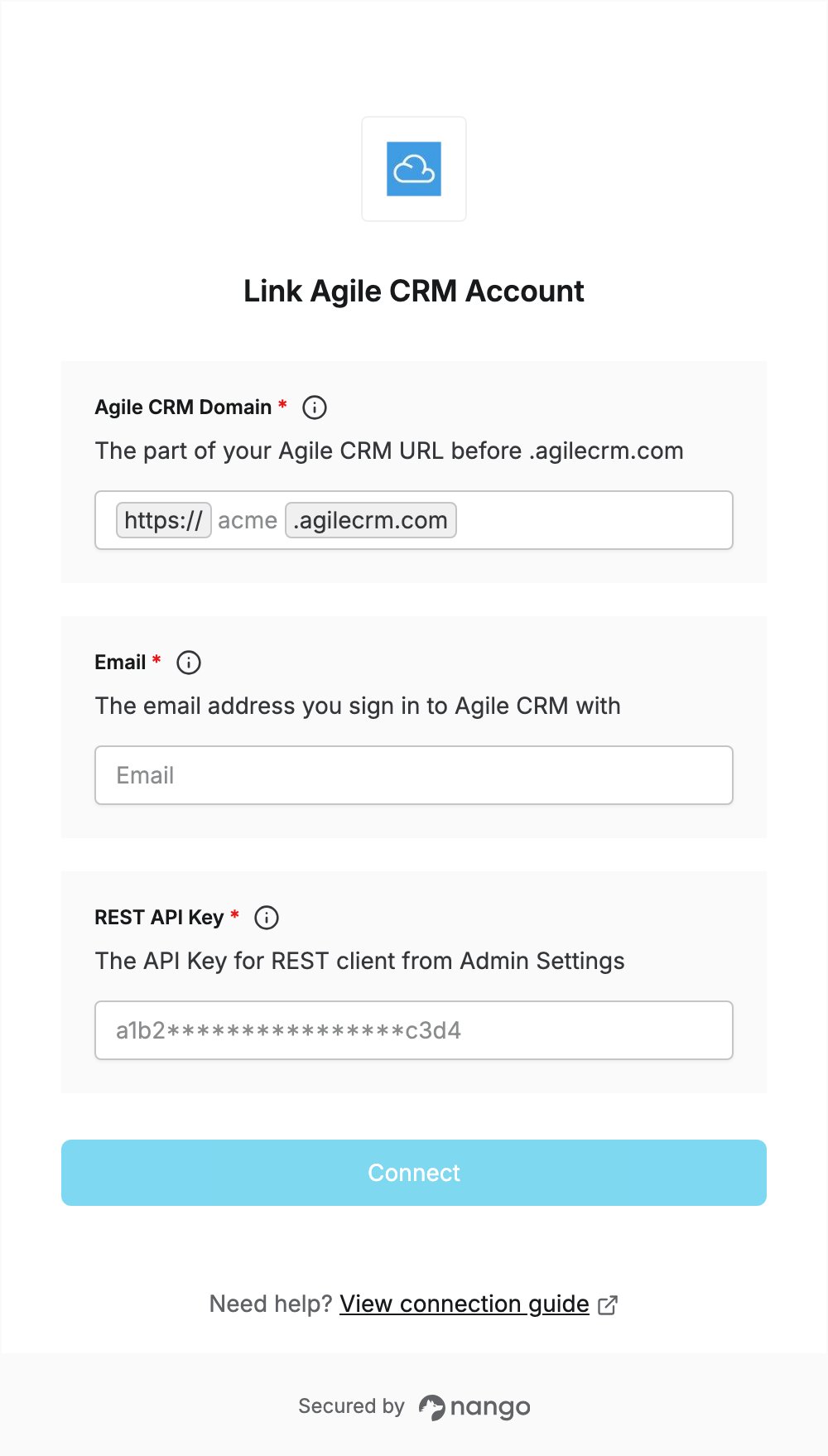
Overview
To authenticate with Agile CRM, you need:- Agile CRM Domain — the domain of your Agile CRM account.
- Email — the email address you sign in to Agile CRM with.
- REST API Key — the API key Agile CRM uses for REST API calls.
Prerequisites
- An Agile CRM account. Sign up for free, no credit card required. The free plan allows 500 API calls per day.
Step 1: Find your Agile CRM domain
Your domain is the name you chose at signup. It is the part of your Agile CRM URL before.agilecrm.com: for https://acme.agilecrm.com, enter acme.
Step 2: Copy your REST API key
- Sign in to your Agile CRM account with the email address you will enter in the Email field.
- Open Admin Settings, then go to API & Analytics.
- Copy the first key, API Key (for REST client). Agile CRM uses this key for all REST API calls.
Step 3: Enter your credentials in the Connect UI
- Open the form where you need to authenticate with Agile CRM.
- In Agile CRM Domain, enter your domain from Step 1 (for example,
acme). - In Email, enter the email address you sign in to Agile CRM with.
- In REST API Key, paste the API key from Step 2.
- Submit the form. Nango checks the credentials with Agile CRM before saving the connection.