Overview
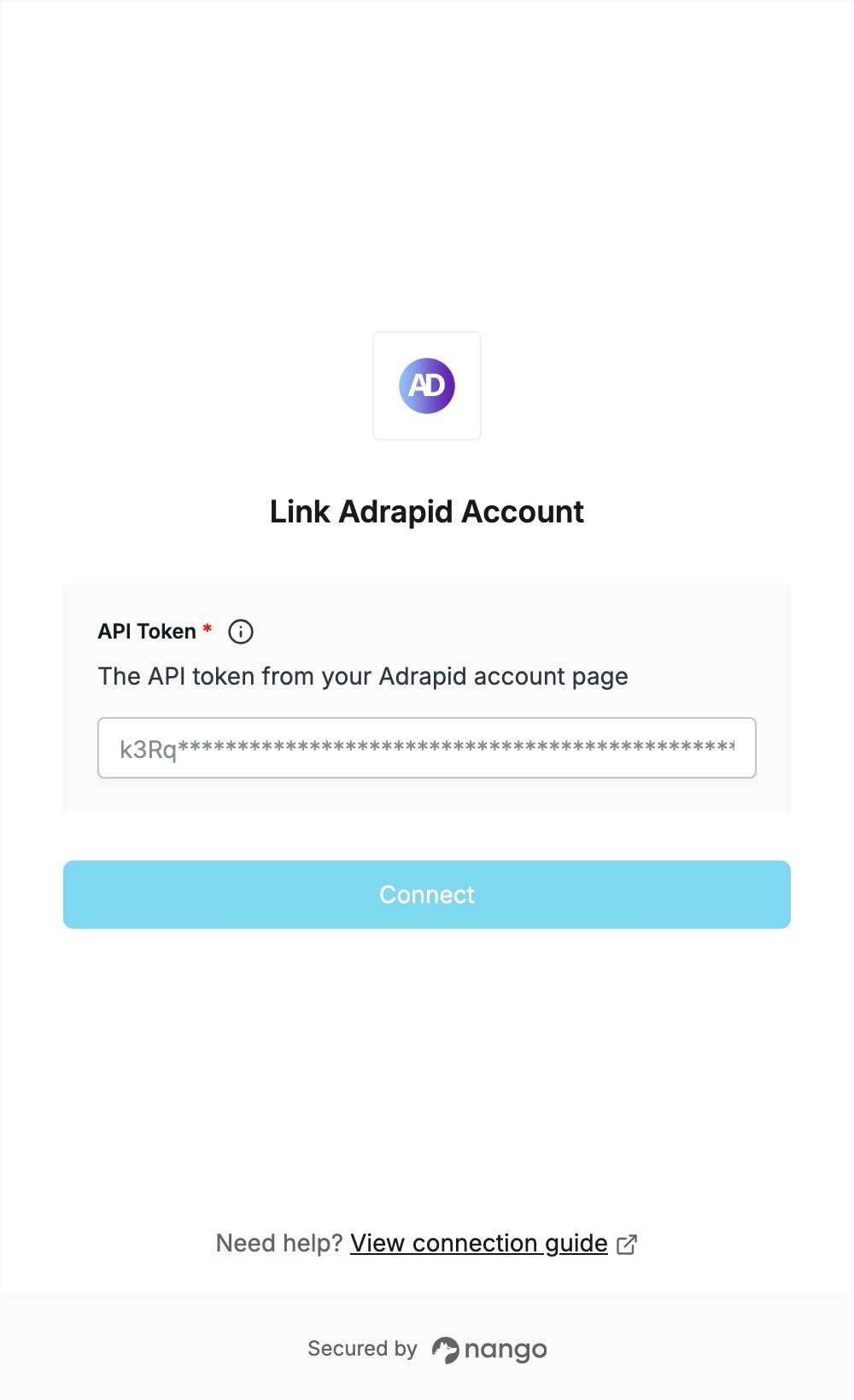
To authenticate with Adrapid, you need:- API Token — the API token from your Adrapid account page.
Prerequisites
- An Adrapid account with API access. Adrapid’s pricing page lists the REST API under the Enterprise plan.
Step 1: Copy your API token
- Sign in to Adrapid.
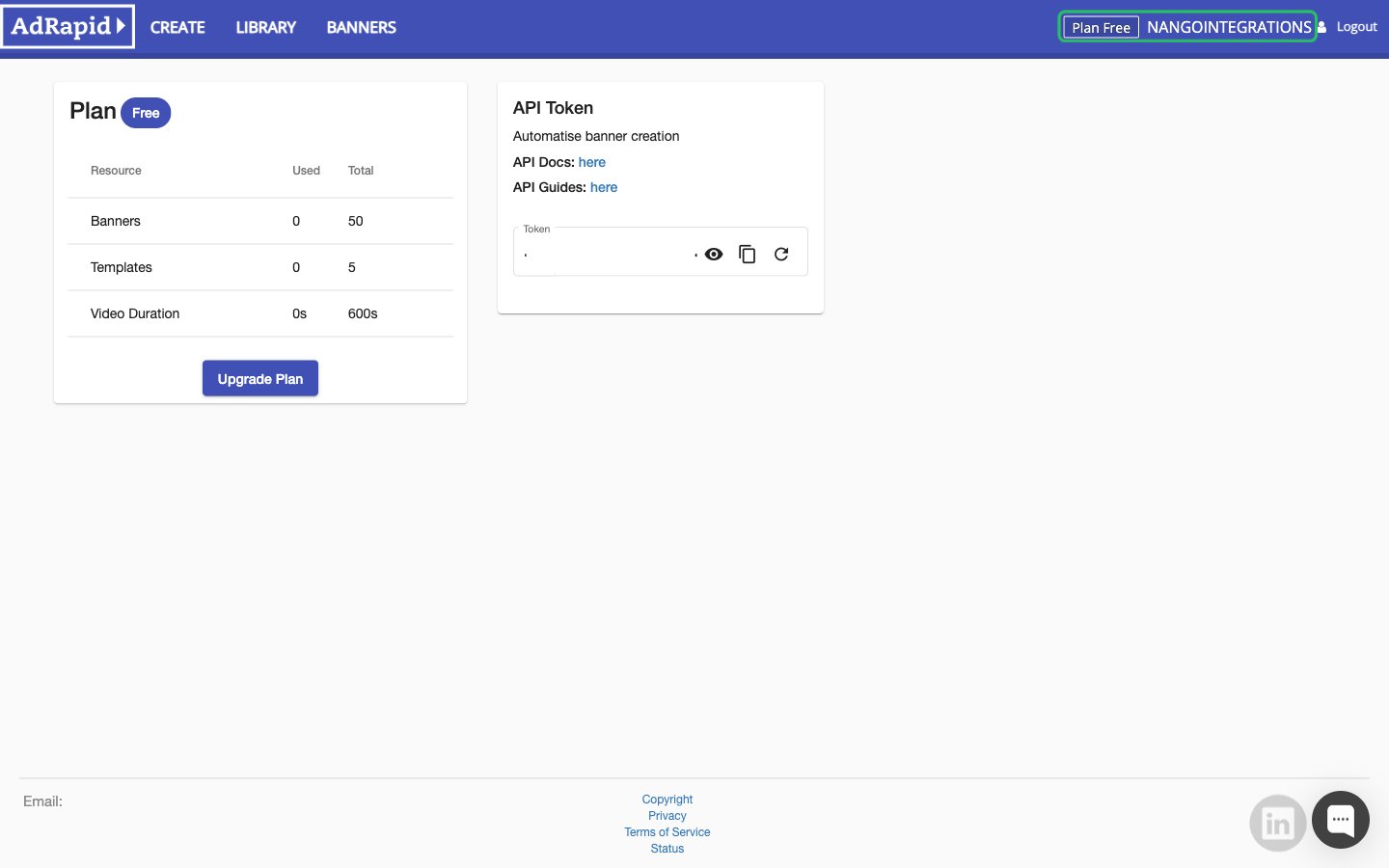
- Click your user name in the top right of the app to open the account page.
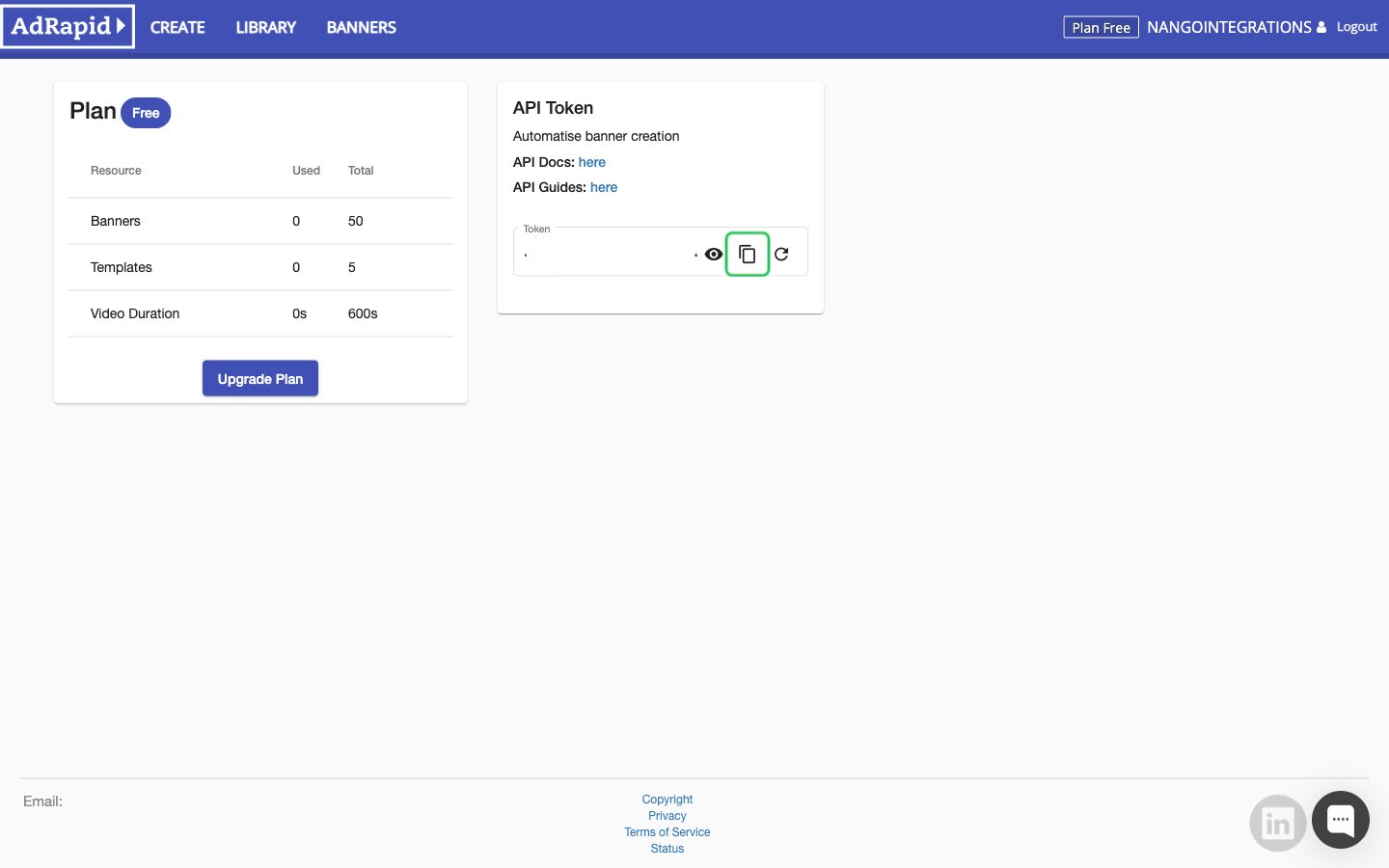
- In the API Token section, click the copy button next to the Token field. The refresh button beside it rotates the token.
Step 2: Enter your API token in the Connect UI
- Open the form where you need to authenticate with Adrapid.
- Enter your API token in the API Token field.
- Submit the form. Nango checks the token with Adrapid before saving the connection.