Overview
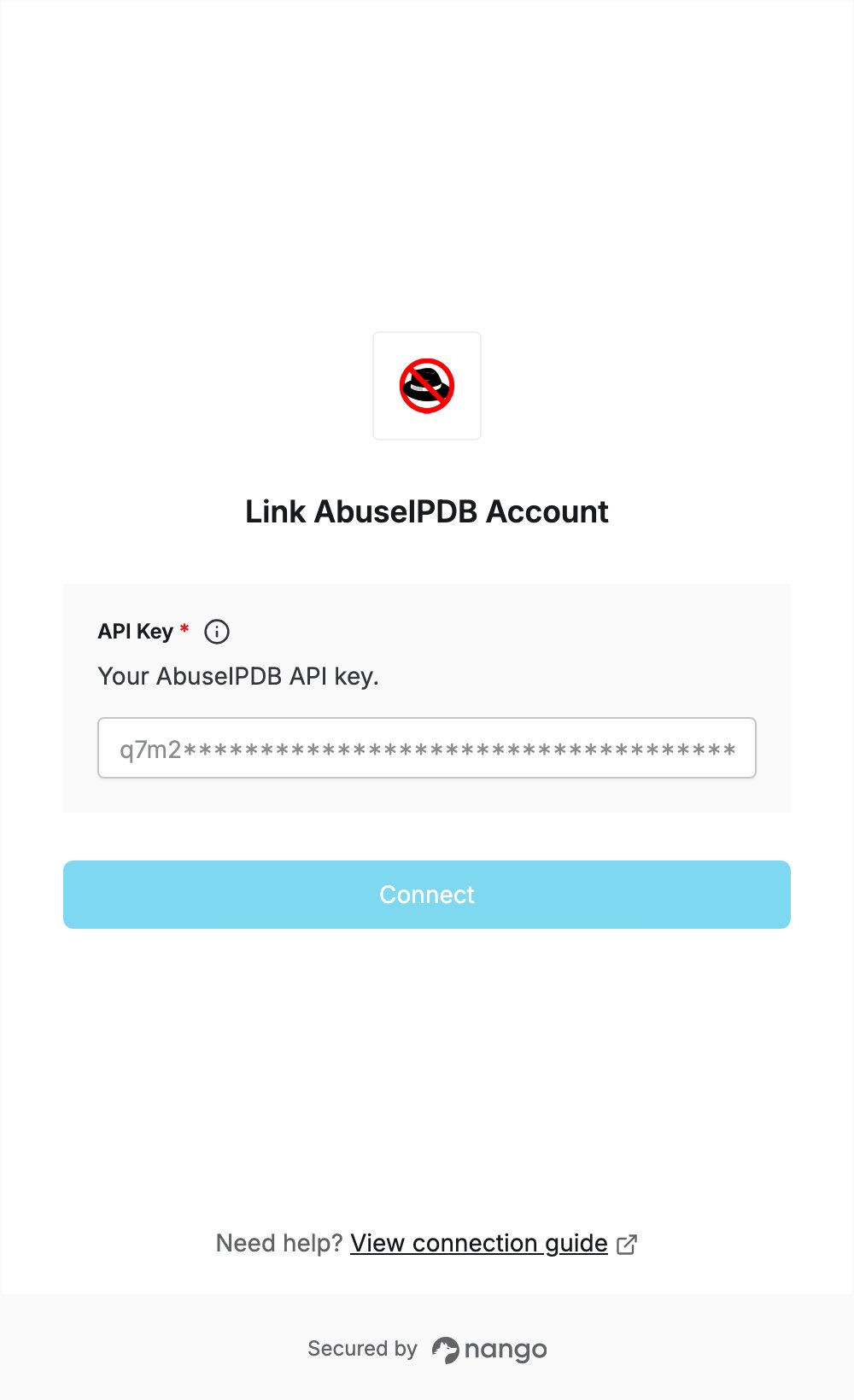
To authenticate with AbuseIPDB, you need:- API Key - An AbuseIPDB API key that lets Nango call the AbuseIPDB API on behalf of your account.
Prerequisites
- An AbuseIPDB account. The API is free to use; you can register for a free account.
Step 1: Create an API key
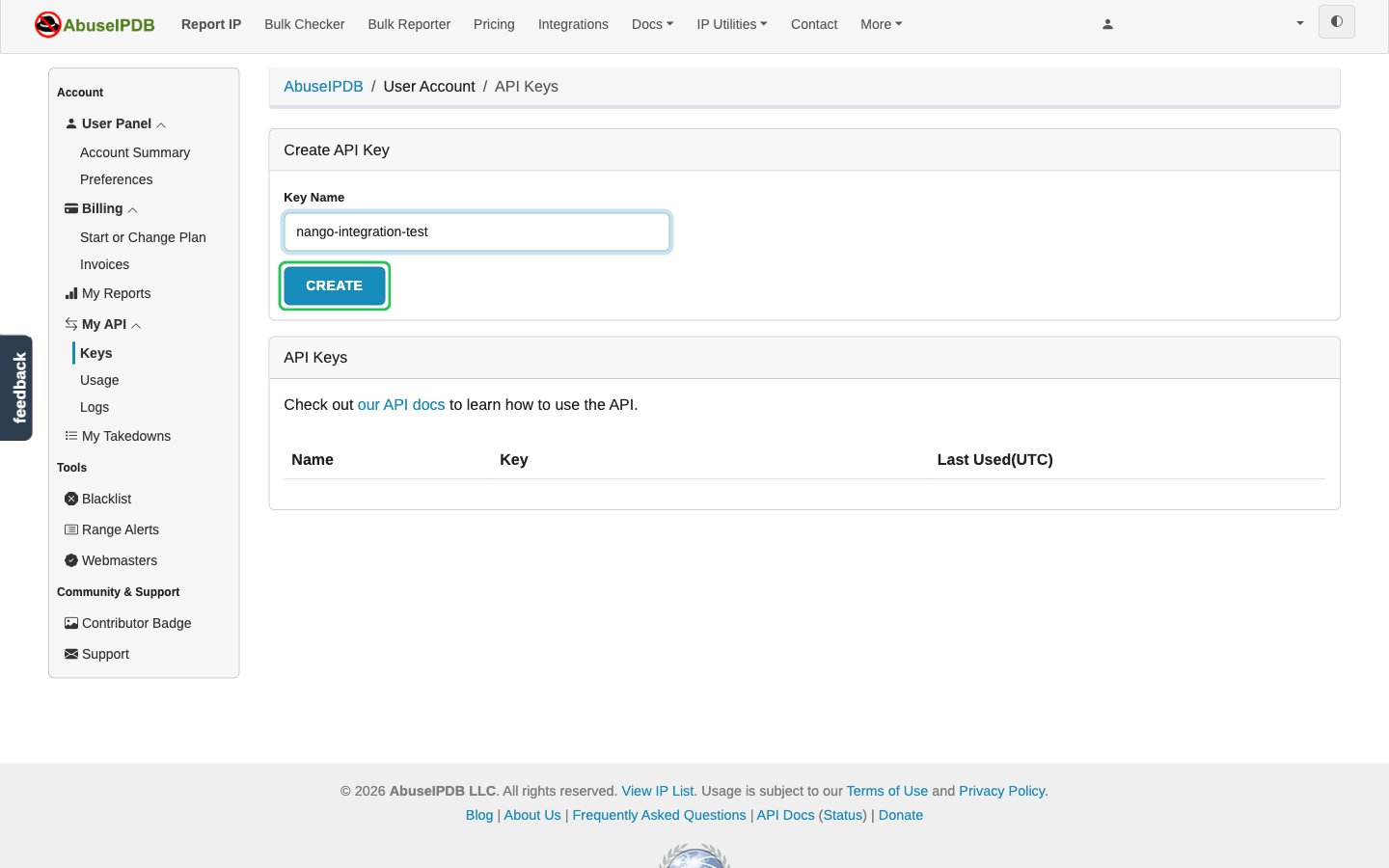
- Log in to AbuseIPDB and open My API -> Keys in the account sidebar.
- Under Create API Key, enter a Key Name (for example,
nango) and click Create.
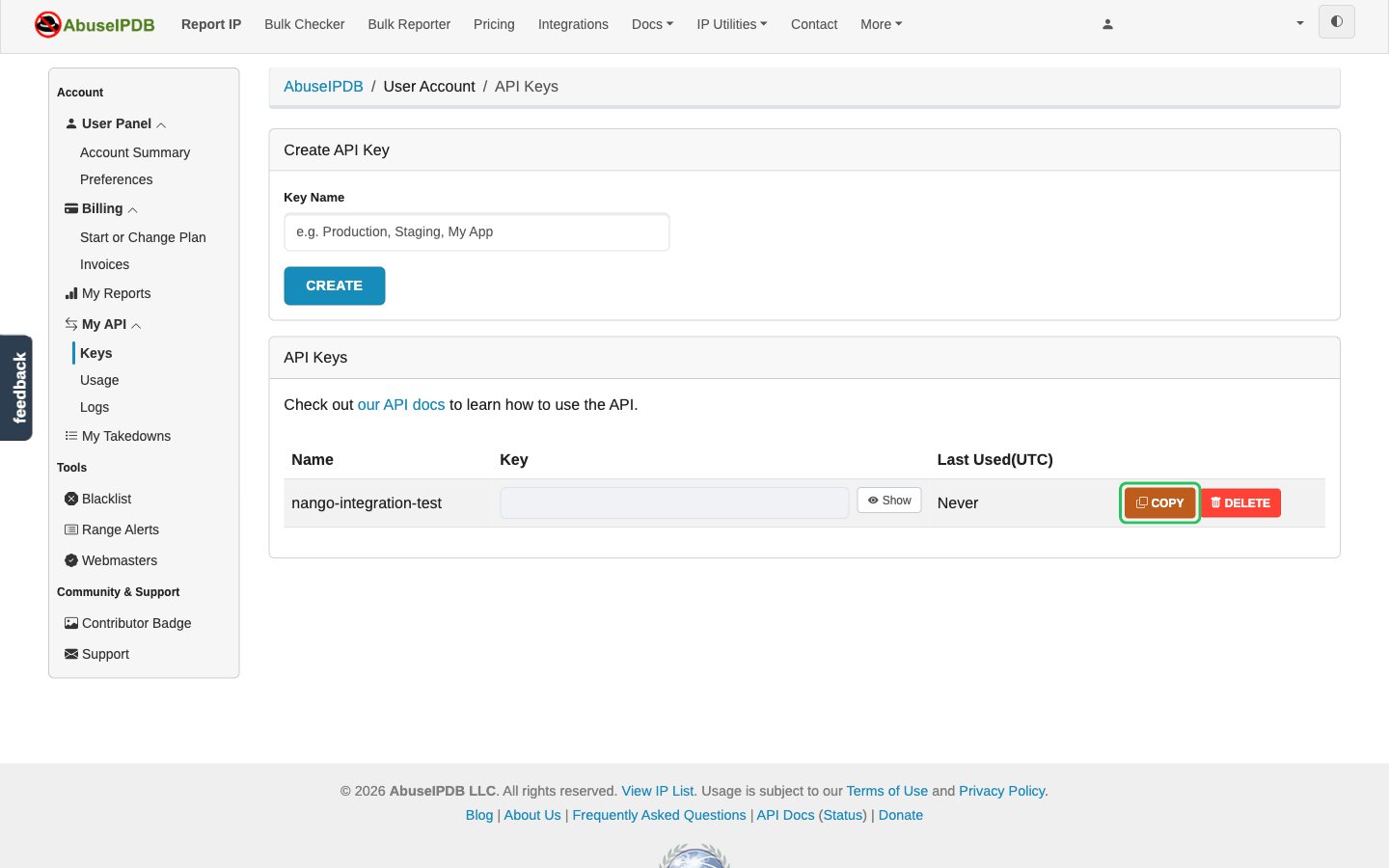
- In the API Keys table, click Copy next to the new key to copy it.
Step 2: Enter your API key in the Connect UI
- Open the form where you need to authenticate with AbuseIPDB.
- Enter your API Key in the designated field.
- Submit the form, and you should be successfully authenticated.