Overview
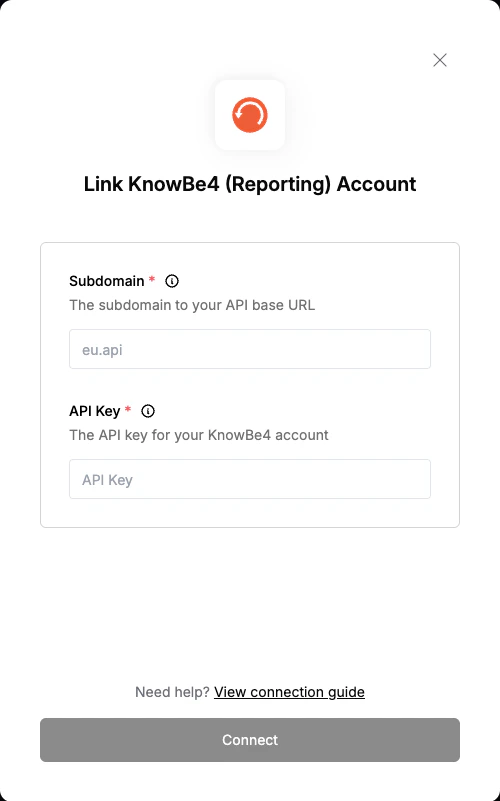
To authenticate with KnowBe4, you need:- Subdomain - The subdomain to your API base URL.
- API key - A key that grants Nango permission to interact with KnowBe4’s API resources and services.
Prerequisites:
- You must have an account with KnowBe4.
Instructions:
Step 1: Finding Your Subdomain
- Log in to your KnowBe4 account in your web browser.
- Check the address bar at the top of your browser window.
- Compare your address with the following table to determine the required subdomain you must use:
Step 2: Generating Your KnowBe4 API Key
KnowBe4 has separate API keys depending on which APIs you intend to use. Generate the key that matches your needs:- Reporting API key — for accessing reporting data (e.g. training store purchases, phishing campaigns, user activity).
- User Event API key — for accessing user event data. Must be generated separately in the User Event API Management Console.
- Log in to your KnowBe4 account as admin.
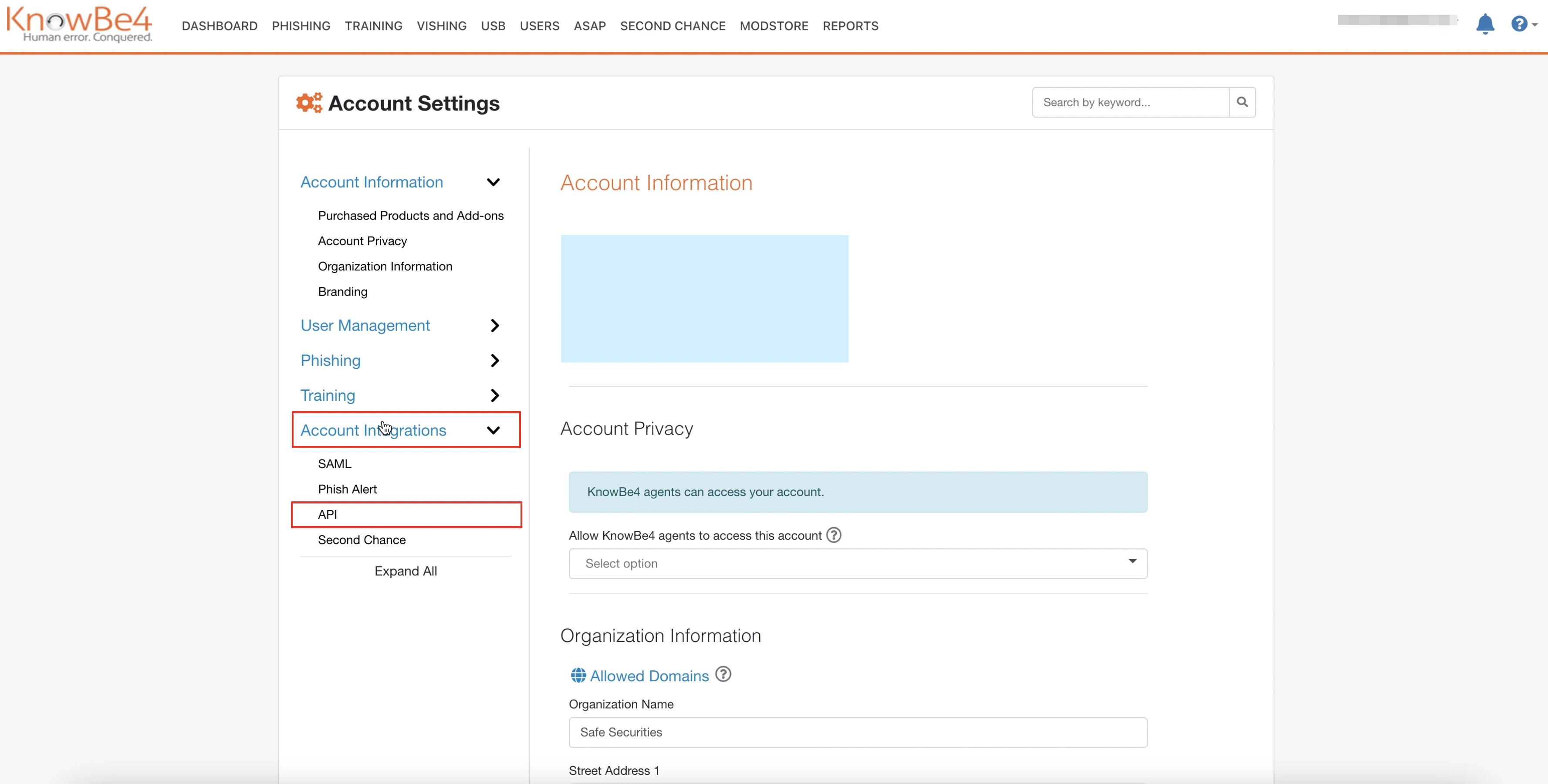
- Go to Account Settings.
- Click Account Integrations from the left menu.
- Click the API option.
- Mark the Enable Reporting API Access checkbox.
- The system generates an API Key.
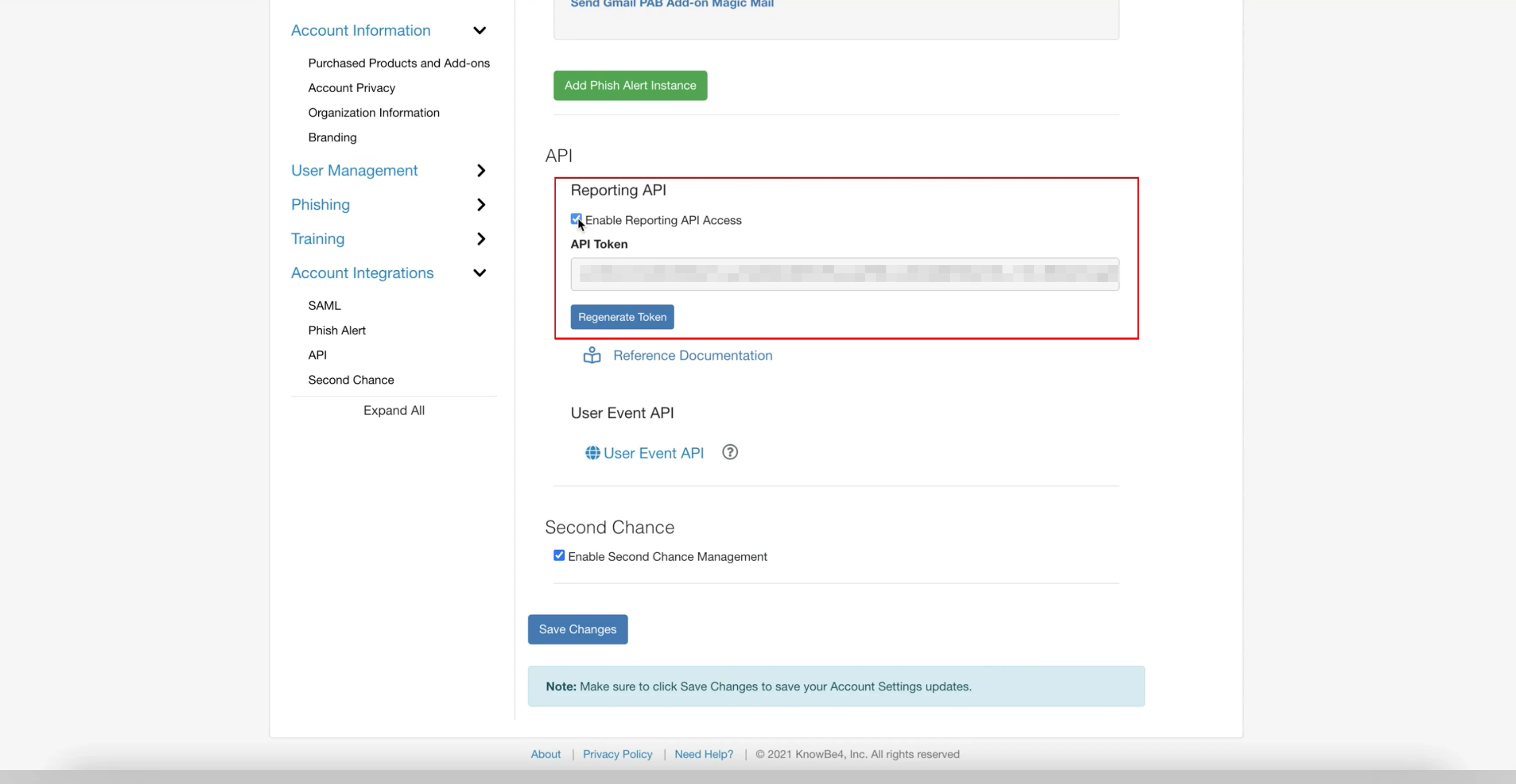
Reporting APIs and User Event APIs do not share an API key. Use the key that matches the endpoints you plan to call.
Step 3: Enter credentials in the Connect UI
Once you have both your Subdomain and API key:- Open the form where you need to authenticate with KnowBe4.
- Enter your Subdomain and API key in their respective fields.
- Submit the form, and you should be successfully authenticated.