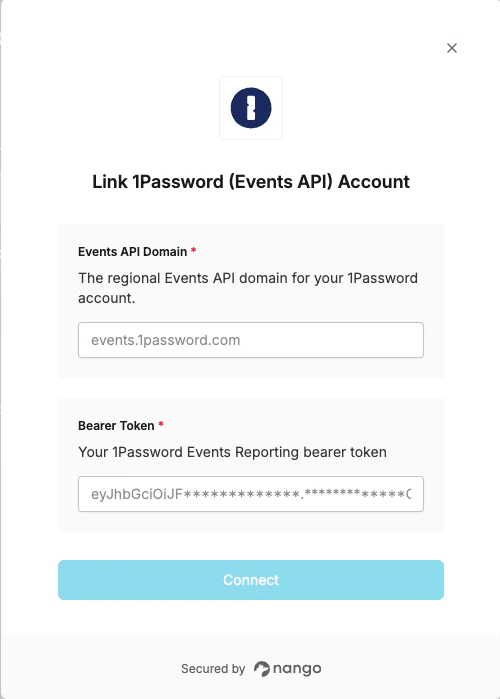
Overview
To authenticate with the 1Password Events API, you will need:- Bearer Token - A token issued from your 1Password Events Reporting integration
- Events API Domain - The regional API domain for your 1Password account
Prerequisites
- A 1Password Business account with admin access
Instructions
Step 1: Find your Events API domain
Choose the domain that matches your 1Password account region:Step 2: Generate a bearer token
- Sign in to your 1Password account.
- Select Integrations in the sidebar, and select Directory.
- In the Events Reporting section, choose your SIEM from the list. If your SIEM isn’t listed, select Other.

- Enter a name for the integration, then select Add Integration.

- Configure your token:
- Token Name: A name to identify this token
- Expires After: (Optional) 30, 90, or 180 days — defaults to never
- Events to Report: Choose which events the token can access (sign-in attempts, item usages, audit events)

- Select Issue Token.
- On the Save your token page, your token is displayed. Copy it now — it will not be shown again.

Step 3: Enter credentials in the Connect UI
- Open the form where you need to authenticate with 1Password.
- Enter your Bearer Token and Events API Domain in their respective fields.
- Submit the form to connect your account.