Overview
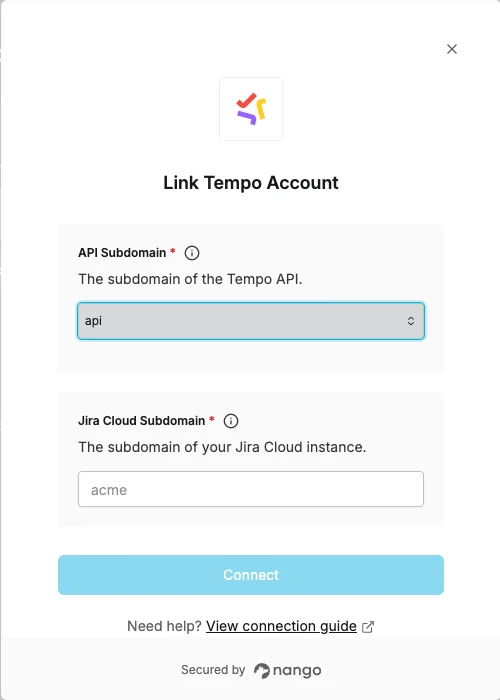
To connect to the Tempo API, you’ll need:- Jira Cloud subdomain - The subdomain of the Jira Cloud instance linked to your Tempo account.
- API subdomain - The Tempo API subdomain matching the region where your Tempo data resides.
Prerequisites:
- An active Tempo account linked to a Jira Cloud instance.
Instructions
Step 1: Find your Jira Cloud subdomain
Your Jira Cloud subdomain is the first part of your Jira URL. For example, if your Jira URL ishttps://acme.atlassian.net, your subdomain is acme.
Step 2: Find your API subdomain
Choose the API subdomain that matches the region where your Tempo data resides:Step 3: Enter credentials in the Connect UI
Once you have your Jira Cloud subdomain and API subdomain:- Open the form where you need to authenticate with Tempo.
- Enter your Jira Cloud subdomain and select your API subdomain in their respective fields.
- Submit the form, and you should be successfully authenticated.