Overview
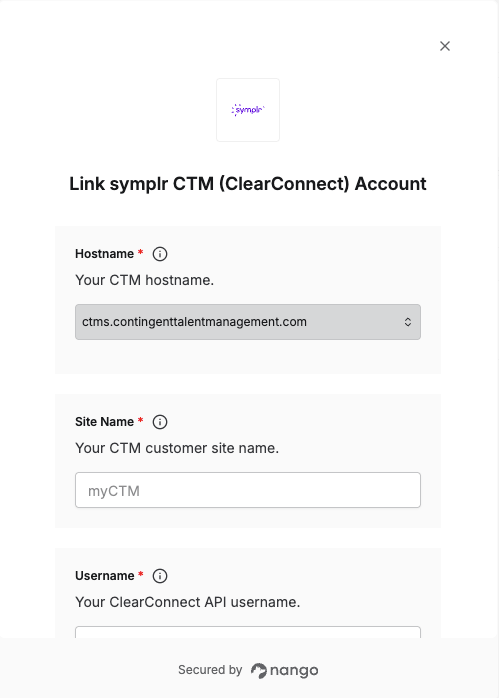
To authenticate with symplr CTM (ClearConnect), you need:- Hostname —
ctms.contingenttalentmanagement.comfor production orctmscs.contingenttalentmanagement.comfor sandbox. - Site Name — the customer site identifier from your ClearConnect base URL.
- Username and Password — the ClearConnect API credentials for a CTM user.
Prerequisites
- An account with symplr Contingent Talent Management.
- A CTM user with ClearConnect API access.
Step 1: Locate your ClearConnect credentials
- Identify your hostname and site name from the URL you use to access your CTM application. For example, in
https://ctms.contingenttalentmanagement.com/myCTMthe hostname isctms.contingenttalentmanagement.comand the site name ismyCTM. Sandbox instances use a different hostname, such asctmscs.contingenttalentmanagement.com. - Use the Username and Password of a CTM user with ClearConnect access. ClearConnect access must be enabled for the user from within Contingent Staffing by your CTM administrator.
- If you don’t have these credentials, contact your CTM administrator or symplr support.
Step 2: Enter credentials in the Connect UI
Once you have your Hostname, Site Name, Username, and Password:- Open the form where you need to authenticate with symplr CTM.
- Select your Hostname, then enter your Site Name, Username, and Password in their respective fields.
- Submit the form, and you should be successfully authenticated.