Overview
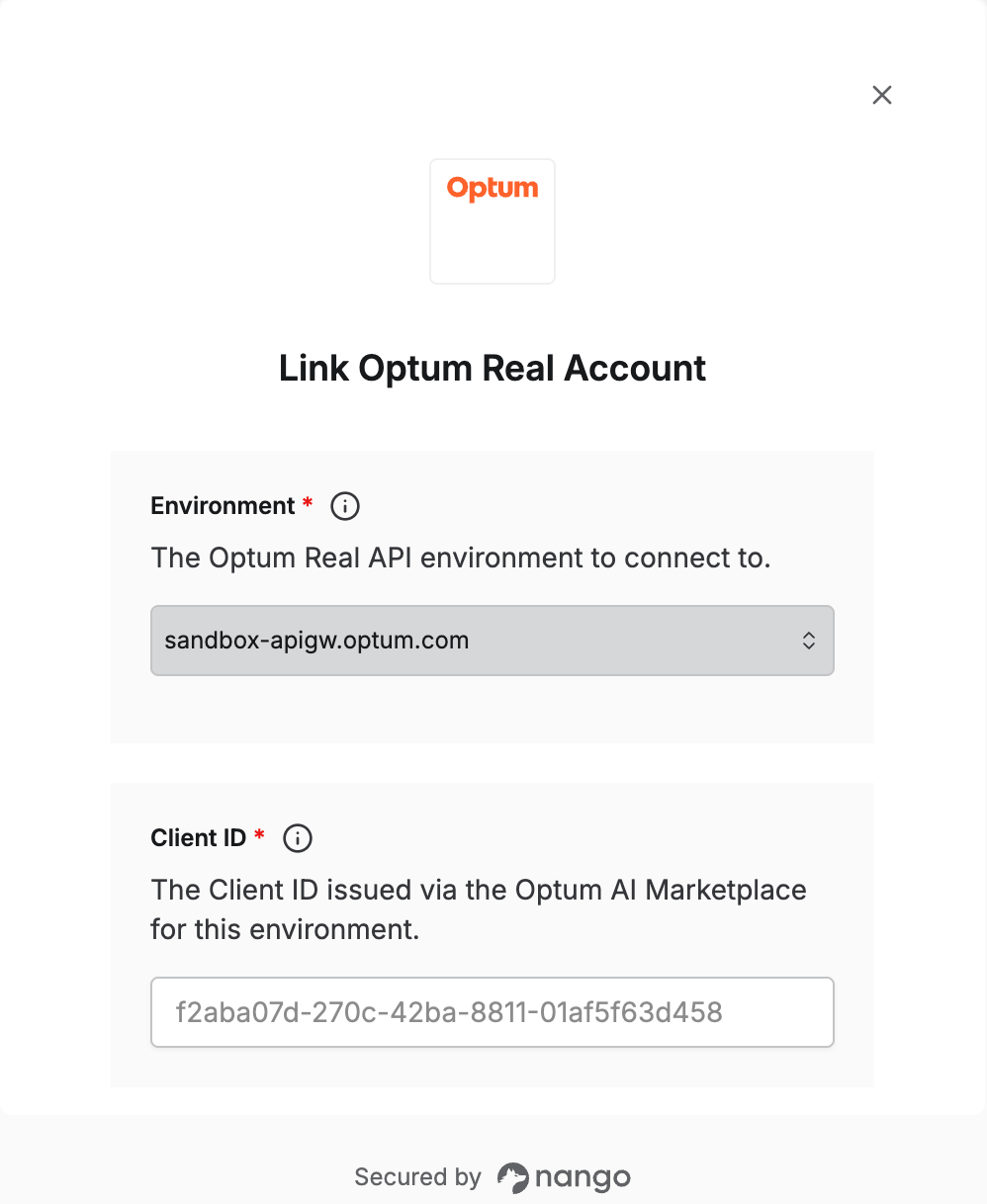
To authenticate with Optum Real, you need:- Environment — whether to connect to Optum Real’s sandbox or production API.
- Client ID — issued via the Optum AI Marketplace for that environment.
- Client Secret — issued alongside your Client ID.
Prerequisites
- An Optum AI Marketplace account. Sandbox credentials can be requested without a subscription; production credentials require one.
- Your organization’s Tax ID Numbers (TINs) associated via the Optum Real File Manager tool (see Step 3) — required before API calls return real data.
Step 1: Choose your environment
Optum Real exposes two separate API hosts, each with its own credentials:- Sandbox —
sandbox-apigw.optum.com— use this to test requests before going live. - Production —
apigw.optum.com— use this once your integration is ready to go live.
Step 2: Get your credentials
- For sandbox, request access via the Optum AI Marketplace sandbox request form. For production, subscribe to the Optum Real API(s) you need via the Optum AI Marketplace.
- Optum issues your Client ID and Client Secret for that environment — sandbox credentials arrive by email, production credentials appear in your Marketplace account or by email once your subscription is processed.
Credentials are unique to your organization and environment — a sandbox Client ID/Secret will not work against the production host, and vice versa. If you don’t have credentials yet, contact your Optum account manager or API consultant.
Step 3: Associate your TINs
Before API calls return real data, associate your organization’s Tax ID Numbers (TINs) using the Optum Real File Manager tool, for each environment you use:- Open the Starter Guide included with any Optum Real API order.
- Follow the link to the Optum Real File Manager tool (step 2 of the Starter Guide).
- Download the submission template, fill it in, and upload it through the file wizard.
- Confirm the upload status, and check the Associated TINs tab once processing completes.
Step 4: Enter credentials in the Connect UI
Once you have your Client ID and Client Secret:- Open the form where you need to authenticate with Optum Real.
- Select the Environment (sandbox or production).
- Enter your Client ID and Client Secret for that environment.
- Submit the form, and you should be successfully authenticated.