Overview
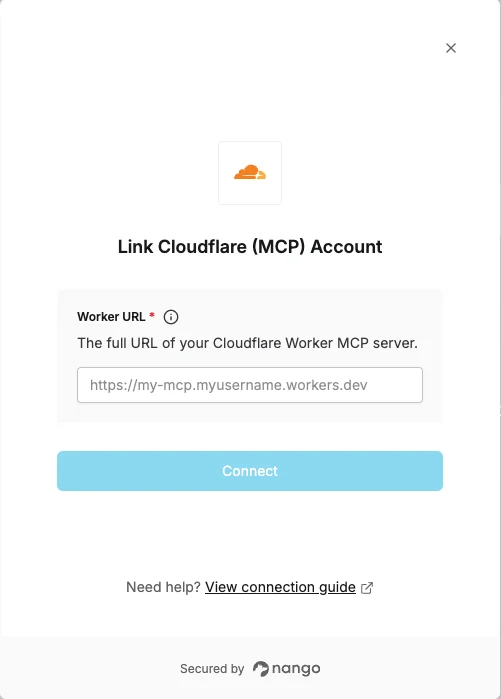
To connect to a Cloudflare Worker MCP server, you will need:- Worker URL — the full
https://URL of your deployed Cloudflare Worker MCP server.
Prerequisites
- A deployed Cloudflare Worker MCP server. See Cloudflare’s guide for how to build and deploy one.
- Your worker’s OAuth authorization server must allow the Nango callback URL as a redirect URI:
- Production:
https://api.nango.dev/oauth/callback
- Production:
- Your worker’s OAuth authorization server must support the
offline_accessscope. Enable it in your OAuth provider settings to allow Nango to obtain a refresh token and keep the connection alive without re-authenticating.
Instructions
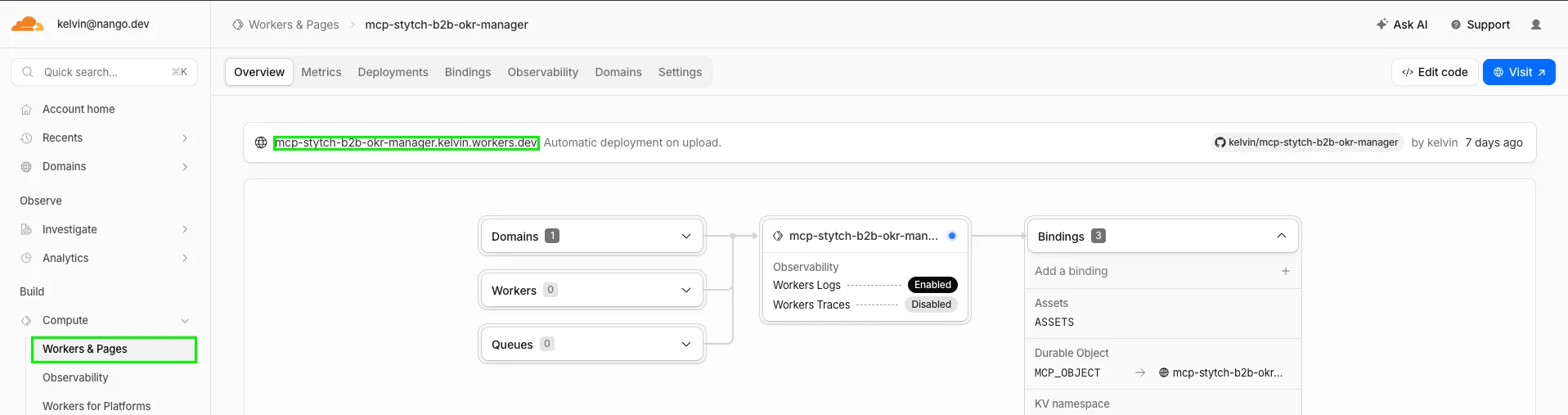
Step 1: Finding your worker URL
- Log in to the Cloudflare dashboard.
- Go to Build > Compute > Workers & Pages in the left sidebar.
- Click on your Worker.
- Your worker URL is shown under Overview — it follows the format
https://<worker-name>.<your-subdomain>.workers.dev.
Step 2: Authorize in the Connect UI
- Open the form where you need to connect your Cloudflare Worker MCP server.
- Enter the full Worker URL in the respective field.
- Submit the form, and you should be successfully authenticated.