Overview
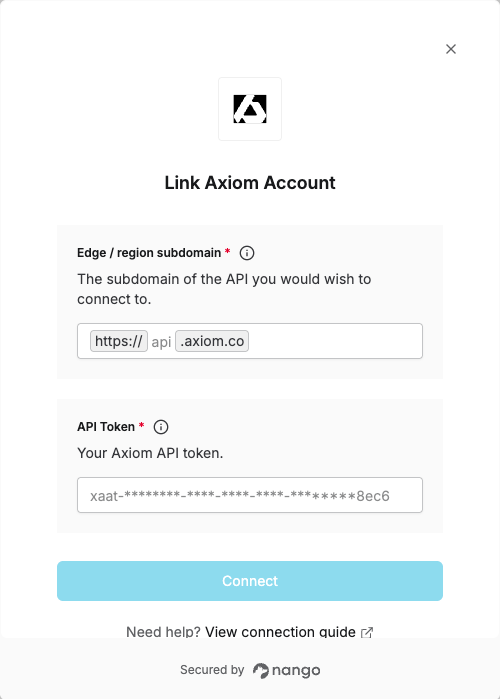
To authenticate with Axiom, you will need:- Edge / region (subdomain) – For ingest and query, use your edge deployment; for all other endpoints you can use the default
(api). - API token – A key that grants Nango permission to interact with Axiom’s API resources and services.
Prerequisites
- An Axiom account
Step 1: Finding your subdomain
The base domain of an API request depends on the operation:- Ingest and query – Use the base domain of your edge deployment (see table below).
- All other API endpoints – Use
api.
.axiom.co):
Step 2: Generating your API token
- In Axiom, go to Settings → API tokens, then click New API token.
- Name your API token.
- Optional: Add a description and set an expiration date.
- Under Token permissions:
- Basic – for ingesting data; select which datasets the token can access.
- Advanced – for querying, managing datasets, and other actions; select datasets and actions.
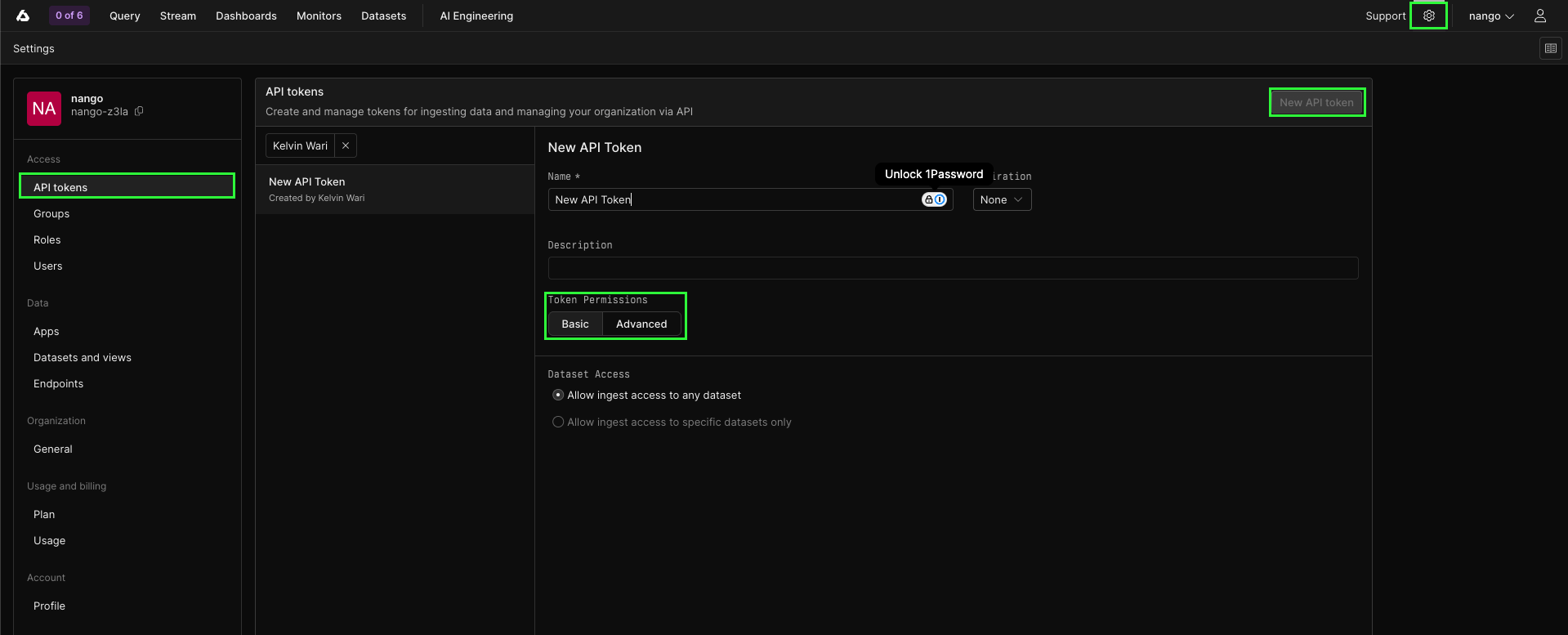
- Click Create.
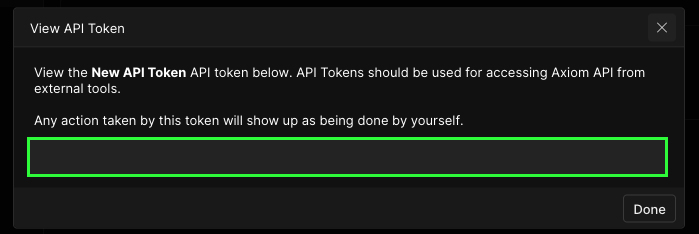
- Copy the API token and store it securely. It won’t be shown again.
Step 3: Enter credentials in the Connect UI
Once you have your API token:- Open the form where you need to authenticate with Axiom
- Enter your API token in their respective fields
- Submit the form, and you should be successfully authenticated