Overview
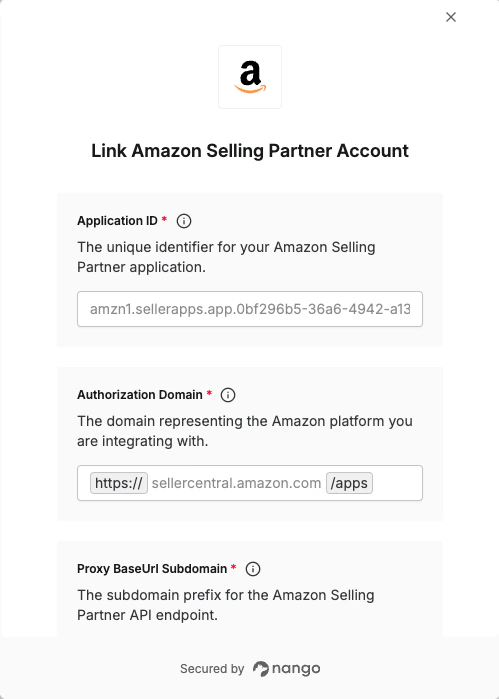
To authenticate with Amazon Selling Partner, you need:- Application ID - The unique identifier for your Amazon Selling Partner application.
- Domain - The domain representing the Amazon platform you are integrating with.
- Proxy BaseUrl Subdomain - The subdomain prefix for the Amazon Selling Partner API endpoint (e.g.
sellingpartnerapi). - Proxy BaseUrl Region - The geographical region associated with the Amazon marketplace (e.g.
na).
Prerequisites:
- You must have an Amazon Selling Partner account.
Step 1: Finding Your App Id
- Login to your Seller Central account.
- Go to Developer Console.
- Once in the Developer Console, find the specific application you’re looking for, and the corresponding Application ID will be visible alongside it.
Step 2: Finding Your Authorization Domain
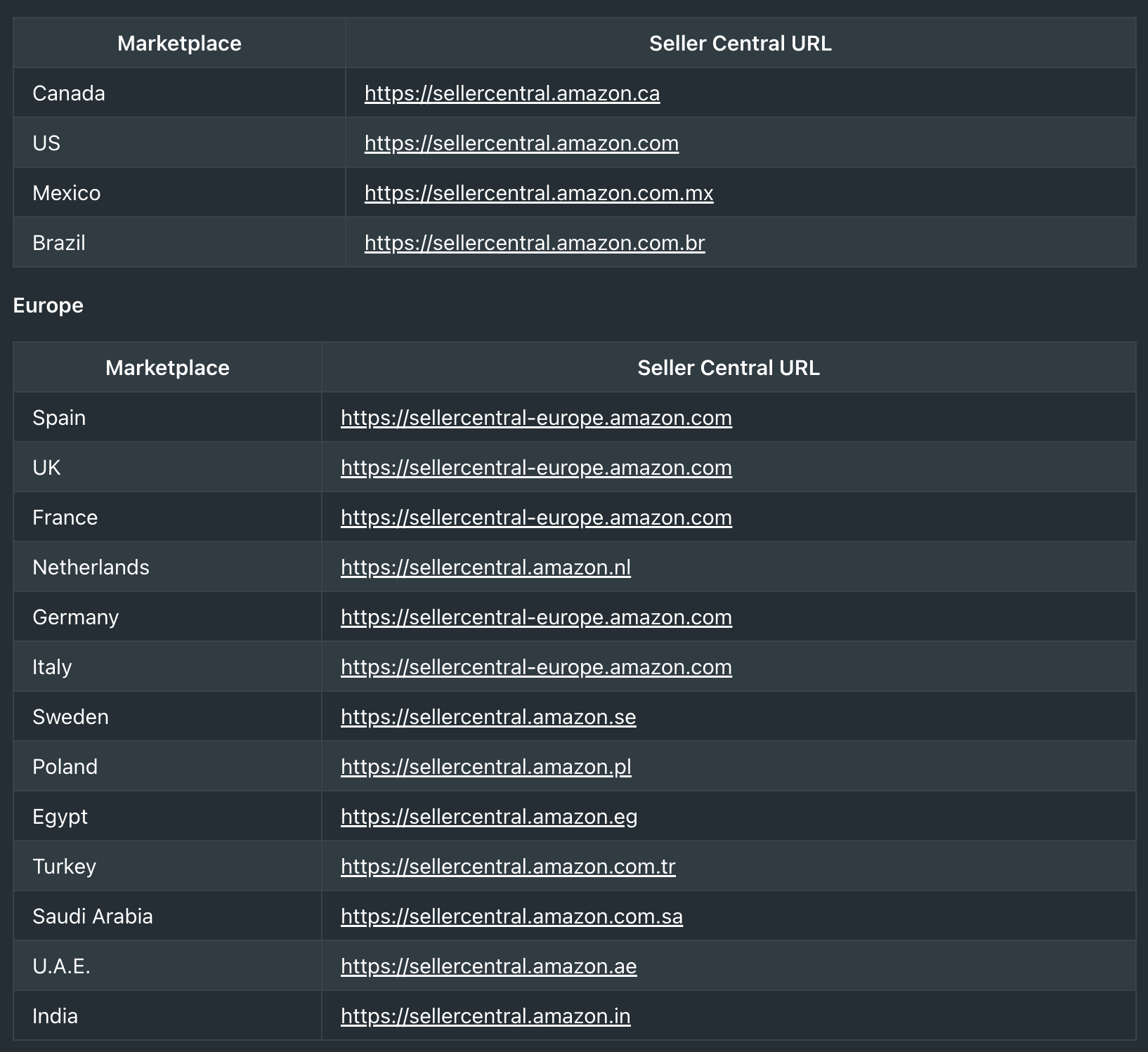
- You need to provide the domain for your application, which varies based on your application’s type and marketplace.
- For Public Applications & Private Seller Applications (authorized through Seller Central), you should use the Seller Central domain.
- For Private Vendor Applications (authorized through Vendor Central), you should use the Vendor Central domain.
- To find the correct domain for your marketplace, visit this link.
-
For example, based on the table, the Seller Central URL for the Saudi Arabia marketplace is https://sellercentral.amazon.com.sa, so the full domain is
sellercentral.amazon.com.sa.
Step 3: Finding Your Proxy BaseUrl Subdomain
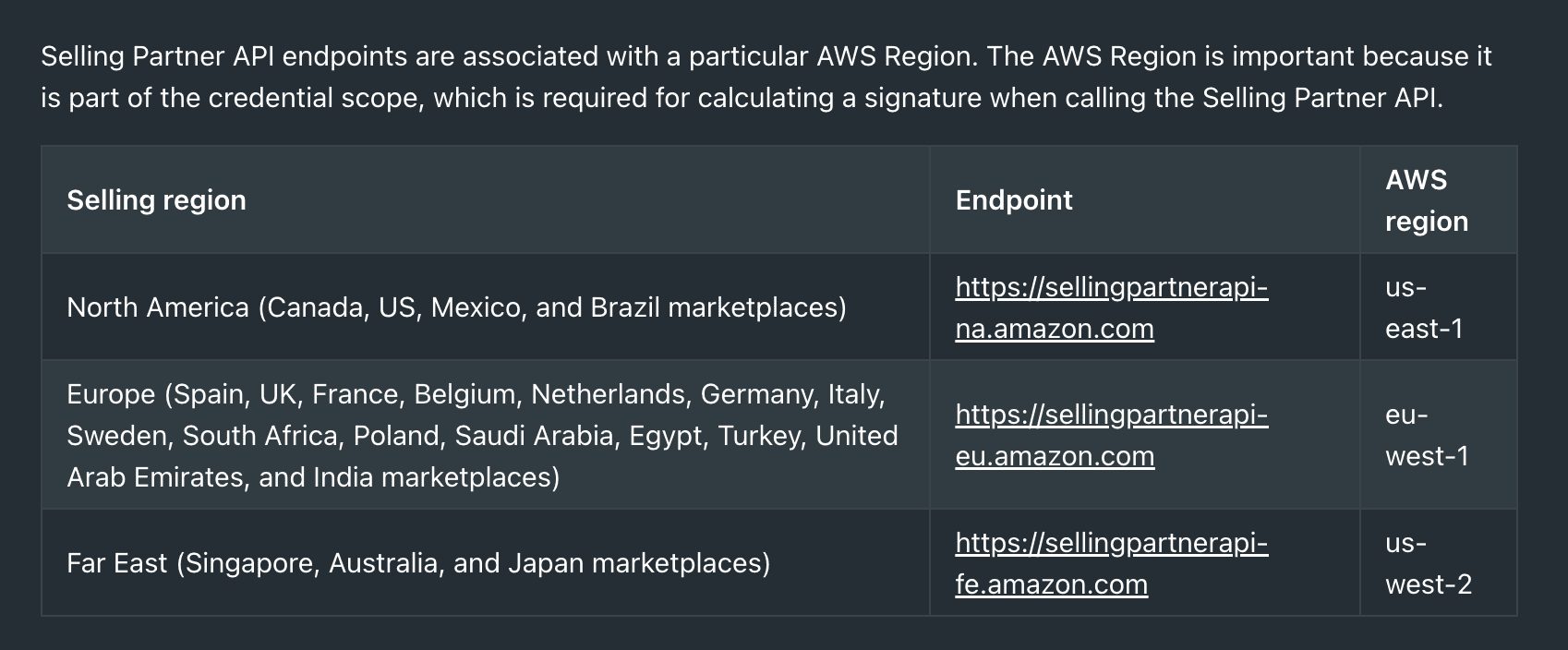
- Please visit this link to find the proxy base URL for your API endpoint. For example, for the North America selling region (including Canada, US, Mexico, and Brazil marketplaces), the endpoint is
https://sellingpartnerapi-na.amazon.com. The proxy BaseUrl subdomain is sellingpartnerapi.
Step 4: Finding Your Proxy BaseUrl Region
- The region is the geographical suffix in the endpoint URL. For example, for the North America selling region the endpoint is
https://sellingpartnerapi-na.amazon.com, so the region is na.
Step 5: Enter credentials in the Connect UI
Once you have your credentials:- Open the form where you need to authenticate with Amazon Selling Partner.
- Enter the Application ID, Domain, Proxy BaseUrl Subdomain and Proxy BaseUrl Region in their respective fields.
- Submit the form, and you should be successfully authenticated.