Overview
To authenticate with Amazon Selling Partner (Beta), you need:
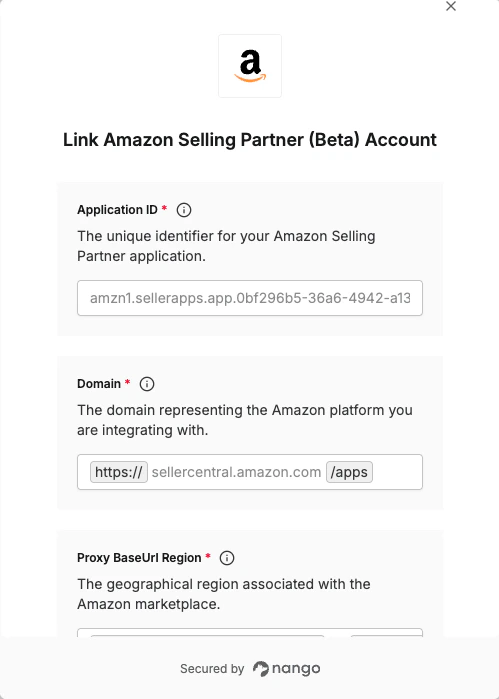
- Application ID - The unique identifier for your Amazon Selling Partner (Beta) application.
- Domain - The domain representing the Amazon platform you are integrating with.
- Proxy BaseUrl Region - The geographical region associated with the Amazon marketplace (e.g.
na).
This guide will walk you through finding or creating these credentials within Amazon Selling Partner (Beta).
Prerequisites:
- You must have an Amazon Selling Partner account.
The beta version is an application still in draft status.
Step 1: Finding Your App Id
- Login to your Seller Central account.
- Go to Developer Console.
- Once in the Developer Console, find the specific application you’re looking for, and the corresponding Application ID will be visible alongside it.
Step 2: Finding Your Authorization Domain
-
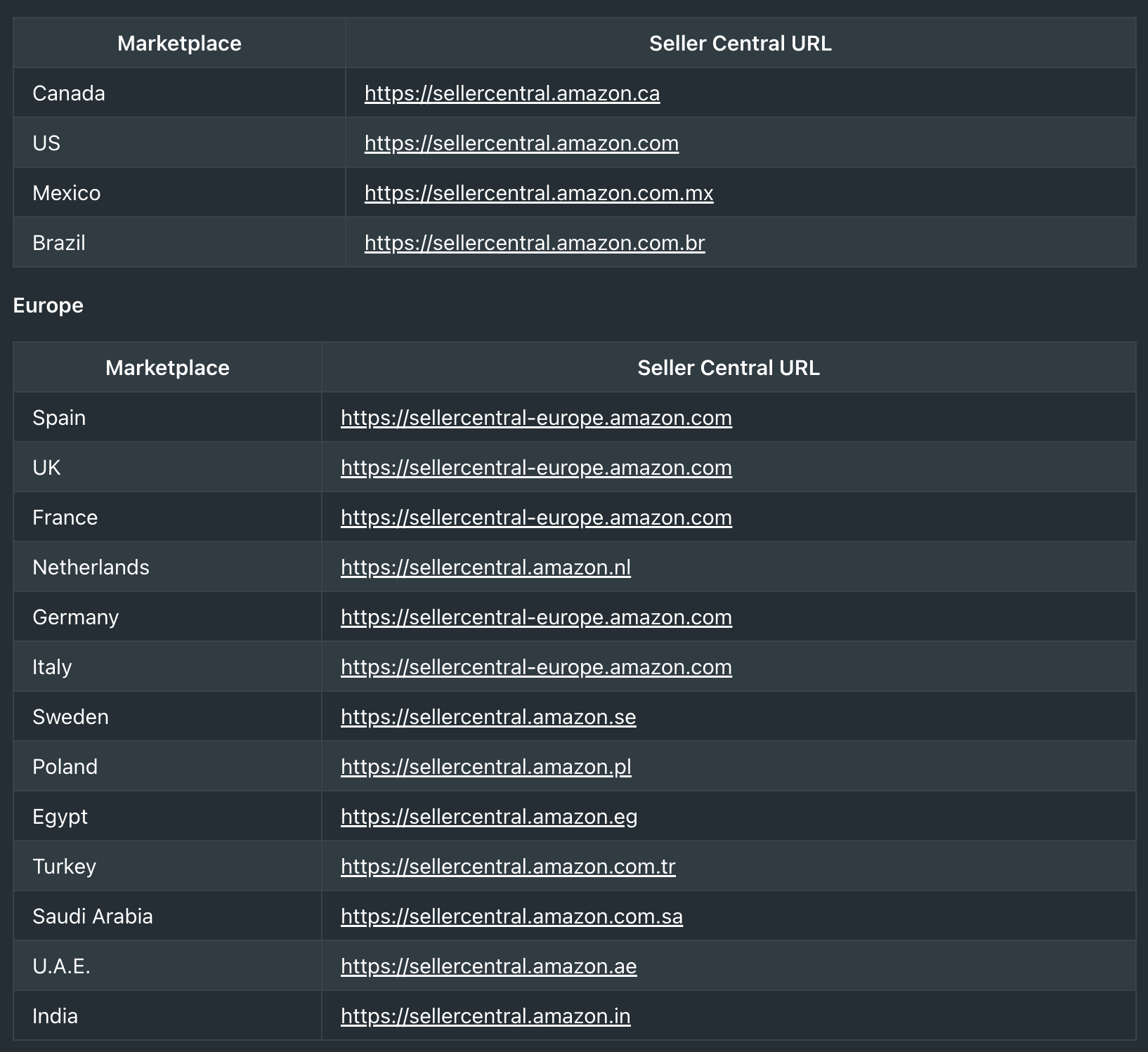
You need to provide the domain for your application, which varies based on your application’s type and marketplace.
-
For Public Applications & Private Seller Applications (authorized through Seller Central), you should use the Seller Central domain.
-
For Private Vendor Applications (authorized through Vendor Central), you should use the Vendor Central domain.
-
To find the correct domain for your marketplace, visit this link.
-
For example, based on the table, the Seller Central URL for the Saudi Arabia marketplace is https://sellercentral.amazon.com.sa, so the full domain is
sellercentral.amazon.com.sa.
Step 3: Finding Your Proxy BaseUrl Region
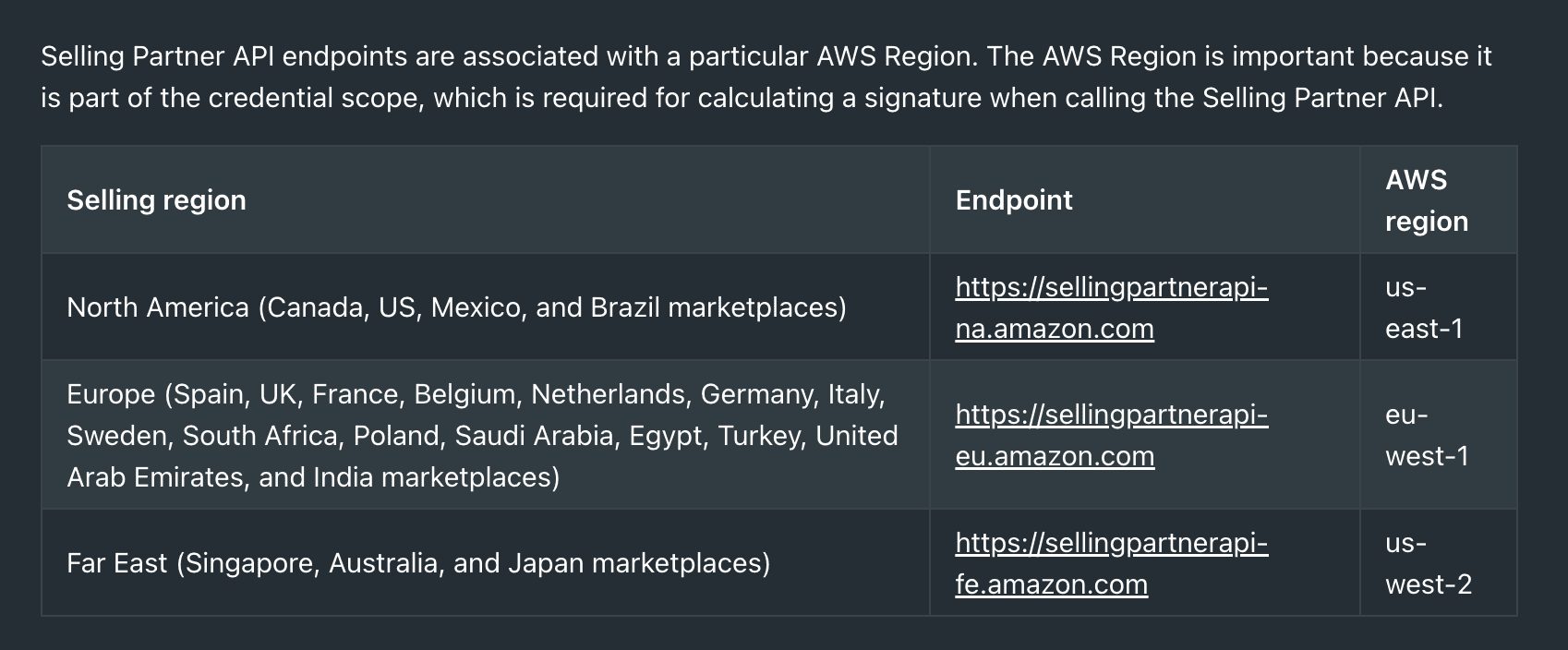
- Please visit this link to find the sandbox proxy base URL for your API endpoint. For example, for the North America selling region, the sandbox endpoint is
https://sandbox.sellingpartnerapi-na.amazon.com. The proxy BaseUrl is fixed to sandbox.sellingpartnerapi and the region is na.
Step 4: Enter credentials in the Connect UI
Once you have your credentials:
- Open the form where you need to authenticate with Amazon Selling Partner (Beta).
- Enter the Application ID, Domain and Proxy BaseUrl Region in their respective fields.
- Submit the form, and you should be successfully authenticated.
You are now connected to Amazon Selling Partner (Beta).