Overview
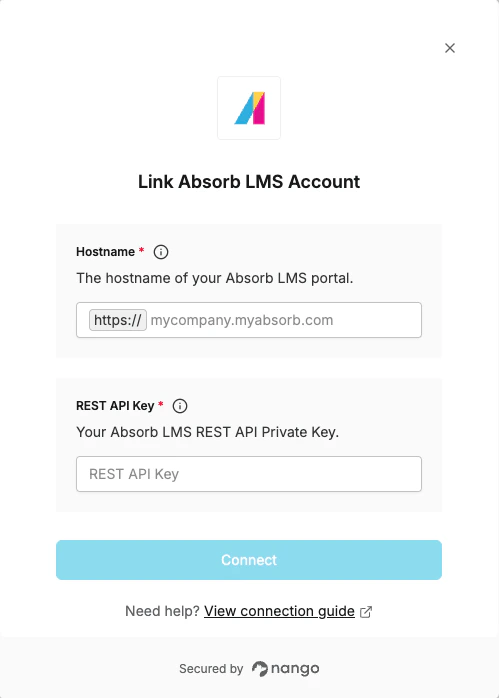
To connect with Absorb LMS, you need:- Portal Route – The base URL of your Absorb LMS portal (e.g.
https://mycompany.myabsorb.com). - REST API Key – Your Absorb LMS REST API Private Key from Portal Settings.
Prerequisites
- You must have an Absorb LMS account with Integration API access enabled.
Instructions
Step 1: Finding your Portal Route
Your Portal Route is the base URL your users visit to access the LMS. It is unique to your organization (e.g.https://mycompany.myabsorb.com or https://mycompany.myabsorb.eu).
You can find it in the browser address bar when logged in to your Absorb LMS admin panel.
Step 2: Finding your REST API Key
- Log in to your Absorb LMS account.
- Click the menu icon and select Admin.
- Click the account icon and select Portal Settings.
- Copy the value from Rest API Private Key.
Step 3: Enter credentials in Nango
- Open the form where you need to authenticate with Absorb LMS.
- Enter your Hostname and REST API Key in their respective fields.
- Submit the form and authorize access to your Absorb LMS account.