Overview
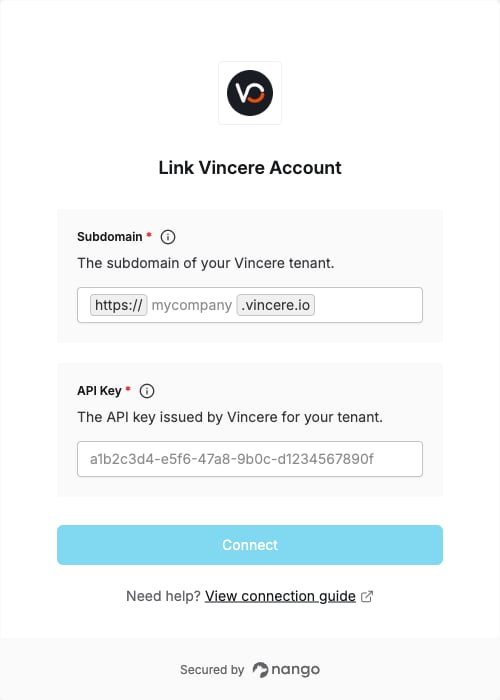
To authenticate with Vincere, you will need:- Subdomain — The subdomain of your Vincere tenant, used to build the base URL for every API call.
- API Key — Issued by Vincere for your tenant and sent with every request alongside your access token.
Prerequisites
- A Vincere account with administrator access.
Instructions
Step 1: Find your Vincere subdomain
- Log in to Vincere.
-
Look at the URL in your browser’s address bar:
https://<your-company>.vincere.io. -
Your Subdomain is the part before
.vincere.io, for examplemycompany.
Step 2: Request your API key
Vincere issues API keys manually — they are not self-service.- Confirm your integration partner is on Vincere’s approved list.
-
Gather your subdomain (from Step 1), the integration name, and the callback URL
https://api.nango.dev/oauth/callback. - Contact the Vincere Support Team and request an API key for that integration.
- Vincere returns your API Key. The response also contains a Client ID, which your integration partner configures in Nango — you do not enter it below.
The API key is scoped to a single tenant. Each customer you connect will have their own subdomain and their own API key.
Step 3: Enter your credentials in Nango
Once you have your Subdomain and API Key:- Open the form where you need to authenticate with Vincere.
- Enter your Subdomain in its designated field.
- Enter your API Key in its designated field.
- Submit the form and complete the Vincere login prompt.