

Overview
To authenticate with Lever, you need one key piece of information:- Lever API Key - Your unique account identifier.
Prerequisites:
- You must set up an account with Lever.
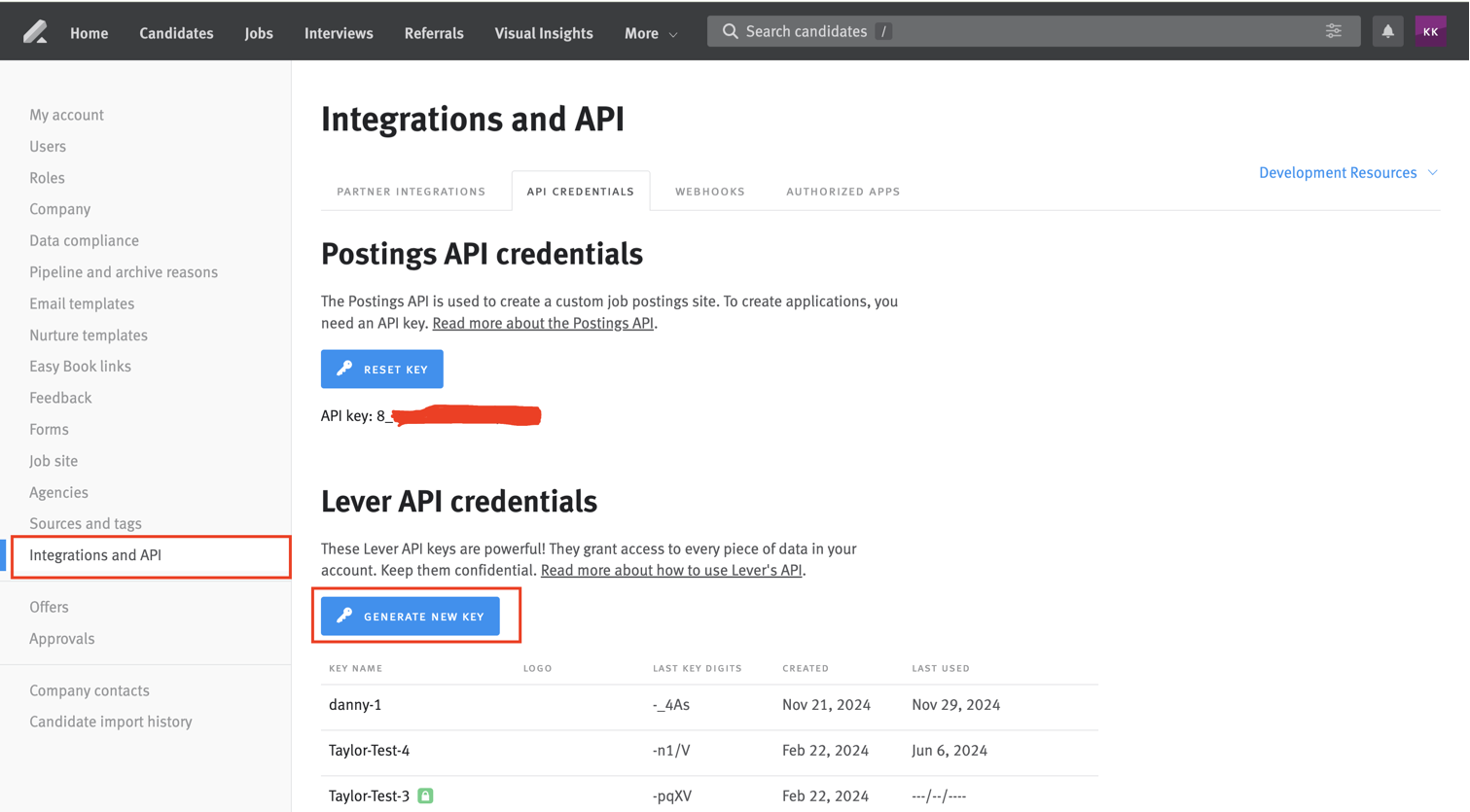
Step 1: Finding Lever API Key
- Log into your Lever account and navigate to the
Integrations and APIpage in settings. - Click the
API CREDENTIALStab. Below theLever API credentials, clickGENERATE NEW KEY. - After adding the scopes for the key and display name, click
GENERATE KEY.
Step 2: Connect Your Lever Account
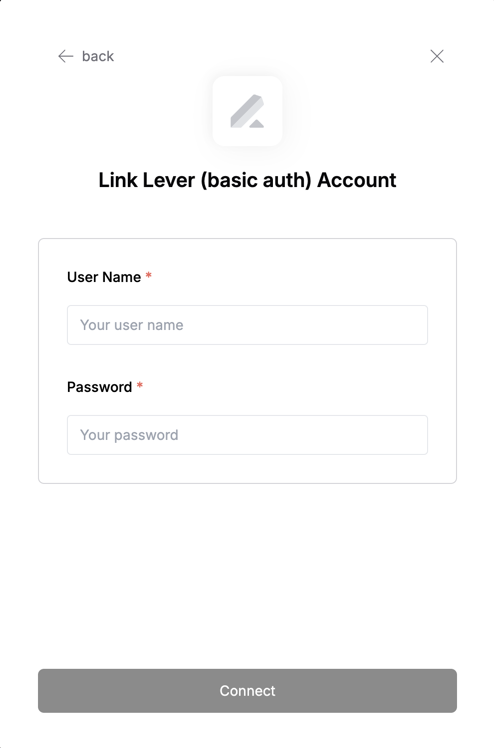
- Username: Your API Key