Overview
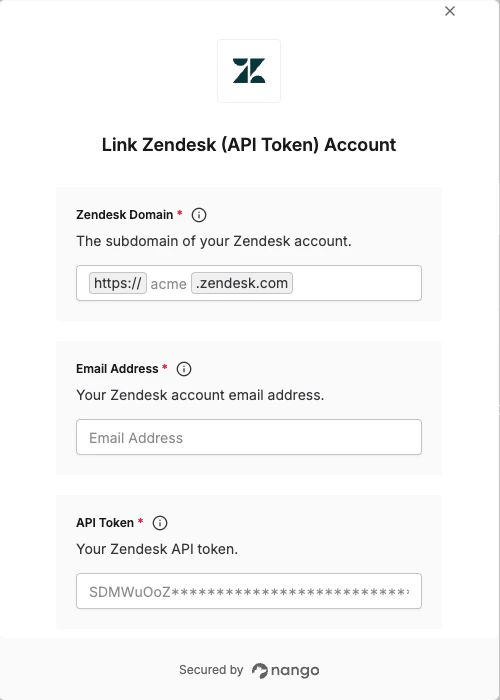
To authenticate with Zendesk using an API token, you need:- Subdomain — the unique name of your Zendesk account
- Email address — your Zendesk account email (e.g.
user@example.com) - API token — a token generated in your Zendesk Admin Center
Prerequisites:
- You must have a Zendesk account with API token access enabled.
Instructions:
Step 1: Finding your subdomain
Your subdomain is the part of your Zendesk URL betweenhttps:// and .zendesk.com. For example, if your Zendesk URL is https://acme.zendesk.com, your subdomain is acme.
Step 2: Enable API token access
If API token access is already enabled, skip to Step 3 below.
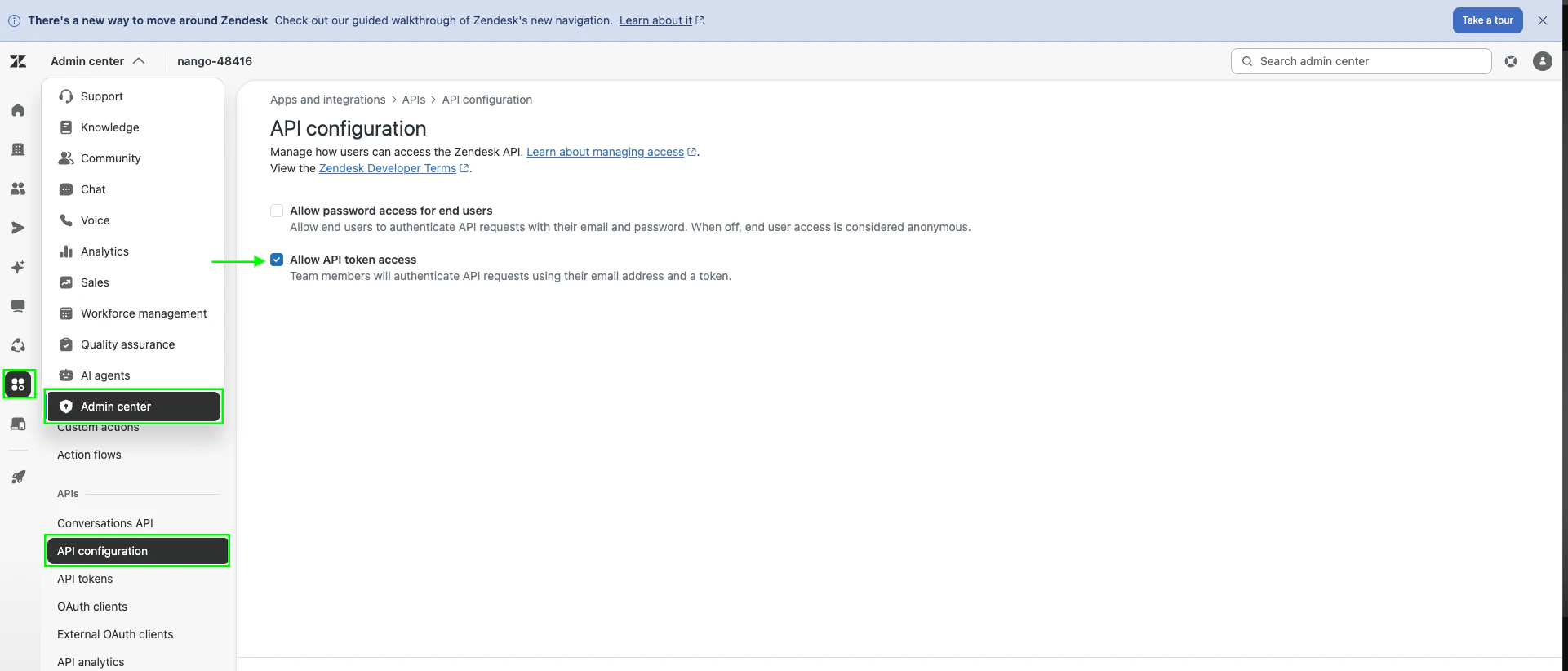
- Log in to your Zendesk Admin Center.
- Navigate to Apps and integrations > APIs > API configuration.
- Toggle Allow API token access to enabled.
Step 3: Generate an API token
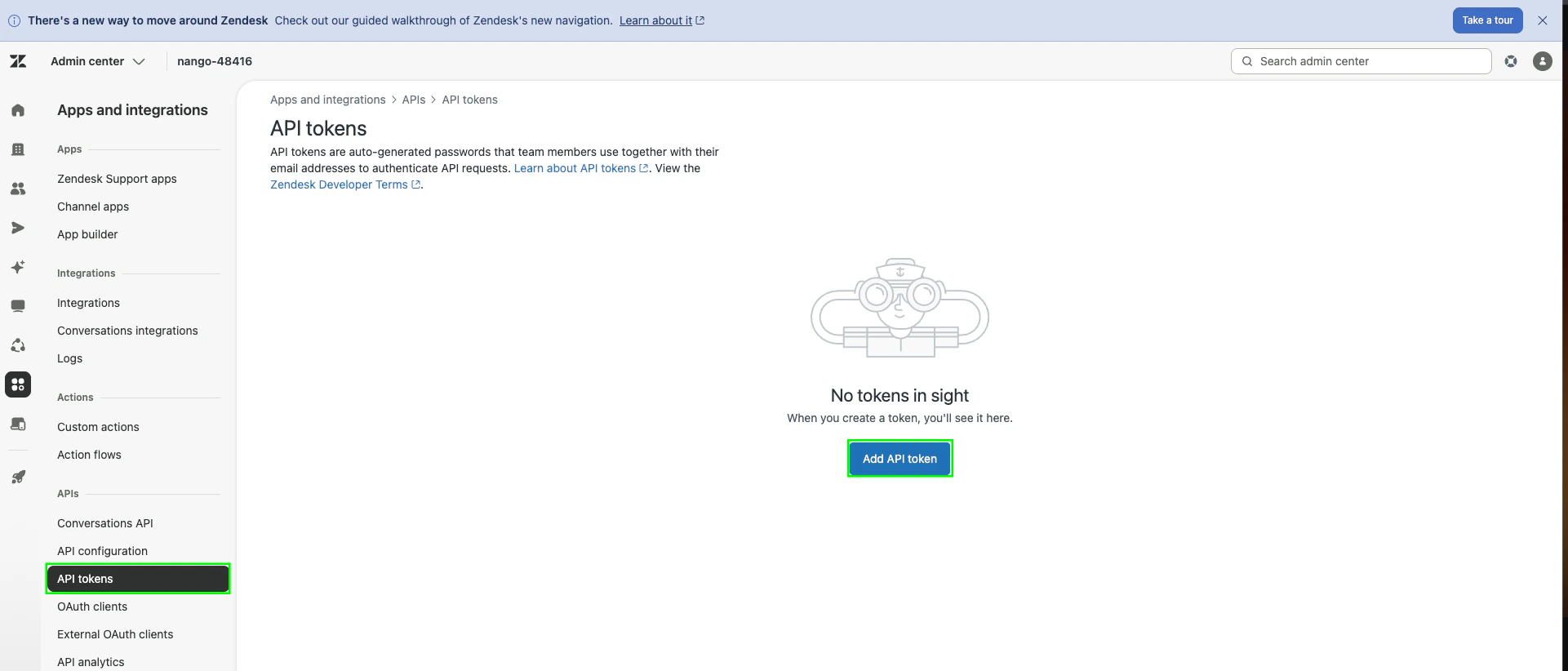
- On the same Apps and integrations settings page, navigate to API Tokens, click Add API token.
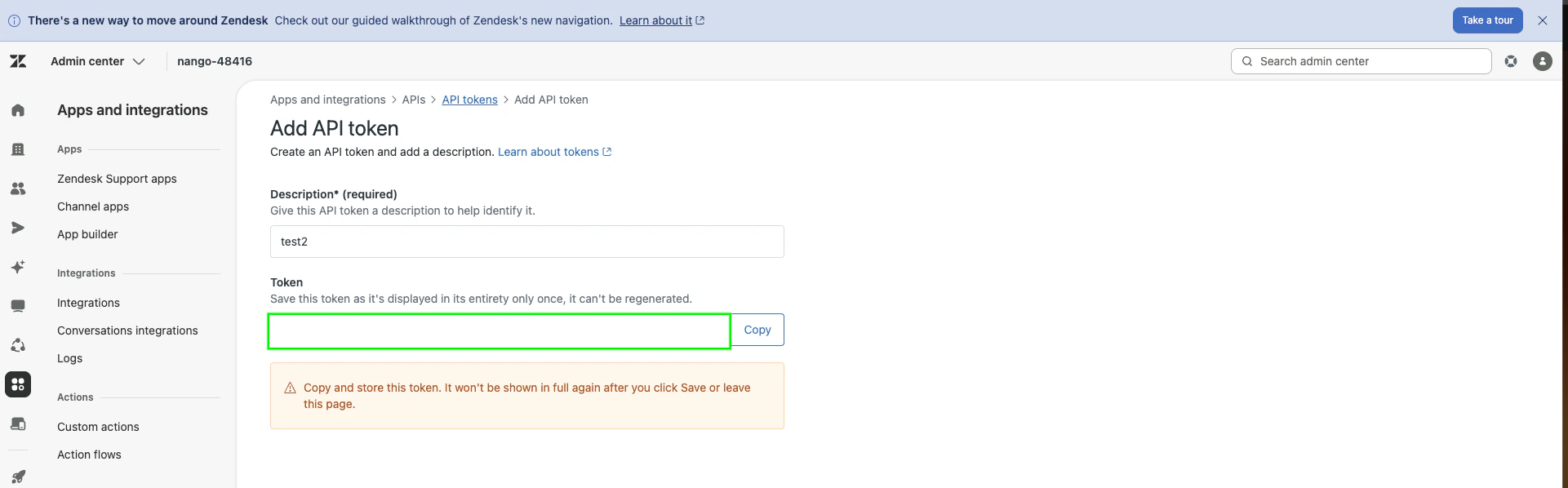
- Give the token a description and click Save.
- Copy the token — it will only be shown once.
user@example.com) — the one you use to log in to Zendesk. You’ll need it together with the API token to authenticate.
Step 4: Enter credentials in the Connect UI
Once you have your credentials:- Open the form where you need to authenticate with Zendesk.
- Enter your Subdomain, Email Address, and API Token in the respective fields.
- Submit the form — you should be successfully authenticated.