Overview
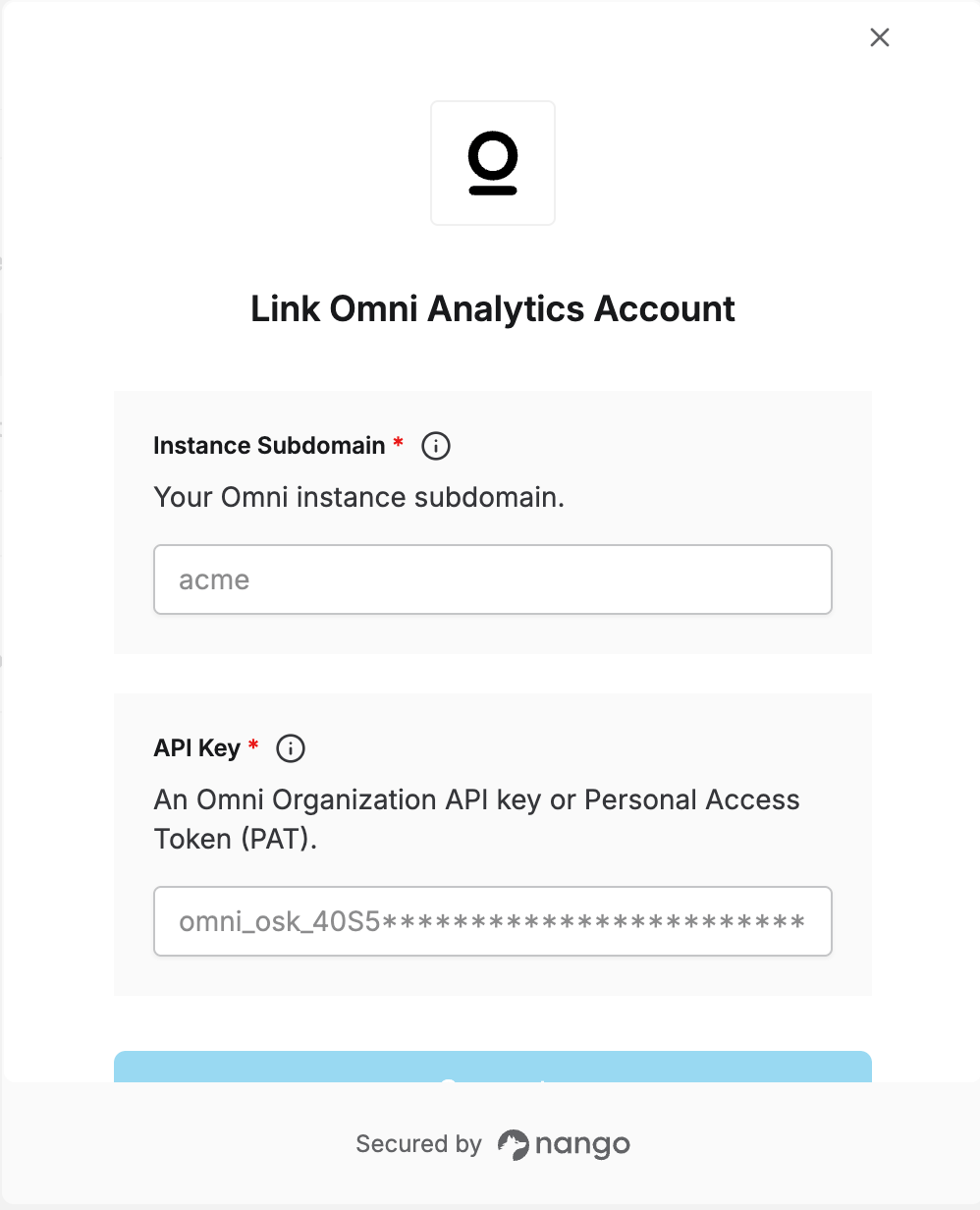
To authenticate with Omni, you will need:- Instance Subdomain – the subdomain of your Omni instance, e.g.
acmeif your Omni URL ishttps://acme.omniapp.co. - API Key – an Organization API key or a Personal Access Token (PAT).
Prerequisites:
- An Omni account. Creating an Organization API key requires Organization Admin permissions; creating a PAT requires the Restricted Querier role or higher.
- To create a PAT, an Organization Admin must first enable Settings > API access > Personal tokens for the instance — until that’s enabled, individual users can’t generate their own PATs.
Instructions:
Step 1: Finding your instance subdomain
Your instance subdomain is the first part of the URL you use to access Omni, before.omniapp.co. For example, if you access Omni at https://acme.omniapp.co, your subdomain is acme.
Step 2: Creating an API key
To create an Organization API key (requires Organization Admin permissions):- Navigate to Settings → API access → Organization keys.
- Click Generate new key.
- Enter a descriptive name for the key — Omni recommends including something that identifies you as the creator (e.g. your initials), since the key inherits your user attributes and this helps with troubleshooting later.
- Click Generate.
- Copy the key immediately — Organization API keys are only displayed once.
- Go to your Profile → Manage account.
- Click Generate token.
- Copy the token immediately — it’s only displayed once.
A Personal Access Token inherits the creating user’s own permissions and can’t be used with the document export, document import, mail-only user creation, bulk mail-only user creation, or SCIM endpoints. If you need those endpoints, use an Organization API key instead.Neither token type expires automatically. Organization API keys can be disabled, re-enabled, or revoked from Settings > API access > Organization keys. For a PAT, the token owner can rotate or revoke their own token from Profile > Manage account; an Organization Admin can separately disable or re-enable any individual PAT from Settings > API access > Personal tokens.
Step 3: Enter credentials in the Connect UI
Once you have your Instance Subdomain and API Key:- Open the form where you need to authenticate with Omni
- Enter your Instance Subdomain and API Key in their respective fields
- Submit the form, and you should be successfully authenticated