Overview
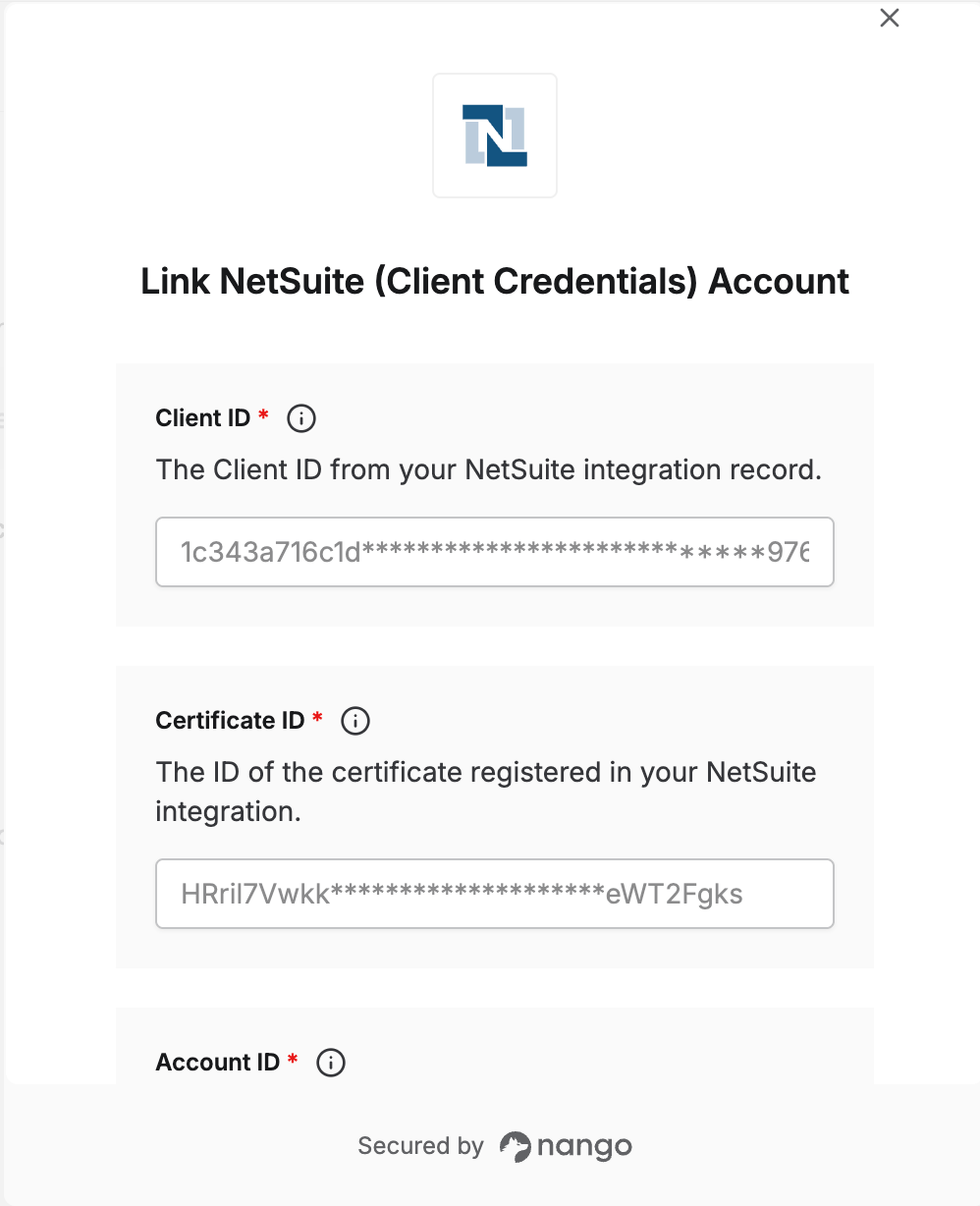
To authenticate with NetSuite using Client Credentials, you will need:- Account ID - Your NetSuite account ID
- Client ID - From your NetSuite integration record
- Certificate ID - The ID of the certificate registered in your NetSuite integration
- Private Key - The RSA private key (PEM format) used to sign the JWT assertion
Prerequisites:
- You must have an Administrator role in NetSuite to create integrations and register certificates
Instructions:
Step 1: Enable required features
- Log in to NetSuite and navigate to Setup → Company → Enable Features.
- Under the SuiteTalk tab, enable REST WEB SERVICES.
- Under the Manage Authentication tab, enable OAUTH 2.0.
- Save your changes.
Step 2: Create an integration record and get your Client ID
- Navigate to Setup → Integration → Manage Integrations → New.
- Set a name (e.g.,
Nango Client Credentials). - Under Authentication, enable CLIENT CREDENTIALS (MACHINE TO MACHINE) GRANT and disable all other grant types.
- Save the integration.
- Copy the Client ID displayed after saving — you won’t be able to retrieve it again.
Step 3: Generate an RSA key pair
Generate a 2048-bit (or larger) RSA key pair:private_key.pem secure — you’ll paste it into the Private Key field. The public_key.pem is uploaded to NetSuite in the next step.
Step 4: Register the certificate and get your Certificate ID
- Navigate to Setup → Integration → Manage Authentication → OAuth 2.0 Client Credentials (M2M) Setup.
- Click Create New.
- In the popup, select the entity (the user this integration runs as), role, and application (the integration you created in step 2).
- Upload your
public_key.pem. - Click Save and copy the Certificate ID displayed.
Step 5: Find your Account ID
Your Account ID appears in your NetSuite URL — for example, if your URL ishttps://1234567.app.netsuite.com, your Account ID is 1234567.
You can also find it under Setup → Company → Company Information → Account ID.
Step 6: Enter your credentials in the Connect UI
- Open the form where you need to authenticate with NetSuite.
- Enter your Account ID, Client ID, Certificate ID, and paste the full contents of
private_key.pem(including the-----BEGIN RSA PRIVATE KEY-----header and footer) into the Private Key field. - Submit the form.