Overview
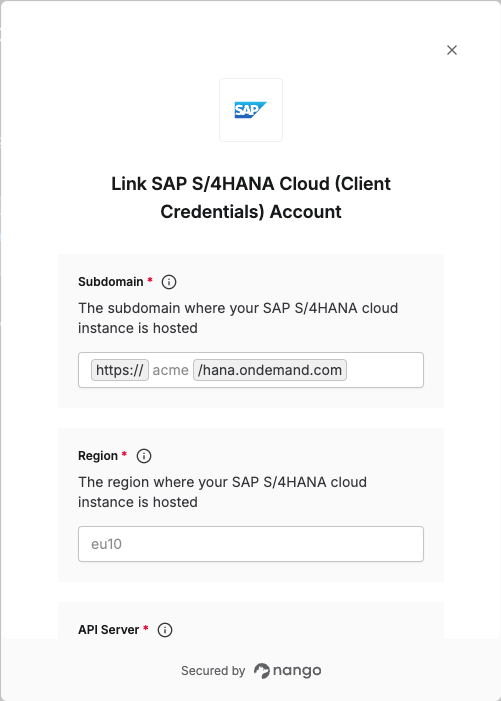
To authenticate with SAP S/4HANA Cloud using OAuth 2.0 Client Credentials, you will need the following:- Subdomain: The subdomain where your SAP S/4HANA Cloud instance is hosted.
- Region: The region where your SAP S/4HANA Cloud instance is hosted.
- API Server: The base URL of the SAP S/4HANA Cloud API service you want to connect to.
- Client ID: A unique identifier for your client.
- Client Secret: A confidential key used to authenticate the identity of the application (client).
Prerequisites
- Admin access to your SAP S/4HANA system.
Step 1: Generating your Client Credentials
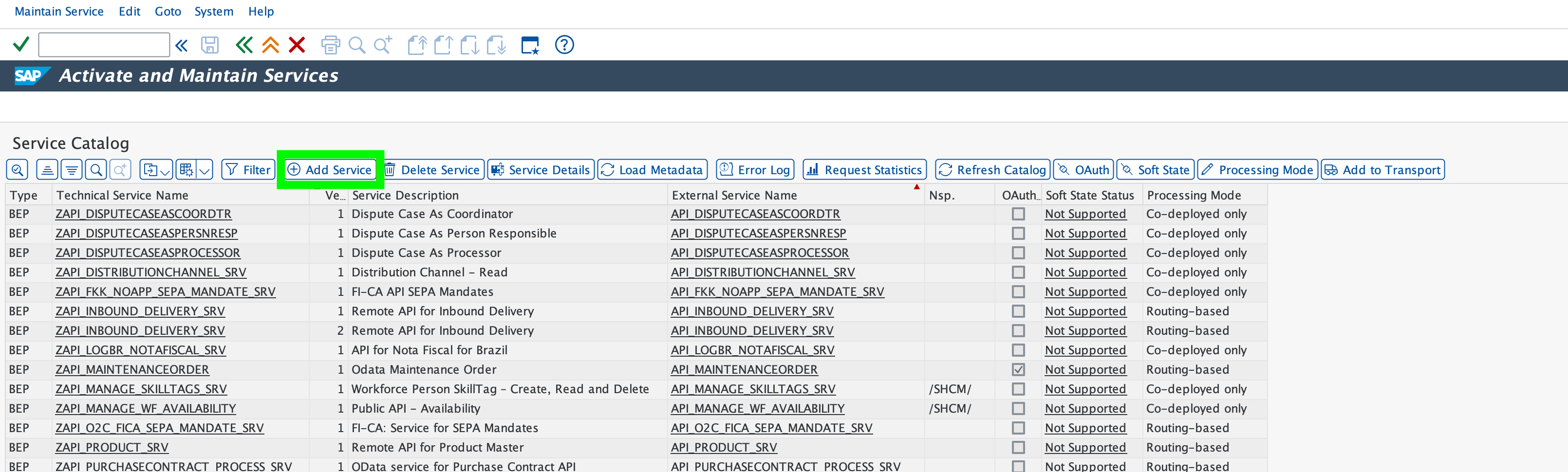
- Log in to your SAP system and navigate to transaction code
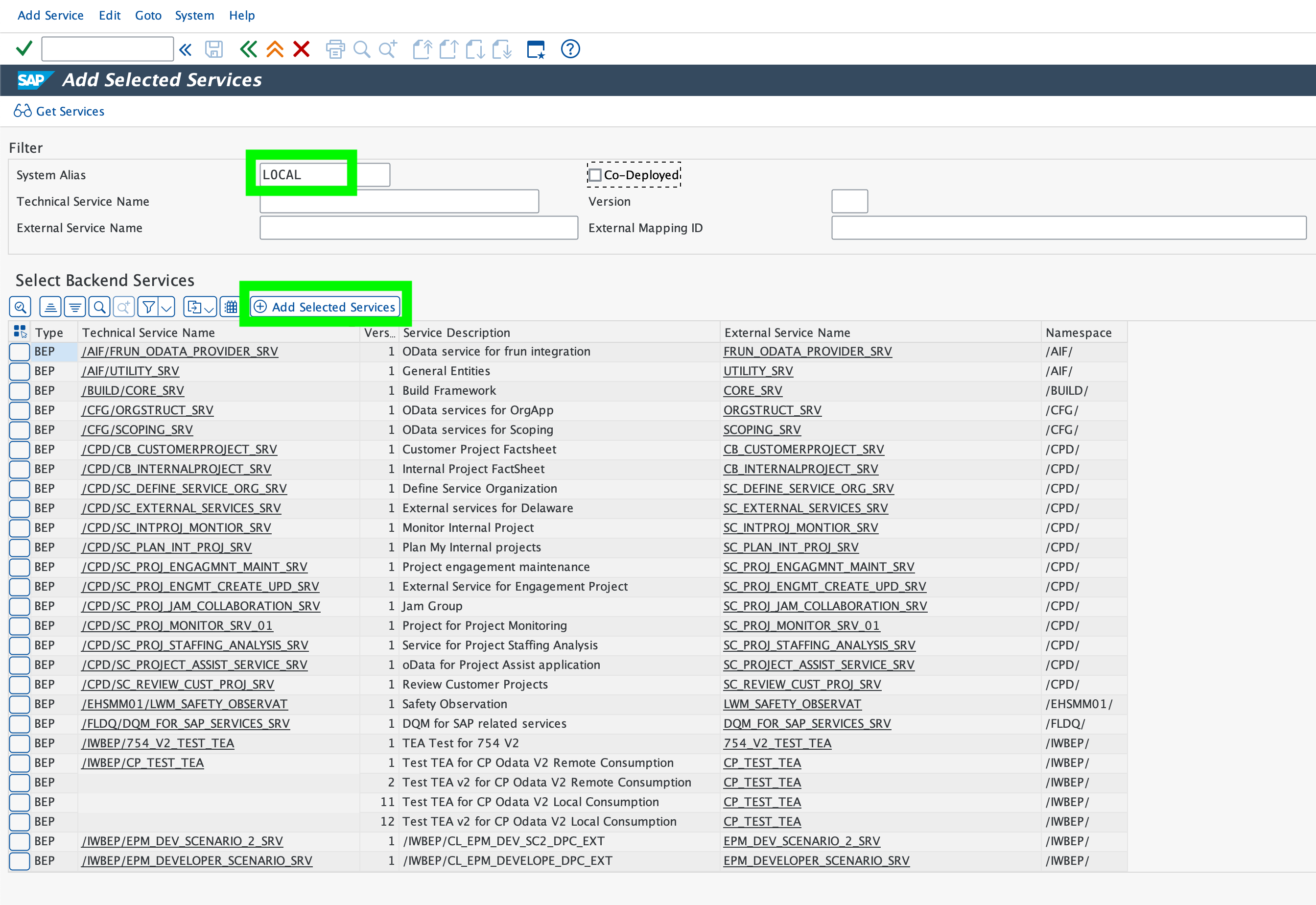
/n/iwfnd/maint_service. - Click Add Service, enter
LOCALin the System Alias field, and press Enter.
- Select the service you plan to use and click Add Selected Services.
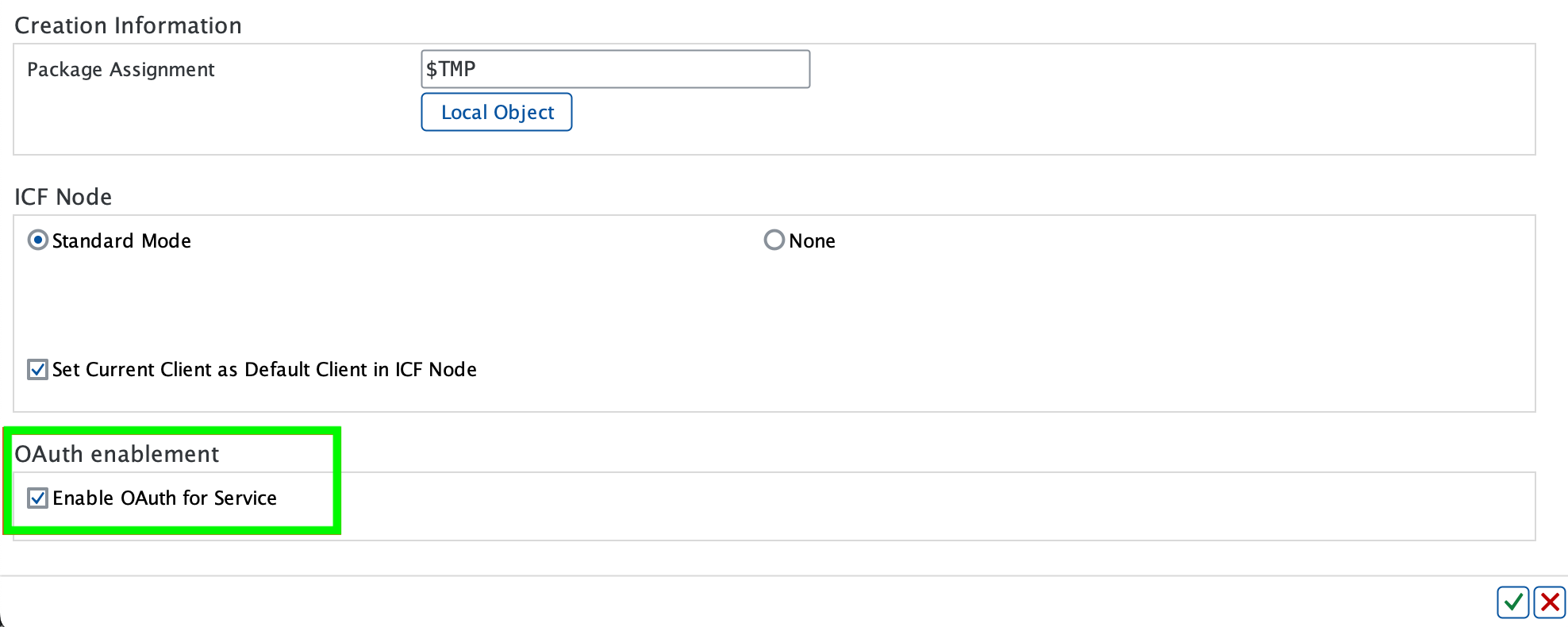
- Provide a custom name for the technical service, then click Local Object to save the service in the local package.
- Select the Enable OAuth for Service checkbox under OAuth enablement.
- Save the configuration.
- Double-click Alias and validate that the SAP System Alias is correct for the Service Doc Identifier.

If the service already exists in the service catalog, you can navigate directly to the service and click OAuth to enable OAuth authentication.

- Go to transaction code
SICF. - Navigate to the service authorize under path:
default_host/sap/bc/sec/oauth2/.
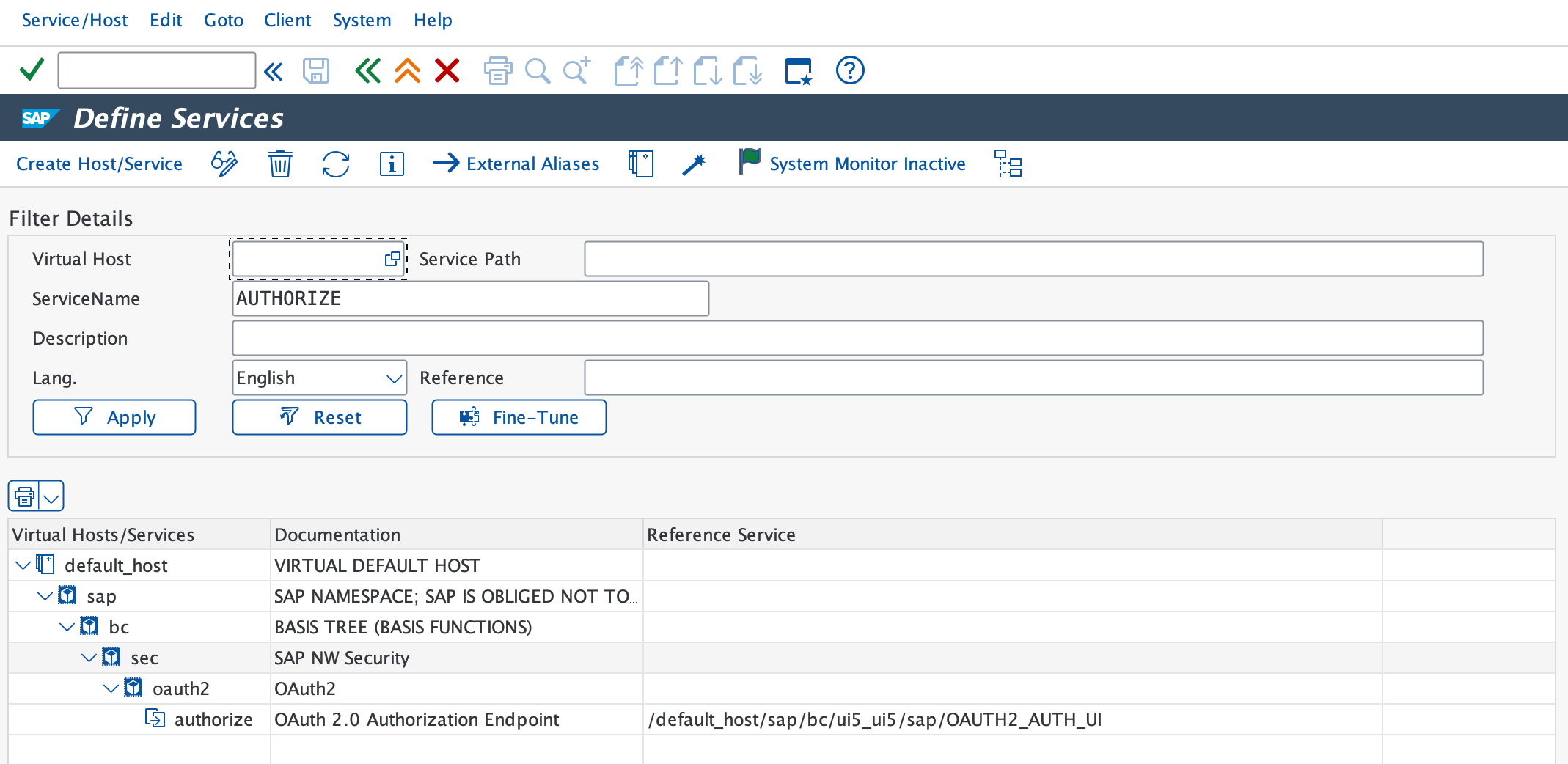
- Right-click the authorize service and select Activate Link.
- Right-click the service again and select Test Link to verify the URL:
https://<hostname>:<port>/sap/bc/sec/oauth2/authorize?sap-client=<XXX> - Navigate to the service token under path:
default_host/sap/bc/sec/oauth2/.
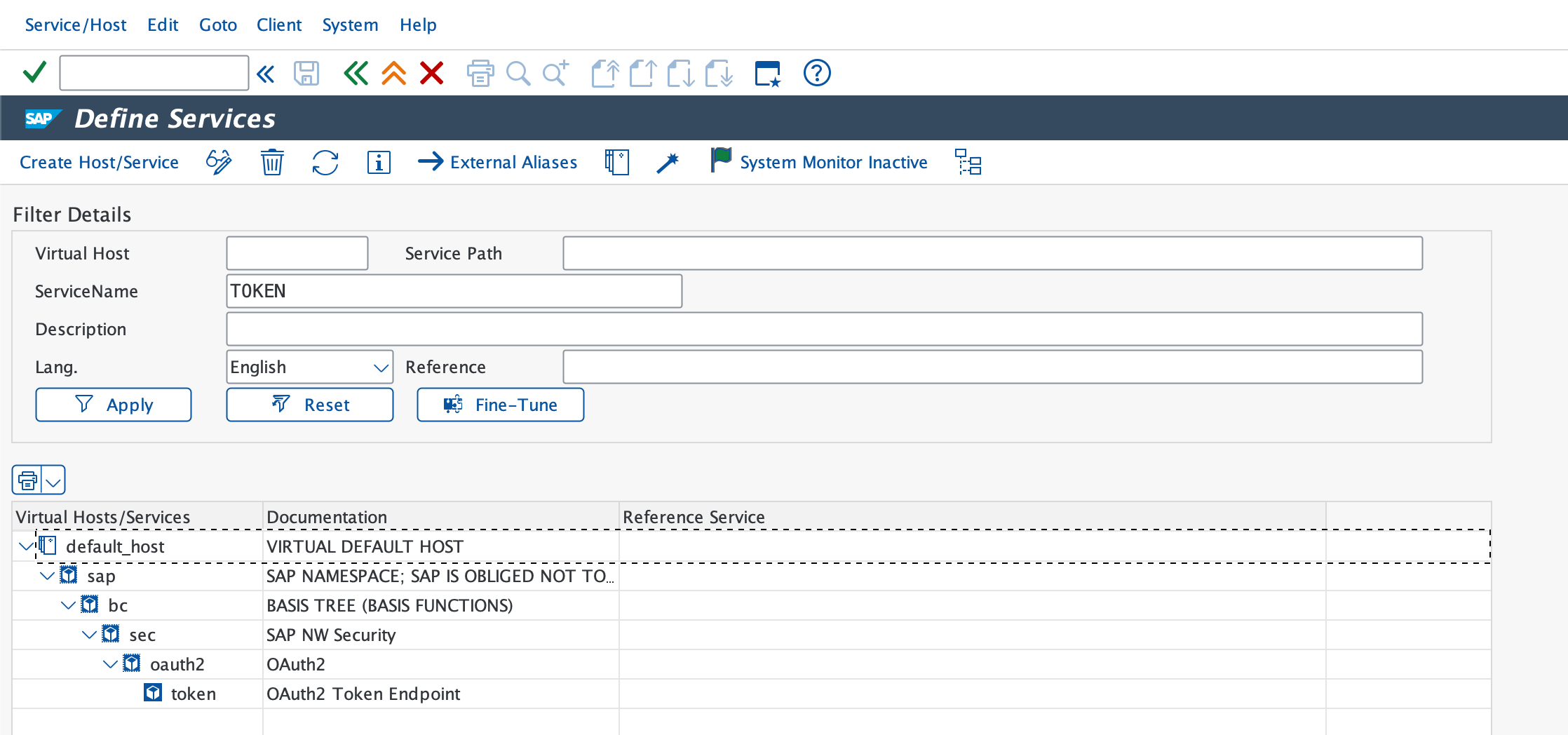
- Right-click the token service and select Activate Service.
- Right-click the service again and select Test Service to verify the URL:
https://<hostname>:<port>/sap/bc/sec/oauth2/token?sap-client=<XXX> - Go to transaction code
SU01. - Create a new integration user to whom you will assign OAuth scopes. In the Address tab, enter the Last name. In the Logon Data tab:
- Set a New Password. We recommend using the Generate option to create a complex string for enhanced security. This password serves as the Client Secret.
- Set the User Type as System to restrict GUI access for this user.
The password set here is your Client Secret.
- Save the integration user. The Username will be used as the Client ID.
-
Go to transaction code
SOAUTH2. - Click Create and enter the integration user details created in step 16. Fill in all other required details.
- Enable the Client Credentials grant type: Check the Client Credentials checkbox to activate it, and leave all other settings unchanged.
- Click Add and select the OAuth scope you plan to use from the list.

- Click Next, review the summary, and then click Finish.
Step 2: Finding your Subdomain
- The Subdomain is the tenant name of your SAP S/4HANA Cloud instance.
- You can locate this in your SAP BTP Cockpit by checking the URL in your browser’s address bar. The subdomain is the value between
https://and.hanain the URL. - Example: In
https://acme.hana.ondemand.com, the subdomain isacme.
Step 3: Finding your Region
To identify your region:- Check the SAP BTP Regions and API Endpoints table for Cloud Foundry environment.
- Locate where your SAP instance is deployed (e.g., Europe, US, Asia).
- Use the Region name from the table (e.g.,
eu10,us10,ap21).
us30- US Central (IA)us11- US West (Oregon)in30- India (Mumbai)
Step 4: Finding your API Server
- The API Server is the base URL of your OData endpoint.
- Navigate to the SAP Gateway Client or Service Catalog to find the base URL.
- Example: For the Measurement Concept Class API, the API Server would be
c4u-foundation-mcm-service.cfapps.eu10.hana.ondemand.com.
Step 5: Enter Credentials in the Connect UI
Once you have all the required information:- Open the form where you need to authenticate with SAP S/4HANA Cloud (Client Credentials).
- Enter the Subdomain, Region, API Server, Client ID, and Client Secret in their designated fields.
- Submit the form, and you should be successfully authenticated.