Overview
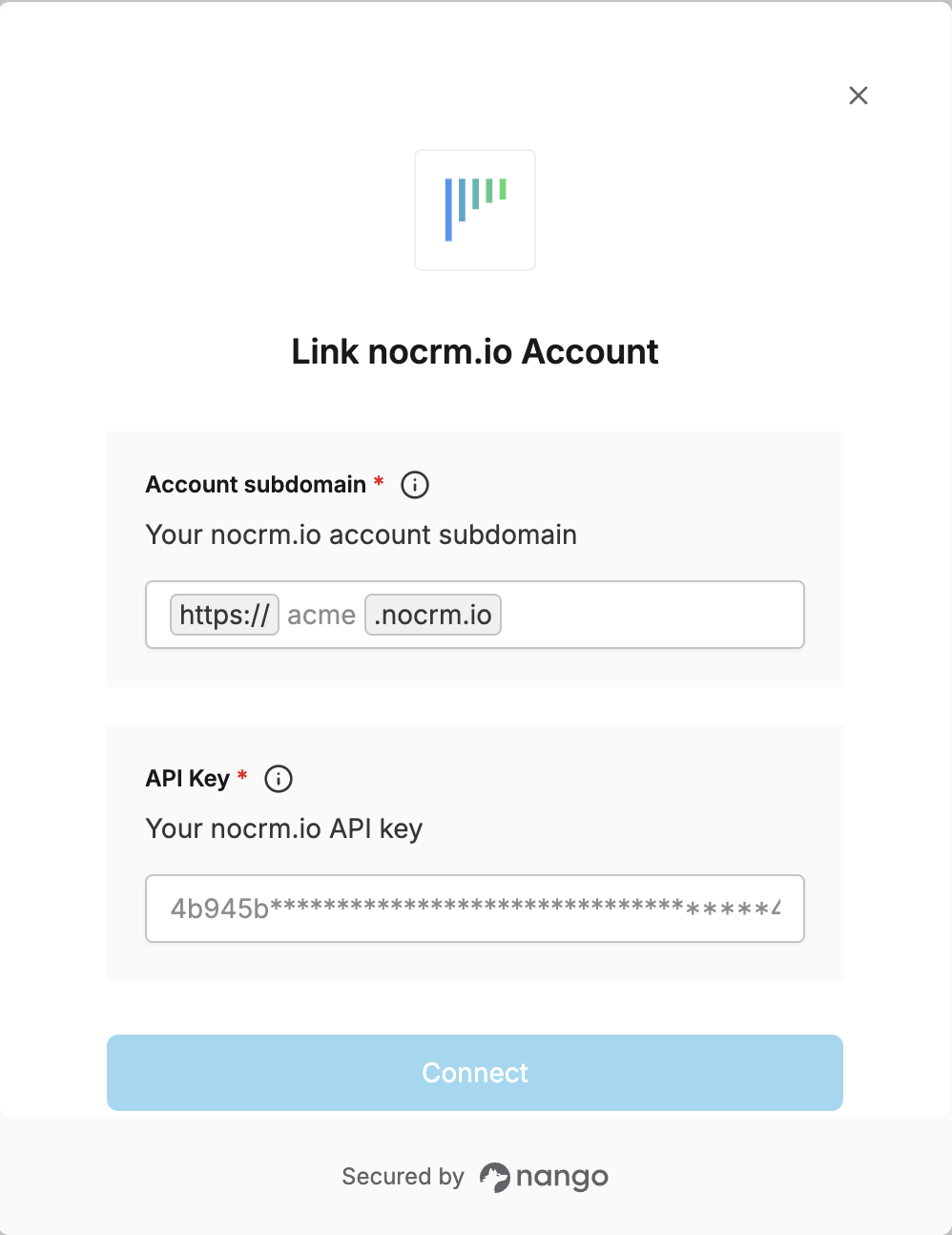
To authenticate with nocrm.io, you will need:- Account subdomain – Your nocrm.io subdomain (e.g.
mycompanyforhttps://mycompany.nocrm.io). - API Key – A private key generated by an administrator from the admin section of your nocrm.io account.
Prerequisites
- You must have a nocrm.io account with admin access to generate API keys.
Instructions
Step 1: Finding your subdomain
Your account address is of the formhttps://YOUR_SUBDOMAIN.nocrm.io. The subdomain is the part before .nocrm.io (e.g. if your URL is https://acme.nocrm.io, your subdomain is acme). You can see it in the browser when you are logged in to nocrm.io.
Step 2: Obtaining your API key
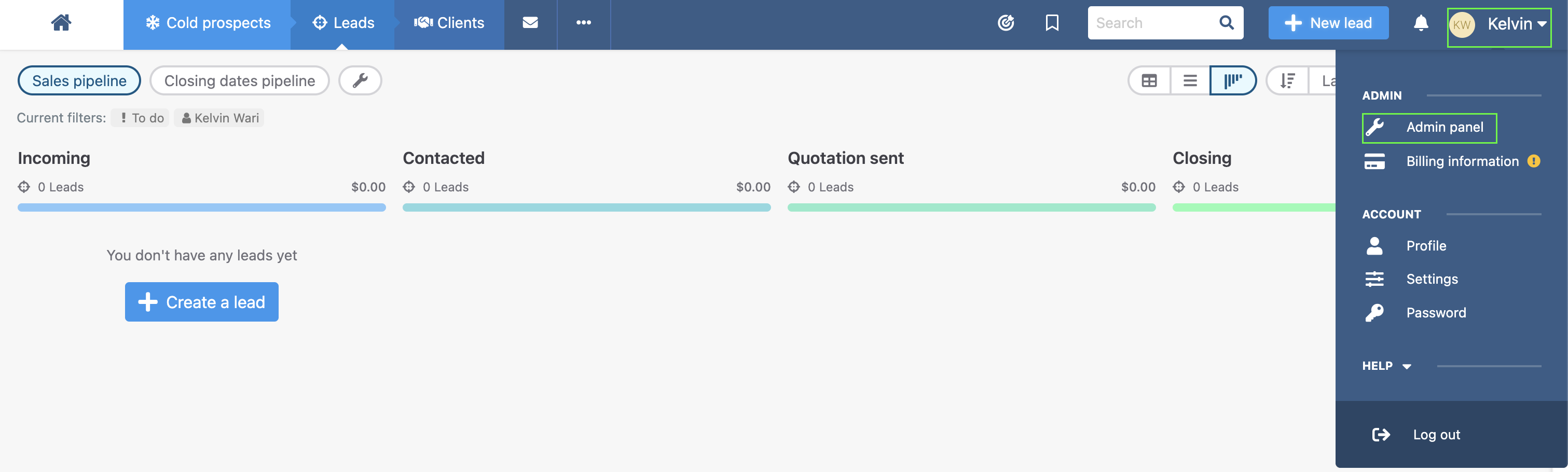
- From your account, click on your profile.
- From the dropdown that is displayed, click Admin Panel.
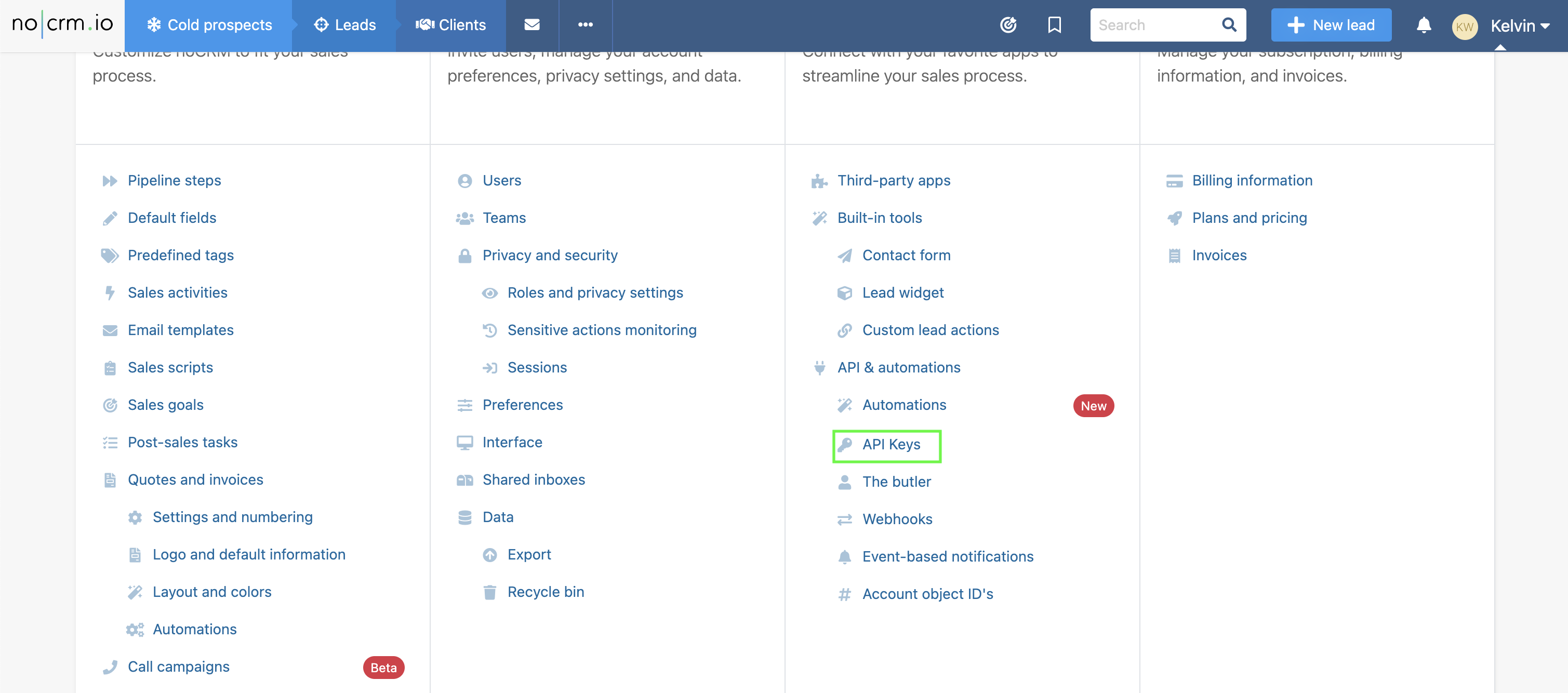
- In the Integration column, scroll down and click the API Keys button.
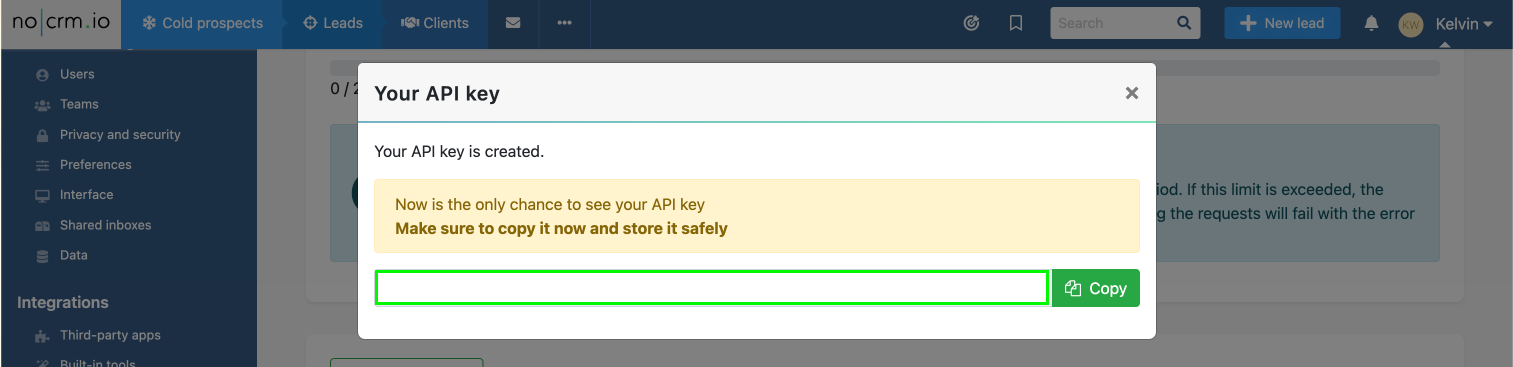
- Click Create an API Key, enter a name (and optional description), then save.
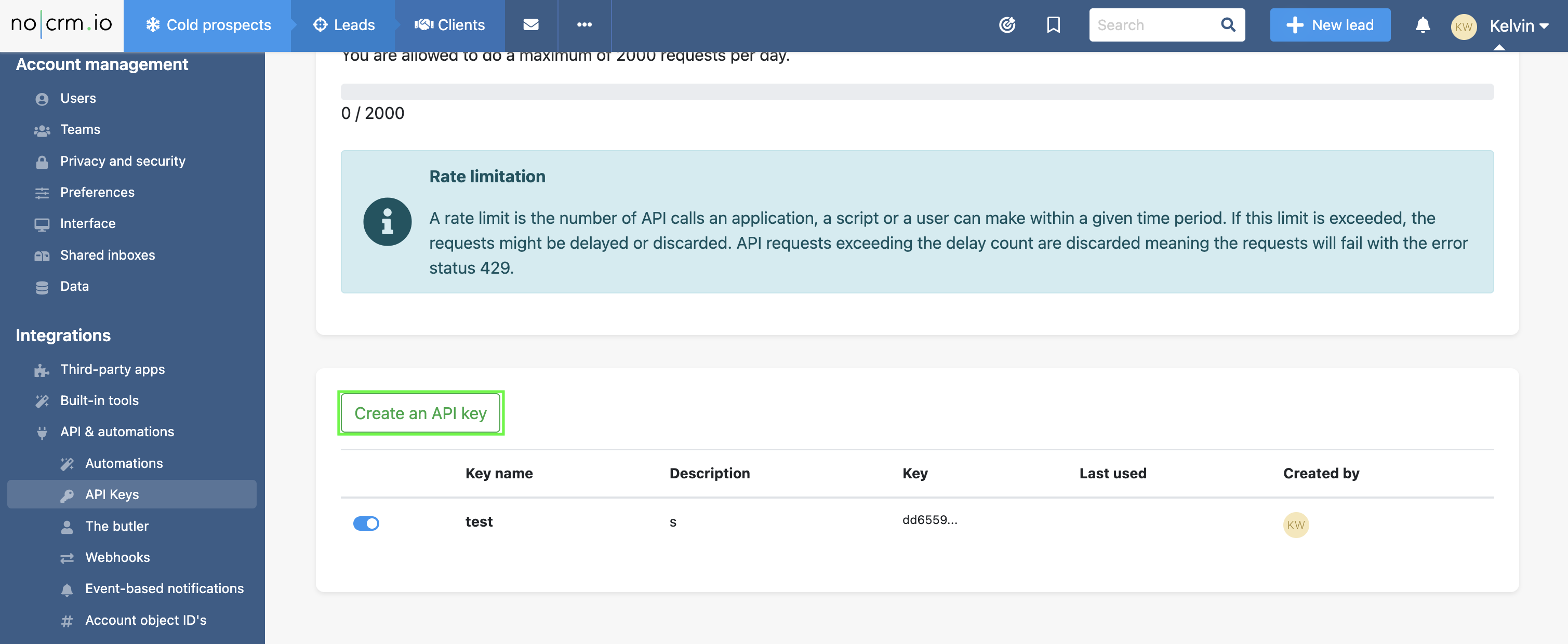
- Copy the key from the popup right away, as it will not be shown again.
Step 3: Enter credentials in the Connect UI
Once you have your subdomain and API key:- Open the form where you need to authenticate with nocrm.io.
- Enter your subdomain (e.g.
mycompany) in the account subdomain field. - Enter your API key in the API key field.
- Submit the form, and you should be successfully authenticated.