Overview
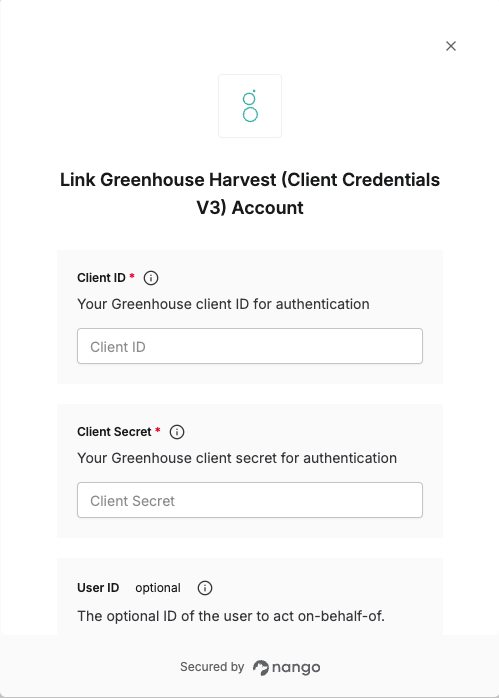
To authenticate with Greenhouse using Client Credentials, you need:- Client ID - Your Greenhouse client ID for authentication.
- Client Secret - Your Greenhouse client secret for authentication.
- User ID (optional) - The optional ID of the user to act on behalf of. This will set the sub claim of the returned JWT. Any API requests made with that token will appear as if that user performed them. This affects things like audit logs, permissions, and user-specific data access. If not set, this will default to an auto-generated service account user attached to the credentials.
Prerequisites:
- You must have a Greenhouse account with API access
- You must have the necessary permissions to create OAuth applications
Instructions:
Step 1: Generating your Client Credentials
- Log in to your Greenhouse account and navigate to Dev Center > API Credentials.
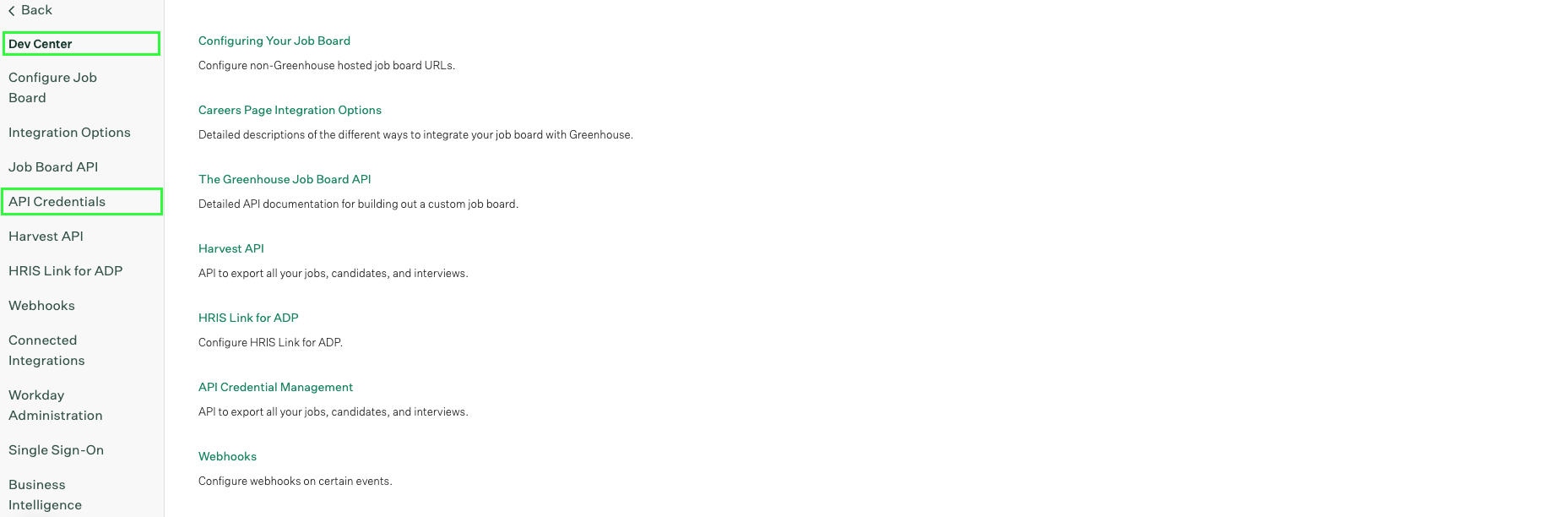
- Click Create new API credentials.
- Select Harvest V3 OAuth as the API type and enter a description for your credentials.
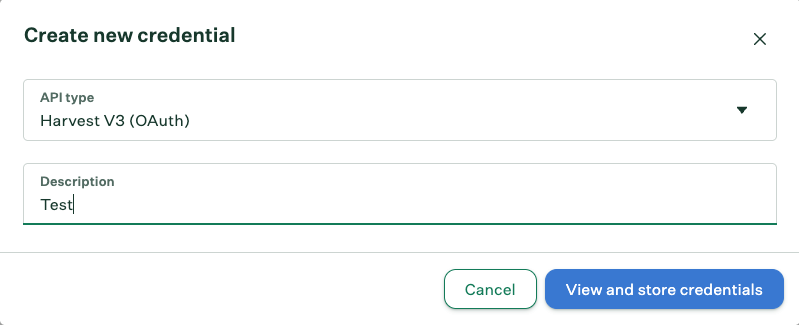
- Submit the form. You will be able to see your client credentials (Client ID and Client Secret).
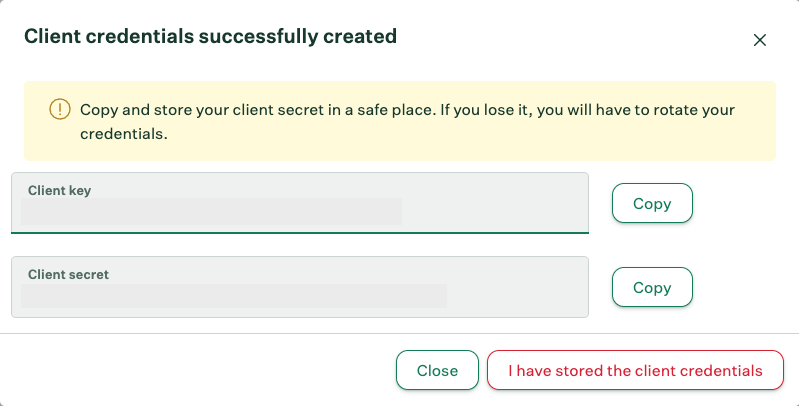
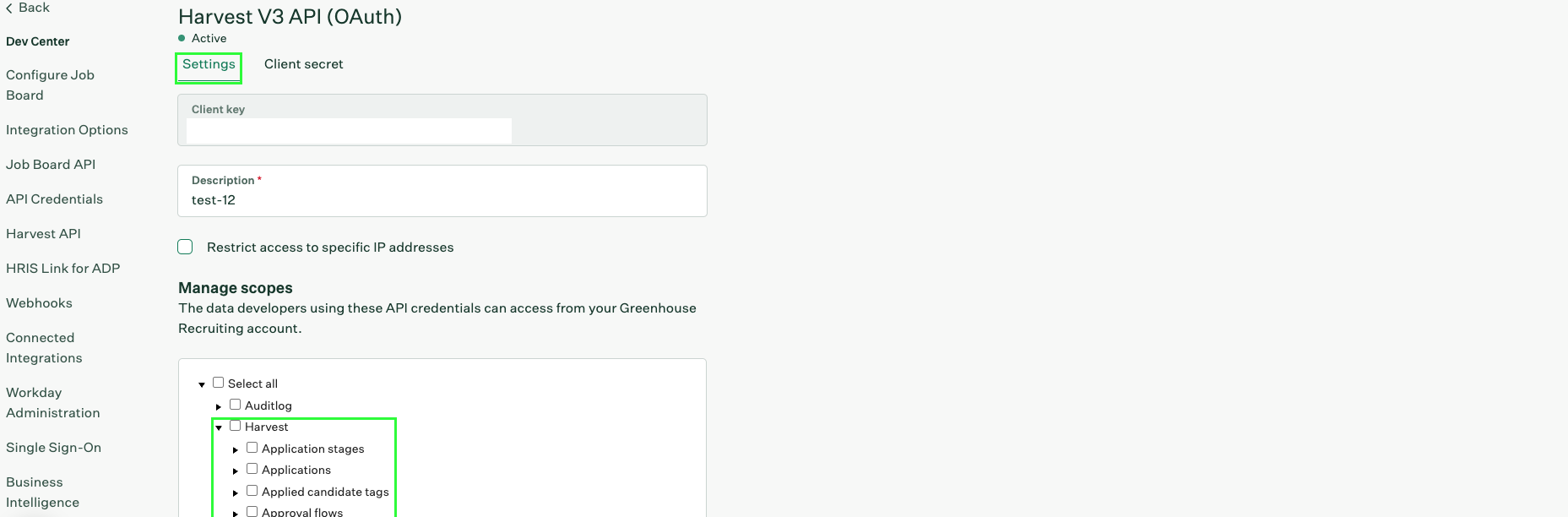
- Navigate to the Settings tab of your newly created credentials. From the Manage Scopes section, click on the Harvest dropdown and select the scopes required by your integration.
Step 2: Finding your User ID
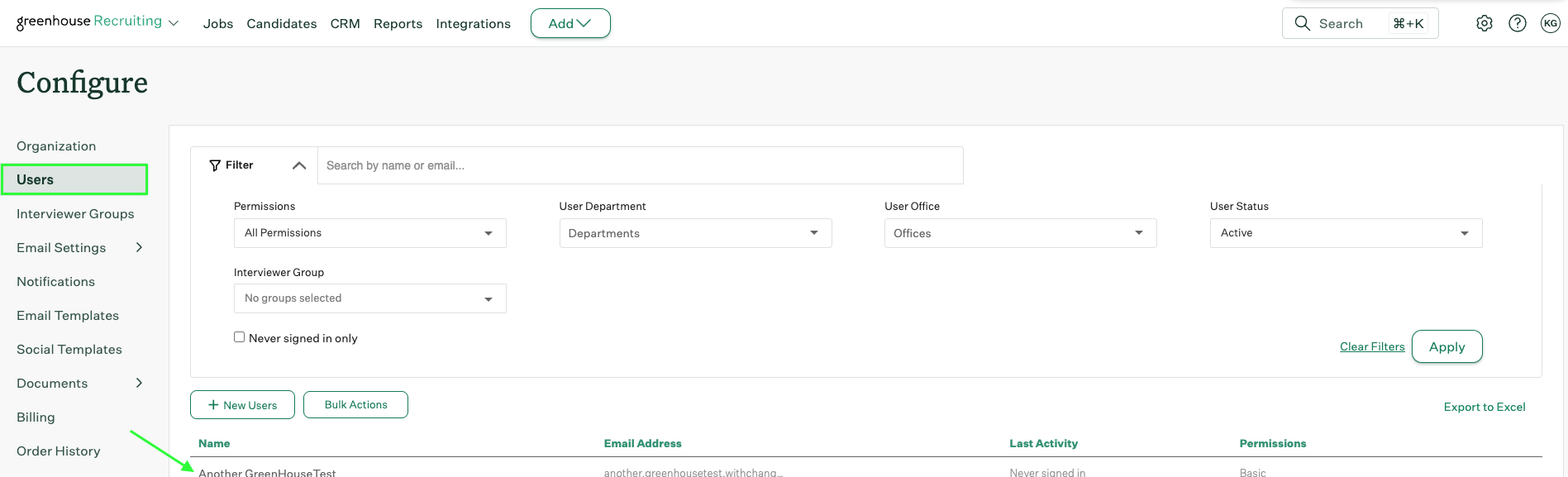
- Once logged in to your Greenhouse account, navigate to Users.
- Select the user for whom you want to get the User ID.
- Check the address bar URL. The User ID is the number value after
/account/usersin the URL.
https://app.greenhouse.io/account/users/12345, the User ID is 12345.
Step 3: Enter credentials in the Connect UI
Once you have your Client ID, Client Secret, and optionally your User ID:- Open the form where you need to authenticate with Greenhouse.
- Enter your Client ID and Client Secret in their respective fields.
- Optionally, enter a User ID if you want to act on behalf of a specific user.
- Submit the form, and you should be successfully authenticated.