Overview

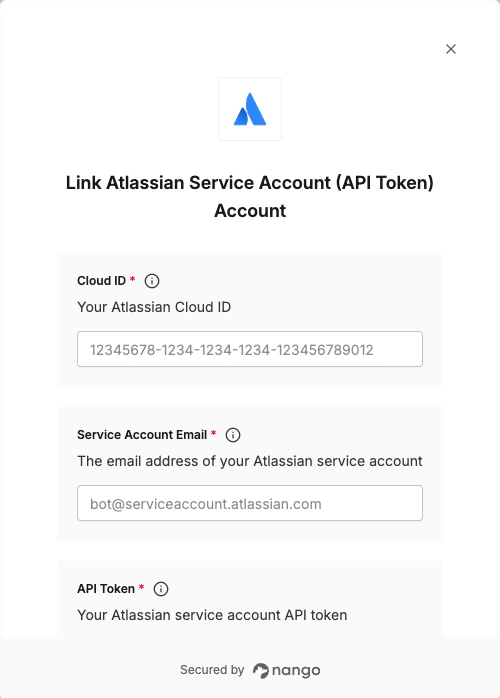
To authenticate with Atlassian using service account API tokens, you will need:
  1. Cloud ID - Your Atlassian site Cloud ID.
  2. Service Account Email - The email address of your Atlassian service account.
  3. API Token - Your Atlassian service account API token.
This guide will walk you through finding your Cloud ID and creating an API token for your service account.

Prerequisites:

  • You must have an Atlassian account with admin access
  • You must have created a service account

Instructions:

Step 1: Finding your Cloud ID

  1. Navigate to admin.atlassian.com.
  2. If you’re a member of more than one organization, select your Organization.
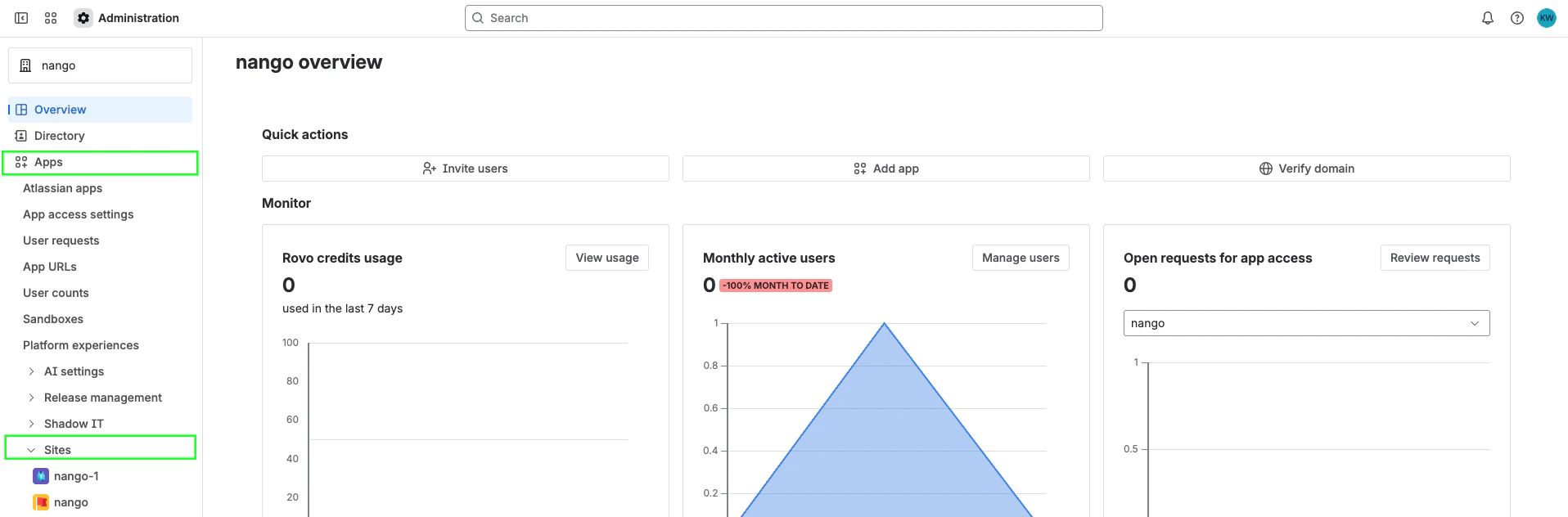
  3. Select Apps > Sites from the main navigation.
  4. Select the appropriate site as listed.
  1. The Cloud ID is listed after /s/ in your address bar. For example, if your URL is https://admin.atlassian.com/s/1a11d016-8984-4c3e-b9ab-142dd06acb1b/access-requests, your Cloud ID is 1a11d016-8984-4c3e-b9ab-142dd06acb1b.

Step 2: Finding your Service Account Email

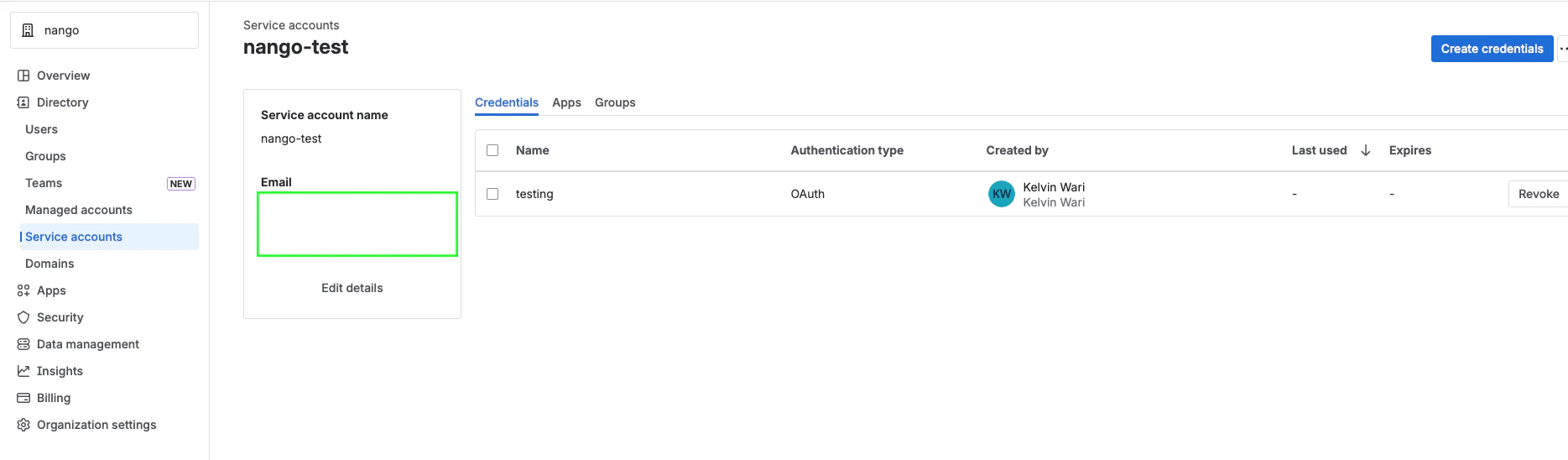
  1. Select Directory > Service accounts.
  2. Select the service account you want to use.
  3. The service account email will be displayed in the service account details. It typically follows the format [email protected] or similar.

Step 3: Creating an API Token

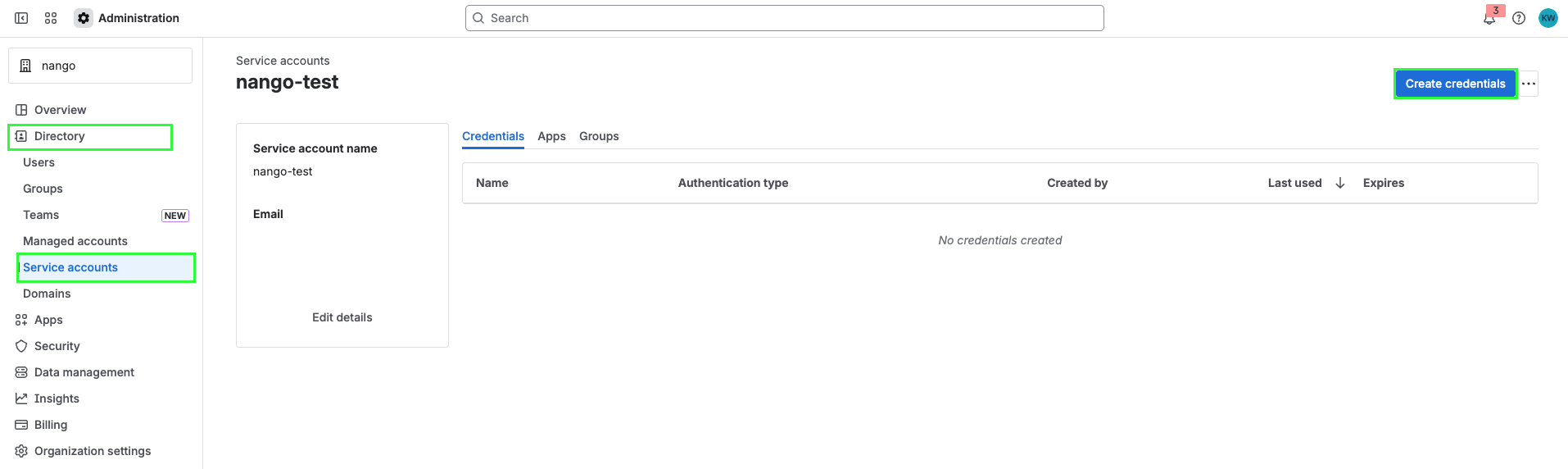
  1. Select Directory > Service accounts.
  2. Select the service account you want to create a token for.
  3. Select Create credentials.
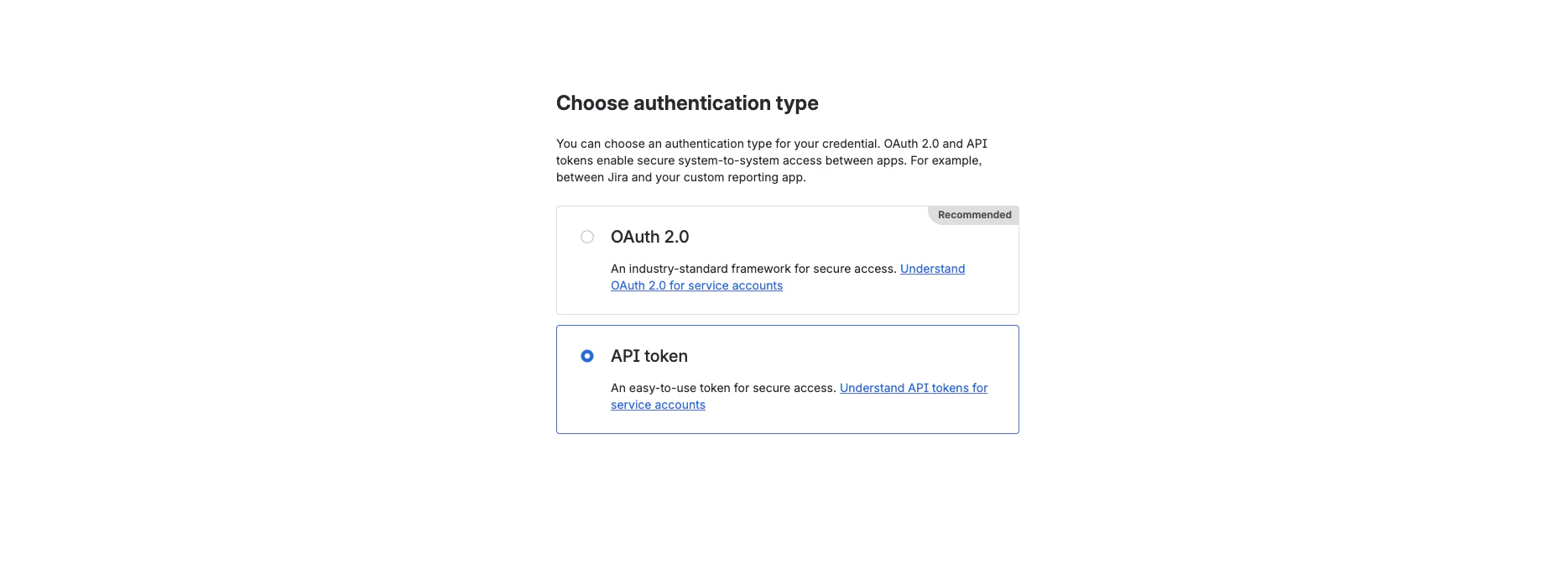
  1. Select API token, then select Next.
  1. Give your API token a name that describes what it does. Select an expiration date for the API token (token expiration can be between 1 and 365 days). Select Next.
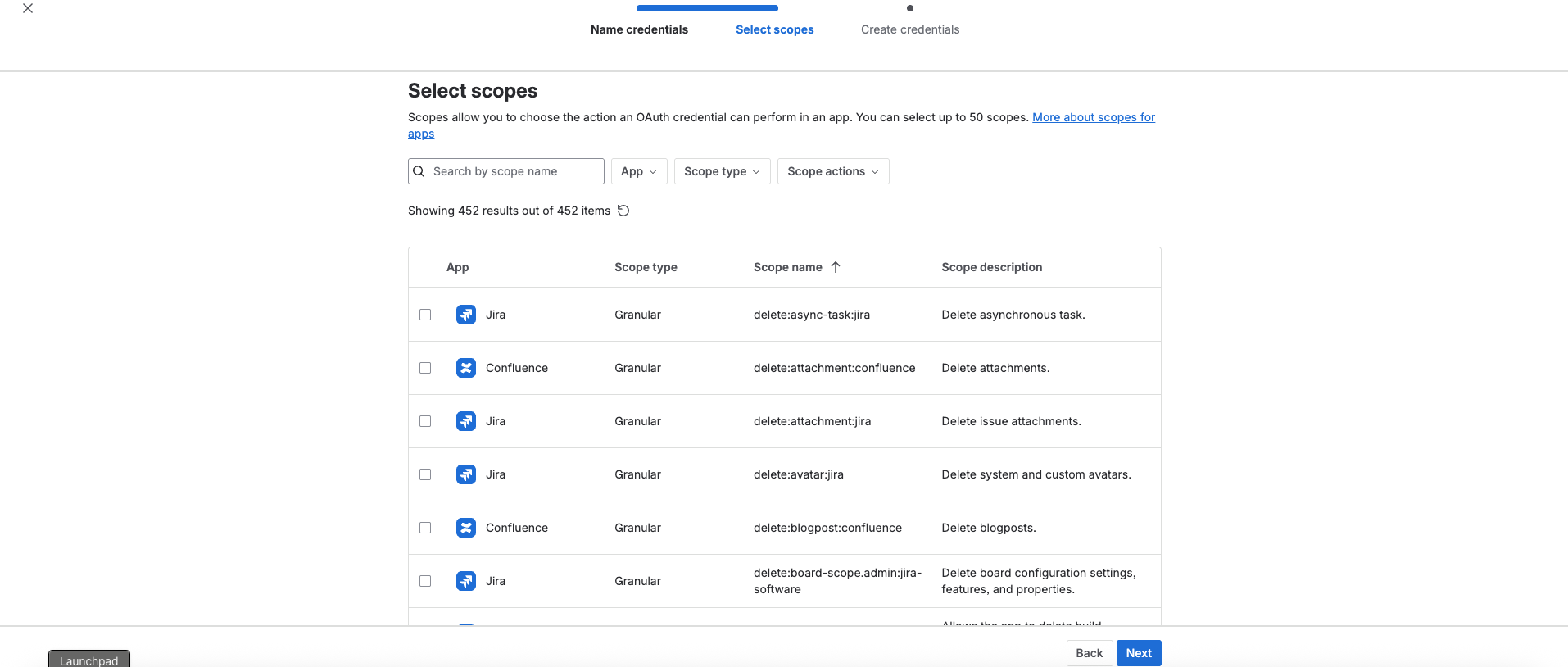
  2. Select scopes to determine what the API token can do in Jira or Confluence. Select Next.
  1. Review your API token, then select Create.
  1. Select Copy to clipboard, and save it somewhere safe.
Store your API token securely. You can’t recover the API token after completing this step.

Step 4: Enter credentials in the Connect UI

Once you have your Cloud ID, Service Account Email, and API Token:
  1. Open the form where you need to authenticate with Atlassian Service Account (API Token).
  2. Enter your Cloud ID, Service Account Email, and API Token in their respective fields.
  3. Submit the form, and you should be successfully authenticated.
You are now connected to Atlassian using service account API tokens.