
Our conversations with more than 300 engineering teams evaluating API integration platforms showed a consistent pattern. Teams care about more than how quickly they can ship the first integration. They evaluate control over integration logic, catalog depth, auth handling, reliability at scale, observability, security, and AI agent readiness.
We used those real-world criteria to compare six platforms for building customer-facing integrations: Nango, Merge, Paragon, Composio, Workato, and Apideck.
The differences become clearer when requirements move beyond the happy path: a customer needs a custom field or endpoint, a sync hits production scale, or an enterprise customer requires specific security or data residency controls.
TL;DR
- Nango: An API integration platform with a pre-built catalog of 1,000+ APIs and 10,000+ tool calls, customizable with code. Coding agents build and change integrations, and Nango’s runtime executes them at scale.
- Merge: A unified API across nine categories, plus a separate agent tool layer. Both stay inside Merge’s fixed schema and pre-built catalog.
- Paragon: An embedded iPaaS built on a visual workflow engine, with separate products for syncs and agent tool calls. Custom tools cannot be deployed to its runtime.
- Composio: A hosted catalog of agent toolkits behind one endpoint. Suits internal and personal automation more than customer-facing integrations.
- Workato: An enterprise automation platform with a no-code recipe builder. Integration logic lives in its cloud, not in your repository.
- Apideck: A pre-built unified API across common business categories. Coverage per category is thin and integrations cannot be extended.
What teams actually compare
Shipping the first integration is rarely where platforms differ most. The bigger differences appear when requirements move beyond what the platform supports out of the box.
A customer needs a Salesforce_Region__c field that the normalized schema drops. A provider adds an endpoint the connector does not expose. An enterprise customer requires data to stay in the EU.
These cases test whether your team can adapt the integration within the platform or has to build around it.
What to evaluate
Five criteria came up repeatedly in the evaluations we saw.
- Control over integration logic: Can you read and edit the integration code, or only configure it? Normalized schemas can become limiting when you need provider-specific data. For example, Salesforce and HubSpot contacts share only about five fields out of the box, despite both representing the same type of business object.
- Catalog depth: “Supported” can mean a complete integration with pagination and rate-limit handling, or just authentication to an API. Check the APIs and use cases on your roadmap, not only the catalog size.
- Reliability at scale: Providers do not guarantee webhook delivery. Stripe does not guarantee event ordering and Shopify states delivery “isn’t always guaranteed”. Ask how the platform reconciles gaps and what happens to a backfill that exceeds an execution limit.
- OAuth ownership: Check whose OAuth application your customers authorize and whose name appears on the consent screen. This matters for branding, security reviews, and how much control you have over the authorization flow.
- Coding agent support: Check whether coding agents such as Claude Code, Cursor, and Codex can build and modify integrations on the platform. This matters as teams use coding agents to expand their integration catalog without hand-building every connector.
Best API integration platforms for engineering teams
1. Nango
Overview
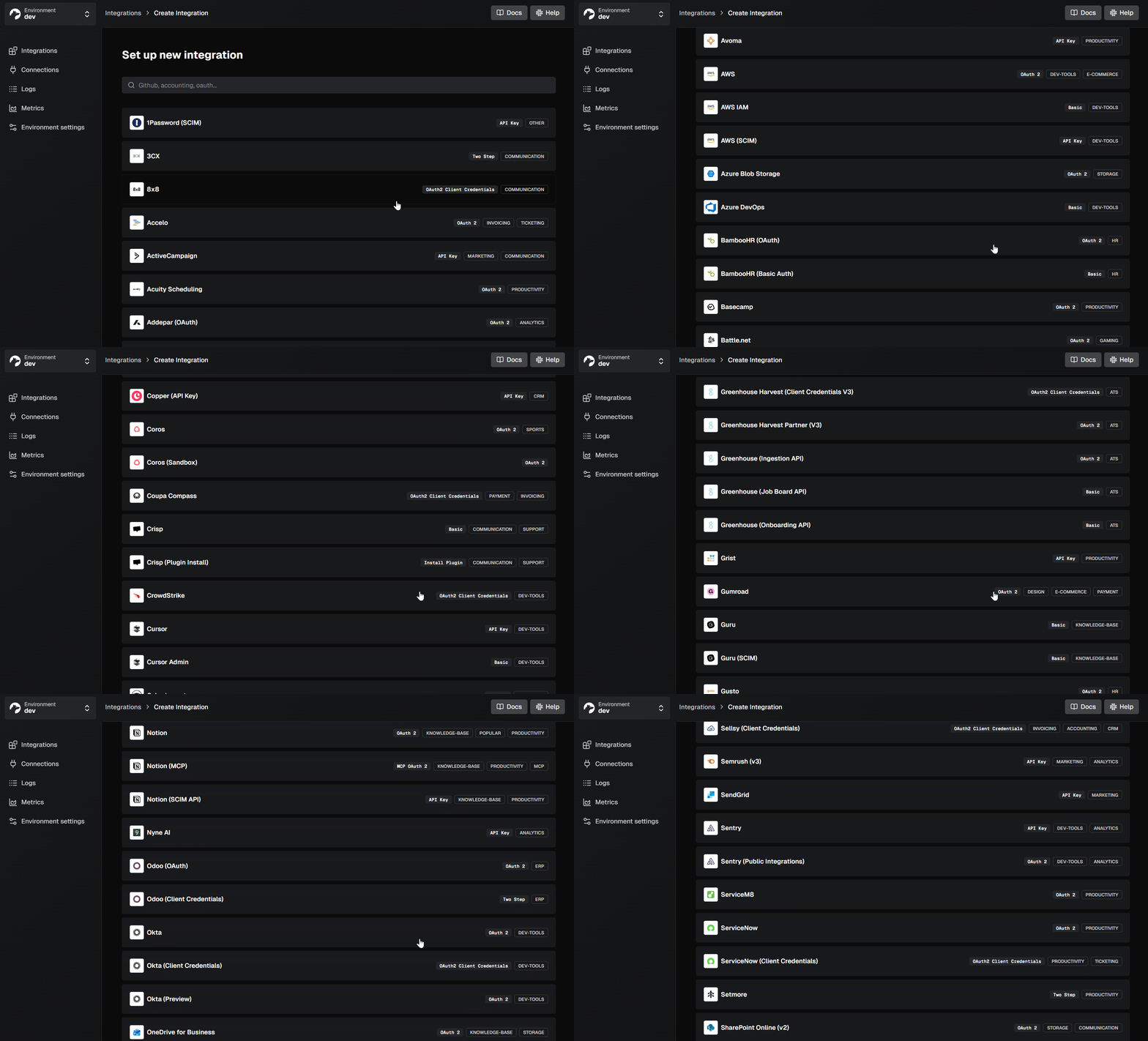
Nango is an API integration platform with a pre-built catalog for 1,000+ APIs. This platform was built for engineering teams that need integrations they can customize and run at scale. Integration logic is written in TypeScript and runs on Nango’s managed runtime, with built-in infrastructure for authentication, retries, rate limits, and observability.
Teams can build and modify integrations directly in code or use coding agents such as Claude Code, Cursor, and Codex to do it for them.
Nango is open source and used in production by hundreds of SaaS and AI companies.
Best for
Nango is best for engineering teams looking to ship and scale customer-facing integrations with a large API catalog and prebuilt, customizable tools. It’s ideal for teams that need reliable data syncs and webhooks without sacrificing control over their integration logic.
Pros
- Broad catalog you can extend yourself: 1,000+ APIs and 10,000+ pre-built tool calls, covering OAuth, API keys, JWT, ID-JAG, and MCP Auth. You can add a provider without waiting on a roadmap.
- Coding agents build the integrations: Nango provides excellent control over integration logic. Install the builder skill once, and Claude Code, Cursor, or Codex researches the API, writes the integration, and tests it against a real connection. We built 200+ integrations in 15 minutes with this loop.

- Runtime built for scale: For reliability at scale, each customer’s syncs and tool calls run isolated and fairly queued on a multi-tenant runtime, with durable checkpoints so a large backfill resumes where it stopped.
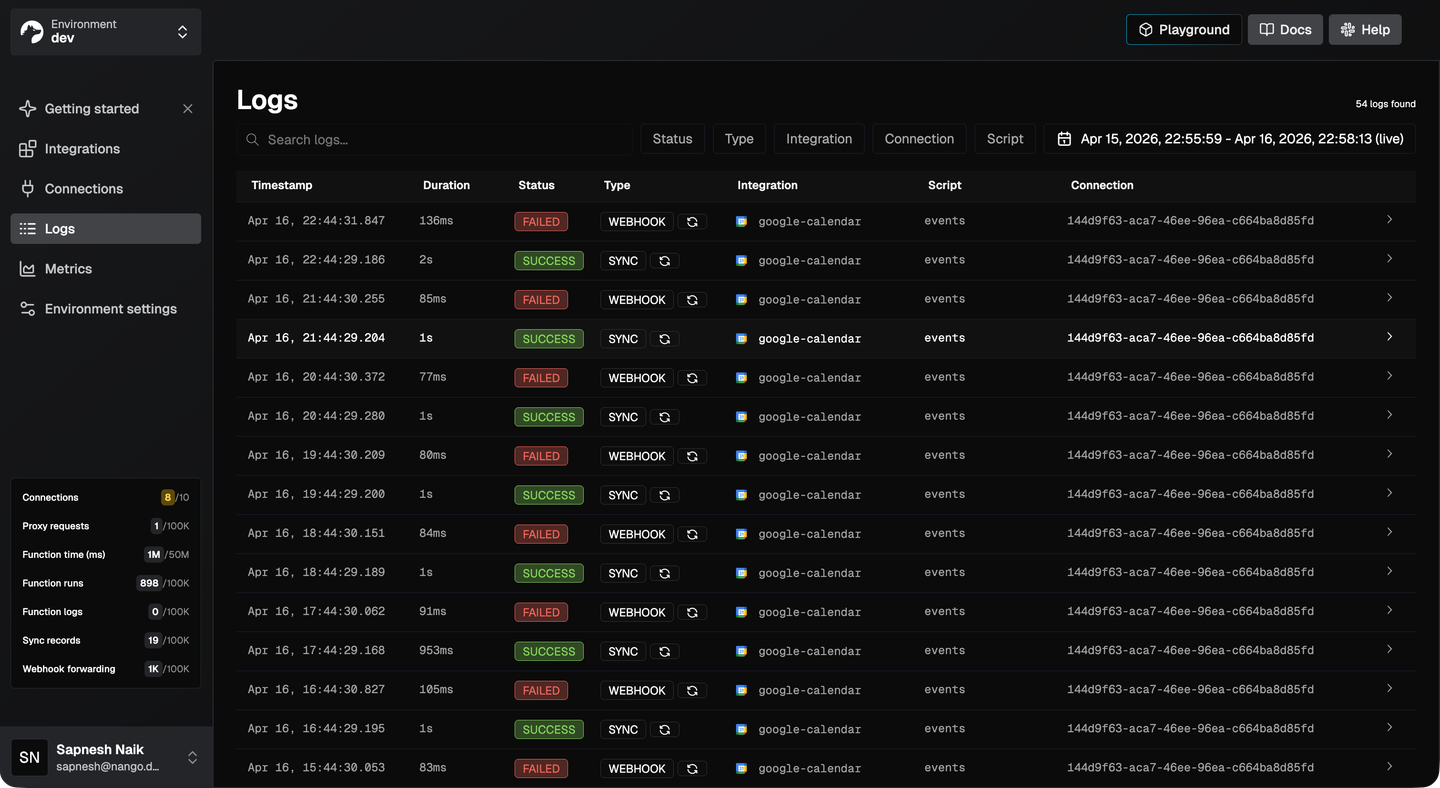
- Request-level observability: For debuggable observability, every sync, tool call, and webhook produces logs with full request and response details. Logs are exportable over OpenTelemetry on every plan.
- White-label auth by default: Your customers authorize your app, not Nango, through a drop-in Connect UI or your own headless flow.
- Enterprise deployment and compliance: SOC 2 Type II, GDPR with a DPA, and HIPAA with a BAA, documented in the trust center. Enterprise bring-your-own-cloud runs a managed Nango in your AWS, GCP, or Azure account and region.
Cons
- Integrations are code: Teams that want non-technical staff building integrations in a drag-and-drop editor are better served by a visual builder.
2. Merge
Overview
Merge is best known for its unified API, which normalizes integrations into common schemas across categories such as HRIS, ATS, CRM, accounting, and ticketing. Its separate Agent Handler product provides pre-built tools for AI agents over MCP, with authentication, security controls, and observability built in.
Best for
Teams looking to integrate a unified API for SaaS use cases. It’s ideal for teams that just need standardized data models rather than deep custom object access in APIs.
Pros
- Fast first integration: Merge has decent catalog depth in popular categories. One schema covers a whole category, so a basic HRIS or ATS read ships in days.
- Established catalog: Mature connectors for the common HR, ATS, and accounting systems.
Cons
- The schema drops what you need: The common model only holds fields most providers expose. Custom fields require the Professional plan, and custom objects work for Salesforce, HubSpot, and Zendesk Sell only.
- You cannot extend a connector: Adding a field, an endpoint, or a new provider means filing a request and waiting.
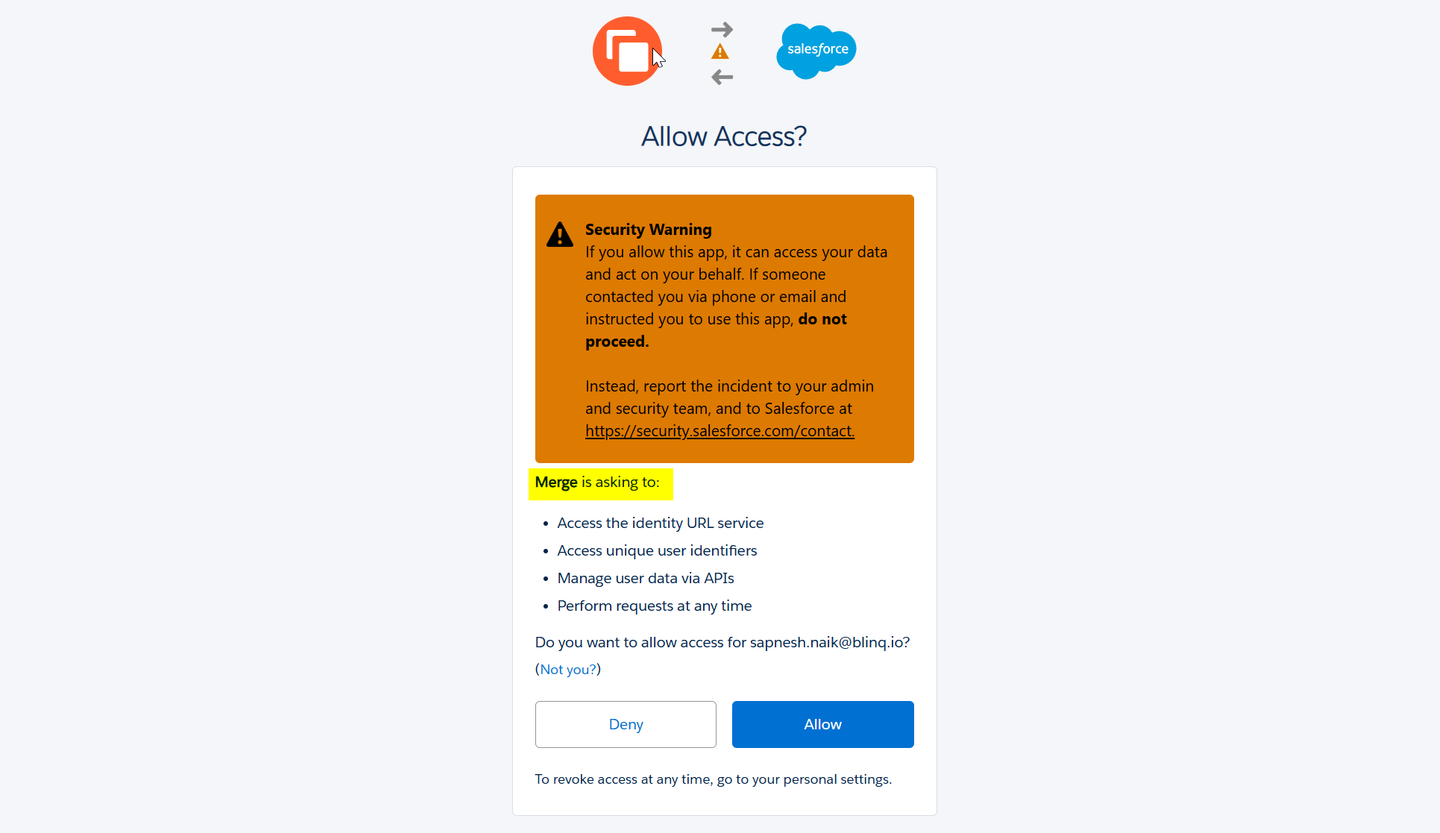
- Your customers authorize Merge: White-label auth is Enterprise-only, so on lower plans the OAuth grant goes to Merge, which introduces a third-party processor into security reviews.
- Two products, two contracts: The unified API and Agent Handler are sold separately, and Agent Handler ships no data syncs or webhook ingestion.
For the head-to-head, see Merge.dev vs Nango.
3. Paragon
Overview
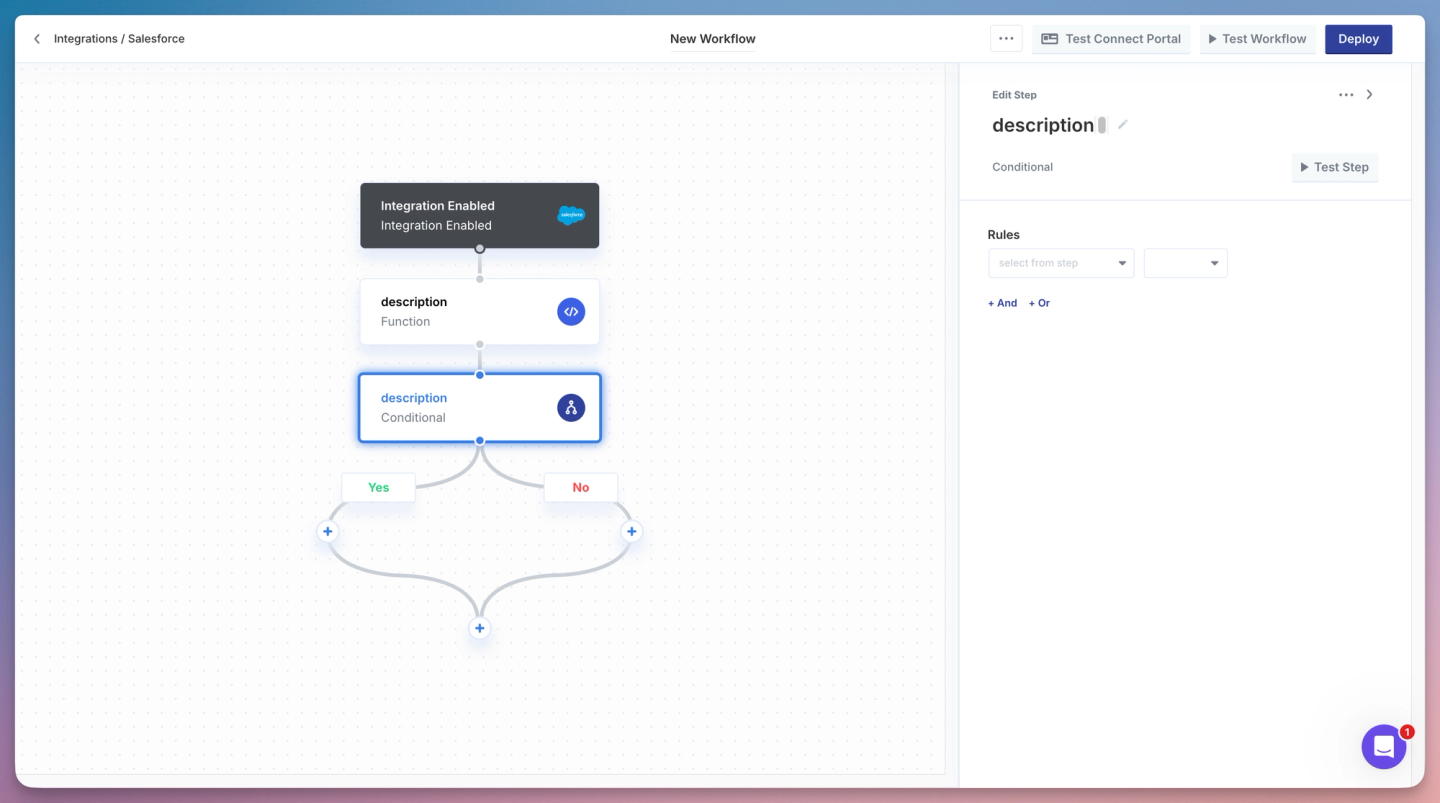
Paragon is an embedded iPaaS built around a visual workflow engine, with roughly 130 connectors. Its ActionKit product exposes around 1,000 pre-built actions to AI agents, Managed Sync handles data ingestion for RAG, and Paragraph expresses workflows in TypeScript that parses back into workflow blocks.
Best for
Teams looking to build integrations with prebuilt connectors and low-code visual workflows. It’s ideal for teams that want managed orchestration and embedded configuration rather than owning the integration runtime.
Pros
- Permissions travel with synced files: Managed Sync records source access rules across Google Drive, SharePoint, Box, and similar sources, so retrieval respects them.
- Embedded configuration UI: Connect Portal lets your customers connect accounts and configure each integration themselves.
Cons
- Custom tools cannot reach the runtime: ActionKit serves a fixed catalog. An intent-shaped tool such as a single
onboard-customercall has to be chained from pre-built actions, which inflates agent context and hurts tool-call reliability. - Syncs are polling-based: Managed Sync polls on a cadence with a one-minute floor, so agents reading mid-conversation see stale records.
- Production features are Enterprise-gated: Per-customer field mapping, SAML SSO, and self-hosting all require the Enterprise plan.
- Four products for one integration stack: Workflows, Connect Portal, Managed Sync, and ActionKit are billed and debugged separately.
For the head-to-head, see Paragon vs Nango.
4. Composio
Overview
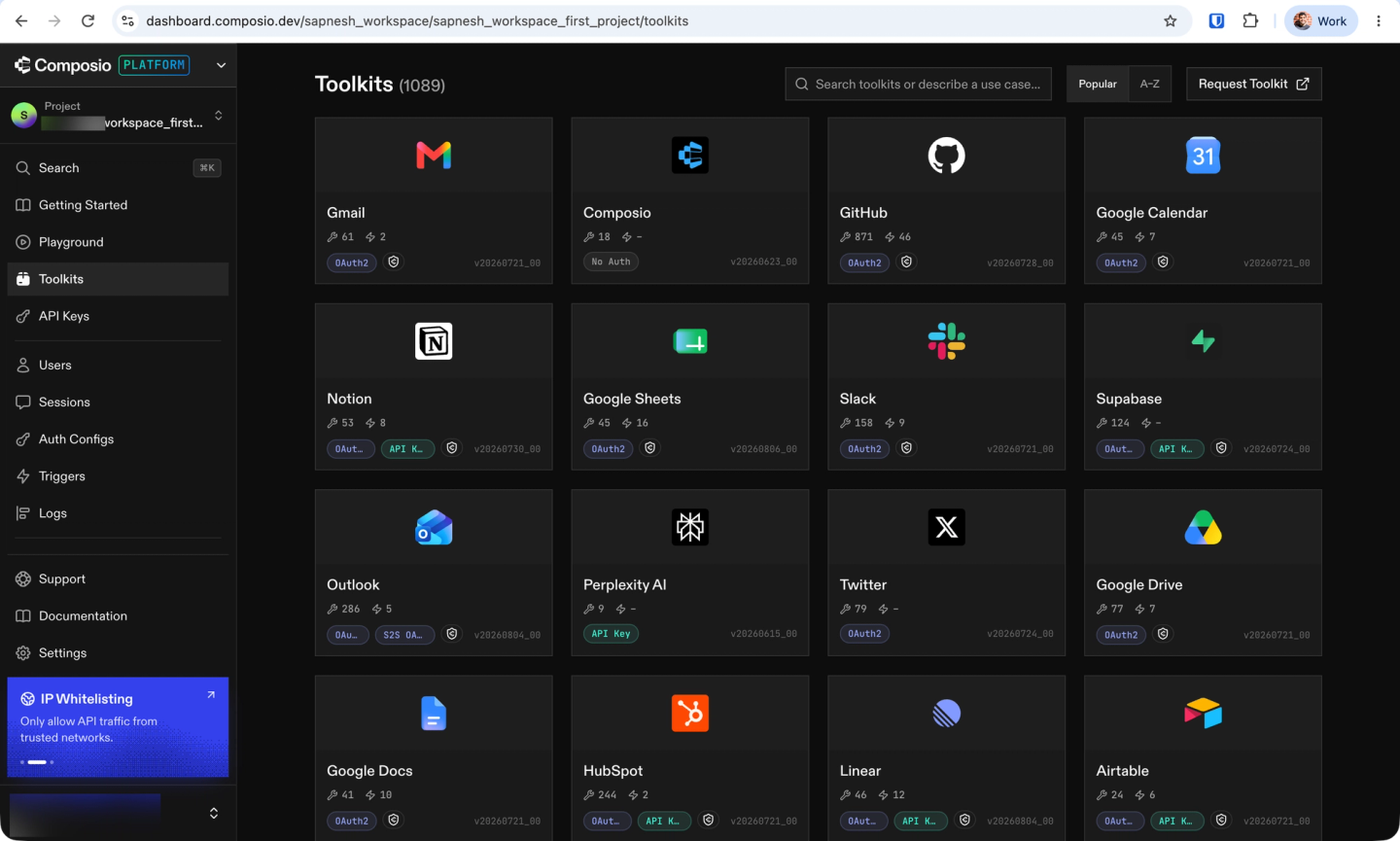
Composio is a hosted catalog of agent toolkits reachable through one endpoint, with managed auth for the supported apps. Its catalog listed 1,089 toolkits in August 2026, exposing more than 20,000 individual tools.
Best for
Composio is best for engineering teams building AI agents for internal company and personal automation across a large catalog of agent-ready tools. It’s ideal for teams that prioritize managed authentication and action execution over deeply customizable customer-facing integrations and data syncs.
Pros
- Large catalog, quick to wire up: One hosted endpoint reaches the full toolkit list, with adapters for common agent frameworks.
- Detailed execution logs: Composio provides debuggable observability through request and response payloads available via its API.
Cons
- Security incident history: Composio’s security posture has been shaky. In May 2026, an attacker reached Composio’s execution sandbox and the credential cache behind it. Around 5,001 GitHub OAuth tokens and 5,241 API keys were compromised or likely exposed, and every customer was made to rotate API keys.
- Custom tools run in your process: Session-bound custom tools execute in your application, not Composio’s sandbox, so you provide the hosting, scaling, and isolation.
- Closed runtime and gated governance: The public repository holds SDKs only. RBAC, audit trails, private deployment, and BAA support depend on the enterprise tier.
- Pricing reset in August 2026: A restructure effective August 15, 2026 cut tool-call allowances and raised overage rates sharply, with existing customers grandfathered only through December 31, 2026.
A customer who moved from Composio to Nango reported a price increase to more than 10 times the previous amount. They also said Composio was slow to add integrations and had declined one of their toolkit requests.
For the head-to-head, see Composio vs Nango.
5. Workato
Overview
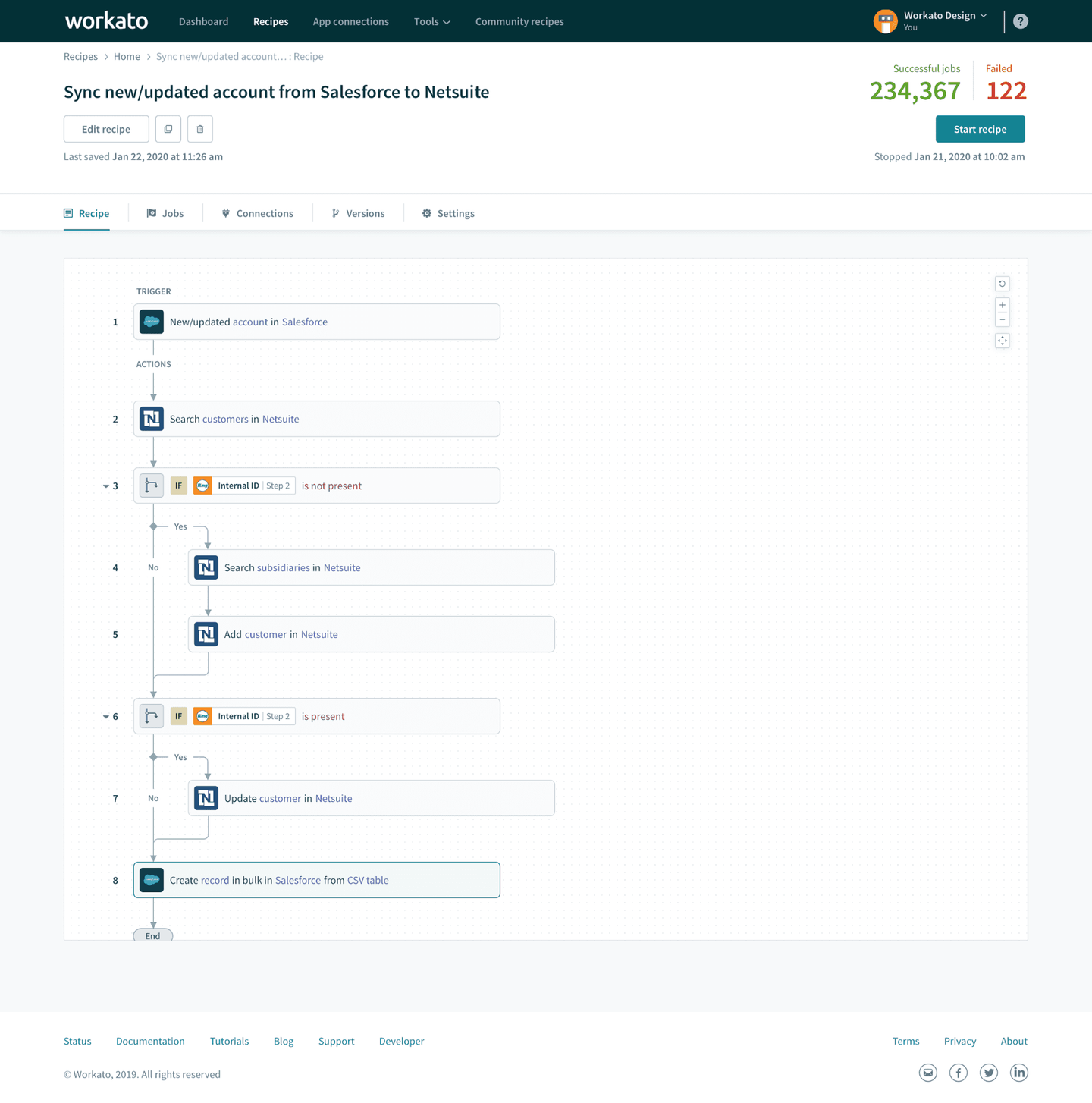
Workato is an enterprise automation platform built on a no-code recipe builder with 1,200+ connectors. Its Enterprise MCP offering exposes those recipes to agents as tools, and its embedded tier white-labels the builder inside your product through iframes.
Best for
Internal IT and operations teams looking to automate complex internal processes across a broad app ecosystem with a visual, low-code platform. It’s ideal for organizations that prioritize centralized governance, security, and compliance over developer-owned, customer-facing integration code.
Pros
- Broad compliance coverage: SOC 1 and SOC 2 Type II, ISO 27001, ISO 42001, and HIPAA with signed BAAs.
- Per-user identity with approvals: Verified User Access runs each action as the actual end user, and high-stakes actions can be routed to Slack or Teams for sign-off.
Cons
- Platform-managed integration logic: Control over integration logic centers on recipes managed within Workato rather than code in your application repository. Workato supports versioning and CI/CD through its own platform and lifecycle tools.
- Cloud-only with negotiated capacity: The MCP server runs only in Workato’s cloud, and recipe concurrency is capped at 30 jobs unless you ask support to raise it.
- No durable sync primitive: Recipes handle triggers and batches, not incremental syncs with pagination, change detection, and deduplication. The embedded builder also ships as an iframe, which makes automated testing difficult.
6. Apideck
Overview
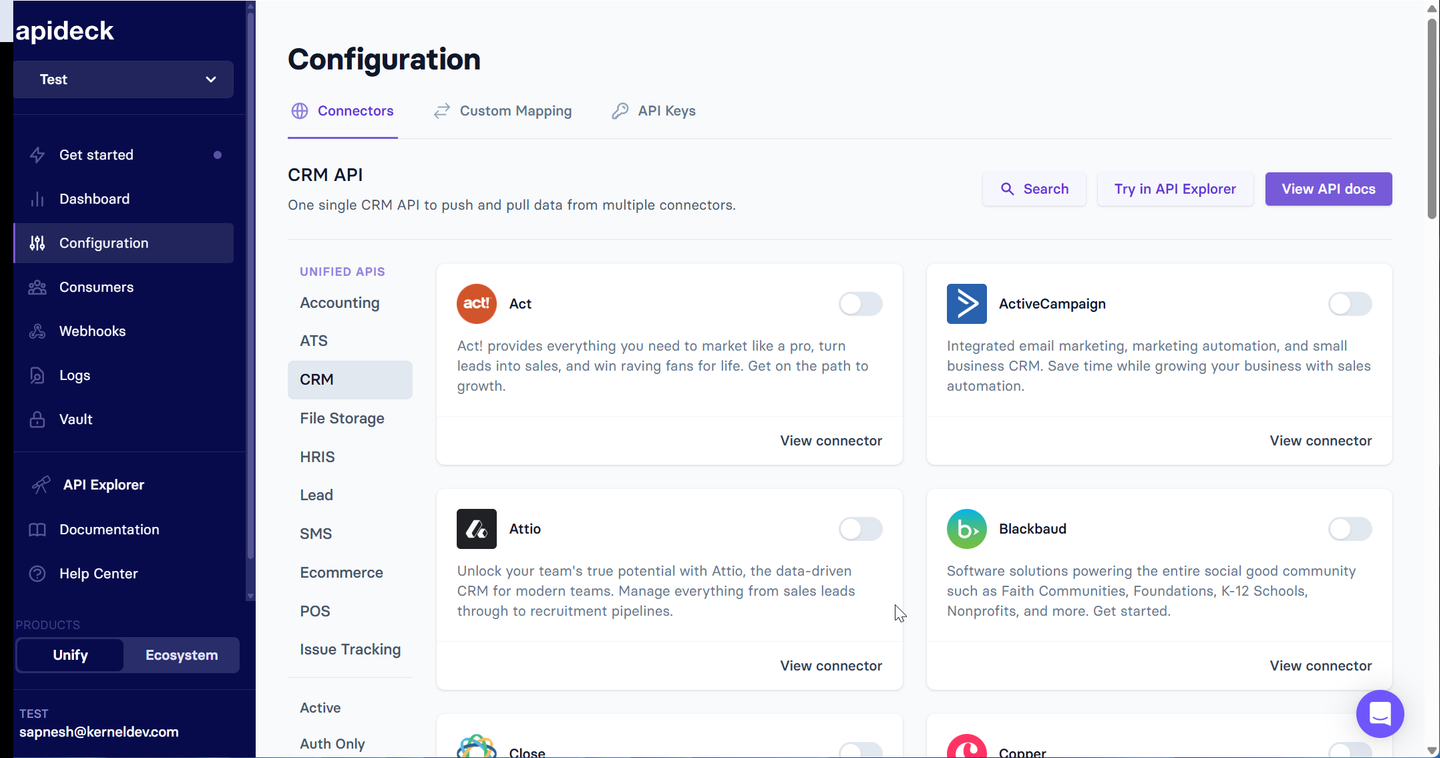
Apideck provides unified APIs across categories including CRM, HRIS, accounting, ATS, file storage, and e-commerce. It normalizes provider data into common schemas, while Vault handles authentication and provides an embeddable interface for customers to connect their accounts.
Best for
Teams looking for accounting integrations through unified APIs and an embeddable connection UI. It’s ideal for standard read-and-write use cases where most requirements fit normalized data models rather than deeply customized integration logic.
Pros
- Broad category coverage: Covers multiple business software categories behind normalized APIs.
- Embeddable Vault UI: Provides a customizable interface for customers to connect their accounts. Full white-labeling is available on the Enterprise plan.
Cons
- Uneven coverage across categories: Connector and endpoint coverage varies by category and provider.
- Limited control over integration logic: Custom Field Mapping can extend normalized models, and the Proxy API provides access to endpoints outside them. However, engineers do not directly own and modify the underlying connector logic as code.
- Provider OAuth setup can still be required: Apideck provides auth handling for OAuth flows, token refresh, and credential management. Production integrations can still require teams to register and configure their own OAuth applications with individual providers.
Comparison of API integration platforms
| Criterion | Nango | Merge | Paragon | Composio | Workato | Apideck |
|---|---|---|---|---|---|---|
| Catalog | 1,000+ APIs | ~220 connectors | ~130 connectors | 1,089 toolkits | 1,200+ connectors | ~160 connectors |
| Edit integration logic | Yes, in code | No | Workflow blocks | No | No | No |
| Add a provider yourself | Yes | No | Yes (custom builder) | No | Partial | No |
| Coding agents build integrations | Yes (AI skills) | No | No | No | No | No |
| Custom tool calls on the runtime | Yes | No | No | In your app | Recipes only | No |
| Data syncs | Durable, incremental | Category-scoped | Polling | No | No | Pass-through |
| Webhook ingestion | Yes | Partial | Yes | Triggers only | Rate-limited | Partial |
| End user authorizes | Your app | Your app (production) | Your app | Your app/Session | Your app | Your app (production) |
| Observability | Request-level, OpenTelemetry | Enterprise APIs | Basic | Partial | Comprehensive | Basic |
| Deployment | Cloud, self-host, BYOC | Cloud only | Cloud, paid self-host | Cloud, paid self-host | Cloud only | Cloud only |
| Open source | Yes | No | Partial | Yes (SDK/Core) | No | No |
How we applied the criteria
We checked each platform against its documentation, pricing pages, changelogs, and public repositories. For implementation details, we prioritized technical documentation over marketing pages.
Catalog numbers use each vendor’s own unit. A Composio toolkit and a Merge connector are not equivalent, so their counts are not directly comparable.
Where we could not verify a capability through documentation or testing, we report only what we could confirm.
FAQ
What is the best API integration platform for engineering teams?
Nango is the broadest fit for engineering teams building integrations into their product. It combines a pre-built catalog of 1,000+ APIs and 10,000+ tool calls with the ability to change any integration in code, and coding agents like Claude Code, Cursor, and Codex do that work on the platform. Auth, tool calls, data syncs, and webhooks run on one runtime with request-level logs.
What is the difference between a unified API and an embedded iPaaS?
A unified API gives you one normalized schema across a category, so Salesforce and HubSpot look identical to your code. An embedded iPaaS gives you a workflow builder to compose integrations one at a time inside your product. Five ways to build product integrations compares both against building in-house.
Can AI coding agents build API integrations on these platforms?
Nango is the only platform in this comparison with a builder skill that lets coding agents such as Claude Code, Cursor, and Codex research an API, write the integration, test it against a real connection, and deploy it to the platform’s runtime.
Merge Agent Handler can connect coding agents to pre-built tools over MCP and supports custom MCP servers. However, it does not provide the same coding-agent workflow for authoring, testing, and deploying new integration logic to Merge’s runtime.
Which API integration platform handles custom fields and custom objects?
Platforms with full API access handle them directly, because you read whatever the provider returns. Nango maps one to one with the provider API, so custom fields and custom objects come back in the response. Unified APIs handle them through field mapping or passthrough requests, with coverage that varies by connector.
Which API integration platforms can run in the EU or in our own cloud?
Nango is the only platform in this comparison that offers free self-hosting, and its Enterprise bring-your-own-cloud option runs a managed deployment inside your own AWS, GCP, or Azure account and region. Paragon and Composio document self-hosting on paid plans. Merge, Workato, and Apideck are cloud-only, so EU residency depends on what each vendor offers in its own regions.
Do I need a platform, or should we build integrations in-house?
Building in-house makes sense with a small number of integrations and permanent capacity to own maintenance. Most of that cost lands after the first version ships, in provider changes you did not choose. Operating auth for 1,000+ APIs, we found that 16% of commits to our provider configurations are fixes for changes providers never announced.
Conclusion
Run the evaluation on your hardest integration rather than your easiest. Add a custom field, call an endpoint the platform does not cover, revoke a token mid-sync, then read the logs and judge whether you could have debugged it without a support ticket.
Nango is the broadest option here: a catalog of 1,000+ APIs and 10,000+ tool calls, customizable in code by your coding agents, on a runtime built for scale with white-label auth, syncs, webhooks, and enterprise deployment. Merge and Apideck fit fixed-schema reads inside their categories, Paragon fits permissions-aware retrieval and visual workflows, Composio fits internal agent automation, and Workato fits non-technical enterprise operations.
To try it on one of your harder integrations, start with the Nango quickstart.

