
TL;DR
Composio is a hosted catalog of around 1,000 pre-built tools for AI agents. It exposes those pre-built tools via MCP. Tools are closed source, and the integration use case stops at tool calls, and agents authenticate with your account API key.
Nango is a code-first API integration platform where engineers, or coding agents like Claude, Cursor, and Codex, write integrations as code in your repo. Nango’s cloud runtime runs them securely and at scale across 1,000+ APIs, with white-label auth, custom tool calls, MCP server, durable data syncs, webhooks, and per-customer configuration.
Quick verdict:
- Pick Nango if your AI agent is a core part of a product you ship to customers. It lets you give agents scoped access without exposing a broad project key. You can also customize tools, run data syncs, and process webhooks as your product scales.
- Pick Composio if your agent is a personal or internal productivity tool and the pre-built catalog covers everything you need.
Composio: a hosted tool catalog for AI agents
Composio is a tool gateway for AI agents. It ships a catalog of around 1,000 pre-built tools wrapped behind a single hosted MCP URL, with managed OAuth across the supported toolkits.
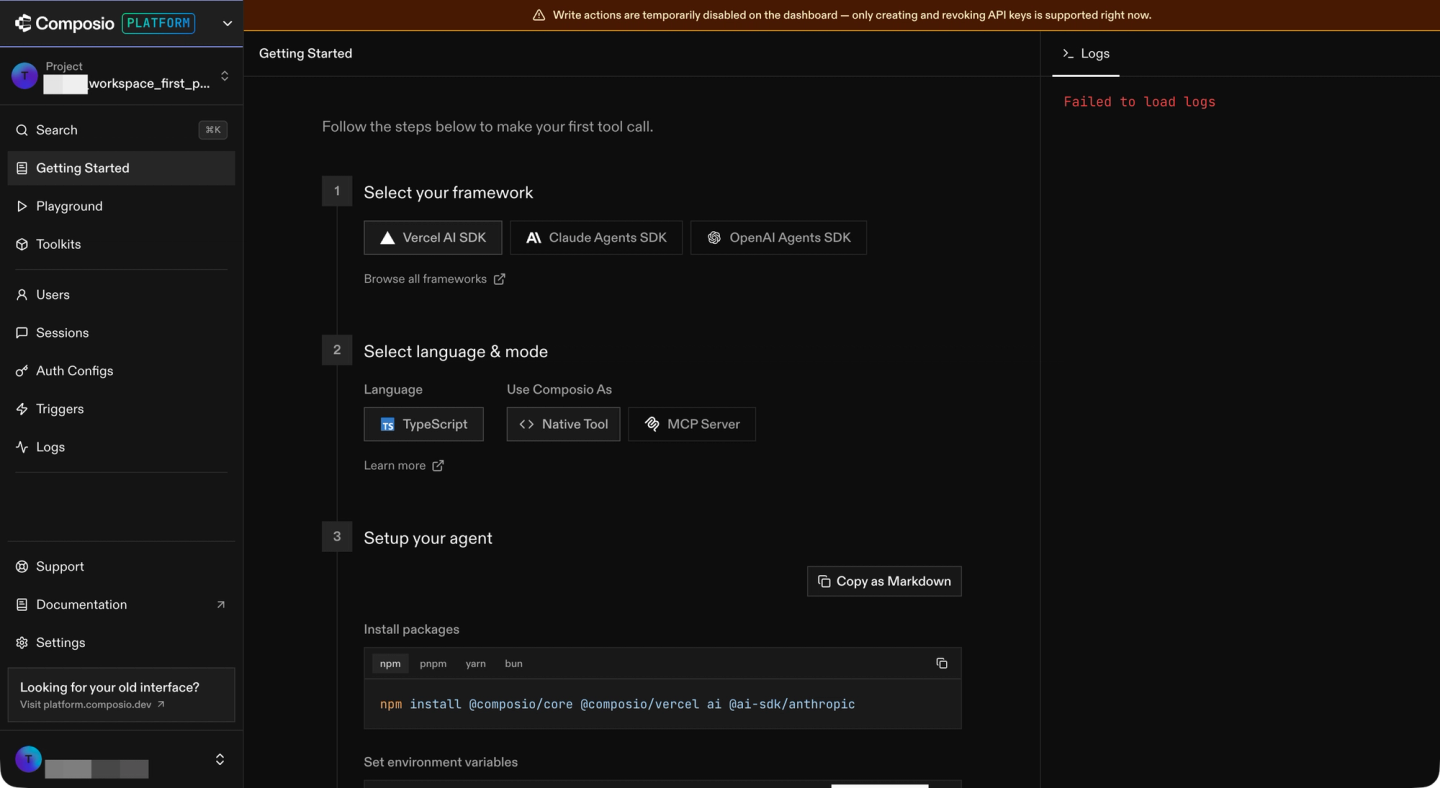
The product is best for personal or internal productivity agents whose use cases stay inside the pre-built catalog. You sign up, authorize the toolkits you need, point your internal agent at the hosted MCP URL, and the agent has hundreds of tool calls available in minutes.
The trade-off is the same as with any pre-built abstraction: you build within what the vendor ships. Custom tool calls cannot be deployed to Composio’s runtime. Data syncs, webhooks, and real-time triggers are not part of the product. End users see Composio’s brand, not yours, during the OAuth flow.
Nango: build integrations with AI
Nango helps you build integrations with AI, in code, for your product. The platform is a three-part system:
- Integrations as code, written by your coding agent. Install the universal Nango builder skill once. The agent reads API docs, writes the integration, tests it against a real connection with
nango dryrun, and iterates on real errors. - A secure and scalable runtime. Functions run on Nango’s cloud with tenant isolation, durable execution, and per-customer resource limits. A heavy enterprise sync from one customer cannot starve another’s.
- A single interface for every integration use case. Supports API auth, tool calls, data syncs, webhooks, polling triggers, and custom unified APIs as functions in your repo.
Nango is open source, supports 1,000+ APIs, and is used in production by hundreds of fast-growing SaaS and AI companies.
Nango is also well-positioned to evolve alongside AI coding agents. Integrations are code, and coding agents are already excellent at writing code. They only get better from here.
Ten limits you hit with Composio
Composio is a good fit when your agent stays inside its closed catalog. As the integration surface widens, ten specific limits emerge:
No coding agent skill for building integrations
Composio does not ship a Skill or harness for Claude Code, Cursor, or Codex that authors a new tool and deploys it. You consume the catalog as it ships. When you need a tool the catalog does not cover, you build it outside the platform and host it yourself. The coding agent does not get a real API test loop or a deployment target from Composio’s side.
Closed-source tools, no custom tools on the runtime
Composio’s tool definitions are closed source. You cannot inspect, fork, or extend a pre-built tool. You also cannot deploy a custom tool to Composio’s runtime. You chain pre-built tools instead, which inflates the agent’s context and hurts reliability. See how to build reliable tool calls for AI agents.
Platform-branded auth, no white-label flow
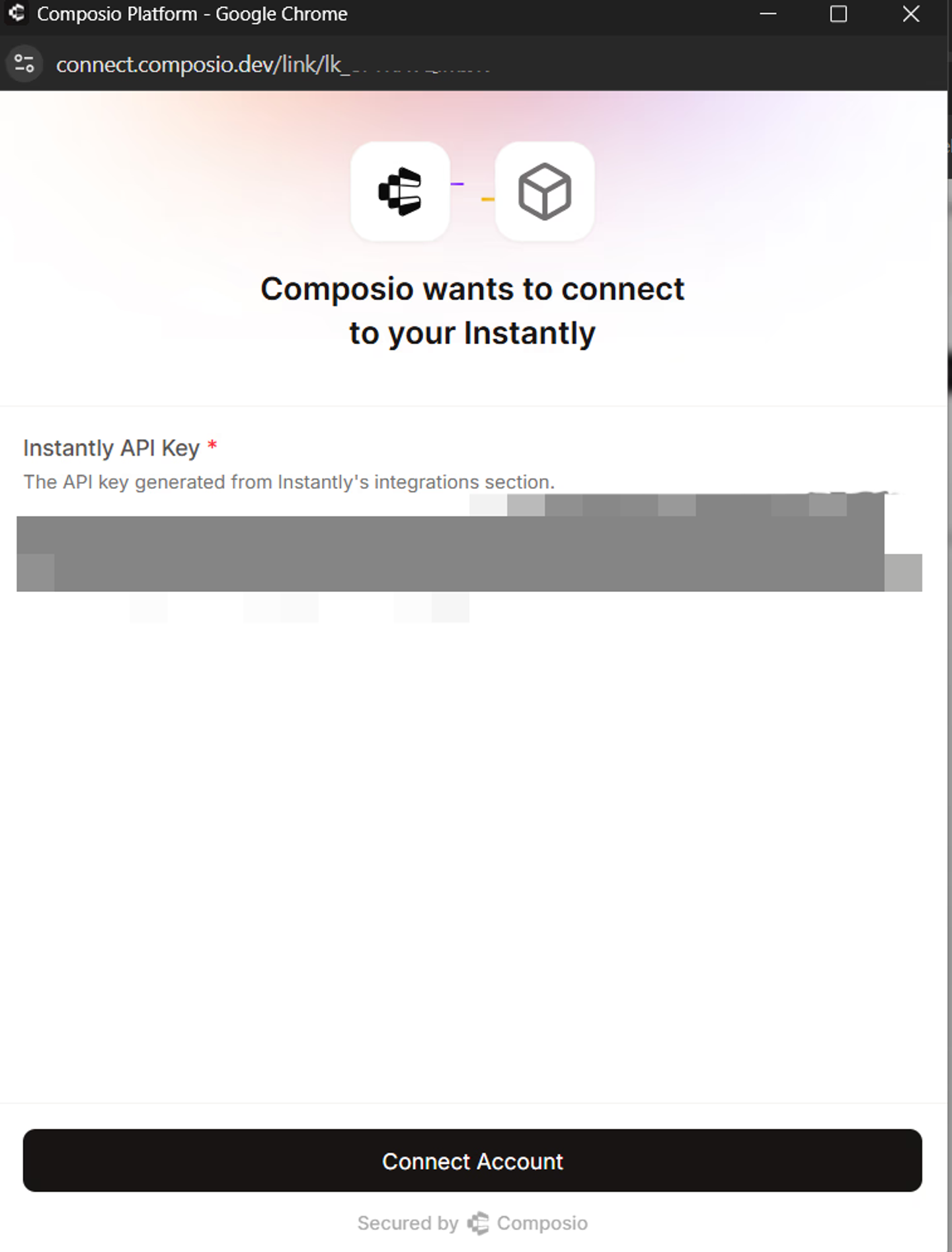
Your end users see Composio on the OAuth consent screen. That is fine for an internal productivity agent. For a customer-facing SaaS, your enterprise prospects will raise this in a security review.
In May 2026, Composio had a security incident in which an attacker achieved arbitrary code execution in the sandbox runtime. Around 5,242 connections were compromised.
Broad project keys need careful scoping
Composio’s default project API keys have full project access. Scoped keys are available, but teams must configure them. If a broad key reaches an agent runtime, the agent can call any Composio API that the key allows, not only the tools needed for its task.
Session execution and management share a permission
Composio’s Sessions permission covers both running tools and changing session or MCP settings. A key with write access can execute tools, update session settings, and create or modify MCP servers. If this management access is exposed to an agent, the agent can change which toolkits are available in its session.
Connections are scoped to users
Composio links connections to a userID by default. For example, combining a user’s Gmail connection with an organization-wide Salesforce connection requires shared connections. This feature is experimental at the time of writing. The Salesforce connection must be marked as shared, given access rules, and added to the user’s session.
Tool-call payloads are stored for up to one year
Composio stores tool-call requests, responses, and trigger payloads in logs for up to one year. The setting applies to the whole project: store all payload data or store none. Turning storage off only affects new calls, so existing data remains until the retention period ends. Shorter retention periods or contractual zero-data-retention terms require contacting sales.
No custom triggers, no real-time webhooks
Composio is tool-call only. There is no webhook ingestion for provider events, nor is there a polling trigger for providers that do not ship webhooks. Event-driven and scheduled work has to live outside the platform. For an AI agent that reacts to a webhook event in Salesforce or a new HubSpot contact, you build the webhook receiver, the queue, and the dispatcher yourself.
No data syncs for RAG context
For RAG, data syncs are not optional. Composio does not support data syncs, so you build the sync, the schedule, and the durable resume logic on your own infrastructure.
Limited observability
Composio’s observability is basic. You cannot add custom log messages, inspect the full external API request and response, or export traces via OpenTelemetry. When a tool fails in production, you typically have a status code and a generic error string. That is not enough to analyze and fix the issue.
Why one customer switched from Composio to Nango
A customer who moved from Composio to Nango reported a price increase to more than 10 times the previous amount. They also said Composio was slow to add integrations and had declined one of their toolkit requests.
They found the on-prem deployment difficult and described the tools as “just API wrappers.”
What engineers like about Nango
Nango covers tool calls, data syncs, webhook processing, and unified APIs on a single runtime, with code-level access and AI coding agent support built in.
Coding agents build the integrations
Install the Nango builder skill once. Your coding agent reads API docs, writes the integration, tests it against a real connection with nango dryrun, and iterates on real errors before deploying. The skill works the same way for any of the 1,000+ APIs Nango supports. We covered the loop in just-in-time integrations and the writeup on how we built 200+ integrations in 15 minutes.
A prompt like this is enough:
/building-nango-functions-locally Build a real-time Google Calendar integration with webhook support.Every integration use case on one platform
API auth, data syncs, webhook processing, polling triggers, tool calls, and an MCP server all run on Nango. A Nango sync is the same kind of function as a Nango tool call. Both share the same runtime, observability, and build loop. Composio is tool-call only; the rest of your integration surface lives elsewhere.
Built-in MCP server with custom tools
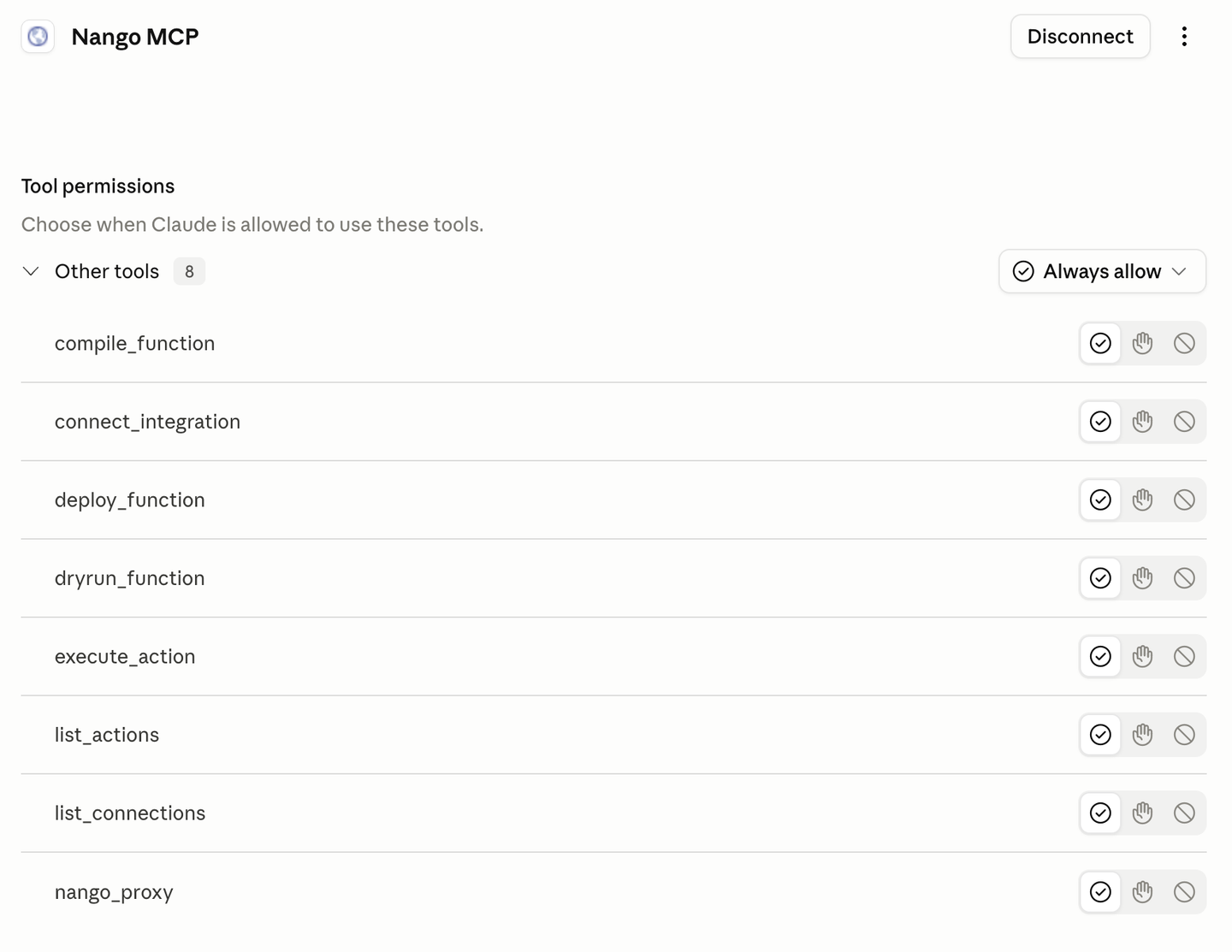
Nango’s MCP server exposes your custom tools to AI agents inside your product, with strict typed input and output schemas. Because the tools are yours, you can author intent-shaped tool calls that match your product’s exact intent. The MCP server also supports per-user and per-customer permissions enforced by the same runtime that runs your auth and syncs.
Scoped API keys for production
Every Nango environment comes with a full-access default key. For production, you can create API keys for specific tasks, such as calling MCP tools, reading connection data, viewing logs, or deploying integrations. Access and refresh tokens are only returned when the key has the environment:connections:read_credentials scope.
Separate MCP servers for tools and management
Tool calls and account management run through separate MCP servers. The action-function server uses the environment:mcp scope. Each tool on the Management MCP server checks the API key scope it needs. This means an agent can call tools without also receiving permission to deploy or change integrations.
Flexible connection mapping
Connections do not have to map only to users. Each connection has its own ID, and tags can link it to a user, organization, workspace, project, or another entity in your product. For MCP calls, the client sends connection-id and provider-config-key, so your application chooses which connection and integration the agent uses.
White-label auth across 1,000+ APIs
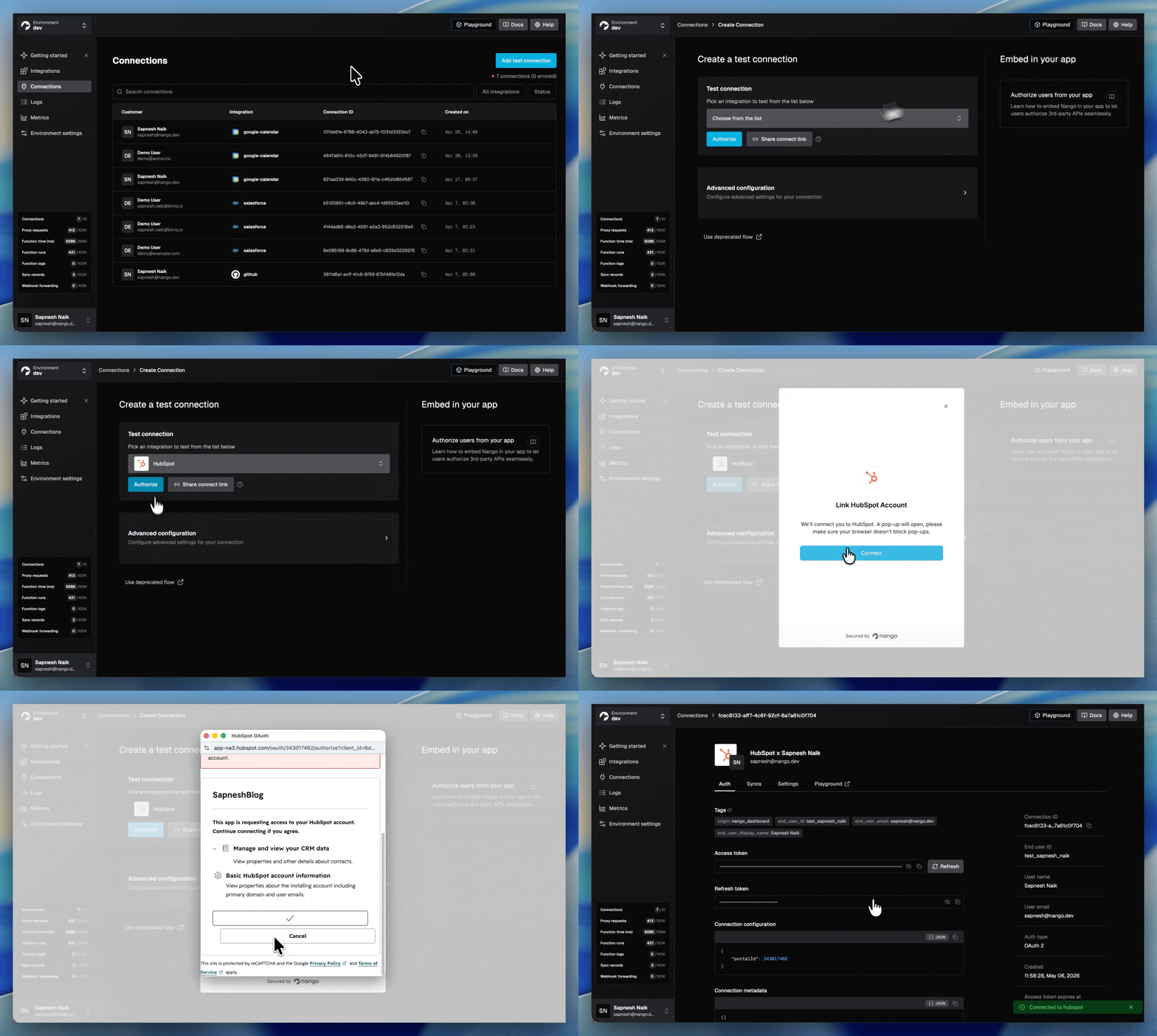
A drop-in Connect UI handles OAuth, API keys, JWT, basic auth, and the new MCP Auth standard. End users authorize against your brand, not Nango’s. Headless auth is available if you want to ship your own UI. Token refresh, concurrency-safe refresh patterns, and custom credential validation ship on every plan.
Deep observability with OpenTelemetry
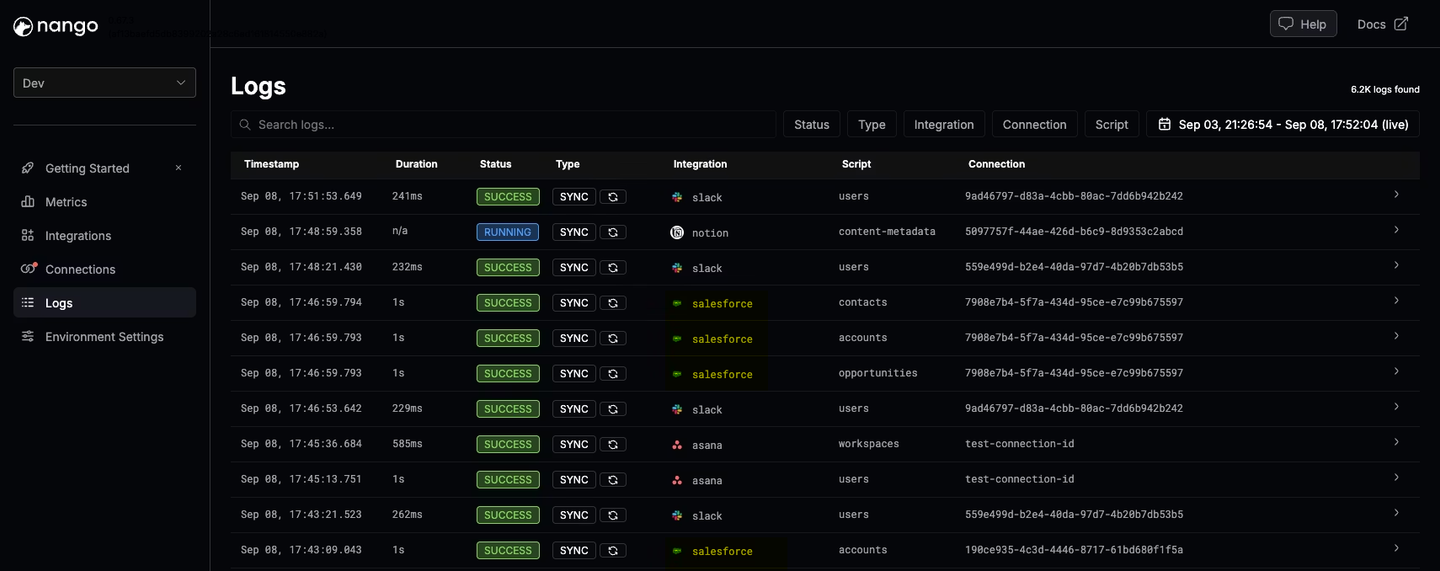
Every operation generates structured logs with full external API request and response details, custom log messages, full-text search, and OpenTelemetry export, on every plan. A Claude Code session can read a failing dryrun, see the exact response that broke parsing, and ship a fix in the same turn.
Enterprise compliance and self-hosting
SOC 2 Type II, GDPR, and HIPAA compliant. Self-hosting is available for teams with data residency or risk-management requirements. Tenant isolation, structured audit logs of every external API call, and encrypted credentials at rest ship by default.
Composio vs Nango for AI agents and LLM tool calling
If you are building AI agents that call third-party APIs in production, three things matter: what tools the agent has access to, whether those tools can be customized to your product’s intent, and whether the rest of the integration stack (auth, syncs, webhooks) lives on the same runtime.
Composio ships around 1,000 pre-built toolkits exposed through a hosted MCP URL. The catalog covers a broad set of SaaS apps. The trade-off is that you build with the catalog Composio ships. Custom tool calls cannot be deployed to Composio’s runtime, and there is no coding-agent skill that authors new tools on the platform. For agents that need an intent-shaped composite tool, the work happens outside Composio.
Nango has custom tool calls, an MCP server, and AI coding agent support. Your coding agent writes tool calls as TypeScript functions in your repo. Each function is deployed to Nango and exposed through the Nango MCP server with strict typed input and output schemas. Per-user and per-customer permissions are enforced by the same runtime that runs your auth and syncs. When the agent needs fresh data, it queries a Nango sync, not a polling cycle that runs every minute.
For the full pattern, see best agentic API integrations platform in 2026.
Composio vs Nango: feature comparison
| Feature | Nango | Composio |
|---|---|---|
| Supported APIs | 1,000+ across 30 categories | ~1,000 toolkits |
| Build model | Code in your repo, written by your coding agent | Pre-built catalog, used as-is |
| AI coding agent skill (Claude Code, Cursor, Codex) | Yes (universal builder skill, dryrun against real APIs) | No |
| Custom tool calls deployed to runtime | Yes | No |
| MCP server | Built-in, exposes your custom tools | Hosted, exposes pre-built catalog |
| MCP permissions | Separate tool and management servers with operation-specific scopes | One `Sessions` permission for tool execution and session or MCP management |
| Connection model | Connection IDs with user, organization, workspace, or project tags | User-owned by default; shared connections are experimental |
| Data syncs and webhook ingestion | Durable syncs, real-time webhooks, polling triggers | No |
| White-label auth | Yes (drop-in or headless), every plan | Platform-branded |
| Observability with full request/response logs and OpenTelemetry export | Yes, every plan | Basic execution traces |
| Open source | Yes (platform and 7,000+ templates) | No |
| Self-hosting | Yes (Enterprise) | No |
| Compliance | SOC 2 Type II, GDPR, HIPAA | SOC 2, ISO 27001 |
| Pricing | Free tier, transparent usage-based | Free tier, per-tool-call tiers |
When Composio is the right pick
Composio is a good fit when your agent is a personal automation or internal productivity tool whose use cases stay inside the pre-built catalog. If your agent does not need custom tool calls, data syncs, webhook ingestion, white-label auth, or deep observability, Composio is a low-friction entry point.
When Nango is the right pick
Nango is the right pick when your AI agent is a core part of a product you ship to customers, when you want coding agents to build and customize integrations in your repo, or when your agent needs more than tool calls (data syncs for RAG, real-time webhooks, custom unified APIs, per-customer configuration).
Nango covers the same starting point Composio offers (pre-built integrations, an MCP server, managed OAuth) and gives you the headroom to customize tools, stay open source, and self-host on day one. Transparent usage-based pricing and a free tier come built in.
How to migrate from Composio to Nango
To migrate from Composio to Nango:
- Build any new integrations on Nango first. Do not start new work on Composio. This caps the scope of what eventually needs to be migrated.
- Install the Nango builder skill in your coding agent (supports all AI coding agents).
- Have the coding agent migrate existing tools one by one. Prompt it with the Composio tool’s intent. The skill reads the API docs, drafts the function, tests against a Nango test connection, and iterates on real responses. Auth, retries, pagination, and observability are handled by the runtime.
- Wire the agent to Nango. Expose the new tools through Nango’s REST API or MCP server. For most frameworks this is a one-line config change.
- Add the patterns you were missing on Composio. Move RAG context loading to Nango syncs. Move event-driven behavior to Nango webhooks or polling triggers.
- Migrate customer connections. Use Nango’s white-label Connect UI to re-authorize customers under your brand.
- Cut traffic over behind a feature flag. Run Nango and Composio side by side, ramp up the percentage of calls on Nango, and verify in the logs that the behavior matches.
- Decommission Composio at the renewal boundary.
FAQ
Is Nango a Composio alternative?
Yes. Nango is the agentic API integrations platform that production AI teams pick when they outgrow Composio. The most common reasons for the switch are custom tool calls, custom triggers, data syncs for RAG, white-label auth, deep observability, and self-hosting. Nango supports 1,000+ APIs, ships an MCP server with custom tools, and runs tool calls, syncs, webhooks, and unified APIs on one runtime.
Does Nango support MCP?
Yes. Nango ships a built-in MCP server that exposes your custom tool calls to AI agents with strict input and output schemas. Unlike Composio’s hosted MCP URL, Nango’s MCP server exposes the tools you and your coding agent author, not a fixed catalog. Nango also supports the new MCP Auth standard for agent-driven OAuth flows.
Can I use Nango with Claude Code, Cursor, or Codex?
Yes. The Nango AI builder skill works with Claude Code, Cursor, Codex, Gemini CLI, OpenCode, and other coding agents. Install it once, then prompt the agent to build an integration. The skill researches the API, writes the integration code, tests against a real connection with nango dryrun, and iterates on real errors until tests pass.
Is Composio open source?
No. Composio’s tool definitions are closed source. You cannot view, fork, or modify a pre-built tool, and you cannot deploy a custom tool to Composio’s runtime. Nango is open source.
Does Composio support data syncs or webhooks?
No. Composio supports tool calls only. There is no data sync capability for RAG, no webhook ingestion for provider events, and no polling trigger for providers that do not ship webhooks. Nango supports all of these on the same runtime, so a single platform covers the full integration surface your AI agent needs.
Is Composio safe to use in production after the May 2026 security incident?
Composio published a detailed post-mortem of the May 2026 incident covering attacker path, impacted accounts, and indicators of compromise. Around 0.3% of active connections were compromised, with GitHub bearing the brunt at roughly 5,001 affected connections. Teams running production AI agents on Composio should follow their published remediation steps. Nango is SOC 2 Type II, GDPR, and HIPAA compliant, with self-hosting available for teams that need full data isolation.
Which integration platform is better for production AI agents?
Nango is the broader fit for production AI agents. Composio works for personal or internal productivity agents whose use cases fit inside the catalog. Once your agent ships to paying customers, the surface widens. You usually need custom tool calls, custom triggers, data syncs, white-label auth, deep observability, or self-hosting. Nango covers that surface on one runtime.
Can I migrate from Composio without rewriting my agent?
In most cases, yes. The agent’s framework integration (LangChain, CrewAI, OpenAI Agents SDK, Vercel AI SDK, Claude Code, Cursor) does not change. You swap the MCP URL or REST base URL from Composio’s to Nango’s, regenerate the tool functions with the Nango builder skill, and cut traffic over behind a feature flag.
Does Nango work with LangChain, CrewAI, OpenAI Agents SDK, and Vercel AI SDK?
Yes. Nango exposes integrations through REST APIs and an MCP server. Both work with LangChain, CrewAI, the OpenAI Agents SDK, the Vercel AI SDK, Anthropic’s tool calling, and any MCP-aware agent runtime.
Which platform has better observability?
Nango. Every Nango operation generates structured logs with full external API request and response details, custom log messages, full-text search, and OpenTelemetry export, on every plan. Composio’s observability is limited to basic execution traces. The observability gap is one of the most-cited reasons teams switch.
Conclusion
Composio is a good way to wire an AI agent to a closed catalog of pre-built tools. For a personal or internal productivity agent that stays inside the catalog, it does what it advertises.
Nango is the agentic API integrations platform you pick when your AI agent is a core part of a product you ship to customers. Coding agents build the integrations in your repo. The same runtime exposes custom tool calls, an MCP server, data syncs, webhooks, white-label auth, and deep observability. Tools are open source. Self-hosting is available on day one.
If integrations are a core part of your product, the platform that handles your hardest production requirement today is the one that will serve you as your AI agents scale.
Related reading
- Best Composio alternatives for AI agent integrations
- Paragon vs Nango: which embedded iPaaS fits your product in 2026?
- Merge.dev vs Nango: which API integration platform should you choose in 2026?
- Best agentic API integrations platform in 2026
- Best AI agent integration platforms to consider in 2026
- Best AI agent authentication platforms in 2026
- Best practices for building API integrations with AI agents
- Best API integration platforms to use with Claude Code, Cursor, and Codex
- The emergence of just-in-time integrations
- Build reliable tool calls for AI agents integrating with external APIs

