
TL;DR
AI agents and SaaS products need API integrations with their customers’ tools: read a record from the CRM, post to Slack, draft an email, update a ticket. An integration platform handles the auth, credential storage, and execution behind those calls. On a managed platform, all of that runs on the vendor’s cloud.
Teams in regulated industries, or with data-residency rules or strict security reviews, need a self-hosted integration platform where credentials and execution stay on their own infrastructure.
The platforms compared:
- Nango: The integration platform where coding agents build API integrations and AI agents consume them. Open source, with a free self-hosted edition for auth and the API proxy, and Enterprise self-hosting that runs the full platform in your own cloud.
- Composio: A managed tool-calling platform with a large catalog. Their GitHub repo is only the SDK; the runtime that stores credentials is closed source, and self-hosting is an Enterprise-only option that goes through sales.
- Paragon: A low-code embedded iPaaS whose full runtime can run in your own Kubernetes. Self-hosting needs a quote-based Enterprise license, and the closed-source images contact Paragon’s cloud for license checks.
- Arcade.dev: An MCP (Model Context Protocol) runtime with per-user auth for agents. The engine is a closed-source binary and full self-hosting is enterprise-only. The documented on-prem pattern still routes through Arcade’s cloud.
Why self-host an API integration platform
An integration platform holds three sensitive things: the OAuth tokens and API keys for your customers’ accounts, the data those APIs return, and the code that runs against them. Most teams are fine letting a managed cloud hold all three. For some, that is ruled out:
- Regulated industries: Healthcare, finance, and government workloads often cannot pass customer credentials or data through a third-party processor.
- Data residency: Some jurisdictions require data to stay in a region, or a network, that you control.
- Security review and procurement: “Where do our customers’ Salesforce tokens live?” is an easier question in a vendor review when the answer is “in our own VPC.”
- Air-gapped or private networks: Some deployments have no route to a public SaaS API at all.
Open-source SDK vs self-hostable runtime
Most platforms in this space have a public GitHub repo. In most cases, the repo contains a client SDK, a CLI, or an MCP wrapper. The backend that stores tokens, runs OAuth flows, and executes integration code is either closed source behind an enterprise license or not available at all.
Self-hosting comes in three tiers:
- Free self-hosting: You deploy a working edition from public images without talking to sales.
- Enterprise-licensed self-hosting: The full runtime runs in your cloud, but only with a license key from the vendor’s sales team.
- Not self-hostable: The runtime only exists as managed SaaS.
License terms matter as much as deployment. The part you run may be MIT or Apache-2.0 while the part that holds credentials is proprietary. Some licenses also prohibit embedding the tool in a commercial product.
What to look for in a self-hosted integration platform for AI agents
- A self-hostable runtime: Auth, credential storage, and execution can run on your infrastructure. Check what unlocks it: a free edition you can deploy yourself, or an enterprise license that starts with a sales call.
- White-label, per-customer auth: Each of your customers connects their own account under your brand, with token refresh handled for you. Check where tokens are stored and which domain appears in the OAuth callback.
- MCP and typed tool calls: Agents discover and call tools over the Model Context Protocol or a REST API, with strict input and output schemas so the model does not guess parameters.
- A way for coding agents to build integrations: A skill that lets Claude Code, Cursor, or Codex write a new integration and test it against a real connection, instead of only consuming a fixed catalog.
- More than tool calls: Data syncs keep agent context fresh, webhooks let agents react to events, and per-customer configuration handles tenant-specific behavior.
- Isolation, observability, and compliance: Per-tenant isolation, full request and response logs, and the certifications (SOC 2, GDPR, HIPAA) that regulated buyers ask about.
The best self-hosted API integration platforms in 2026
1. Nango
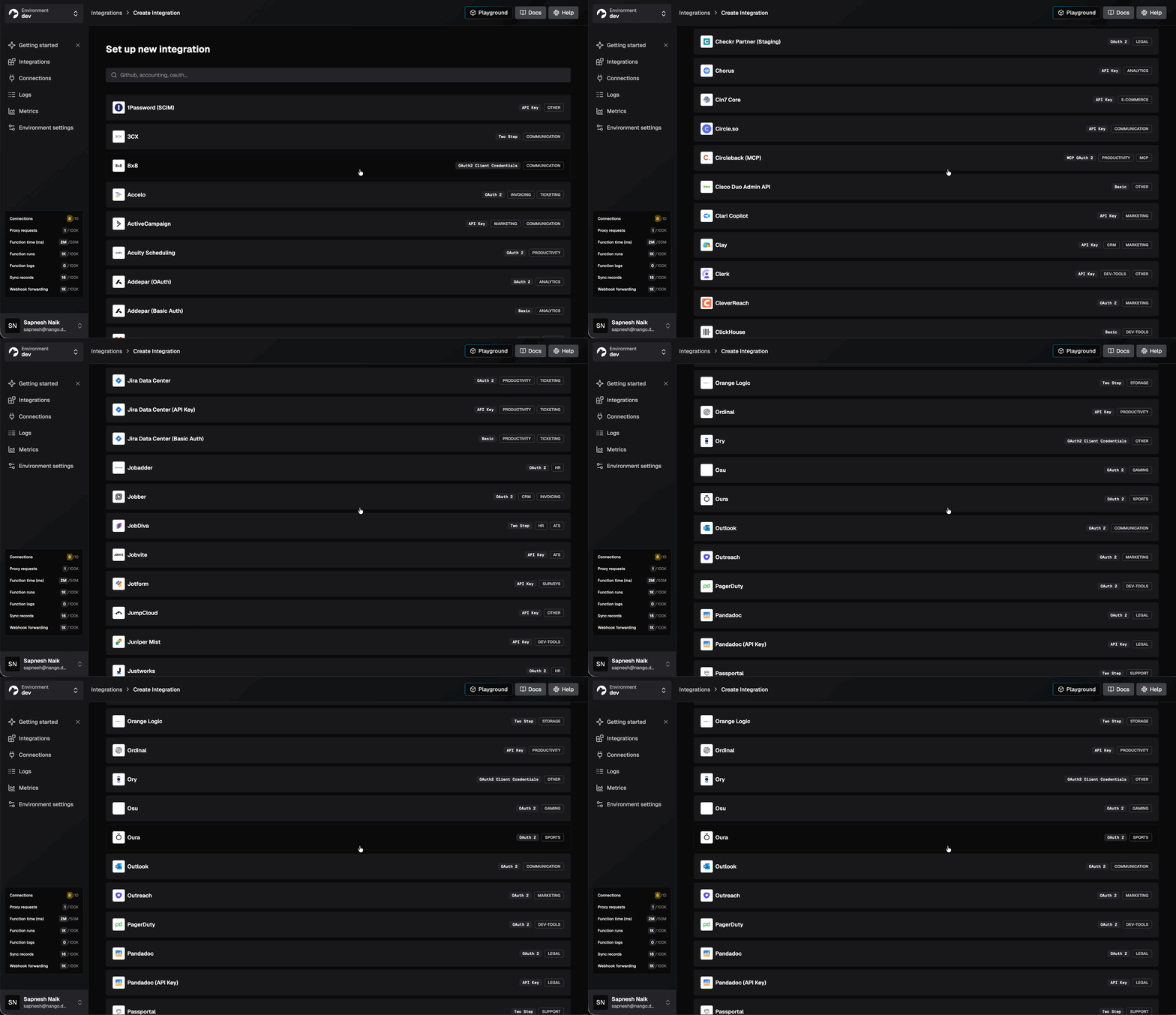
Nango is the integration platform where coding agents build integrations. Engineers, or coding agents like Claude Code, Cursor, and Codex, write integrations as code in your repo. Nango’s runtime executes them securely and at scale, covering auth, tool calls, data syncs, and webhooks across 1,000+ APIs. It is open source under the Elastic License 2.0: you can self-host it and embed it in your product, but not resell Nango as a managed service. Hundreds of fast-growing AI companies use it as core infrastructure.
On self-hosting:
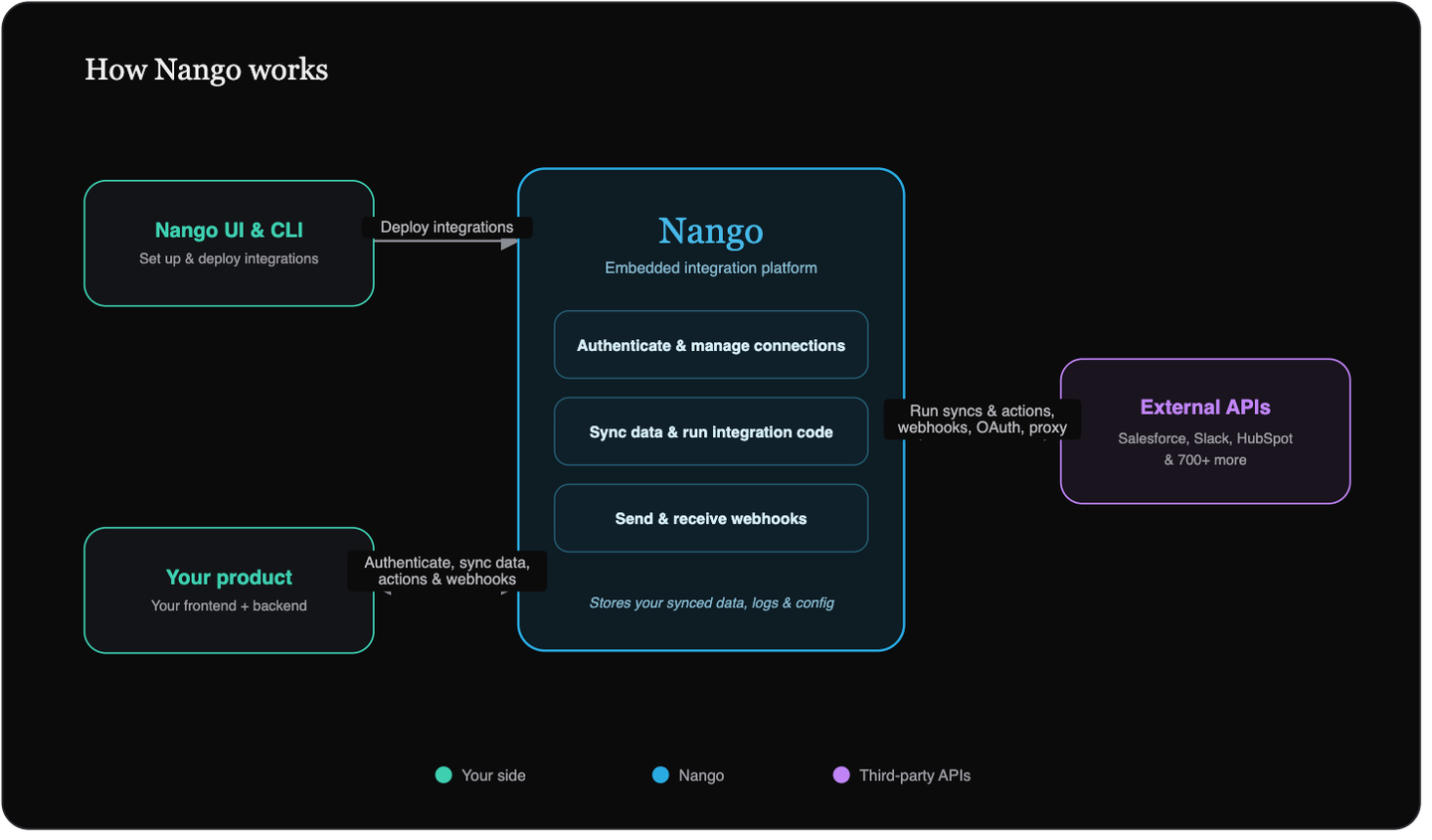
Nango offers two self-hosting paths. A free self-hosted edition deploys with docker-compose and covers managed auth and the API proxy. Enterprise self-hosting deploys the full platform with Helm charts on your own AWS, GCP, or Azure. It runs the same architecture as Nango Cloud: five Node services plus Postgres, Redis, object storage, and Elasticsearch, sized for 1M+ executions per day.
Best for
Teams building AI agents or SaaS products that need API integrations with their customers’ tools, with credentials and execution on infrastructure they control. Coding agents build the integrations, and the agents and features in your product consume them.
Pros
- Credentials stay yours, encrypted with your key: Self-hosted deployments require your own encryption key (the
NANGO_ENCRYPTION_KEYenvironment variable) to encrypt credentials and cached records at rest. Tokens live in your Postgres, encrypted with a key Nango never holds. - AI builder skill for 18+ coding agents: One command installs the skill. It gives Claude Code, Cursor, Codex, Gemini CLI, and others the context to research an API, write the integration, and test it against a real connection. See the walkthrough of building a real-time Google Calendar integration.
# Install the Nango skill for your coding agent
npx skills add NangoHQ/skills -s building-nango-functions- Built-in MCP server and typed tool calls: Every action is a deterministic tool call over both a REST API and a hosted MCP server at
https://api.nango.dev/mcp. - Data syncs and webhooks included: Durable incremental syncs keep data fresh for RAG, webhook processing reacts to provider events in real time, and per-customer configuration adapts behavior per tenant without forking code.
- White-label auth across 1,000+ APIs: A drop-in Connect UI handles OAuth, API keys, JWT, basic auth, and MCP Auth, with token refresh built in. Your end users authorize under your brand.
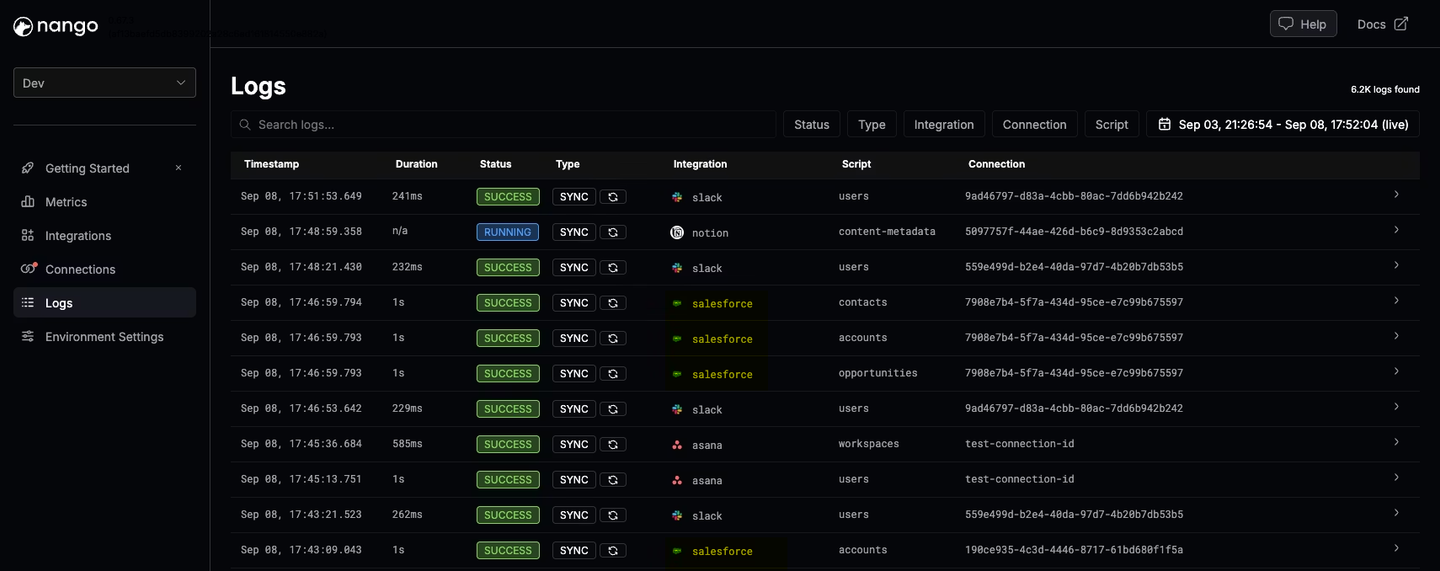
- Observability built for agents: Every operation produces structured logs with full request and response details, exported through OpenTelemetry. A coding agent can read a failing run and ship a fix on its own.
- Just-in-time integrations: Since June 2026, the remote function builder lets coding agents build and deploy actions, syncs, and webhook handlers from a single prompt, without a local project. See the emergence of just-in-time integrations.
- Enterprise compliance: SOC 2 Type II, GDPR, and HIPAA, with a BAA available on request.
Cons
- The free self-hosted edition covers auth and the proxy only: Functions, syncs, webhooks, and the MCP server require Enterprise self-hosting or Nango Cloud. Nango documents this split openly on the self-hosting page.
2. Composio
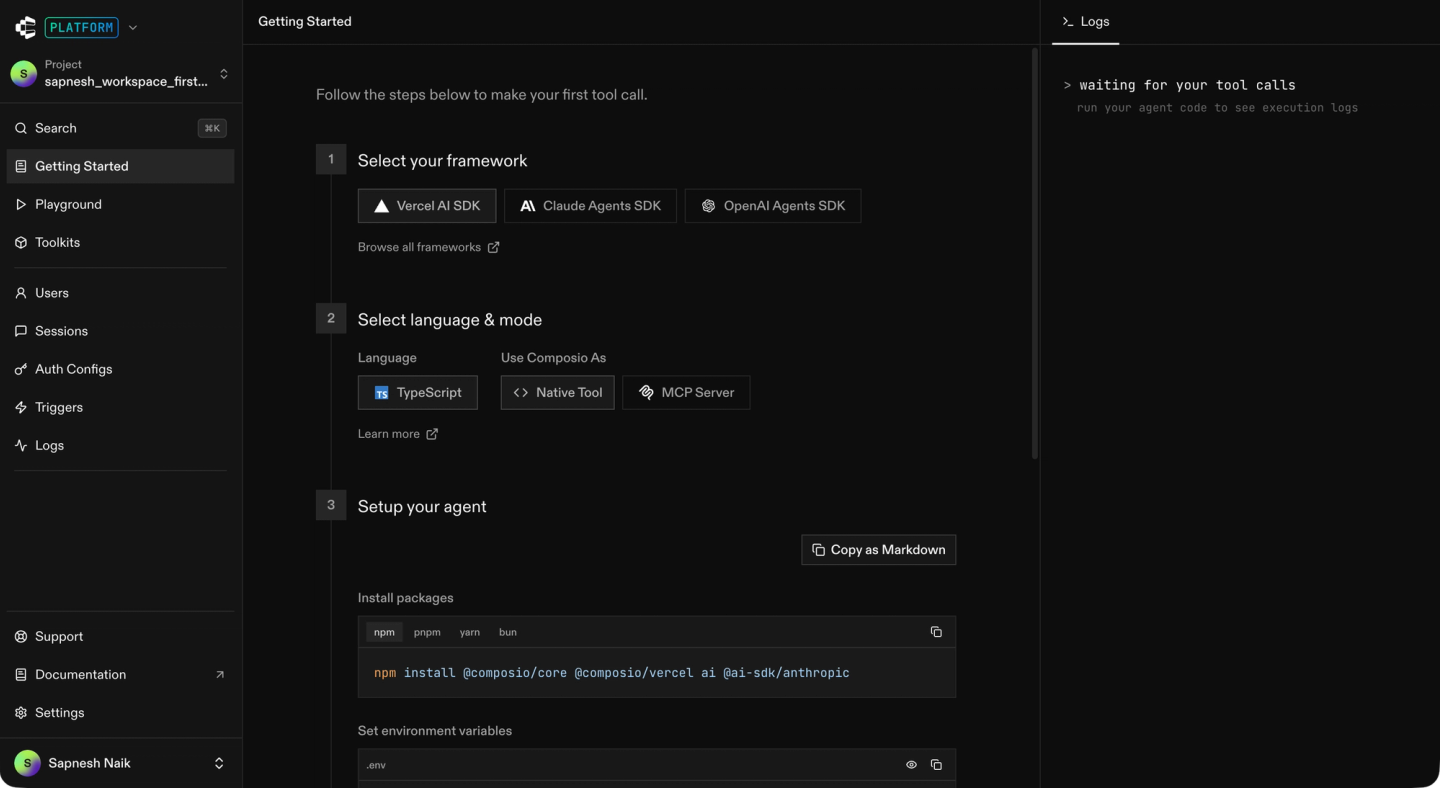
Composio is a managed tool-calling platform for AI agents. It offers a catalog of 1,000+ apps, MIT-licensed Python and TypeScript SDKs with adapters for the popular agent frameworks, and managed per-user auth.
On self-hosting:
Composio’s main GitHub repo contains the SDKs and a CLI, not the platform. The backend that stores credentials and executes tool calls is closed source.
Composio publishes official Helm charts for the platform, but the charts pull closed-source images from a registry tied to an Enterprise license.
Best for
Teams that want a large hosted catalog of agent tools on a managed runtime. A fit if you are prepared to sign an enterprise contract later, when credentials need to move on-prem.
Pros
- Large catalog: 1,000+ apps, with Tool Router routing across the catalog to keep agent context small.
- MIT-licensed SDKs with broad framework support: OpenAI, Anthropic, LangChain, CrewAI, Vercel AI SDK, and others.
- Managed per-user auth: Connected accounts are scoped to your user IDs, with automatic token refresh. SOC 2 Type II and ISO 27001 certified.
Cons
- Closed-source runtime: The credential store and execution services have no public source. A GitHub request for self-serve self-hosting has been open since July 2024, answered only with “part of our paid offering.”
- On-prem deployment difficulty: A customer who moved from Composio to Nango reported that deploying Composio on their own infrastructure was difficult.
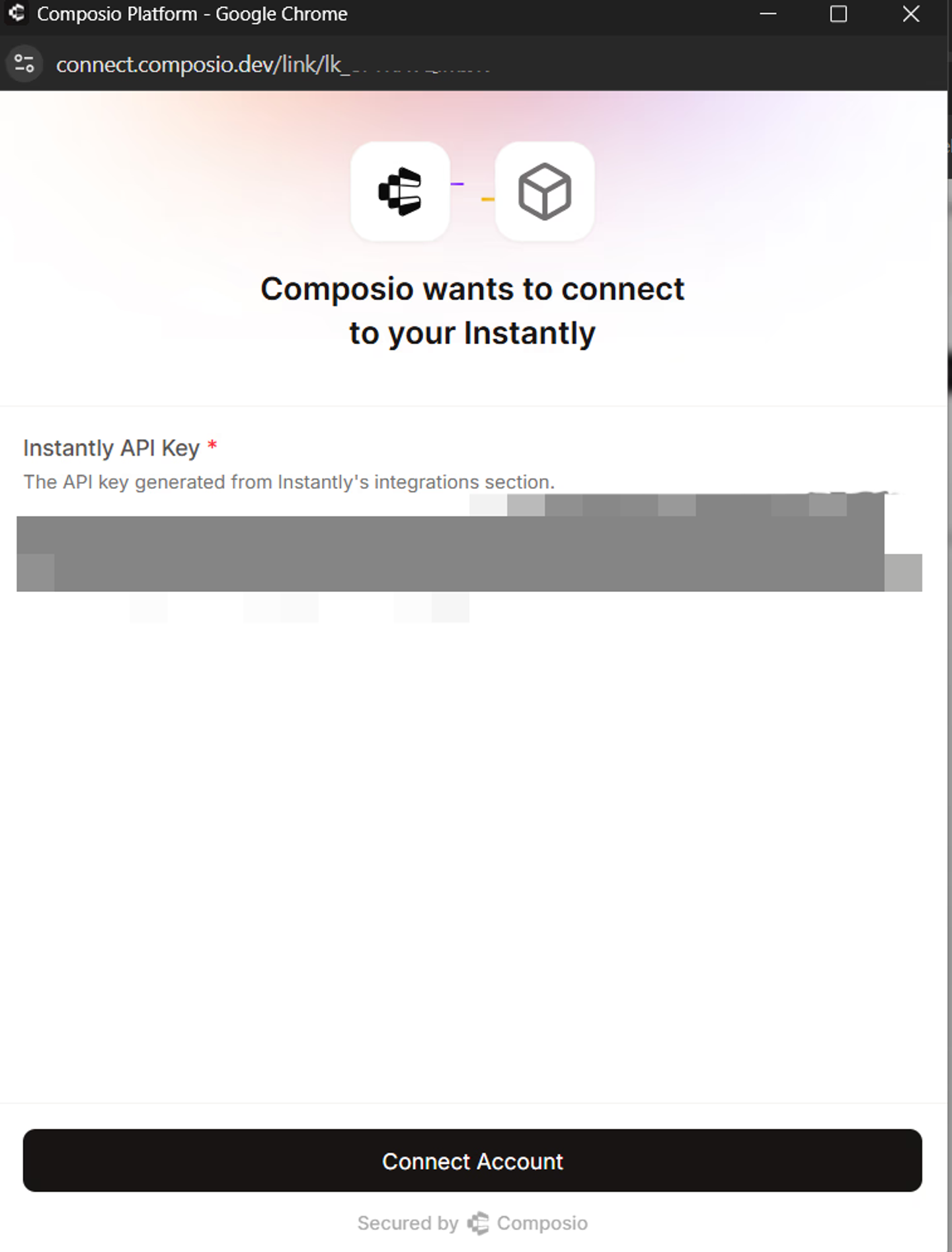
- Credentials always pass through Composio’s cloud on self-serve plans: Even with your own OAuth app, the documented setup registers Composio’s backend callback URL with the provider. Composio’s cloud captures and stores the tokens.
- No data syncs: Triggers exist, but there is no managed sync infrastructure for keeping customer data fresh for RAG.
- No path to deploy your own connectors: Custom tools are marked experimental and run in-process in your own app. Coding agents can consume the catalog but not extend it.
For a detailed comparison, see the Composio vs Nango head-to-head.
3. Paragon
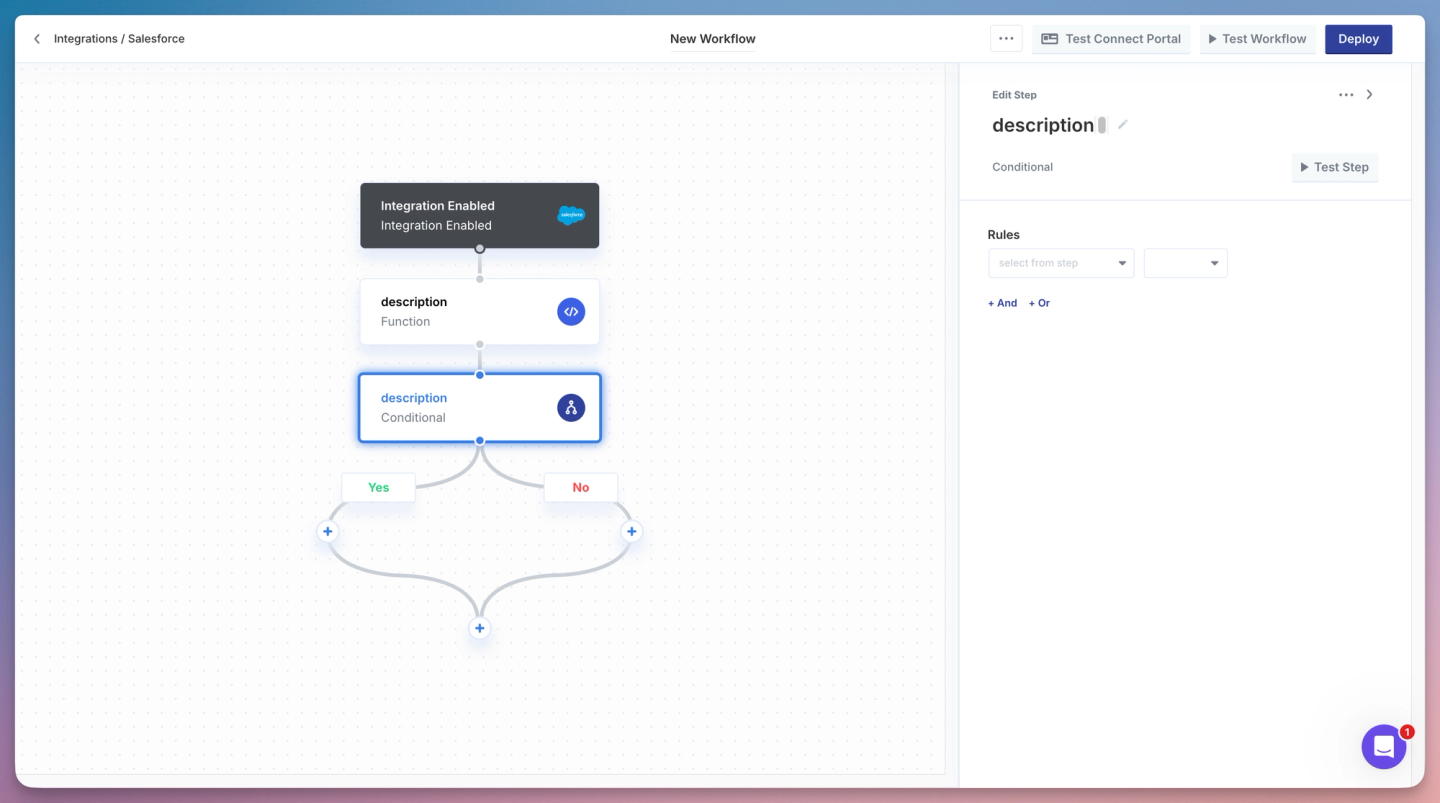
Paragon is an embedded integration platform for B2B SaaS. It combines a white-label Connect Portal, a visual workflow builder, and Managed Sync for data ingestion. It also exposes 1,000+ pre-built actions as tools for AI agents.
On self-hosting:
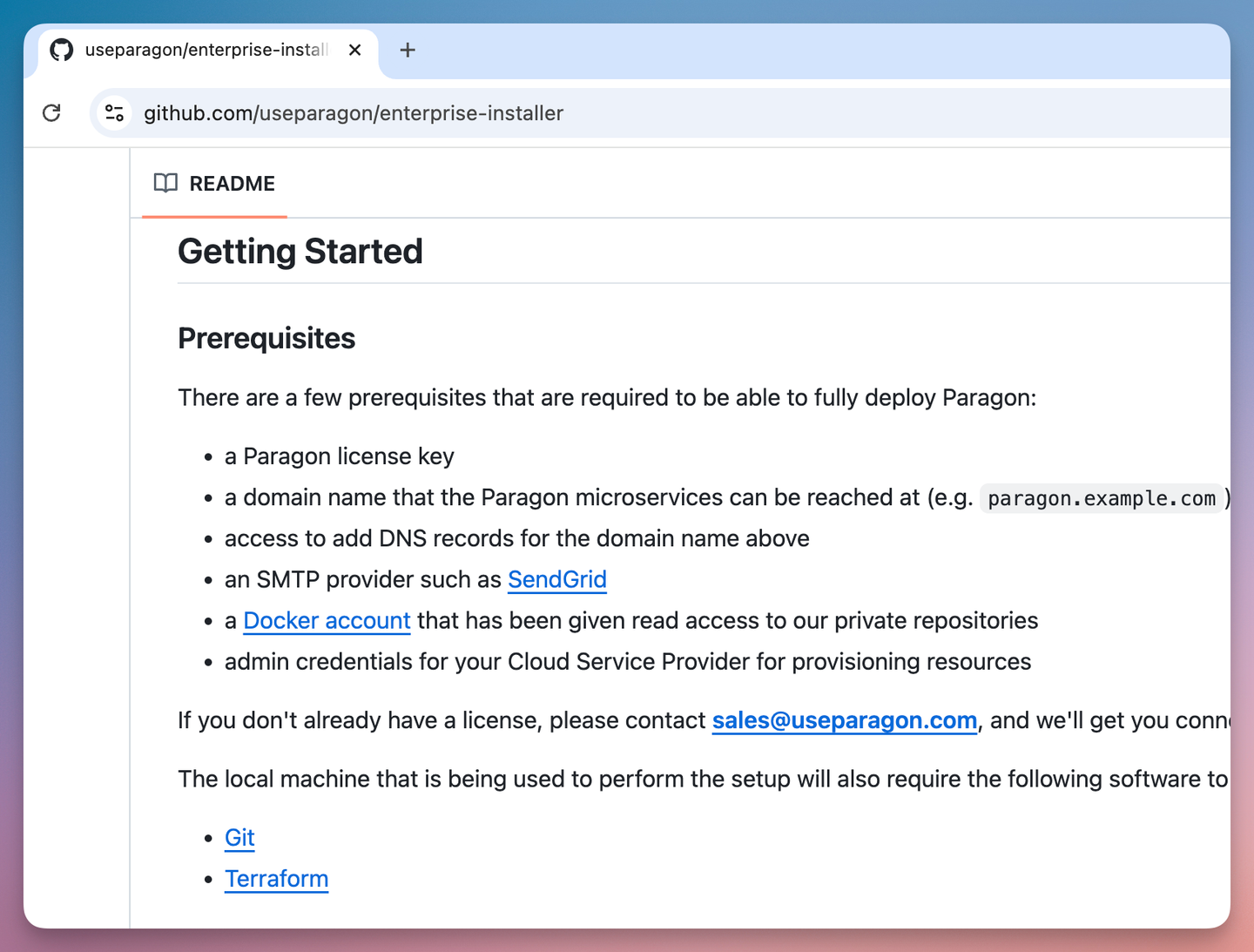
Paragon’s full runtime is self-hostable, which is rare among embedded iPaaS vendors, but it is Enterprise-only. The public installer repo deploys the platform onto Kubernetes in your AWS, GCP, or Azure account with Terraform and Helm. It requires a license key from Paragon’s sales team and a Docker account with read access to Paragon’s private image registries.
Once deployed, the data plane stays local: the docs state the applications never export or sync data outside the installation.
Best for
Enterprise B2B SaaS teams that want an embedded iPaaS with a visual builder and managed data sync, deployed in their own VPC. A fit if you have the budget and DevOps capacity for a quote-based Enterprise deployment.
Pros
- Full runtime in your cloud: Auth, credentials, workflows, and sync run in your cloud, with credentials stored in your own Postgres.
- Managed deployment option: Paragon’s team can operate the stack inside your cloud account. Most of their self-hosted customers use this option.
- Agent tooling on top of the platform: ActionKit exposes pre-built actions and triggers as LLM tools, with an official MCP server. HIPAA support for self-hosted installs was added in January 2026.
Cons
- Enterprise-only and quote-based: There is no free or self-serve way to run the runtime. Nothing boots without a license key.
- Closed source with vendor-controlled installers: You deploy opaque images from private registries. The public Terraform and Helm assets carry no open-source license, and the README warns that modified charts may not be supported.
- Self-hosted installs depend on Paragon’s licensing service: The services contact Paragon’s cloud on bootup and on a periodic cron to verify the license.
- Heavy operational footprint: An unmanaged install runs a Kubernetes cluster, three Postgres databases, Redis clusters, and MinIO, with your team owning monitoring and upgrades.
- Low-code customization only: The catalog is 130+ connectors, and custom work routes through Paragon’s dashboard and low-code tooling. A coding agent cannot extend the platform.
For a detailed comparison, see Paragon vs Nango.
4. Arcade.dev
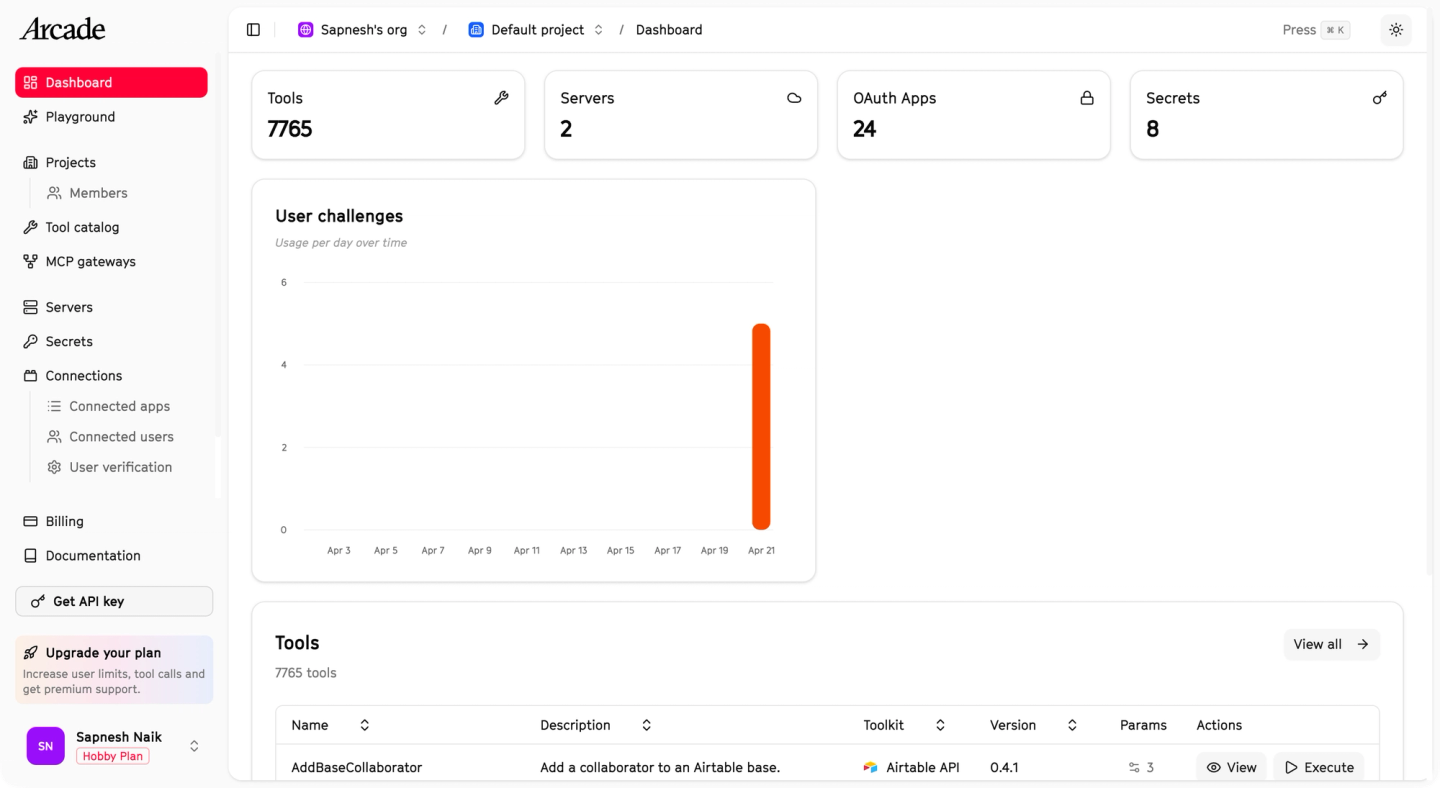
Arcade is an MCP runtime for agent tool calling, built around per-user auth. When a tool call lacks a user grant, the Arcade Engine intercepts it, runs the OAuth flow with the end user, and stores and refreshes the tokens. Credentials never enter the LLM context. The tool-building framework is open source under MIT.
On self-hosting:
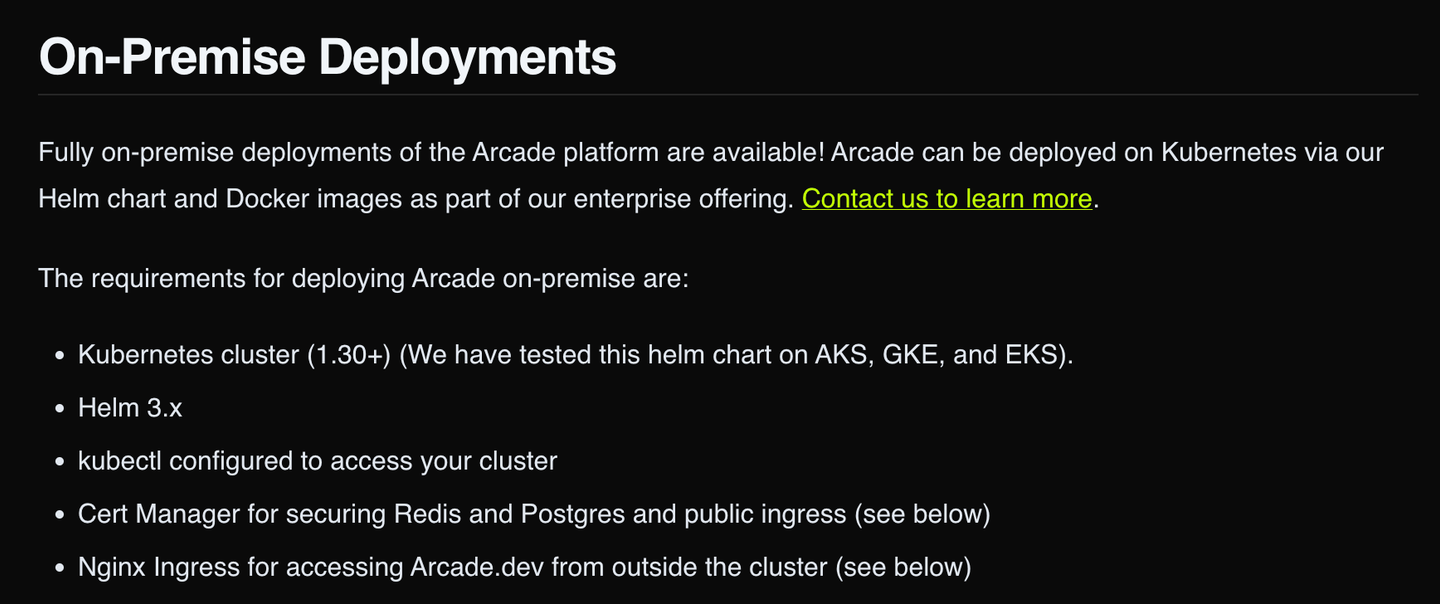
Arcade’s Engine, which holds tokens and routes tool calls, is a closed-source binary with no public repo. Full platform self-hosting exists only as part of the enterprise offering, and the pricing page does not mention self-hosting on any tier.
Best for
Teams building MCP-first agents where per-user authorization is the priority. Best suited if tool calls are your entire scope and you do not need data syncs or webhooks.
Pros
- Per-user OAuth built for agents: Authorization is checked before execution, the user is prompted to grant access, and tokens never enter the model context.
- MCP-native with an open-source framework: Hosted MCP servers, streamable HTTP transport, and an MIT framework for building custom servers, with skills for Claude Code and Cursor that scaffold new tools.
- Co-authored the MCP auth spec: Worked with Anthropic on the MCP secure authorization capability, announced in November 2025.
Cons
- The Engine is closed source: The exact component that stores end-customer credentials and routes authenticated tool calls has no public repository.
- Full self-hosting is enterprise-only: The Helm-based on-prem deployment is sold as part of the enterprise offering, and self-serve install docs were removed in October 2025.
- The non-enterprise “on-prem” pattern is hybrid: Your MCP server must be reachable from Arcade’s cloud Engine over a public URL, and OAuth tokens stay in Arcade Cloud.
- Tool calls only: No data syncs to feed agent context, no webhook ingestion, no scheduled triggers.
- Modest catalog: The registry advertises 154 MCP servers, but only 116 are live as of June 2026, and 42 of the live ones are auto-generated.
Side-by-side comparison
| Capability | Nango | Composio | Paragon | Arcade.dev |
|---|---|---|---|---|
| Free self-hosted edition | Yes (auth + proxy) | No | No | No |
| Full platform on your infra | Enterprise plan | Enterprise plan | Enterprise plan | Enterprise plan |
| Open-source runtime | Yes | No | No | No |
| Credentials on your infra | Yes | Enterprise only | Enterprise only | Enterprise only |
| Coding agents build integrations | Yes (18+ agents) | No | No (low-code only) | Limited (scaffolding) |
| MCP tool calls | Yes | Yes | Yes | Yes |
| Data syncs and triggers | Yes | Triggers only | Yes | No |
| Catalog | 1,000+ APIs, 7,000+ prebuilt actions | 1,000+ apps | 130+ connectors | 116 MCP servers |
| Compliance | SOC 2 Type II, GDPR, HIPAA | SOC 2 Type II, ISO 27001 | SOC 2 Type II, GDPR, HIPAA | Not publicly listed |
| Primary focus | Build + run agentic integrations | Hosted tool catalog | Embedded iPaaS | Tool-calling auth runtime |
Catalog counts use each vendor’s own unit (APIs, apps, connectors, MCP servers) and are not directly comparable.
How to choose
- You want to try self-hosting for free before an enterprise contract: Pick Nango. It is the only platform in this comparison with a free self-hosted edition.
- You need credentials and execution on your own infrastructure, for an app and the AI agents inside it: Pick Nango. It is the only platform here where coding agents build integrations on a runtime you can self-host, and the only one with data syncs and webhooks built in.
- You want a visual workflow builder in your VPC and have an enterprise budget: Paragon, if you accept the closed-source runtime and the license checks against Paragon’s cloud.
- Per-user authorization for MCP tool calling is your hardest problem: Arcade.dev, if tool calls are the only scope.
FAQ
Can you self-host Composio?
Only on the Enterprise plan. Composio publishes official Helm charts on GitHub, but the platform images are closed source and pulled from a registry tied to an enterprise license, and the docs have no self-hosting section. On self-serve plans, all credentials are stored on Composio’s cloud. See the Composio alternatives post for the wider comparison.
Are Prismatic, Pipedream Connect, or Merge self-hostable?
No. Prismatic offers an Enterprise-plan private cloud, but Prismatic’s own team deploys and operates it in your AWS account, and its on-prem agent is a connectivity proxy, not the runtime. Pipedream (acquired by Workday in November 2025) publishes connector components on GitHub while the Connect runtime stays fully managed. Merge runs as managed cloud only.
Can you use n8n or Activepieces for customer-facing product integrations?
Both are built for internal workflow automation, and their licenses reflect that. n8n’s Sustainable Use License limits use to internal business purposes, so embedding it in a customer-facing product requires a separate commercial license. Activepieces has an MIT core, but embedding and white-label features sit in its paid enterprise edition.
What is the difference between self-hosted, open source, and on-premise?
Self-hosted means you run the software on infrastructure you control; on-premise is the stricter subset where it runs in your data center. Open source describes the license, not the deployment. A platform can be open source yet cloud-only in practice, because the published code is just an SDK. Self-hostable software can also be fully closed source, like Paragon. Always check which components the open-source license covers.
What is the best self-hosted integration platform for AI agents?
Nango is the strongest option for AI agents in 2026. It is open source, the free self-hosted edition keeps auth and credentials on your infrastructure, and Enterprise self-hosting runs the full platform (MCP server, tool calls, data syncs, webhooks) in your own cloud with your own encryption key. It is also the only platform in this comparison where coding agents build and test integrations end to end.
Conclusion
Self-hosting rules out most of the API integration market. Many platforms publish an open-source SDK while the credential store and runtime stay on the vendor’s cloud. The rest gate self-hosting behind an enterprise sales process: Paragon’s closed-source runtime needs a quote-based license, and Composio and Arcade.dev reserve full self-hosting for enterprise contracts.
Nango is the broadest option of the four. The platform is open source, and the free self-hosted edition keeps customer credentials on your infrastructure from day one. Enterprise self-hosting runs the complete platform (auth, tool calls, syncs, webhooks, and the MCP server) in your own cloud. Coding agents build the integrations, and the AI agents in your product consume them.
If you want to try the Nango AI builder skill with your favorite coding agent, follow the Nango functions guide to get started.
Related reading
- Best agentic API integrations platform in 2026
- Best API integration platforms to use with Claude Code, Cursor, and Codex
- Best AI agent integration platforms to consider in 2026
- Best Composio alternatives for AI agent integrations in 2026
- The emergence of just-in-time integrations
- How Nango runs untrusted customer code at scale
- A guide to secure AI agent API authentication
- Why AI agents need an integrations platform


