
AI agents need access to external APIs. But simply giving an LLM direct API credentials leads to security risks that most teams underestimate.
The risks are not hypothetical. In August 2025, stolen OAuth tokens from an integration breach exposed customer environments across 700+ organizations. Separately, AI agent prompt injection attacks have achieved over 90% success rates in controlled evaluations.
This guide explains the identity models, permission controls, runtime boundaries, and observability patterns that hold up in production.
API authentication for AI agents vs. SaaS apps
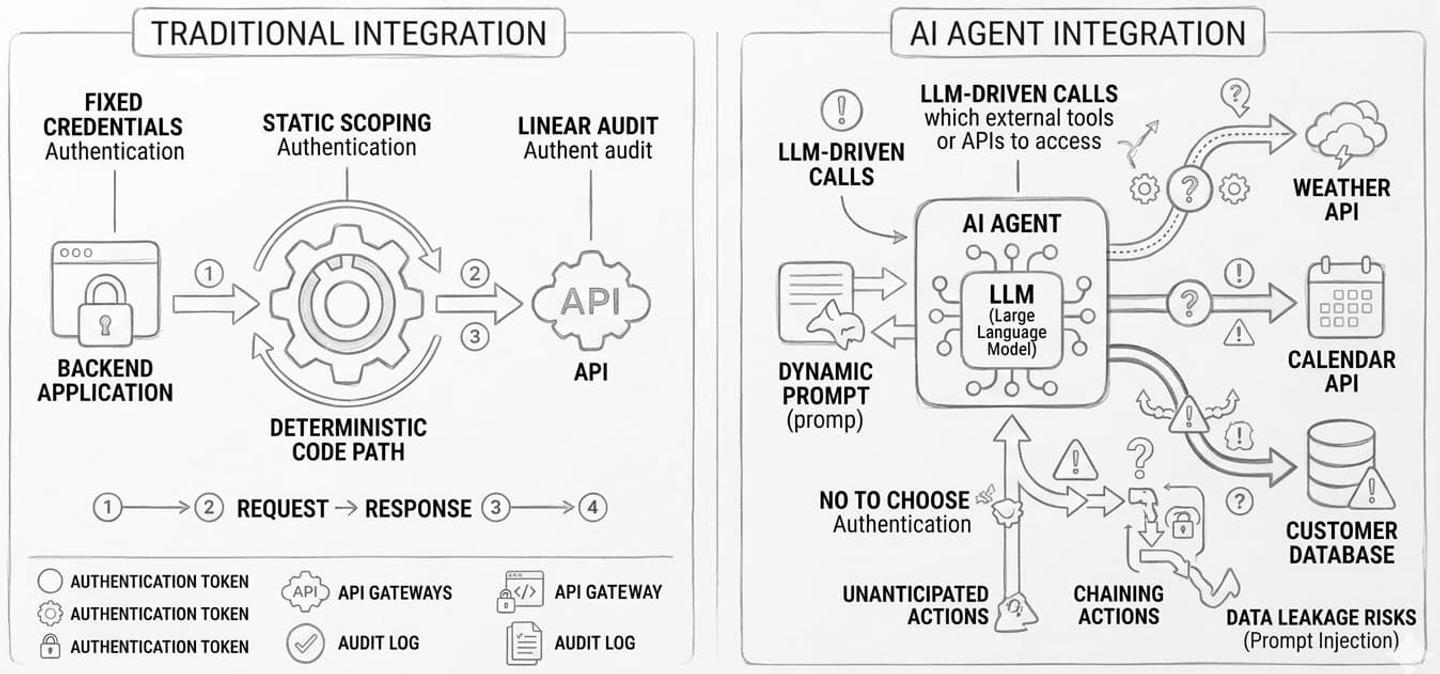
In a traditional SaaS integration, your backend calls an API in a predictable, controlled flow. You decide which endpoint to call, in what order, and with which credentials. The code path is deterministic.
AI agents are different. An agent might call an API you didn’t anticipate, chain actions in an unintended order, or get manipulated by prompt-injected content into leaking data.
You no longer fully control the execution path. This shift means that credential handling, permission scoping, and audit logging all become more difficult.
Common security failures in API integrations for AI agents
- Over-privileged access. The agent has broad access to the APIs and performs actions or retrieves data that the user shouldn’t have access to. This can also happen if you expose generic, pre-built tool calls rather than custom, use-case-based tool calls to your AI agent.
- Credential leakage. A prompt injection attack causes the agent to expose tokens or sensitive data through its output. This typically happens when the agent itself has direct visibility into API credentials.
How to approach secure auth for AI agents
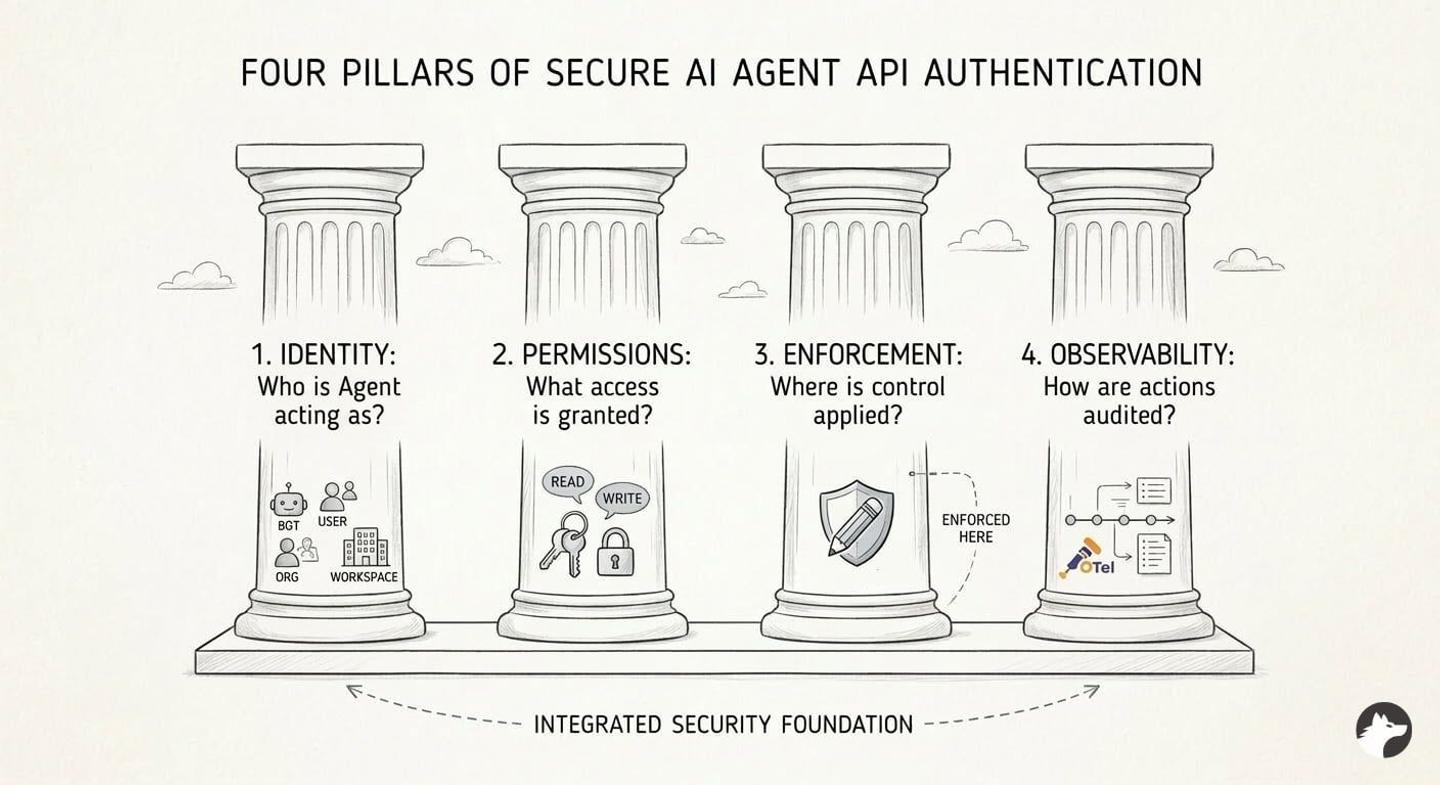
Start by answering these five questions about identity, permissions, enforcement, observability, and runtime containment. These determine whether your agent integration is secure by design or patched after an incident.
Identity: On whose behalf should the agent act?
This is the most important distinction. You have four options, each suited to a different use case:
- The AI agent acts as itself (bot/service identity): best for pure automation where actions should be clearly attributed to a bot, not a human.
- The AI agent acts as a specific user: best when the agent needs to act on behalf of a user with external APIs.
- The AI agent acts under a shared org identity: best for fast initial setup where an admin connects once and all users benefit. You can still restrict what the agent accesses through additional permissions layers on your tools.
- The AI agent is scoped to a project/workspace: best for multi-tenant products where different teams or projects need isolated integration contexts.
The choice also depends on what the external API supports. Some APIs offer bot tokens (Slack, Teams). Others may only support per-user OAuth or JWT.
In practice, you will often need multiple auth types in a single product. An agent might use per-user OAuth for Salesforce (so queries respect each rep’s record visibility), a bot token for Slack (to post notifications as itself), and an API key for an internal analytics warehouse. The choice between user-level and org-level auth drives most of these tradeoffs. On top of that, some API providers like HubSpot and Granola use MCP Auth when integrating with AI agents.
The integration platform you select must be flexible enough to support whichever model each API requires.
Permissions: What should the AI agent have access to?
Permission scoping is where most agent auth implementations go wrong. There are four common patterns:
- Full user permissions: the agent inherits all the user’s permissions.
- Full admin/service-account permissions: the agent operates with elevated access.
- A scoped-down subset: the agent gets only the specific scopes it needs (e.g.,
calendar.readonly). - Context-dependent permissions: permissions change based on the task or workflow the agent is executing.
Start with the narrowest scope that works, and widen only when a use case demands it.
Enforcement: Who enforces permissions?
Use one or both of these approaches to enforce agent-level permissions:
- External API enforces permissions: Pass a user-scoped token and let Salesforce, Google, or Slack enforce access. This is the strongest model, but it requires per-user tokens, meaning every end user must complete an OAuth flow to connect their account.
- Your application enforces permissions: Here, an admin can generate an org-level token with broad access, and you apply your own permissions and roles before the API call. For example, modify the query to add
WHERE region = 'West' and created_by="user". This works with org-level tokens but means you own the enforcement logic entirely.
Note: We covered this topic in depth in our guide on how to preserve user permissions in AI agent API integrations.
MCP authentication does not replace these authorization checks. It authenticates a client to an MCP server, but the tool layer must still enforce which tenant, connection, tool, and arguments the authenticated agent may use.
Observability: How do you audit agent behavior?
When something goes wrong with an AI agent, you need to reconstruct exactly what happened. You need visibility into: which identity/token was used, which tool calls the agent executed, which external API requests were made, what succeeded or failed, and who triggered the workflow.
Two architectural decisions make this significantly easier:
- Use intent-specific custom tool calls: If your agent has 3 purpose-built tools (
get-user-leads,update-deal-stage,log-call-notes), the audit trail is clear. If it has 10 generic CRUD tools and the agent chains them in loops before arriving at a result, debugging becomes much harder. For more on this, see building reliable tool calls for AI agents. - Use a provider that exposes direct API calls: If your integrations provider abstracts multiple APIs into a normalized layer, when something breaks, it will be difficult to determine which exact request parameter caused the issue.
Tip: Make sure your provider also supports OpenTelemetry (OTel) so you can export integration logs alongside your application logs into one observability stack.
Runtime: What limits the impact of a compromised tool call?
Authentication and authorization do not contain every failure. If an agent can run code or fetch arbitrary URLs, isolate the runtime, set CPU and execution-time limits, and deny outbound network access except to the provider hosts its tools require. Reserve human approval for high-impact actions such as deleting records, sending messages, or issuing refunds. As Anthropic found when designing Claude Code’s containment model, routine approval prompts create noise and make reviewers less attentive.
Comparing AI agent authentication methods & models
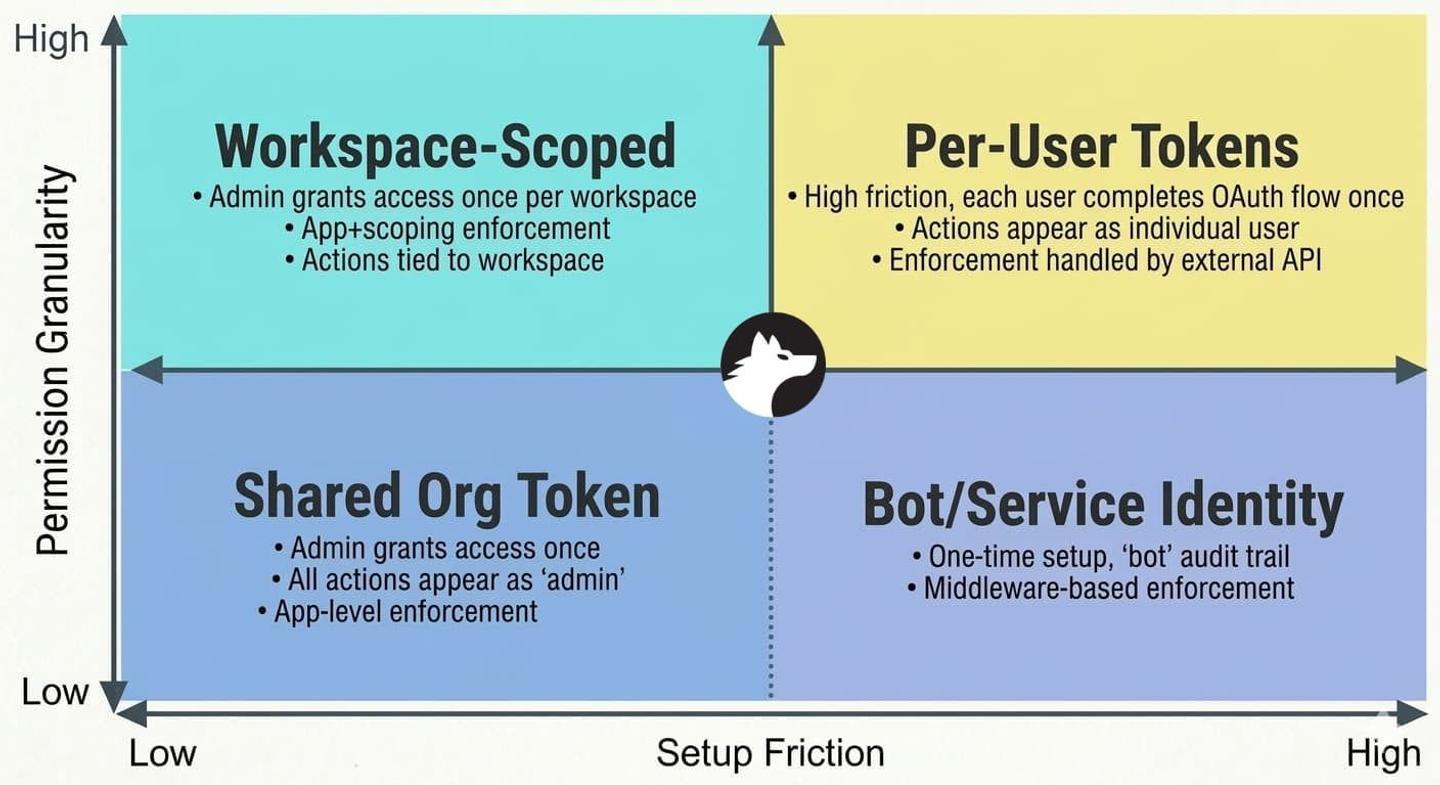
Across hundreds of customer deployments, these are the four main agent identity models we see in production:
| Bot/Service Identity | Per-User Tokens | Shared Org Token | Workspace-Scoped | |
|---|---|---|---|---|
| Credentials | 1 API key or bot token | 1 OAuth token per user | 1 admin token for all | 1 token per workspace |
| User experience | One-time setup by a developer | Each user completes an OAuth flow once | Admin grants access once | Workspace admin grants access once |
| Permission enforcement | Your app/middleware | External API | Your app (required) | Your app + scoping |
| Audit trail | Actions appear as "bot" | Actions appear as user | Actions appear as the authorizing admin | Actions appear as the authorizing admin |
| Onboarding friction | Low | High (every user connects) | Low (admin connects once) | Medium |
| Potential impact if leaked | High (broad access) | Low (single user) | High (org-wide) | Medium (workspace-scoped) |
| Best for | Automation, bots | User-facing features | Systems where adding a custom permissions layer is straightforward | Project-based tools |
It all depends on what the API supports:
You can design the perfect auth model on paper, but the external API ultimately decides what’s possible. Not every API supports every identity model, and most teams integrate with multiple APIs that each have different capabilities.
This is why it pays to think about auth flexibility early. If you hardcode a single pattern, you’ll end up rebuilding whenever the next API integration requires something different. Your integration layer must handle multiple auth models across providers.
Learnings from customer production deployments
We work with hundreds of teams at Nango. Here are the most common mistakes we see teams make with AI agent authentication:
Credential leakage surfaces in unexpected ways:
Teams assume prompt injection is the primary risk. In practice, credentials also leak through verbose error messages, debug logs that include auth headers, or tool outputs that echo request metadata back to the LLM. The fix is structural: the agent should never have access to raw credentials in the first place.
Permissions must be enforced outside the agent:
The agent must not decide its own access. It should not see raw credentials. It should not construct authenticated HTTP requests directly.
// Bad: The agent has direct access to credentials
const response = await fetch('https://api.salesforce.com/data', {
  headers: { Authorization: `Bearer ${rawAccessToken}` }
});
// Good: The agent calls a scoped tool; credentials are injected server-side
const result = await nango.triggerAction(
  'salesforce',
  connectionId,
  'get-user-leads',
  {}
);
The tool layer should hold credentials. When possible, delegate permission enforcement to the external API using user-scoped tokens. See API auth is deeper than it looks.
Do not implement auth from scratch:
Based on our own experience implementing API auth with 1,000+ APIs, we wouldn’t recommend building auth from scratch yourself. OAuth alone has dozens of vendor-specific quirks, token-refresh race conditions, and undocumented behaviors.
How Nango secures AI agent integrations
Nango connects your products and agents to 1,000+ APIs. It provides 10,000+ pre-built tools and covers every integration type: auth, tool calls, triggers, and syncs. You can get started in 10 minutes, then extend infinitely on a platform built for scale.
Managed auth: Choose a token strategy per integration
Nango supports OAuth 2.0, OAuth 1.0a, API keys, basic auth, JWT, custom schemes, and MCP Auth. This lets you choose the most secure token strategy per integration: delegated access for Google, user-level tokens for Slack, or restricted API keys for internal systems.
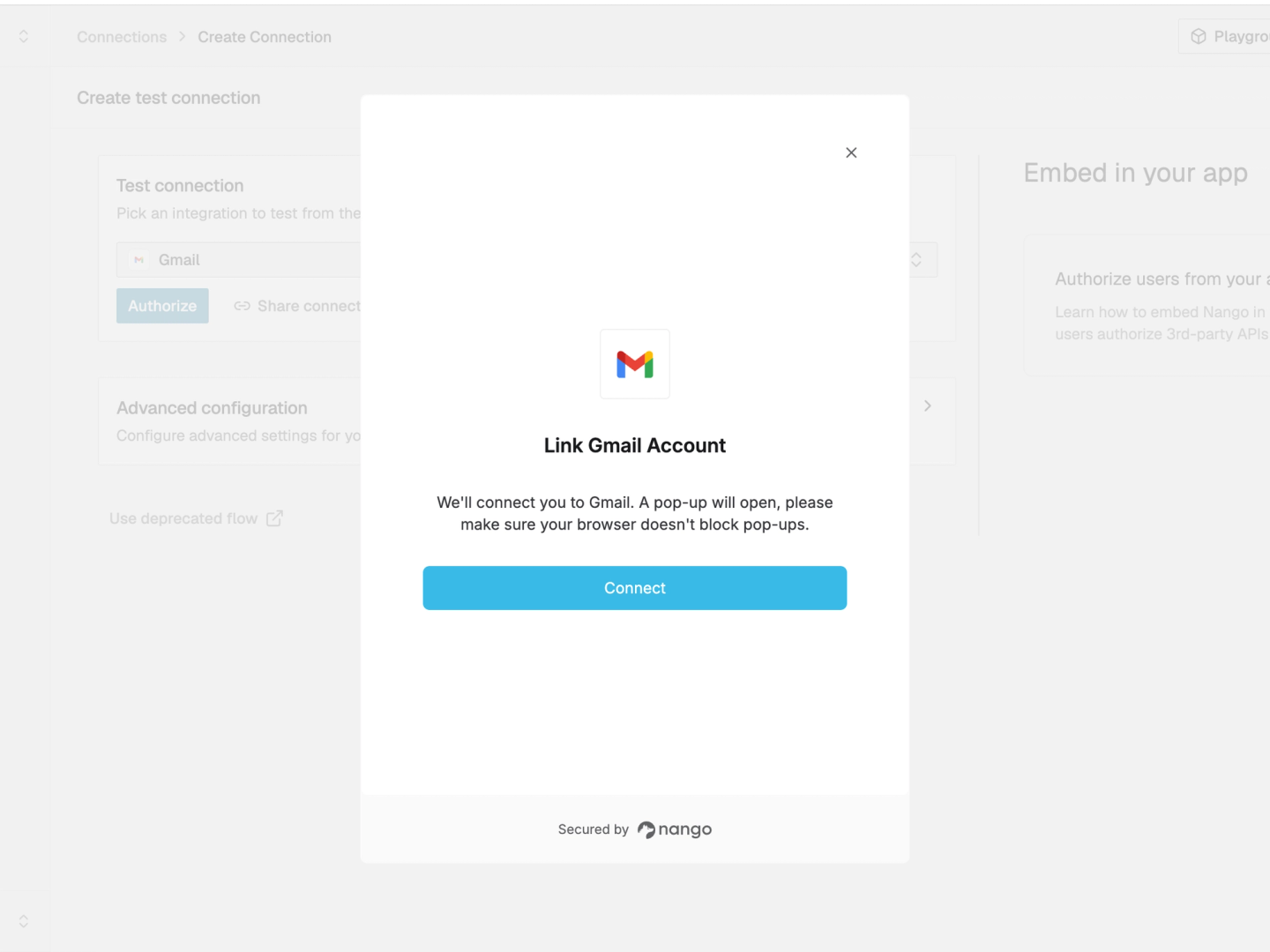
Nango stores and refreshes the credential, then injects it during server-side execution. Your application or agent passes a connection ID when it invokes a tool; the model never needs to see the token.
Agent Sessions: Restrict tenant and tool access
Before exposing integrations to a product-facing agent, your backend can create an Agent Session. The session defines:
- Tenant: which customer and connections the agent can use.
- Toolset: which integrations and operations the agent can call.
- Discovery: whether the agent receives a fixed tool list or searches for tools as needed.
- Lifetime: when access expires or should be revoked.
The agent can use only the tools and connections assigned to that session. Nango resolves the credential during execution, so the agent cannot read it or expand its own scope.
Connections can also be tagged and scoped to users, organizations, bots, projects, workspaces, or another entity in your data model.
Coding-agent workflow: Build custom tools as code
The Nango function builder skill lets Claude Code, Cursor, and Codex customize a pre-built tool or write a new one for any API. The coding agent reads the provider documentation, writes a typed function, tests it against a real connection, and iterates on the resulting API errors. The integration remains code your team can review, version, and deploy through CI/CD.
Use narrow input schemas and fixed provider endpoints so the product-facing agent cannot turn an approved tool into an arbitrary API client. Permission checks and tenant filters should run inside the tool boundary using trusted application or connection metadata, not arguments supplied by the model.
Simplified example:
import { createAction } from 'nango';
import * as z from 'zod';

export default createAction({
  description: 'Create a HubSpot contact',
  version: '1.0.0',
  input: z.object({
    email: z.string().email(),
    firstName: z.string().max(100),
    lastName: z.string().max(100),
  }),
  output: z.object({ id: z.string() }),
  exec: async (nango, input) => {
    const response = await nango.post({
      endpoint: '/crm/v3/objects/contacts',
      data: {
        properties: {
          email: input.email,
          firstname: input.firstName,
          lastname: input.lastName,
        },
      },
    });

    return { id: response.data.id };
  },
});
Provider-level observability: Reconstruct every API call
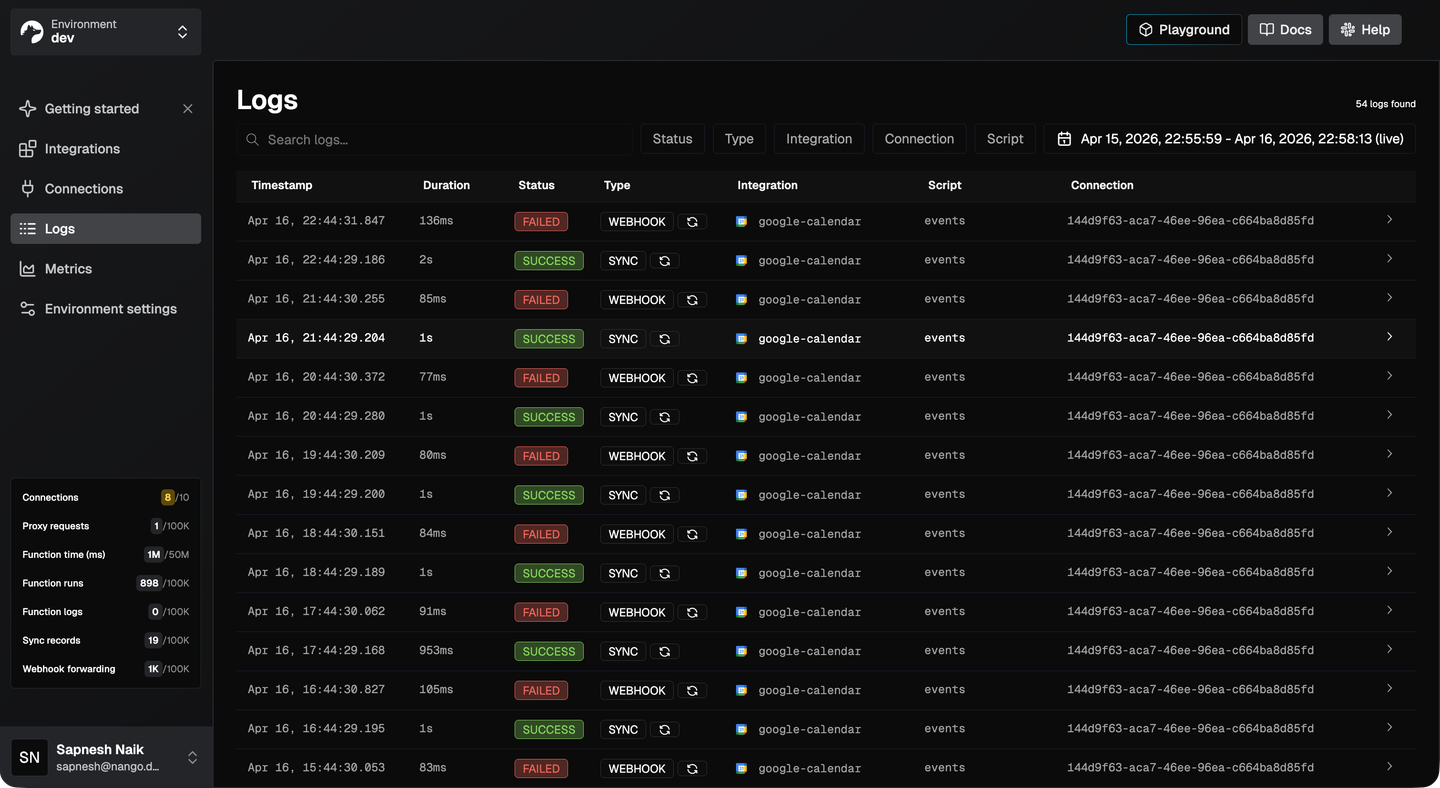
Nango makes 1:1 provider API calls rather than hiding them behind normalized models. Its logs retain the tool execution, connection, provider request, response, and custom log messages. Logs can also be exported through OpenTelemetry for debugging, compliance, and incident response.
Testing agent integrations
Audit logs help explain which API calls an agent made. During development, teams also need to verify how integration changes affect the workflows users see. Shiplight provides a testing layer for AI coding agents, giving them a real browser to check UI changes and turn verified flows into maintained E2E regression tests. For example, a test can check whether a connected account’s data appears correctly in the application. These browser checks complement authentication, permission enforcement, and audit logging.
Conclusion
Secure agent auth is not a single decision, but a set of choices that compound.
Start by answering the five questions about identity, permissions, enforcement, observability, and runtime containment. These determine whether your agent integration is secure by design or patched after an incident.
Pick an auth model that fits both your use case and the API’s constraints, and plan for the fact that different APIs will require different models. Keep credentials out of the agent’s context entirely. Enforce permissions in a layer that the LLM cannot influence. Build observability from day one, not after the first debugging emergency.
Requirements will evolve. Your first enterprise customer will ask for stricter permission enforcement. A new API integration will require a different auth type. The flexibility you build into your auth layer now determines whether those changes take hours or months.
Lastly, don’t reinvent authentication infrastructure. The best AI agent authentication is built on a proven integration layer that already handles it.
Related reading:

