
TL;DR
If you’re using Claude Code, Cursor, or Codex to build API integrations, the integration platform you pick decides how productive your coding agent actually is. The platform should ship a Skill (or harness) that gives your coding agent the context to write, test, and deploy integrations end-to-end. The integrations themselves are then consumed inside your SaaS application, or by AI agents inside your SaaS, through a Model Context Protocol (MCP) server, typed tool calls, webhooks, and data syncs. This post compares the 4 platforms that show up most in 2026 buying conversations: Nango, Arcade.dev, Composio, and Merge Agent Handler.
We rank them on AI coding agent workflow (Skills), MCP support, catalog breadth, runtime, and observability.
- Nango: Agentic API integrations platform with 1,000+ APIs, an AI builder skill for 18+ coding agents (Claude Code, Cursor, Codex, Gemini CLI, OpenCode, and others), a built-in MCP server, OAuth and MCP App Auth, code-first integrations, webhook and data-sync runtimes, and OpenTelemetry export.
- Arcade.dev: MCP-first runtime for tool calling. ~144 MCP servers in the catalog (mix of hand-built “Optimized” and auto-generated “Unoptimized”), per-user permission checks. No coding-agent skill, no data syncs, no webhook processing.
- Composio: Closed-source tool gateway, 500+ apps wrapped behind one MCP URL, framework adapters for LangChain, CrewAI, Autogen, and the OpenAI Agents SDK. Quicker path to “MCP-from-an-SDK,” but no custom triggers, no custom tools on the platform, no data syncs, and limited observability.
- Merge Agent Handler: Separate product from Merge’s unified API. Lets you assemble custom MCP servers from a catalog of ~108 pre-built connectors and group them into Tool Packs. No custom tool calls, no data syncs, no webhooks; falls back to public MCP servers when a connector is missing.
What an API integration platform for AI coding agents actually is
An API integration platform for AI coding agents has two sides. On the build side, it gives a coding agent (Claude Code, Cursor, Codex, Gemini CLI, OpenCode) the context to write, iterate, test, and deploy integrations against real test connections. On the run side, it exposes those finished integrations to your SaaS application, or to the AI agents inside your SaaS, through typed tool calls, an MCP server, webhooks, and data syncs.
Three categories often get lumped together. They are not the same thing.
- Enterprise iPaaS (Workato, Boomi, MuleSoft) is built for IT teams to wire up internal automations through visual builders. It was not designed for coding agents, and its primary user is a business analyst, not an engineer.
- A single-purpose MCP server (Brave Search MCP, Postgres MCP, GitHub MCP) exposes one tool surface to an LLM. Useful, but it does not solve auth, multi-tenancy, or sync infrastructure.
- Raw model APIs (Anthropic, OpenAI) ship the language model. They do not handle the API integration plumbing your agent depends on.
What to look for in an API integration platform for Claude Code, Cursor, and Codex
The platforms in this list are evaluated against the following criteria. The integration platform should provide both halves: Skills for the coding agent that builds the integration, and tool calls, MCP server, webhooks, and syncs for the application that consumes it. Use this as a rubric when you compare any tool in the category.
- AI coding agent workflow (Skills): The platform should ship a Skill or harness that gives Claude Code, Cursor, Codex, Gemini CLI, and OpenCode the context to research an API, write an integration, test it against a real connection, and iterate. This is the build side. Only a code-first platform can enable this. Low-code integration platforms pivoting towards agent integrations cannot provide the same level of native tooling support as code-first integration platforms.
- Custom tool calls (consumable via MCP or REST): The platform should let your team (and your coding agent) create custom tools, not just expose a fixed catalog. Those custom tools should be consumable by the AI agents inside your SaaS through either an MCP server or a REST API, so you can pick the protocol that fits each use case.
- First-class MCP server with strict tool schemas: The platform should ship an MCP server with typed input/output schemas, so the AI agents inside your SaaS do not guess parameters. This is the runtime side. The Skill is for the coding agent doing the build, the MCP is for the agents consuming the result.
- Managed auth across all the auth types you need: OAuth (with PKCE, refresh, token rotation), API keys, JWT, basic auth, and the newer MCP App Auth for agent-driven flows. The platform should manage all of these.
- Code-first integrations vs closed catalog: Integrations should live in your repo, version controlled and reviewable, not locked inside a vendor catalog you cannot inspect or modify. Coding agents like Claude Code/Cursor work much better in a git code repo.
- Real-time triggers and data syncs: Webhooks, polling triggers, and durable data syncs for keeping agent context fresh.
- Catalog breadth and extensibility: Pre-built coverage matters, but so does being able to add a new API the platform does not support today.
- Observability: Per-tool-call request and response logs, custom log messages, and OpenTelemetry export, so a coding agent can read a failure and self-fix.
- Runtime performance and tenant isolation: Sub-100ms tool-call overhead, per-customer isolation, and auto-scaling for webhook bursts.
The 4 best API integration platforms for AI coding agents
1. Nango
Nango is an open-source agentic API integrations platform. Developers use coding agents (Claude Code, Cursor, Codex, Gemini CLI, OpenCode, and 13+ others) to build and maintain integrations using the Nango AI builder skill. Integration patterns such as Actions, Syncs, Webhooks, and Auth UI are defined as code functions. Combined with the AI Skill, coding agents like Claude Code, Cursor, and Codex build and deploy integrations directly on the platform.
The AI agents inside your product call those integrations at runtime through an MCP server, typed tool calls, webhooks, and data syncs. If you have a standard SaaS application, Nango also provides SDKs to integrate auth, actions, syncs, and webhooks in your application.
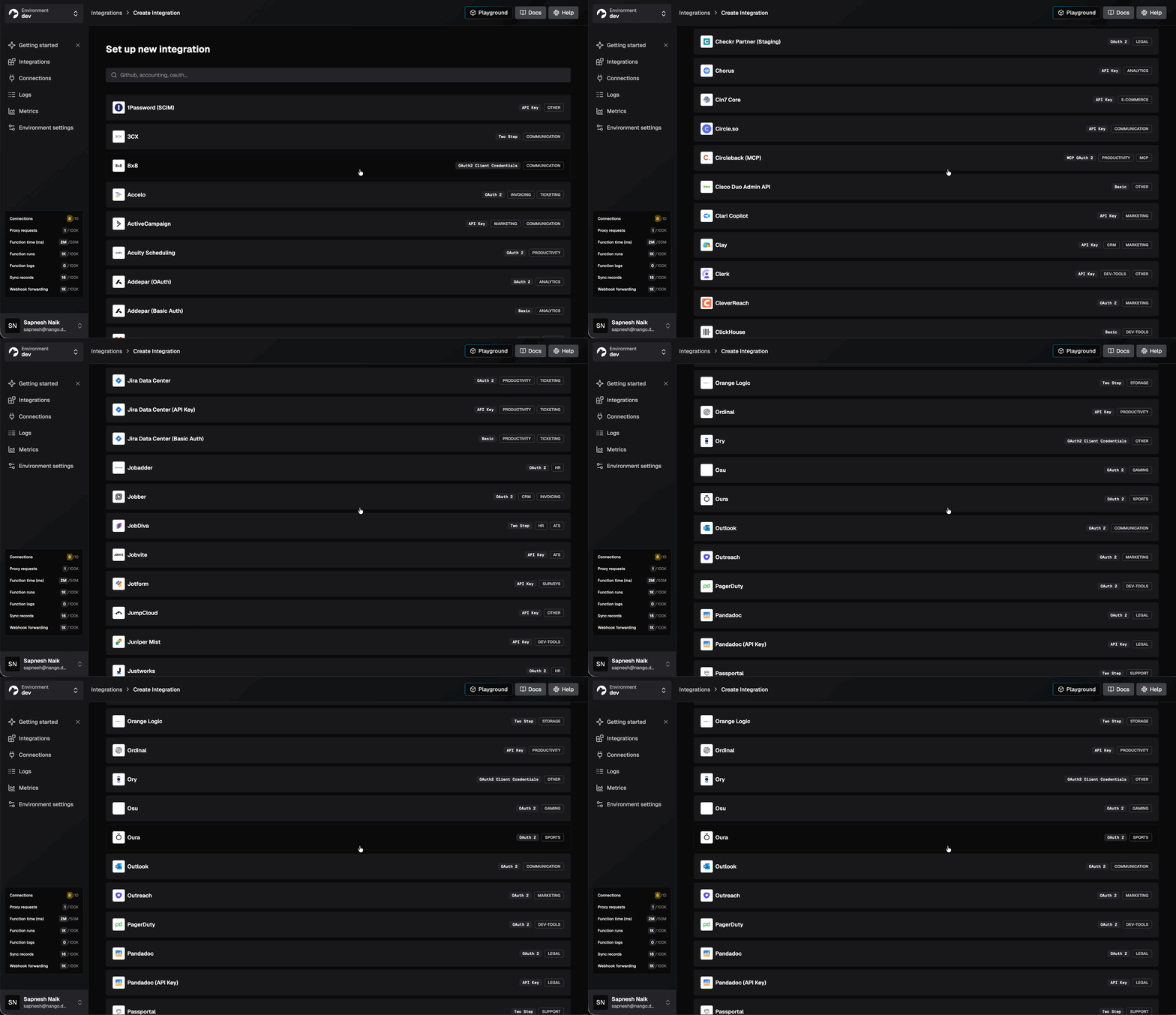
Nango supports 1,000+ APIs out of the box and is used as core infrastructure by hundreds of fast-growing AI companies.
Best for
Teams building production AI agents that want their coding agents to generate integrations, with a runtime that exposes those integrations to the agents inside their product. The platform covers tool calls, MCP, data syncs, webhook processing, and unified APIs, so it fits any pattern you need now or six months from now.
Pros
- AI builder skill for 18+ coding agents: Install with one command and the skill gives your coding agent the context to research an API, write the integration, test it against a real connection, and iterate on real errors. See the walkthrough of building a real-time Google Calendar integration end-to-end.
Tip: Follow the Functions guide for the full setup instructions.
# Install the Nango skills for your coding agent
npx skills add NangoHQ/skills -s building-nango-functions-locally
Then describe the integration you want in plain English. For example:
/building-nango-functions-locally Build a Nango action that creates an event in the user's calendar using the Google Calendar API.

Event details:
1. title: nango-test
2. date: today
The skill handles the rest. The agent researches the API, writes the integration code, runs nango dryrun against a real connection, and iterates on errors until tests pass.

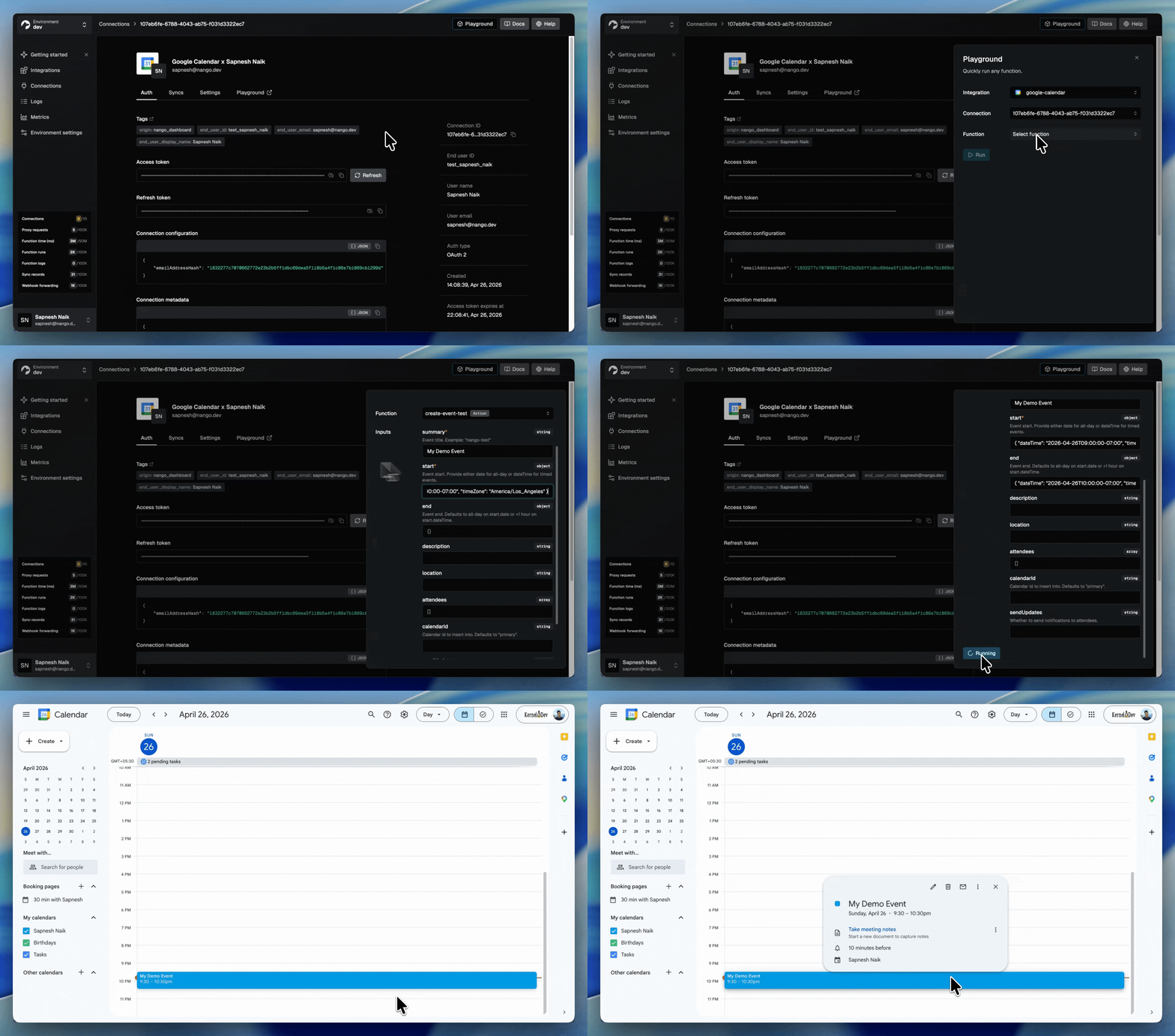
The API integration is then ready to use in your application. You can also test the generated actions and syncs using the Nango playground before integrating them into your application.
- Test generated code against real APIs: Nango’s CLI ships a
nango dryruncommand that executes generated code against a real connection, returns real responses, and lets the agent iterate until tests pass. This closes the loop most coding agents lack when building integrations. - Built-in MCP server and typed tool calls: Every action is exposed as a deterministic tool call through both REST and the MCP server. Strict input/output schemas reduce hallucinations.
- Beyond tool calls, on the same platform: Native data syncs for RAG, webhook processing, polling triggers, per-customer configuration, and an extensible unified API layer.
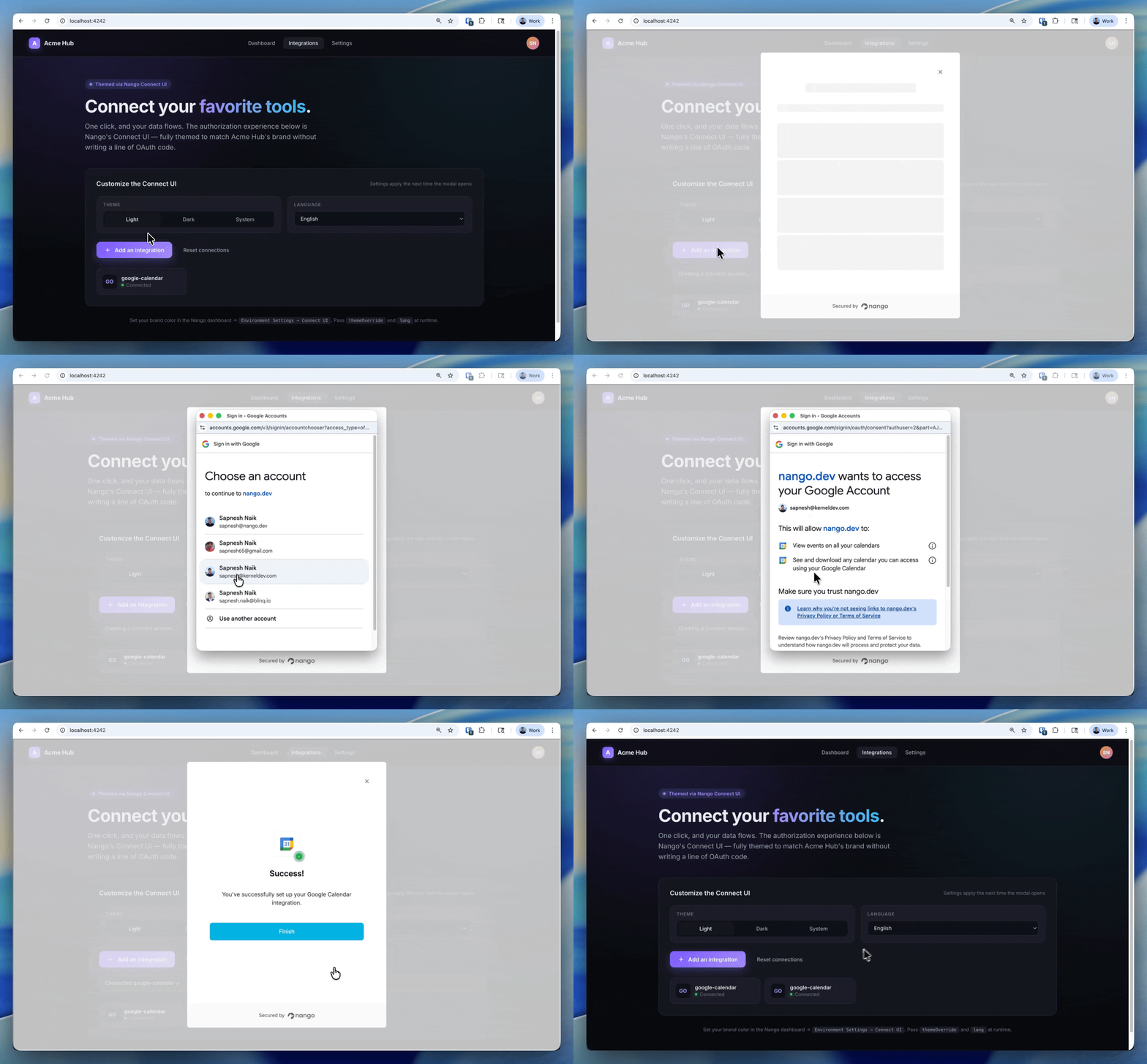
- White-label auth across 1,000+ APIs: A drop-in UI component handles OAuth, API keys, JWT, basic auth, and MCP App Auth. Custom credential validation and token refresh are built in. End users authorize under your brand.
- Low-overhead, tenant-isolated runtime: Tool calls add less than 100ms of overhead. The serverless runtime auto-scales during traffic surges and isolates each customer. Syncs use durable checkpoints to resume across millions of records.
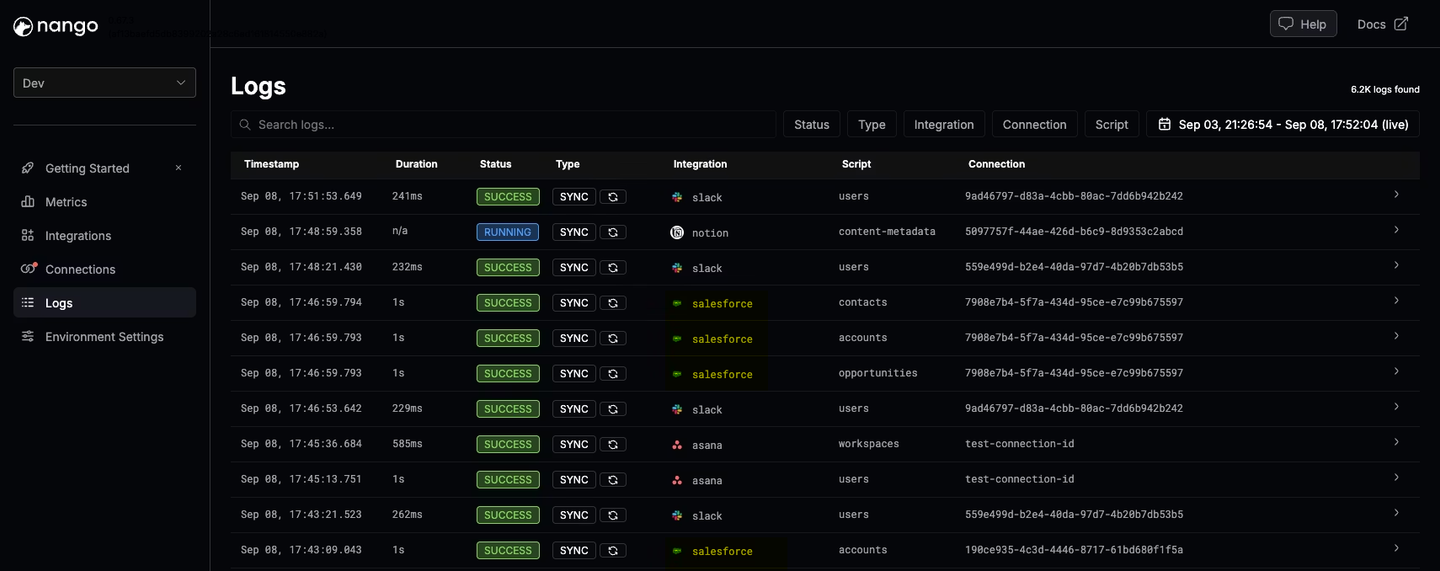
- Real-time observability with OpenTelemetry: Every operation produces structured logs with full request and response details, custom log messages, and full-text search. Logs export through OpenTelemetry, so a coding agent can read a failing run and ship a fix on its own.
- Role-based access control: Control who on your team can edit, deploy, or manage integrations and connections. You can also generate a narrow-scoped API key for use when an agent like Claude or Cursor is generating integrations, which limits the coding agent’s access surface.
- Enterprise compliance and hosting: SOC 2 Type II, GDPR, HIPAA. Self-hosting is available for teams that need full data isolation.
2. Arcade.dev
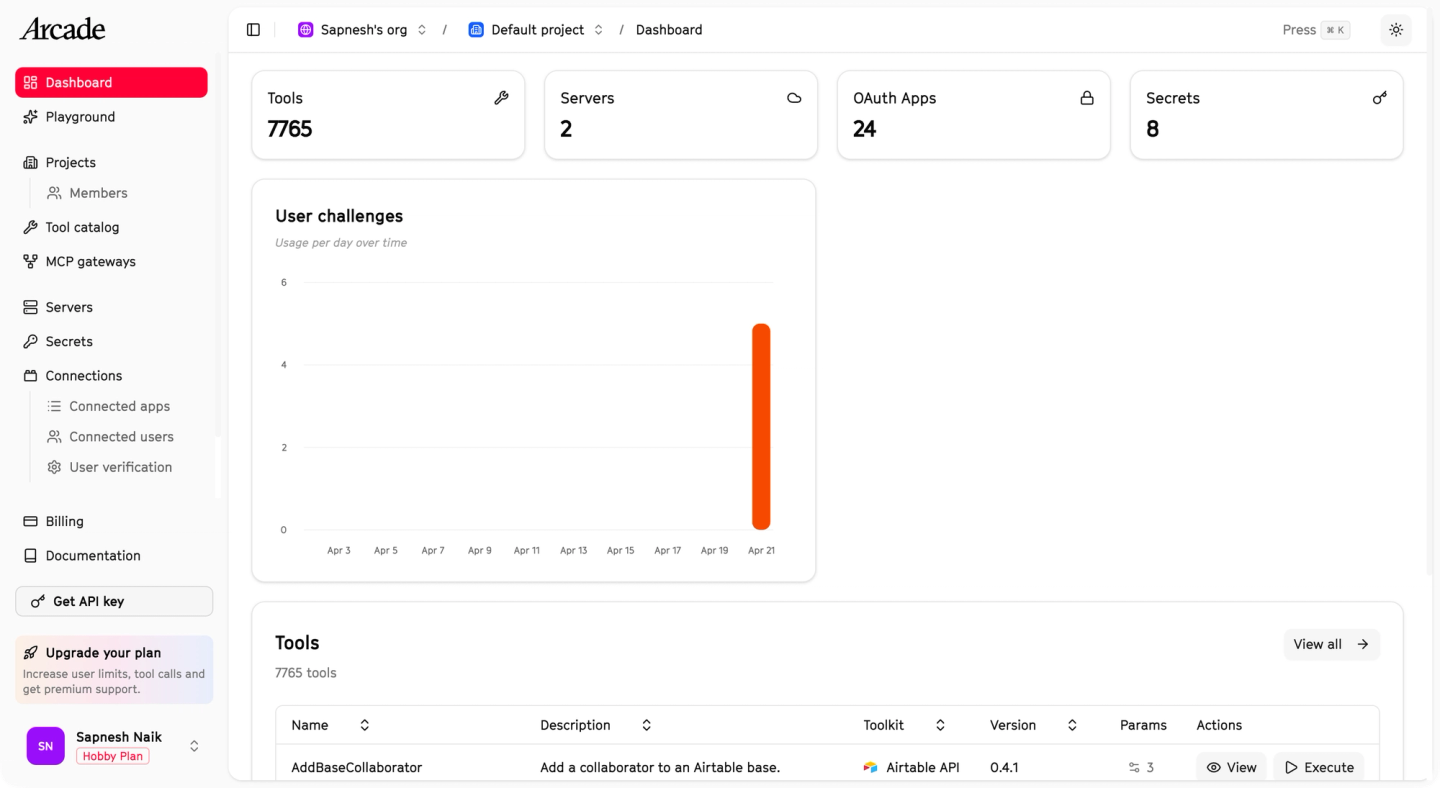
Arcade is an MCP-first runtime for AI agent tool calling. It exposes a tool catalog and an SDK for building custom MCP servers, plus an evaluation framework for scoring agent behavior against scripted scenarios.
Best for
Teams building MCP-first agents focused on tool calling. Best suited if you don’t need broader integration patterns like data syncs or webhooks, or AI coding agent support for development velocity.
Pros
- MCP-native runtime: Every tool call is delivered through MCP, which standardizes how agents discover and invoke tools.
- Per-user permission checks: Arcade verifies end-user permissions before executing a tool call and prompts for additional authorization when needed.
- Custom MCP servers via SDK: Use the Arcade SDK to package and deploy custom MCP servers onto Arcade’s runtime.
Cons
- No coding-agent build workflow: Arcade’s SDK is for human developers writing and packaging MCP servers locally. There is no dedicated skill for Claude Code, Cursor, or Codex, no integrated test loop against a real connection, and no path for a coding agent to author and deploy a tool end-to-end inside Arcade.
- Tool calls only: No data syncs to keep RAG context fresh, no webhook ingestion, no unified-API layer.
- Smaller catalog: ~144 MCP servers across “Optimized” and “Unoptimized” tiers. Quality varies, and community-contributed servers may not be maintained at the same standard.
- No per-customer configuration: Tenant-specific field mappings or custom credential validation are not first-class.
3. Composio
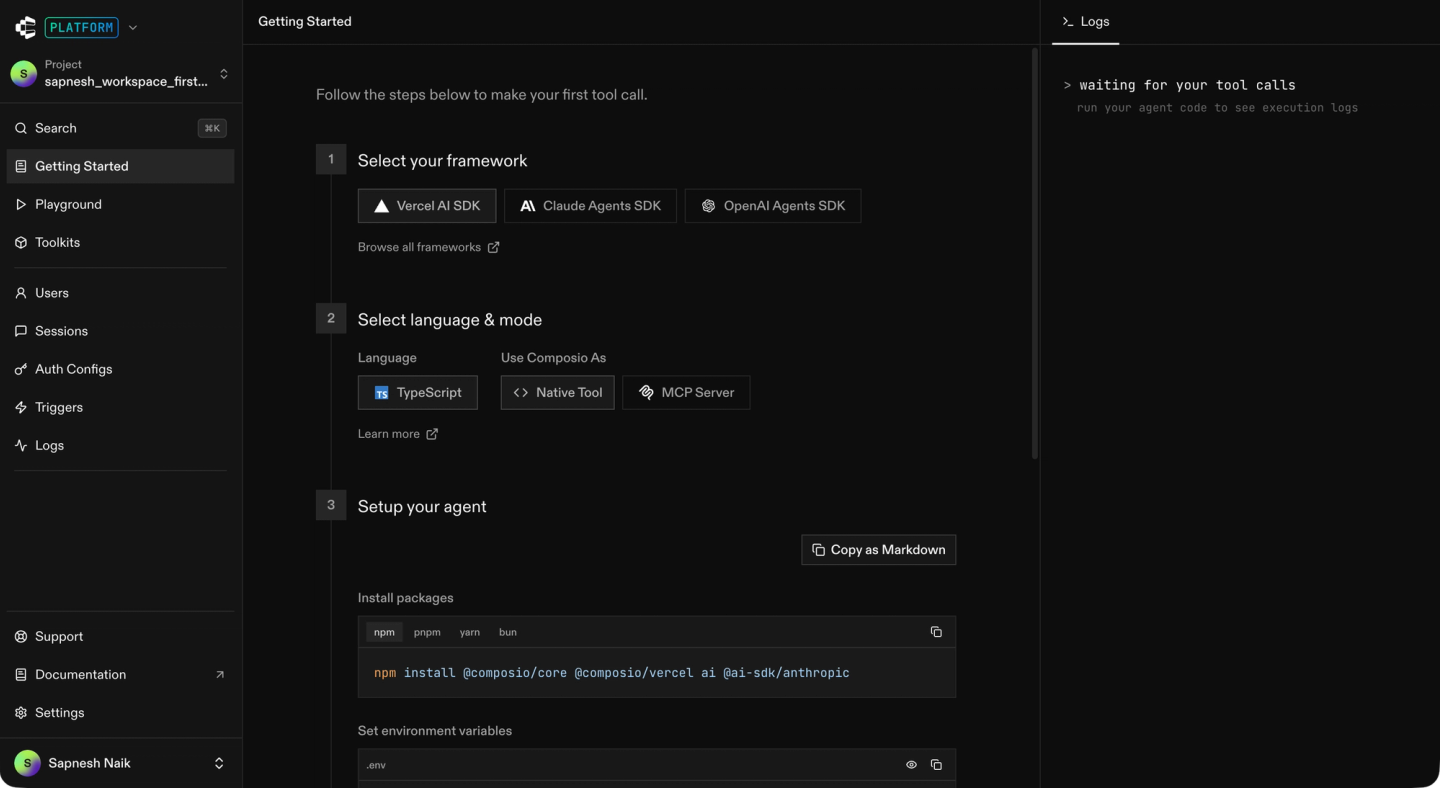
Composio is a developer-facing tool gateway for AI agents. It ships managed auth and a large catalog of pre-built tools, exposed through one MCP URL and through framework adapters for LangChain, CrewAI, Autogen, and the OpenAI Agents SDK.
Best for
Teams that want an MCP server backed by a large pre-built catalog and managed auth, primarily for internal productivity or personal automation agents rather than product teams that need custom tools or triggers.
Pros
- Catalog breadth: 500+ apps accessible through one SDK and one MCP URL.
- Managed authentication: OAuth and API key flows handled across the supported catalog.
- Framework adapters: Native support for LangChain, CrewAI, Autogen, and the OpenAI Agents SDK.
- Compliance: SOC 2 and ISO 27001 certified.
Cons
- Closed-source tools, no custom tools on the platform: You cannot inspect or modify the code of a pre-built tool. You also cannot deploy a tool you wrote (or had a coding agent write) onto Composio’s runtime. If a pre-built tool does not match your needs, you have to build a replacement somewhere else.
- No custom triggers: Composio does not let you define webhook or schedule-based triggers. Event-driven and scheduled work has to live elsewhere.
- Tool calls only: No data syncs, no webhook processing, no per-customer tool configuration.
- No coding-agent build workflow: No dedicated skill for Claude Code, Cursor, or Codex, no real-API test loop, and no repo-level code-generation flow.
- Limited observability: No custom log messages, no full request/response inspection, no OpenTelemetry export.
A customer who moved from Composio to Nango said Composio was slow to add integrations and had declined one of their toolkit requests.
For a deeper read, see our Composio vs Nango head-to-head or the Composio alternatives listicle.
4. Merge Agent Handler
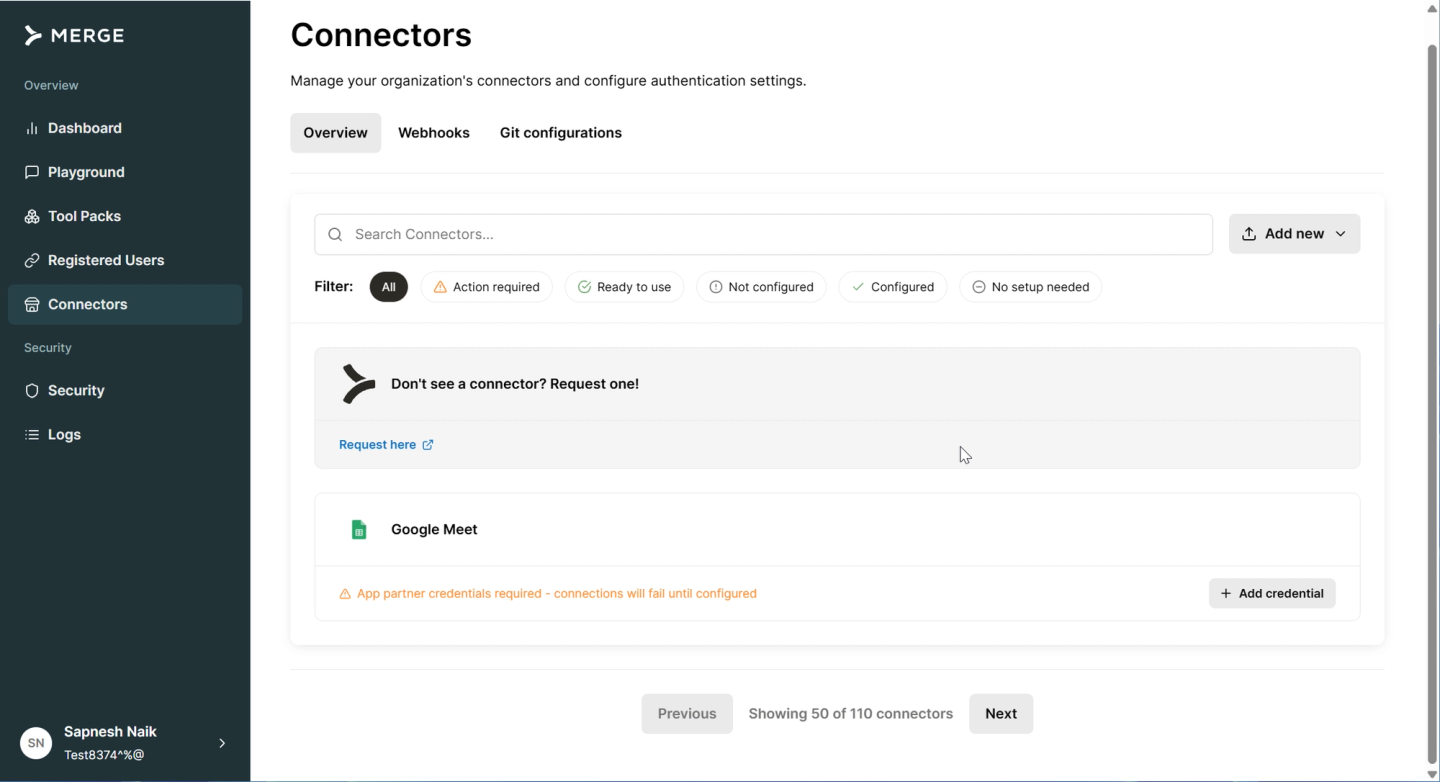
Merge Agent Handler is a separate product from Merge’s traditional unified API. It lets you assemble custom MCP servers from a catalog of pre-built connectors, giving your AI agent a defined set of tool calls. Connector Studio creates and edits connectors; Tool Packs group connectors and tools so a single agent only sees the integrations it needs.
Best for
Teams that want pre-built tool calls for AI agents (for example, fetch tickets from Linear/Jira, create an issue in GitHub, post to Slack). Best suited if you don’t need AI coding agent support for development velocity, custom tool calls, data syncs, or webhook handlers.
Pros
- Pre-built tool calls and connectors: Common SaaS actions work out of the box, with no integration code to write.
- Tool Packs: Bundle the connectors a single agent should access into one MCP server. Useful for narrowing the agent’s context window and restricting the actions it can take, for example a read-only agent that only sees ticketing tools.
- Playground: A testing environment for trying Tool Pack behavior against connected systems before you ship.
- Public MCP server support: Import any public MCP server and tweak tool schemas if a connector you need isn’t in the pre-built catalog.
Cons
- No custom tool calls on the platform: You can’t author your own tool calls; you’re stuck with the pre-built ones. Generic, non-bespoke tool calls also increase context size and risk hallucination because they aren’t tailored to your agent’s specific intent. Custom-field-heavy actions (for example, on Salesforce) are particularly hard with pre-built tools.
- Limited connector catalog: Around 108 connectors today. If the API you need isn’t covered, your only fallback is a public MCP server, and public MCP servers reduce reliability because they expose broad, untailored tool definitions to the LLM.
- No data syncs or webhooks: Merge Agent Handler is tool-call only. RAG pipelines that need continuously updated external data, and agents that need to react to real-time events, require a separate solution.
- No coding-agent build skill: No dedicated workflow for Claude Code, Cursor, or Codex to author integrations for you. Connector Studio is a UI workflow with AI assistance, not a coding-agent harness in your repo.
- Closed source: You cannot fork a connector and modify it the way you can with an open-source tool template.
For more options in the same category, see popular Merge.dev alternatives.
How each platform supports Claude Code, Cursor, and Codex for building integrations
Claude Code, Cursor, and Codex are build-time tools. They live in your IDE, write code, run tests, and ship integrations. The integrations they produce are then consumed by your SaaS application or by the AI agents inside it. So the real question for this comparison is: which platforms ship a Skill or harness that makes a coding agent productive on the build side?
| Platform | Claude Code (build) | Cursor (build) | Codex (build) | Build setup |
|---|---|---|---|---|
| Nango | Yes (AI builder skill, 18+ coding agents supported) | Yes (same skill) | Yes (same skill) | `npx skills add NangoHQ/skills -s building-nango-functions-locally`, then prompt the agent with `/building-nango-functions-locally ...` |
| Arcade.dev | No coding-agent skill | No coding-agent skill | No coding-agent skill | Hand-write MCP servers in the Arcade SDK; no agent-driven build loop |
| Composio | No coding-agent skill | No coding-agent skill | No coding-agent skill | Use the pre-built closed catalog; no path to deploy custom tools authored by your coding agent |
| Merge Agent Handler | No coding-agent skill | No coding-agent skill | No coding-agent skill | Use Connector Studio in the Merge UI; AI-assisted, but not a coding-agent harness in your repo |
Only Nango ships a Skill that lets your coding agent research an API, write the integration, test it against a real connection, and deploy it.
For more on why the agent matters less than the platform, see using AI coding agents for building API integrations.
Side-by-side comparison
| Capability | Nango | Arcade.dev | Composio | Merge Agent Handler |
|---|---|---|---|---|
| Catalog size | 1,000+ APIs | ~144 MCP servers | 500+ apps | ~108 connectors |
| MCP server | Yes (built-in, typed tools) | Yes (MCP-native) | Yes (single gateway URL) | Yes (per Tool Pack) |
| AI builder skill (build-time) | Yes, 18+ coding agents | No | No | No |
| Test against real API in CI | Yes (`nango dryrun`) | Eval framework, no real-API loop for coding agents | No | Playground (UI-based, not CI) |
| OAuth + API keys + JWT + MCP App Auth | Yes | OAuth orchestration for tool calls; no MCP App Auth | OAuth and API keys handled across the catalog; no MCP App Auth | OAuth and API keys handled across the catalog; no MCP App Auth |
| Custom tool calls | Yes (code-first, AI-built) | Yes (hand-written via SDK) | No | No |
| Webhook ingestion | Yes (high-throughput) | No | No | No |
| Data syncs | Yes (durable, incremental) | No | No | No |
| Per-customer configuration | Yes | Limited | No | Limited (Tool Pack rules restrict tool access, not field mappings) |
| Observability | OpenTelemetry, custom logs, full request/response | Basic | Basic | Audit logs over agent tool calls |
| Open source | Yes | Partial (SDK) | No | No |
| Self-hosting | Yes (Enterprise) | VPC / on-prem | Yes (Enterprise) | No |
| Primary focus | Build + run agentic API integrations | MCP runtime for tool calling | MCP gateway with pre-built catalog | Pre-built MCP tool packs for agents |
Choosing the right platform
- If you want a coding agent to build and ship integrations end-to-end, with the same platform serving runtime tool calls, syncs, and webhooks: pick Nango.
- If your agent needs more than tool calls (data syncs for RAG, webhook processing, per-customer config, unified APIs): pick Nango.
- If you only need MCP-based tool calling and don’t care about coding-agent skills, syncs, or webhooks: Arcade.dev is worth a look. Confirm your APIs are in the ~144 catalog or commit to building custom MCP servers in their SDK.
- If you want the fastest path to “agent has access to 500+ apps via MCP” and accept closed-source tools and limited observability: Composio fits. Best for internal productivity or personal automation agents.
- If pre-built tool calls for common SaaS actions (Linear/Jira tickets, GitHub issues, Slack messages) cover your agent’s needs and your APIs are in the ~108-connector catalog: Merge Agent Handler can be an option. Plan around the lack of custom tool calls, data syncs, and webhooks, and the public-MCP fallback when a connector is missing.
- If your agent integrates with a long tail of APIs the closed catalogs don’t cover: pick Nango. Its open-source integration templates and code-first model are designed for the long tail.
- If you need self-hosting: Nango and Composio offer Enterprise self-hosting. Arcade.dev offers VPC/on-prem deployment. Merge Agent Handler is SaaS-only.
FAQ
Which platforms support AI agent integrations and MCP?
The platforms that support AI agent integrations and MCP today are Nango, Arcade.dev, Composio, and Merge Agent Handler. All four ship a hosted MCP server. Nango is the only one of the four that also ships an AI builder skill so a coding agent (Claude Code, Cursor, Codex, Gemini CLI, OpenCode, and 13+ others) can author and deploy new integrations from your repo.
What’s the most scalable MCP for embedded SaaS integrations?
For embedded SaaS integrations (where every customer connects their own account through your product), Nango is the strongest fit. It ships white-label OAuth across 1,000+ APIs, tenant isolation in the runtime, sub-100ms tool-call overhead, and durable data syncs that resume across millions of records. Arcade and Composio are designed more around personal-automation and tool-calling agents than per-customer SaaS integrations.
What tools help consolidate and manage API integrations for AI agents?
An agentic API integrations platform consolidates auth, tool calls, webhooks, and data syncs in one place. Nango covers the full surface (OAuth + MCP App Auth, MCP server, typed tool calls, webhook processing, data syncs, per-customer configuration). Composio consolidates 500+ apps behind one MCP URL but only handles tool calls. Merge Agent Handler bundles ~108 pre-built connectors into custom MCP servers organized as Tool Packs, also tool-call only. Arcade focuses on the MCP runtime for tool calling.
Code-first integration platform vs low-code, which is right for AI agents?
For AI agents, code-first wins on two dimensions. (1) Coding agents already write code; the integration is more reliable when it lives in the same repo, under the same review and CI/CD pipeline, as the rest of your product. (2) AI products that scale past prototype eventually need behavior the low-code builder doesn’t support (custom auth flows, custom triggers, per-customer field mappings). Low-code can be the right call for internal automations built by non-engineers, but for product-facing AI agents, the platform should let your coding agent and your product agent share the same code.
How do I install the AI builder skill in Claude Code, Cursor, or Codex?
For Nango, run npx skills add NangoHQ/skills -s building-nango-functions-locally from your nango-integrations folder. The skill installs once and works across the 18+ supported coding agents, including Claude Code, Cursor, Codex, Gemini CLI, and OpenCode. Restart your coding agent so it loads the new skill, then invoke it with /building-nango-functions-locally followed by a description of the integration you want to build. The skill handles API research, code generation, real-API testing with nango dryrun, and deploy.
Which coding agent is best for building API integrations?
The agent matters less than the platform and the Skill backing it. Claude Code, Cursor, Codex, Gemini CLI, and OpenCode are all capable of building API integrations when given a Skill that encodes the integration patterns and a way to test against real APIs. We compared them across hundreds of integration generations and the differences were small. See using AI coding agents for building API integrations in 2026 for the full breakdown.
Conclusion
The runtime side is no longer the differentiator: every platform here ships an MCP server. The build side is. Nango is the only platform in this comparison that lets your coding agent write a new integration in your repo, test it against a real connection, and deploy it without leaving the IDE, and runs the same code unmodified in a hardened, tenant-isolated runtime where the AI agents in your product call it back. Arcade fits MCP-only tool calling, Composio fits fast access to a closed catalog, and Merge Agent Handler fits pre-built tool-call use cases backed by its ~108-connector catalog. Pick the platform that handles your hardest requirement today, because that is the one your agent will outgrow last.
If you want to try the Nango AI builder skill with your favorite coding agent, follow the Nango functions guide to get started.
Related reading
- Best agentic API integrations platform in 2026
- Best AI agent integration platforms
- Using AI coding agents for building API integrations in 2026
- How to build a Google Sheets API integration with Nango and Codex
- Best unified API platform for AI agents and RAG
- Composio vs Nango: a developer’s comparison for production AI agent integrations
- Best Composio alternatives for AI agent integrations in 2026
- 4 most popular Merge.dev alternatives
- Build reliable tool calls for AI agents integrating with external APIs
- The emergence of just-in-time integrations


