
TL;DR
AI agents interact with external APIs differently from traditional SaaS API integrations. They need auth, custom tool calls, MCP servers, data syncs, webhooks, and triggers unified under a single interface. Custom tool calls matter because they map external API functionality to product-specific use cases and move deterministic logic out of the LLM, reducing hallucination. And when a platform is code-first, AI coding agents like Claude Code or Cursor can build and iterate on these integrations in minutes.
We reviewed Nango, Merge Agent Handler, Pipedream Connect, and Arcade for unified auth, tool-call flexibility, data syncs, webhooks, triggers, and observability. We also cover n8n as a complementary workflow orchestration option for teams that want a visual canvas alongside their integration infrastructure.
Top picks: Unified API platform for AI agents & RAG
- Nango: Best for teams building AI Agents and RAG features that need custom tools, data syncs, webhooks, and auth across 1,000+ APIs. Provides an MCP server and is code-first, with skills to build with AI coding agents.
- Merge Agent Handler: Best for teams building AI Agents with basic, pre-built tool-call requirements. Offers tool-packs and a playground for testing. No data sync support for RAGs.
- Pipedream Connect: Best for teams that want a low-code interface with a large library of pre-built actions and an MCP server per app. No data sync support for RAGs.
- Arcade: Best for lightweight, stateless tool calling with MCP-native auth orchestration. No data sync or webhook support for RAGs.
AI agents do not interact with external APIs the way traditional SaaS integrations do.
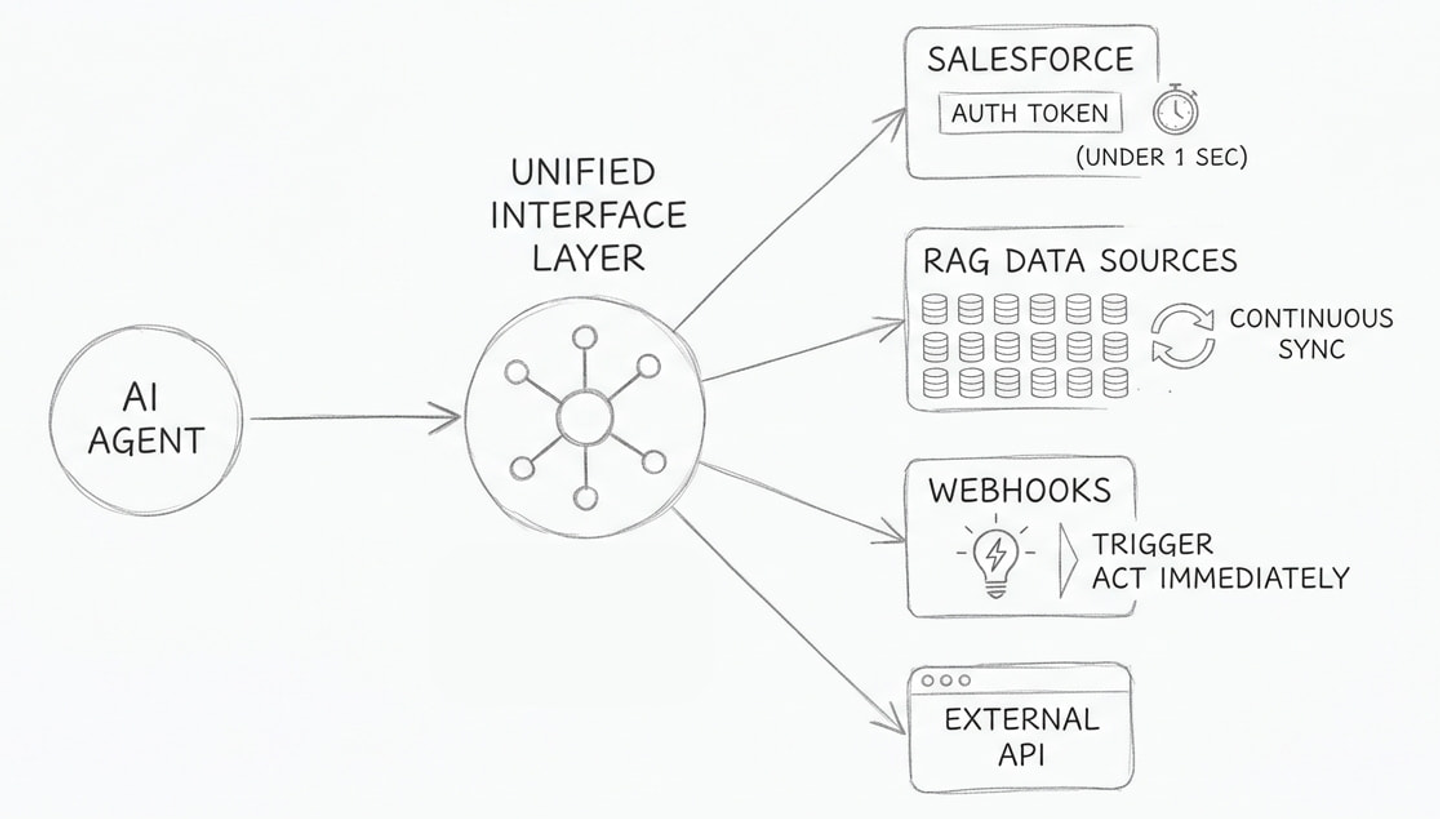
A SaaS product might sync CRM contacts once an hour. An AI agent needs to call a Salesforce endpoint mid-conversation, with the right auth token, the right fields, and a deterministic response, in under a second. A RAG pipeline needs continuously updated data from dozens of sources. An event in Salesforce should trigger your agent to act immediately.
These requirements demand a unified technical interface: one way to handle auth, one way to define and execute tool calls, one way to sync data, and one way to process webhooks. All from a single vendor.
This is also where AI coding agents (Claude Code, Cursor, Copilot, Windsurf, etc.) bring value. When your integration platform is code-first, you can use these coding agents to build and iterate on customized tool calls, data syncs, and webhook handlers in minutes instead of days. The overhead of building custom integrations drops significantly.
In this article, we evaluate four platforms that provide a unified API integrations layer for AI agents and RAG pipelines, then look at how n8n can orchestrate workflows on top of that layer.
What “Unified API” means for AI agents
Since AI Agents and RAGs are built into your existing SaaS products and integrate with tens of external APIs, it is important that API authentication, tool-call execution, data syncs, and webhook handling are unified to ensure a seamless user experience.
Note: When we say “unified,” we do not mean a traditional unified API that normalizes data across similar providers (for example, a single GET /contacts schema for Salesforce, HubSpot, and Pipedrive). Normalized schemas are less relevant for AI agents because LLMs are good at interpolating context. They can usually interpret what an external API returns, even when field names differ or have slightly different meanings across providers. For the distinction between pre-built unified APIs and extensible integration platforms, see how Nango differs from embedded iPaaS and unified APIs.
AI agents typically need:
- Unified auth: One interface to handle OAuth 2.0, API keys, JWT, MCP Auth, basic auth, and token refresh across all connected APIs. Token refresh can introduce race conditions if not handled correctly. This is harder than it sounds.
- Custom tool calls: A framework to define tools that map external API functionality to your product’s specific use cases. Custom tool calls move deterministic logic out of the LLM and into code, which improves reliability and reduces hallucination.
- Data syncs for RAG: Scheduled or on-demand syncs that keep your RAG database current with external data, including pagination, incremental updates, and deduplication.
- Webhooks and triggers: The ability to receive external events in real time or create a polling trigger to periodically check the API for updates and route them to your AI Agent or RAG pipeline.
- Observability: Structured logs for every API request, tool call, and sync run. Better if you can integrate using OpenTelemetry.
A platform that provides all of these through a single interface is a unified API for AI agents.
Best unified API platforms for AI agents
Nango
Overview
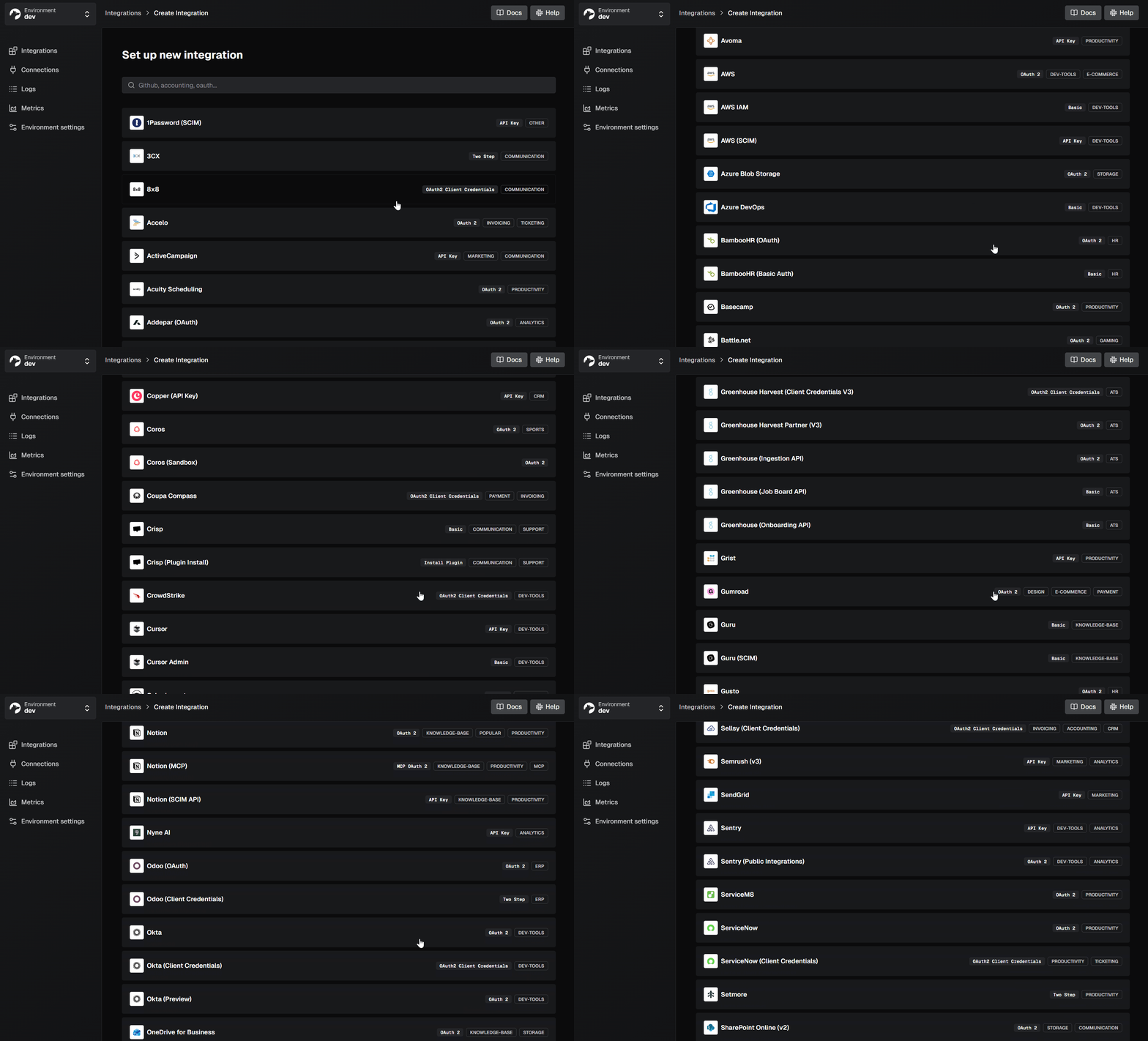
Nango connects AI agents and products to 1,000+ APIs with 7,000+ prebuilt tools. It covers every integration type your agent needs: auth, tool calls, triggers, and syncs. You can get started in about 10 minutes with a prebuilt tool, then extend it on a platform built for scale.
Nango is also open-source and used by more than 500 customers, including ServiceNow, Smartsheet, Replit, and Mercor.
Best for
Teams building AI agents or RAG pipelines that need custom tool calls, continuous data syncs, real-time webhook processing, and auth for a wide range of external APIs.
Pros
- Wide API support and pre-built tools catalog: 1,000+ APIs across 30 categories with pre-built auth (OAuth, API keys, JWT, basic auth) and 7,000+ tools. Nango also supports the new and upcoming MCP App Auth for external APIs that support it.
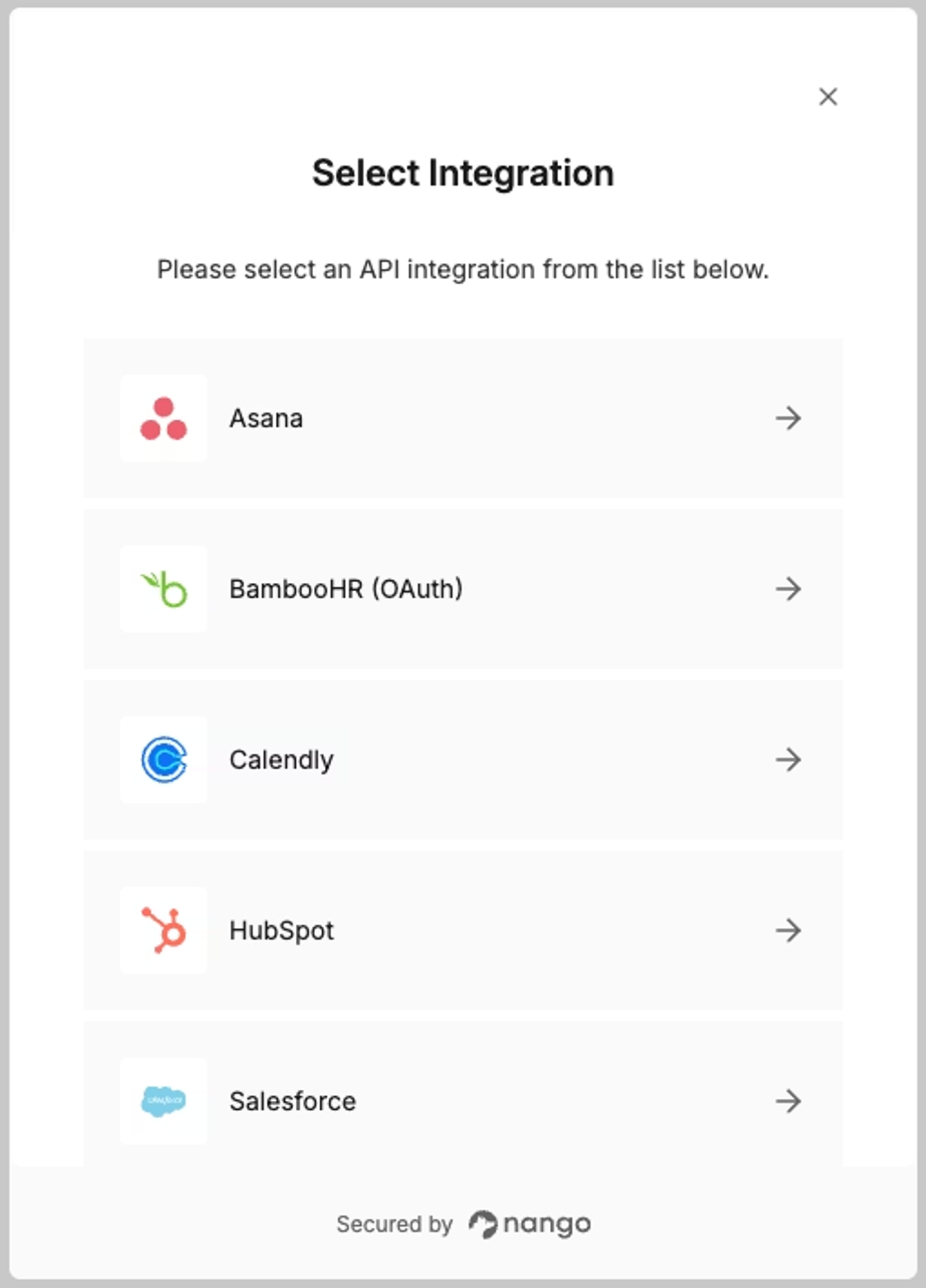
Tip: You can contribute support for new APIs or ask the Nango team to add them.
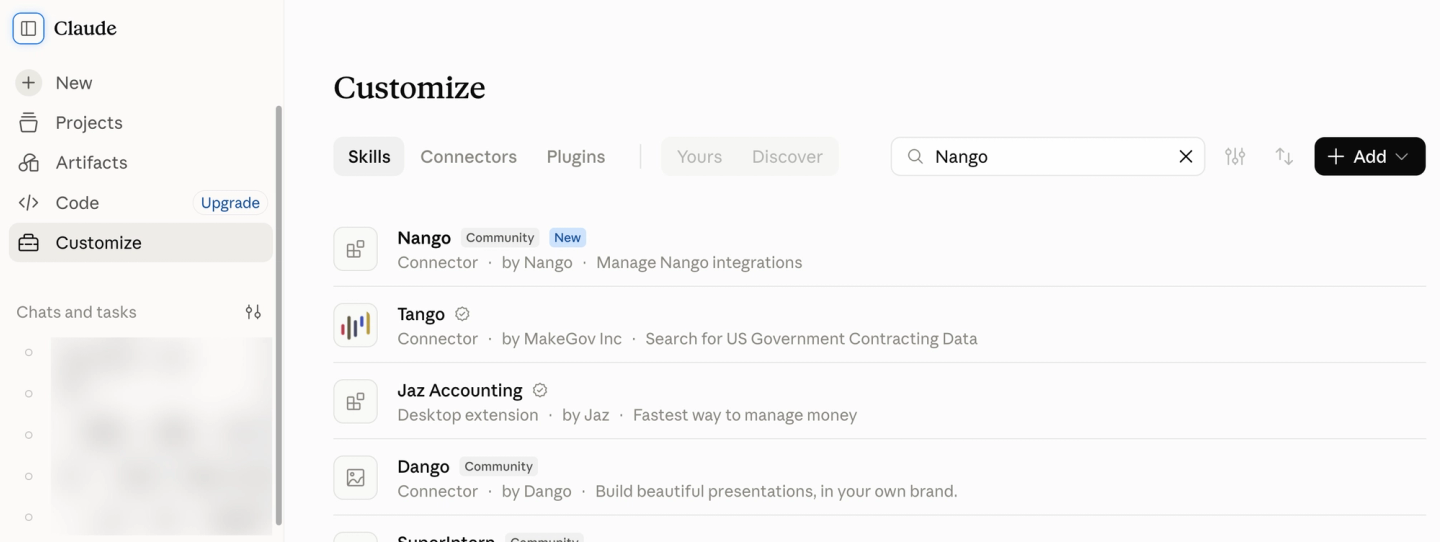
- Customization and control: You can extend and customize any of the 7,000+ pre-built tools using coding agents with Nango skills. Install the Management MCP so agents like Claude, Codex, and Cursor can configure integrations, call APIs, trigger syncs, and deploy custom functions for you. You can also customize tools/syncs per customer/connection.
- Secure tool access for agents: Nango exposes integrations optimized for your agents via agent sessions. Agent sessions let your agent call tools across all your integrations, with built-in tool search so large toolsets don’t clog its context.
- **Data syncs (imports) for RAG: **Syncs are a first-class primitive in Nango. Define what to fetch and how often. Nango handles pagination, incremental updates, change detection, and deduplication. Your RAG pipeline stays up to date with scheduled or on-demand syncs. Nango also supports 2-way syncs.
- **Webhooks & Triggers: **Receive and handle webhooks from supported external APIs in real time (for example, “a deal was closed in Salesforce”) or create a polling trigger to periodically check for API updates.
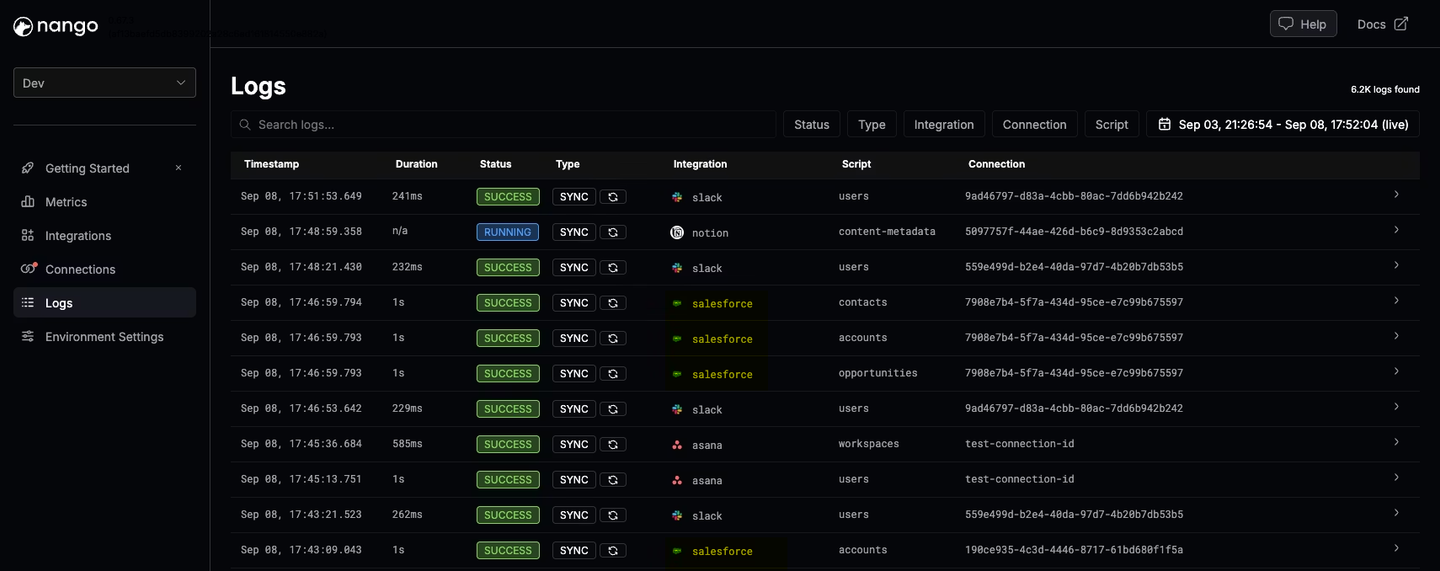
- Logging and observability: Every external API request produces detailed logs. Export traces to any OpenTelemetry receiver. And add custom log messages from your integration code.
- Security: SOC 2 Type II, GDPR, and HIPAA compliant. Tenant isolation, encrypted credential storage, bring-your-own-cloud (BYOC) deployment and self-hosting options.
Merge Agent Handler
Overview
Merge Agent Handler is a separate product from Merge’s traditional unified API. It lets you create custom MCP servers with specific Merge integrations enabled, giving your AI agent a defined set of capabilities. It launched in October 2025.
Best for
Teams with basic Agent integration requirements that want pre-built tool calls for common SaaS actions (for example, fetch tickets from Linear/Jira, create an issue in GitHub) without writing custom integration code.
Pros
- Pre-built tool calls and connectors: Pre-built tool calls for common SaaS platforms. Good for teams that need standard actions out of the box.
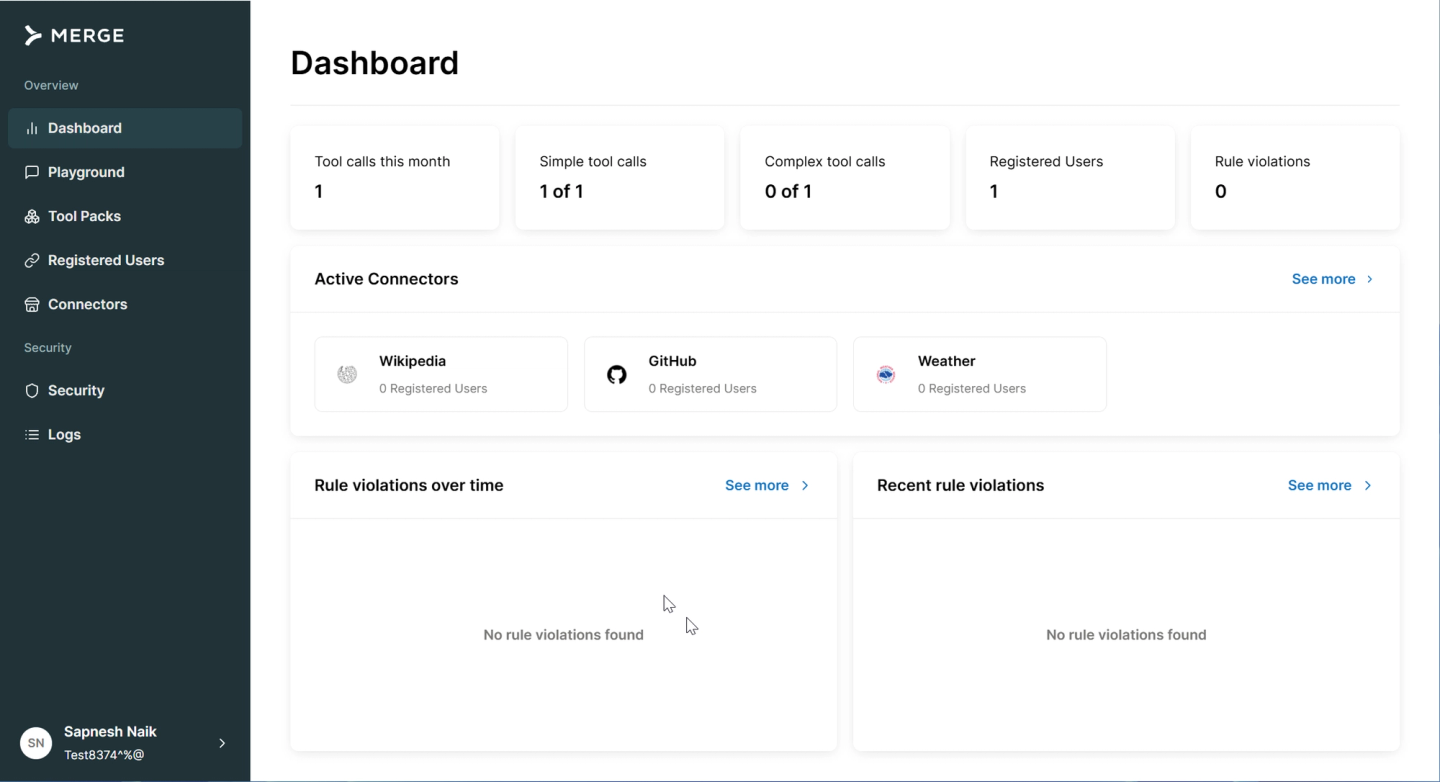
- Tool-packs: Bundle relevant integrations for a specific agent. This lets you restrict the available pre-built tool calls for a specific MCP server. For example, you can create a read-only agent that only has access to ticketing tools.
- Playground: A testing environment to try out and validate MCP behavior before deploying to production.
- Public MCP server support: Import any public MCP server and edit tool schemas to fit your use case.
Cons
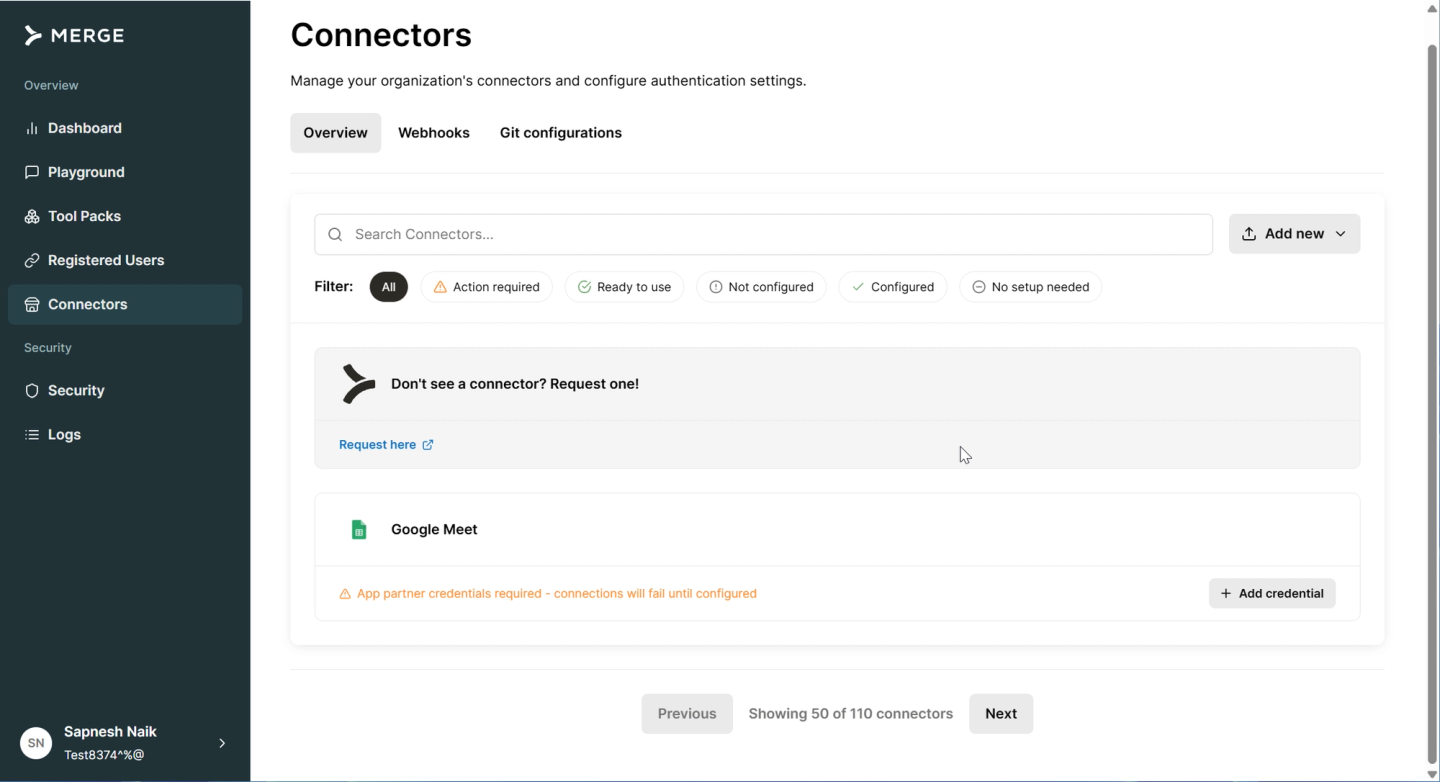
- Limited connector library: As of writing, Merge Agent Handler supports around 110 connectors. If the integration you need is not covered, you must fall back to public MCP servers.
- Pre-built tool calls limit flexibility: You cannot build custom tool calls on the platform. If the pre-built tools don’t cover your use case, there is no way to extend the platform with your own logic. Multiple generic tool calls increase the context size for your AI Agent and can cause hallucinations.
- Custom Object fields are difficult: Pre-built tool calls may not handle custom fields in platforms like Salesforce, where enterprise customers heavily customize their data models.
- Public MCP servers reduce reliability: If a connector is not supported, you must use public MCP servers. Generic MCP servers reduce reliability because they can be unmaintained and expose broad, untailored tool definitions to the LLM.
- No data syncs: Merge Agent Handler does not support data syncs. This limits its usefulness for RAG implementations that need continuously updated external data.
- No MCP Auth support: Some API providers, like HubSpot, require an MCP Auth type when integrating with AI agents. Merge Agent Handler currently only supports standard (non-MCP) auth for most providers, which may not meet these newer requirements.
Pipedream Connect
Overview
Pipedream Connect is the embedded version of Pipedream’s serverless integration platform. It provides MCP servers per app, a large library of pre-built actions across 2,800+ APIs, and embeddable auth flows.
Best for
Teams building AI agents that prefer a low-code approach to defining integration workflows. Less suited for RAG pipelines that require continuous data syncs.
Pros
- MCP server per app for AI agents: Pipedream provides dedicated MCP servers for each supported app. Your agent can discover and call tools through the MCP protocol without custom integration code.
- Large action library for tool calling: Access to 10,000+ pre-built actions across 2,800+ APIs. This gives your agent a wide surface area of available tools out of the box.
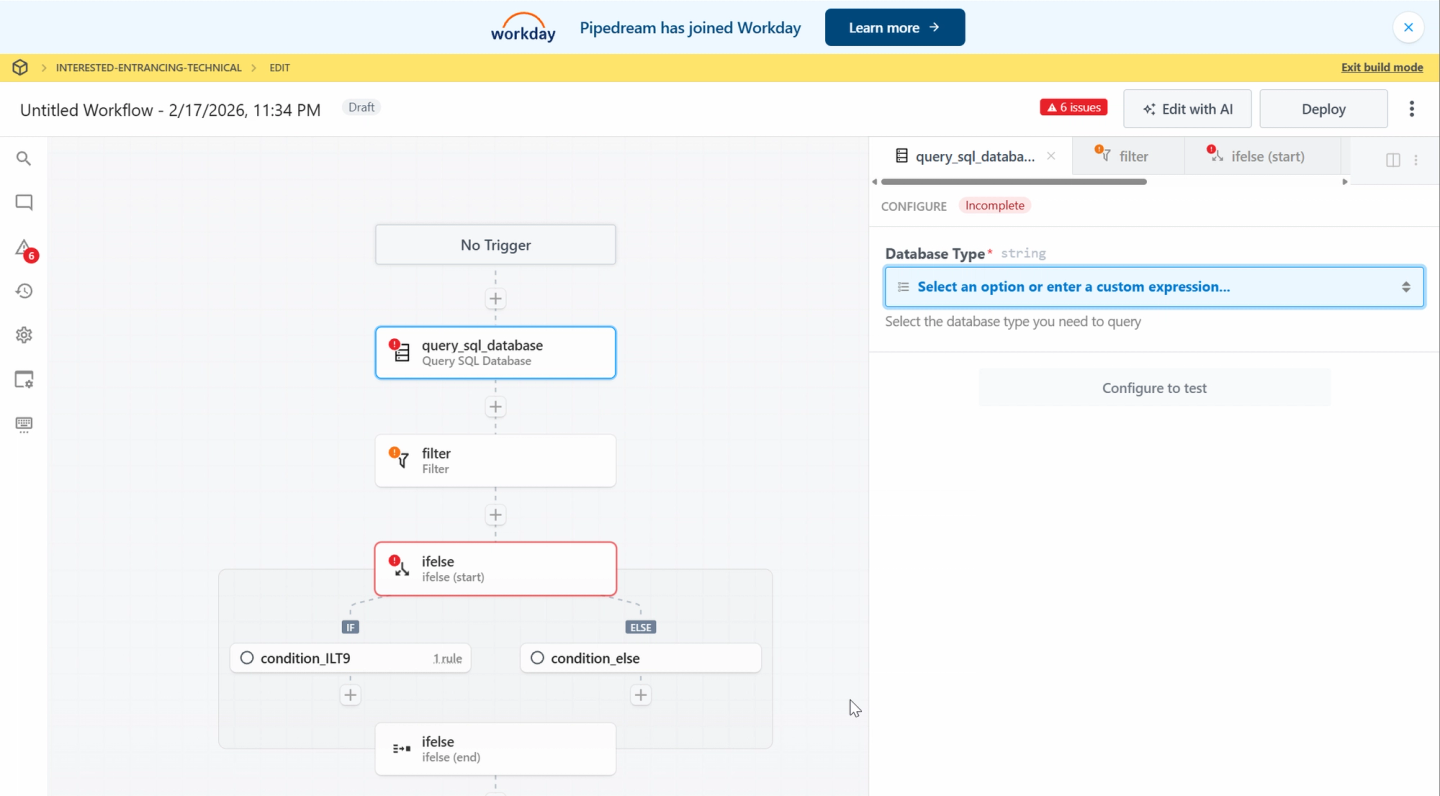
- Low-code workflow builder for tool-call logic: Define multi-step tool-call workflows visually. Useful for teams that want to assemble agent capabilities without writing code for each API.
- Embeddable OAuth flows: Drop-in auth components let your end users connect their accounts to your AI product.
Cons
- Acquired by Workday: Pipedream was acquired by Workday (an Enterprise HR platform) in November 2025. The long-term product direction for AI agent use cases is uncertain. You can read their announcement here. For a deeper look at limitations and alternatives, see Pipedream Connect alternatives.
- No custom tool-calls: In the same way as Merge, pre-built tool calls are not optimized for your agent’s specific intent, which increases the risk of hallucination and inconsistent results.
- Higher latency for RAG data ingestion: Processing large volumes of data through workflow steps adds serialization overhead at each step. This makes Pipedream less suited for initial data loads or large batch syncs that RAG pipelines require.
- No support for data syncs: Pipedream does not offer scheduled or incremental data syncing. RAG implementations that need continuously updated external data require a separate solution.
- Not code-first: Due to its low-code, UI-based approach. AI agents that need customer-specific tool logic or custom field handling are harder to implement. You also cannot build custom tool-calls using an AI coding agent.
Arcade
Overview
Arcade is a tool-calling runtime focused on enabling LLMs to execute authenticated actions via MCP. It provides pre-built tools, an SDK for custom tool development, and auth orchestration for OAuth-based services.
Best for
Chatbot-style AI assistants that need stateless, authenticated tool calling without historical data context or RAG syncs.
Pros
- Agent-native design: Built specifically for MCP-based tool-calling workflows.
- Auth orchestration: Handles user authorization flows during agent interactions, including OAuth for popular services.
- Custom tool SDK: Unlike Merge, Arcade provides an SDK to build custom tools and integrate with proprietary APIs.
- Framework integrations: Works with LangChain, OpenAI Agents, CrewAI, and Vercel AI.
Cons
- No data syncing: Arcade cannot sync external data into your database. RAG implementations that need historical context from external systems are not supported.
- Limited scope: Focused solely on tool calling. No infrastructure for webhooks, polling triggers, or batch data processing.
- Smaller integration ecosystem: Arcade offers around 100+ pre-built integrations, fewer than other vendors.
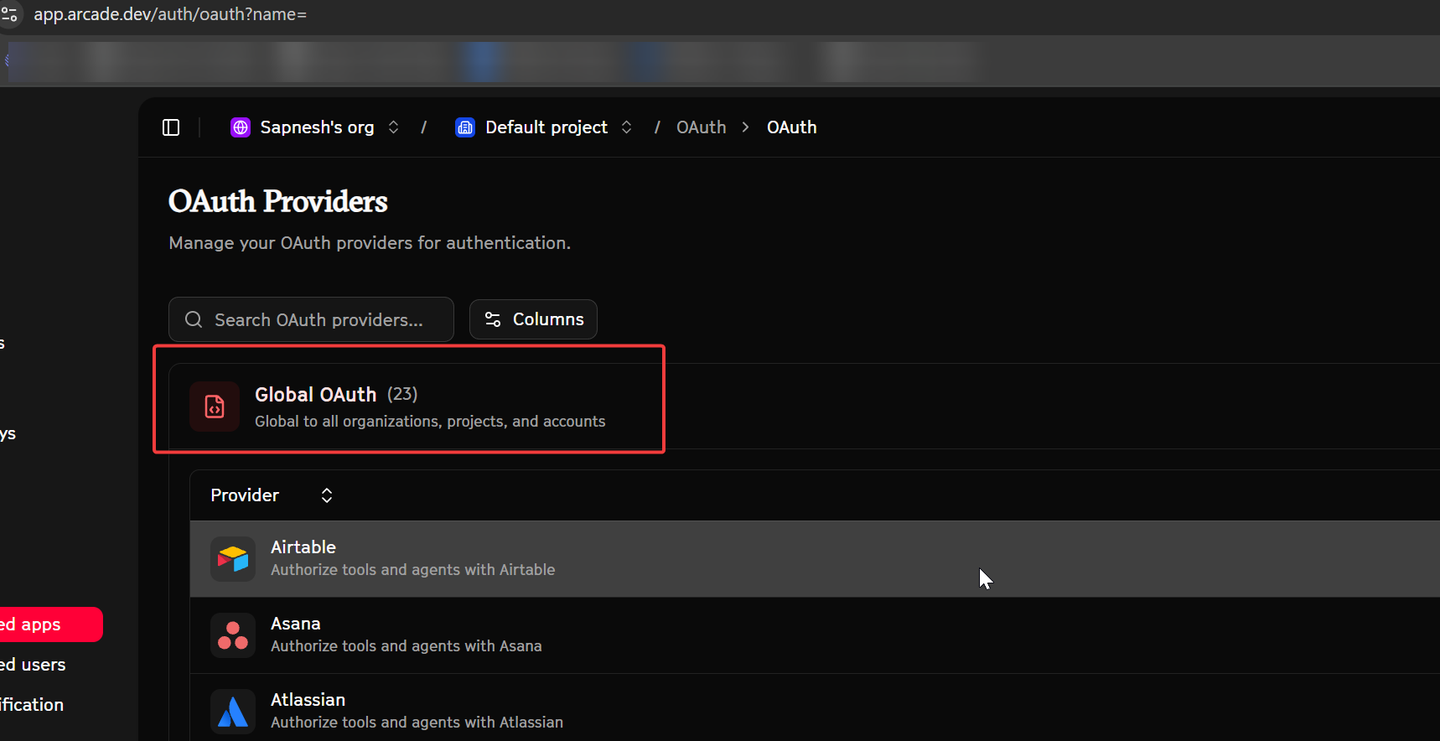
- No webhook or trigger support: Your agent cannot react to external events in real time.
Workflow orchestration alongside a unified API layer
n8n: workflow orchestration, pairs with a unified API layer
Overview
n8n is a source-available platform for visually building workflows and AI automations. It combines integration nodes, custom code, branching logic, approvals, error handling, and scheduling. Teams can use it independently for automation, or alongside Nango to coordinate workflows that use Nango’s authenticated tools, data syncs, and triggers.
Best for
Teams building internal automations or AI workflows that benefit from a visual canvas, branching logic, and human approvals. For customer-facing agents, n8n can provide optional workflow orchestration alongside Nango’s integration infrastructure.
Pros
- Source-available and self-hostable: Control over your data and infrastructure.
- Integration and AI nodes: 1,000+ pre-built integration nodes plus native AI agent and tool-calling nodes.
- Visual building with custom code: Mix visual workflow building with custom code where needed.
- Free self-hosted option: A free self-hosted Community Edition.
Cons
- Not a customer-facing embedded auth layer: Doesn’t replace a unified API platform if you need to let your own end users connect their accounts inside your product.
- Visual builder overhead: Adds overhead for teams that want a purely code-first approach.
- No managed data-sync engine: RAG ingestion is built as scheduled workflows, so incremental syncs, change detection, and deduplication are handled in your workflow logic.
Comparison
n8n is included below as a complementary workflow orchestration option, alongside the four integration platforms.
| Feature | Nango | Merge Agent Handler | Pipedream Connect | Arcade | n8n (workflow orchestration) |
|---|---|---|---|---|---|
| Primary focus | AI product/RAG integrations (auth, tool calls, data syncs, webhooks) | Pre-built MCP tool-packs | Low-code embedded workflows | Tool-calling runtime | Workflow orchestration for AI agents & automations |
| Agent integration model | Pre-built and customizable tools with scoped access to customer connections | Pre-built tool-packs exposed through MCP | Pre-built actions and low-code workflows | Pre-built tools and custom tools built with an SDK | Agent tools and multi-step workflows assembled from nodes |
| Supported APIs | 1,000+ | ~110 | 2,800+ | 100+ | 1,000+ (native nodes; any API reachable via HTTP node) |
| Custom tool calls | Yes (code-first, AI-assisted) | No | Low-code only | Yes (SDK) | Yes (visual config + custom JS/Python code) |
| AI coding agent support | Yes | No | No | No | Partial (workflows exposed via MCP; not a code-first integration builder) |
| MCP server | Yes | Yes | Yes (per app) | Yes | Yes (native MCP Server Trigger + MCP Client Tool node) |
| Data syncs for RAG | Yes (native, incremental) | No | No | No | Workflow-based (vector store nodes — Pinecone, Qdrant, Supabase — no dedicated sync engine) |
| Webhooks/triggers | Yes (high-throughput) | No | Yes (triggers only) | No | Yes (native webhook + polling + schedule triggers) |
| Observability | Deep (OTel, custom logs) | Basic | Basic | Basic | Execution logs and error workflows; log streaming on Enterprise |
| MCP Auth support | Yes | No | No | No | No |
| Open source | Yes | No | Partial | Partial | No (source-available / fair-code; free self-hosted Community Edition) |
How we evaluated these platforms
We assessed each platform across five dimensions relevant to AI agent integrations:
- Unified auth: Does the platform handle the full range of auth methods (OAuth, API keys, JWT, MCP Auth) across all supported APIs, with automatic token refresh and secure credential storage?
- Tool-call flexibility: Can you build custom, deterministic tool calls designed around user intent? Or are you limited to pre-built actions that force the LLM to handle multi-step logic?
- Data sync support: Does the platform support scheduled and on-demand data syncs for keeping RAG pipelines current, with pagination, incremental updates, and deduplication?
- Webhook and trigger support: Can the platform ingest and route external events at high throughput for real-time agent reactivity?
- Observability and security: Are there structured logs for every operation, with export support? Is there tenant-level isolation and compliant credential management?
FAQ: Unified API for AI agents & RAG
Which is the best unified API platform for LLM data ingestion?
Among the platforms reviewed, Nango is the only one with native data-sync support for LLMs and RAGs. It handles pagination, incremental updates, change detection, and deduplication as first-class primitives. Merge Agent Handler, Pipedream Connect, and Arcade do not offer a dedicated data-sync engine. n8n supports workflow-based RAG ingestion using vector store nodes, with incremental syncs, change detection, and deduplication handled in your workflow logic.
Should I use public MCP servers for AI agent integrations?
MCP provides a useful standard for tool discovery and execution. However, generic public MCP servers reduce reliability because they expose broad tool definitions that increase the LLM’s decision space. The most reliable approach is to use Nango MCP with custom, bespoke tool calls that handle deterministic logic in code, outside the LLM’s reasoning loop.
How do I reduce AI agent hallucination in API integrations?
The most effective approach is to define custom-tool calls and move deterministic logic out of the LLM and into your tool’s execution code. Limit the number of tools in each context window. Use typed inputs and outputs. Nango supports all of these.
Which unified API platform supports both AI agent tool calls and RAG data syncs?
Nango is the only platform in this comparison that natively supports both custom tool calls and scheduled/on-demand data syncs. You can define tool calls for your AI agent and data sync jobs for your RAG pipeline on the same platform, with shared auth and observability. n8n can orchestrate tool calls and RAG ingestion workflows alongside integration infrastructure, but its workflows require you to implement the sync logic.
Which platform should I choose if I need custom integrations for my AI agent?
If your agent requires tool calls tailored to specific user intent (not generic CRUD actions), Nango is a strong fit. It is code-first, so you define tool calls as typed TypeScript functions. You can use AI coding agents like Claude Code or Cursor to build and iterate on these integrations. Merge Agent Handler and Pipedream Connect rely on pre-built tool definitions, which limit customization.
Conclusion
Pre-built tools speed up initial integration work. For customer-facing agents, evaluate how easily those tools can be customized, scoped to each customer’s connections, and operated alongside data syncs and triggers.
If your AI agent integrations are core infrastructure, invest in a platform that gives you full control over tool definitions, data syncs, and event handling. The ability to build and iterate on integrations with AI coding agents makes a code-first platform especially effective in this context.
Related reading:


