
TL;DR
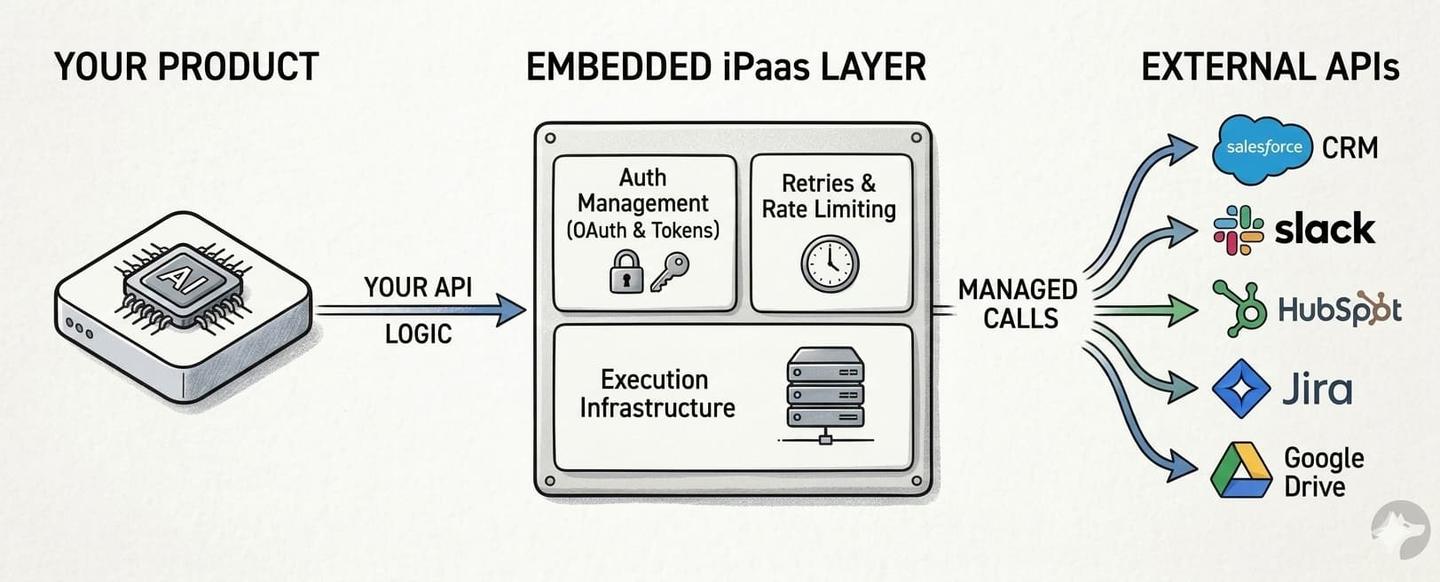
An embedded iPaaS is infrastructure you integrate into your SaaS or AI product so your customers can connect their tools through your UI. The platform handles API authentication, retries, rate limiting, and execution behind the scenes.
The category has evolved significantly. Legacy embedded iPaaS systems (Workato, Paragon, Tray.io) were built around low-code workflow builders for simple if-this-then-that automations. They work for basic use cases but struggle with data syncs, AI agent tool calls, custom objects, and the scale modern products require.
A new generation of embedded iPaaS platforms is built for code-first development and AI-native products. These platforms treat integrations as code: functions that live in your repo, deploy through CI/CD, and can be written by AI coding agents.
Key differences between legacy and modern embedded iPaaS:
- Legacy: Low-code builders, limited API coverage, no data syncs, hard scalability limits, 5-figure annual commitments before testing
- Modern: Code-first, AI coding agent support, native data syncs, LLM tool calls, MCP server, usage-based pricing
Nango is a new-generation, open-source, code-first embedded iPaaS that supports 1,000+ APIs, native data syncs, custom LLM tool calls, webhook processing, AI Coding Agent support, and an MCP server for AI agents.
What is an embedded iPaaS?
An embedded iPaaS (integration Platform as a Service) is a third-party platform you integrate into your product to let customers connect their tools through your UI. Your product calls the external APIs. The embedded iPaaS system handles auth, retries, rate limiting, and execution infrastructure.
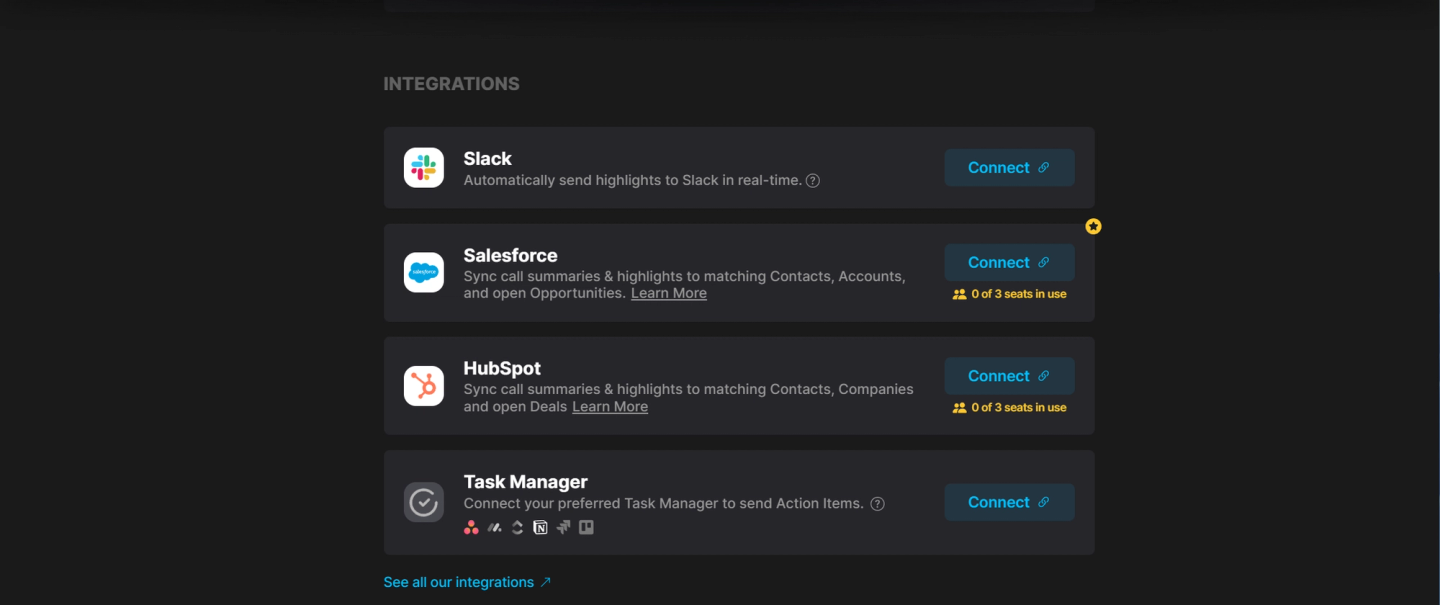
Consider an AI meeting notetaker that integrates with Slack, Salesforce, HubSpot, and task managers like Jira, Asana, Monday, Notion, and Trello. With an embedded iPaaS, each customer connects their own accounts via the product’s settings page. The embedded iPaaS manages OAuth flows, token refresh, and API calls behind the scenes. The AI agent can then sync meeting notes, action items, and CRM data through the platform’s sync and tool-calling APIs.
Three properties distinguish an embedded iPaaS from other integration tools:
- Customer-facing: Integrations run inside your product, under your brand. Your customers see your UI, not the platform’s.
- Multi-tenant: Each of your customers connects their own accounts. The platform manages credentials, configurations, and execution per tenant.
- Developer-oriented: Unlike end-user automation tools (Zapier, Make), an embedded iPaaS provides APIs and SDKs for your engineering team to build and control integration logic.
This is different from internal automation tools (Zapier, Make, n8n) that connect a user’s own apps. An embedded iPaaS runs inside your product and serves your customers. It’s also different from unified APIs, which normalize data across similar providers through a single schema. For a detailed embedded iPaaS vs unified API platform comparison, see how Nango differs from embedded iPaaS and unified APIs. Unified APIs work well for simpler integrations, but most teams outgrow them as requirements become more complex.
Why use an embedded iPaaS?
Building integration infrastructure in-house is harder than it looks. Teams consistently underestimate integration costs. Here’s what you’re signing up for:
Authentication is complex: OAuth 2.0 alone requires handling authorization flows, token storage, token refresh race conditions, scope management, and provider-specific quirks. Salesforce, HubSpot, Google, and Microsoft all implement OAuth differently. Add API keys, JWT, basic auth, and the new MCP Auth standard, and auth management becomes a project in itself. Auth is deeper than it sounds.
Data syncing requires infrastructure: Keeping external data current means handling pagination, rate limits, incremental updates, change detection, deduplication, and error recovery for a single API. Multiply that by 50+ integrations, and the infrastructure cost becomes significant.
Maintenance scales linearly: Every API you integrate with can change its schema, rate limits, or auth requirements without notice. The hidden costs of in-house integrations compound over time.
An embedded iPaaS handles these concerns so your team can focus on integration logic: what data to sync, what actions to expose, and how integrations fit into your product.
Pros and cons of using an embedded iPaaS
Pros:
- Faster time to production: days instead of weeks, or even months. Industry data suggests a 75–90% reduction in deployment time
- Handles auth, retries, rate limiting, and token refresh across hundreds of APIs
- Native data sync primitives (pagination, incremental updates, change detection, deduplication)
- Reduces ongoing maintenance burden as API providers change their schemas and auth flows
- Broad API coverage out of the box. Nango supports 1,000+ APIs with extensible auth; you can add support for new APIs yourself
- Enterprise features (tenant isolation, SOC 2, observability) included out of the box
- Code-first platforms support AI coding agents for building integrations
Cons:
- Adds a dependency on a third-party platform for core product functionality
- Low-code platforms (Paragon, Workato Embedded, Prismatic) can limit customization for complex integration logic
- Some platforms enforce hard scalability limits (execution timeouts, webhook rate caps)
- Pricing can be opaque: legacy platforms like Paragon charge 5-figure annual fees before you can test properly
- Vendor lock-in risk: some platforms (e.g., Albato) own your customers’ auth credentials, making migration difficult
Embedded iPaaS vs. iPaaS
A traditional iPaaS (like MuleSoft, Boomi, or Workato) focuses on connecting internal enterprise systems. It’s IT infrastructure: your company’s HR tool to payroll, your ERP to your data warehouse. The users are your internal teams.
An embedded iPaaS serves a different purpose. It is infrastructure you build into your product so your customers can connect their tools through your UI.
| Traditional iPaaS | Embedded iPaaS | |
|---|---|---|
| Who uses it | Internal IT teams | Your product's customers |
| Where it runs | Inside your company | Inside your product, under your brand |
| Who configures it | IT admins | Your engineering team (or your customers via your UI) |
| Auth model | Your company's credentials | Per-customer OAuth connections (or org-level tokens) |
| Primary use case | Internal automation (HR, Payroll) | Customer-facing integrations (your product → customer's CRM) |
| Multi-tenancy | Single tenant | Multi-tenant by design |
If you’re building integrations for your own company’s internal workflows, a traditional iPaaS may be the right tool. If you’re building integrations into your product for your customers, you need an embedded iPaaS.
A brief history of embedded iPaaS
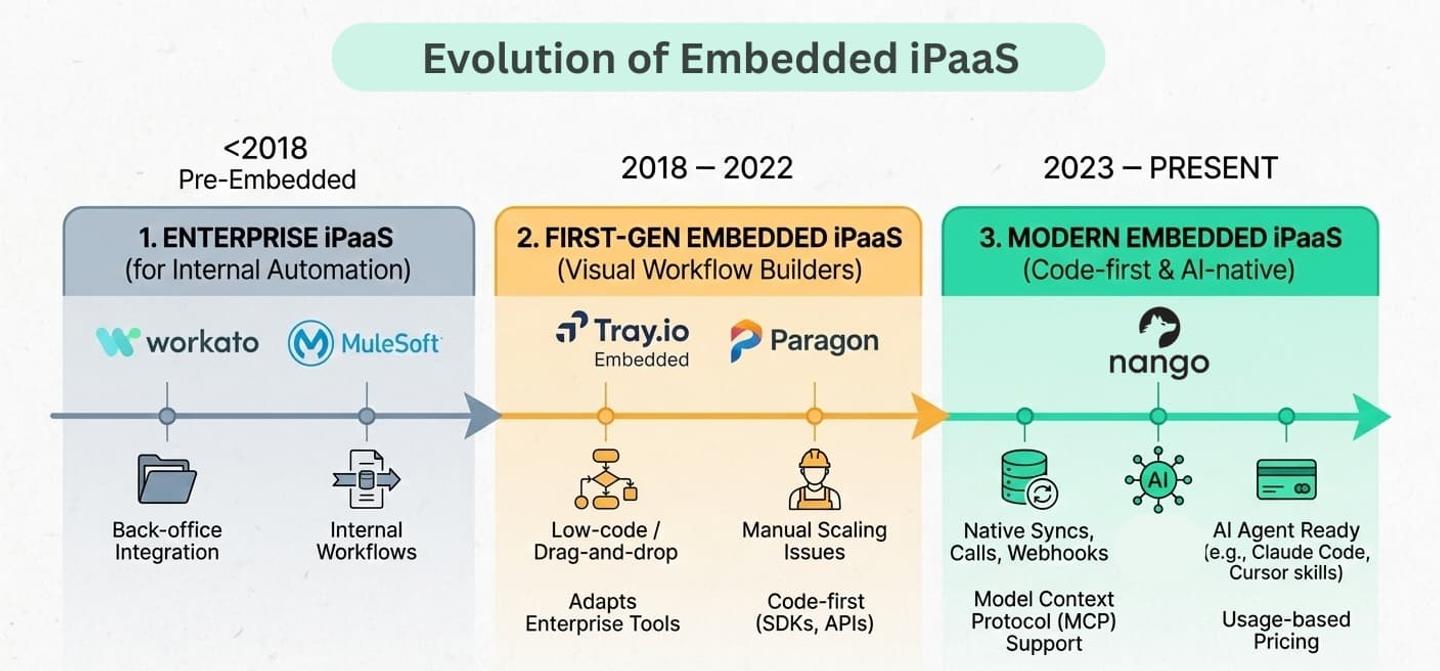
The embedded iPaaS category emerged around 2018–2020 as B2B SaaS companies realized they needed a better way to offer product integrations at scale.
First generation: Low-code workflow builders (2018–2022)
The earliest embedded iPaaS platforms (Tray.io Embedded, Workato Embedded, and later Paragon) adapted enterprise automation tools for product use. They offered visual workflow builders with drag-and-drop steps: trigger an event, transform data, call an API.
This approach had a core assumption: non-technical team members would build integrations using low-code tools. In practice, this rarely worked. Real integrations require knowledge of your product’s data model, API edge cases, error handling, and debugging. Engineers ended up using these tools anyway, and the development experience was worse than writing code.
These platforms also lacked key primitives for production integrations: no native data syncs, no incremental change detection, no AI agent support, and hard scalability limits (e.g., 15-minute execution timeouts, 20 webhooks/second).
Current generation: Code-first and AI-native (2023–present)
As AI products exploded and engineering teams demanded better developer experience, a new generation of embedded iPaaS solutions emerged. These are built around different principles:
- Integrations are code, not visual workflows. They live in your repo, deploy through CI/CD, and can be built with AI coding agents like Claude Code or Cursor.
- Data syncs, tool calls, and webhooks are first-class primitives, not afterthoughts built on top of workflow steps.
- Platforms support the Model Context Protocol (MCP), enabling AI agents to interact with external APIs via a standardized interface.
- AI coding agent skills provide context and tooling that let agents like Claude Code and Cursor build integrations autonomously.
- Pricing is usage-based and transparent, not locked behind 5-figure annual commitments.
This shift reflects a broader change in how products are built. When your product includes AI agents that need to read CRM data, react to Slack messages, or create Jira tickets on behalf of users, the integration layer needs to support these patterns natively.
Most important features of an embedded iPaaS for AI products
AI products have distinct integration requirements. Embedded iPaaS solutions for AI data integration need to support RAG pipelines, real-time triggers, and deterministic tool calls, and not just simple automations.
| Feature | Why it matters for AI products | What to look for |
|---|---|---|
| API authentication | AI Agents need customer account access. OAuth 2.0, API keys, JWT, and MCP Auth all have edge cases. | Automatic token refresh, refresh concurrency handling, support for multiple auth types, and extensible to new APIs |
| Native data syncs | RAG pipelines and AI context windows need current data. Batch fetches aren't enough; you need incremental syncs with change detection. | Pagination handling, incremental updates, deduplication, real-time syncs, and two-way sync support |
| LLM tool calls | Agents need to perform actions (create a ticket, send a message, update a record) through reliable, deterministic tool calls, not prompt-based API calls, which can be inconsistent. | Custom tool definitions in code, input/output schema validation, async support, error handling |
| AI coding agent skills | AI coding agents need structured context about API schemas and integration patterns to build integrations autonomously. | Platform-provided skills/context for Claude Code, Cursor, Copilot, and other coding agents |
| MCP server | The Model Context Protocol is becoming the standard interface between AI agents and external tools. | Built-in MCP server, MCP Auth support, tool discovery |
| Webhook processing | Agents need to react to external events in real-time - a new Slack message, a closed deal in Salesforce, a merged PR in GitHub. | High-throughput ingestion, auto-scaling, polling fallback for APIs without webhook support |
| Code-first development | AI coding agents (Claude Code, Cursor, Copilot) can build and modify integrations if they're expressed as code. Low-code builders are opaque to AI. | Integrations as code functions, CI/CD deployment |
| Custom objects and dynamic schemas | Enterprise customers heavily customize their CRM and ERP systems. Salesforce deployments often include dozens of custom objects and hundreds of custom fields. | Full API access to custom objects, dynamic schema support, per-customer field mappings |
| Tenant isolation | One customer's heavy sync should not degrade others' performance. | Per-tenant execution isolation, resource fairness, and auto-scaling |
| Observability | When an integration fails in production, you need to know exactly what happened: which API call, what error, and which customer. | Structured logs, OpenTelemetry export, custom log messages, request-level traces |
How Nango covers embedded iPaaS features
Nango is the only open-source, code-first embedded integration platform that supports all of the features above as first-class primitives:
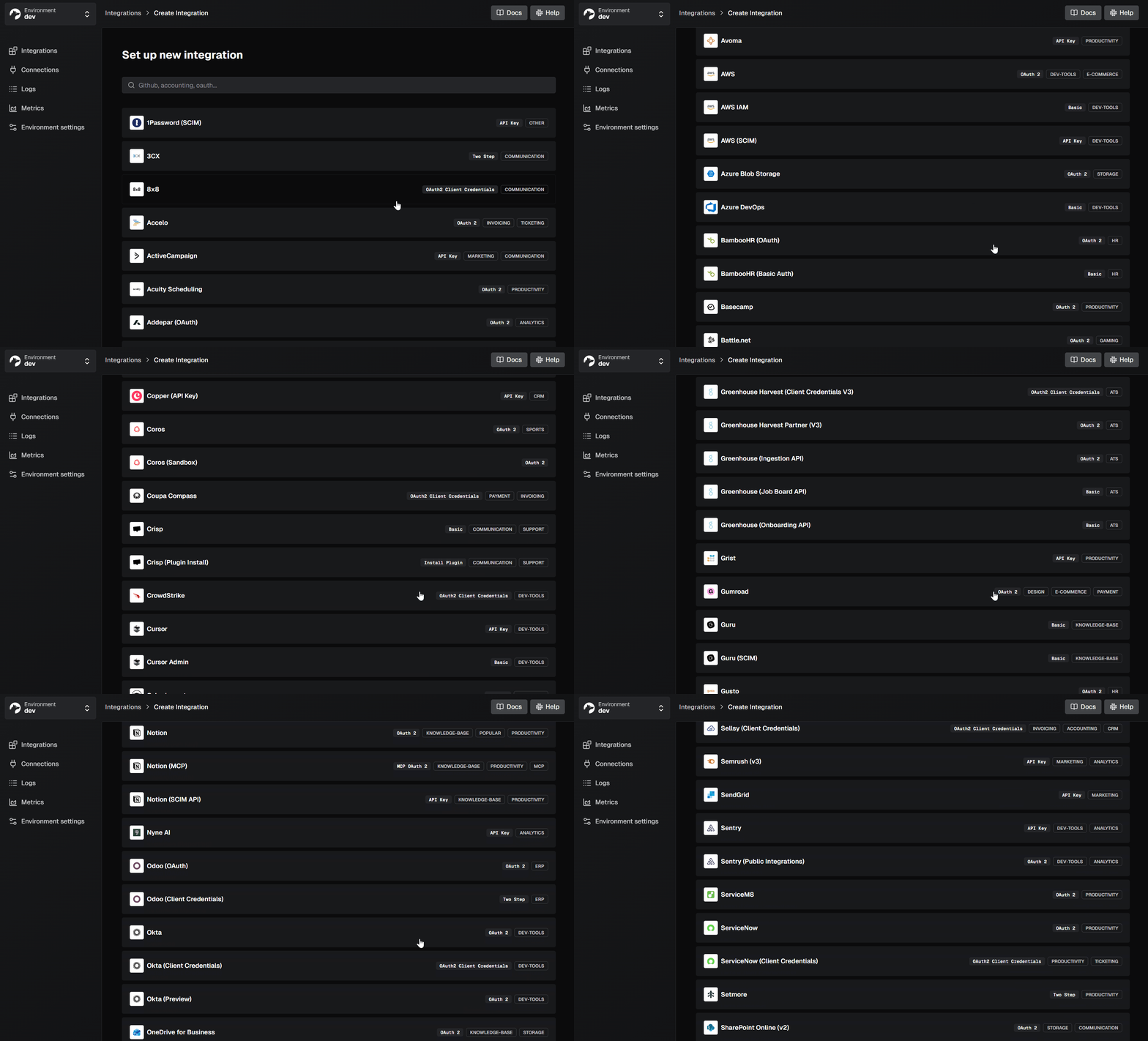
- Auth: OAuth 2.0, API keys, JWT, basic auth, and MCP Auth across 1,000+ APIs. Open-source, so you can add new APIs yourself.
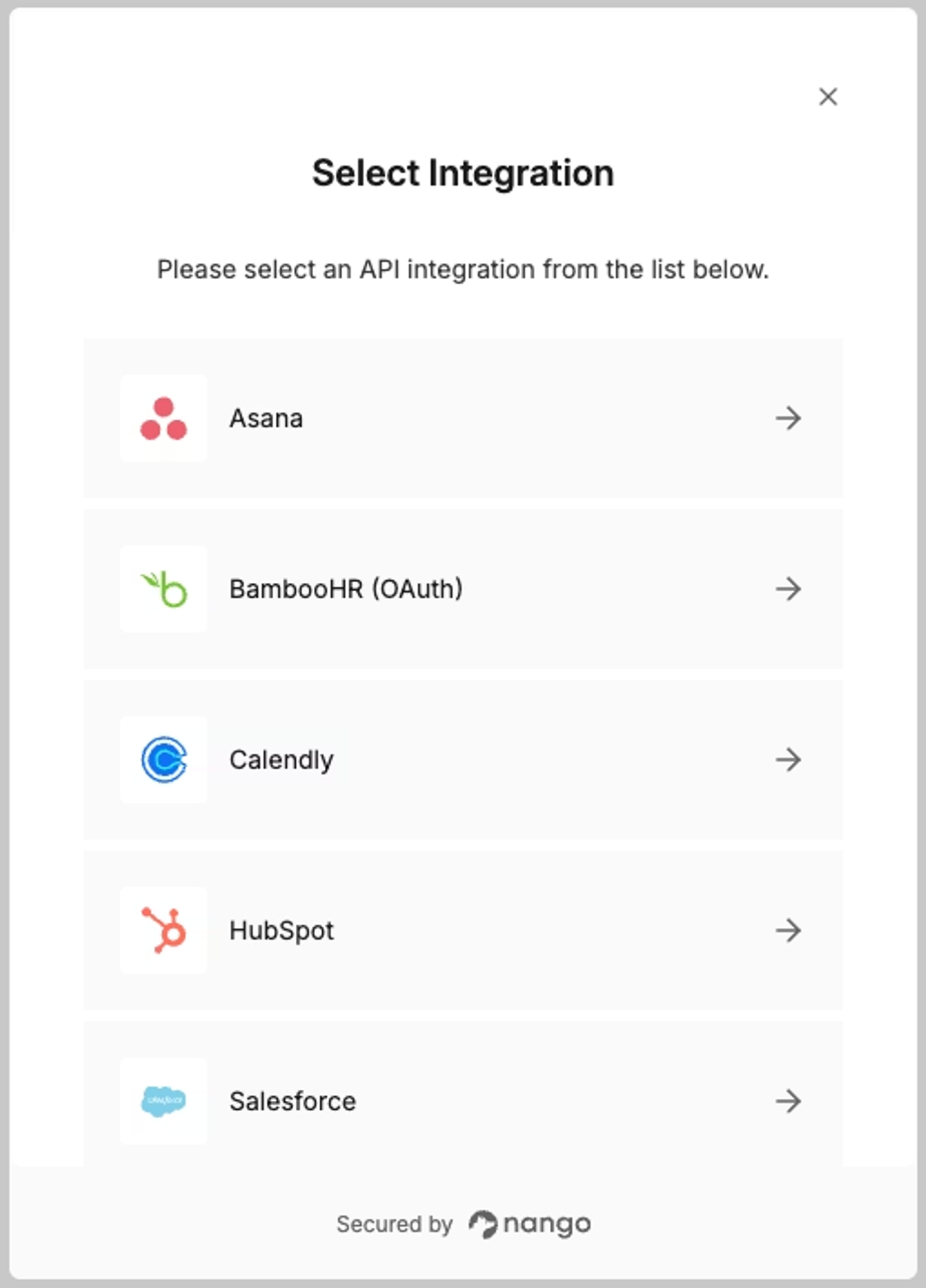
- Data syncs:Native sync primitives with pagination, incremental updates, change detection, deduplication, and real-time syncs.
- Tool calls:Custom LLM tool calls defined in code with input/output schemas and async support.
- MCP server:Built-in MCP server for AI agents with MCP Auth support.
- AI coding agent skills: Build integrations with the AI Integration Builder using Claude Code, Cursor, or any coding agent. Add Nango skills to your agent in one command:
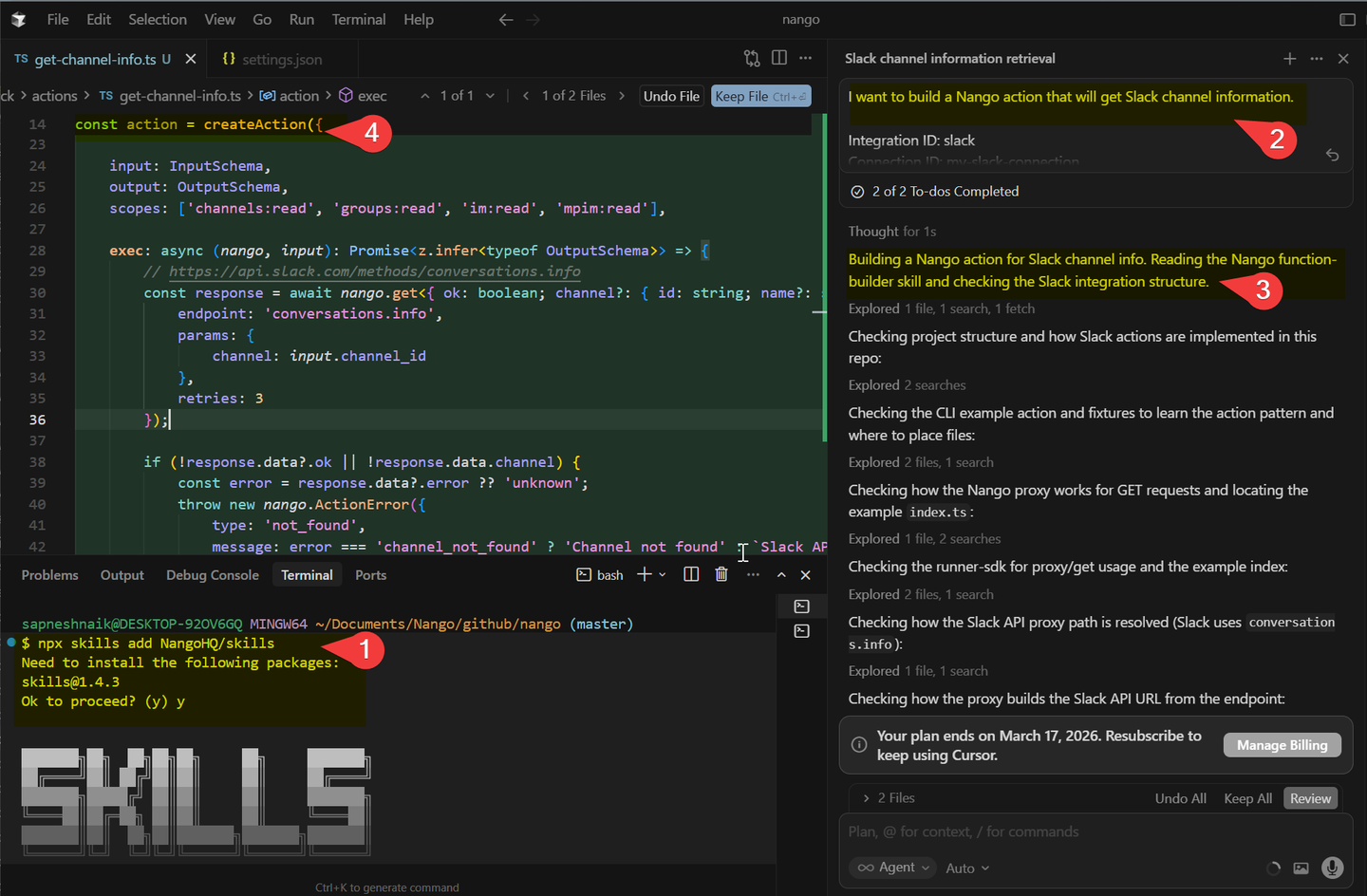
npx skills add NangoHQ/skills- Code-first: Integrations are functions that live in your codebase and are deployed via CI/CD.
- Scalability: Processes billions of API requests per month with auto-scaling infrastructure and tenant isolation.
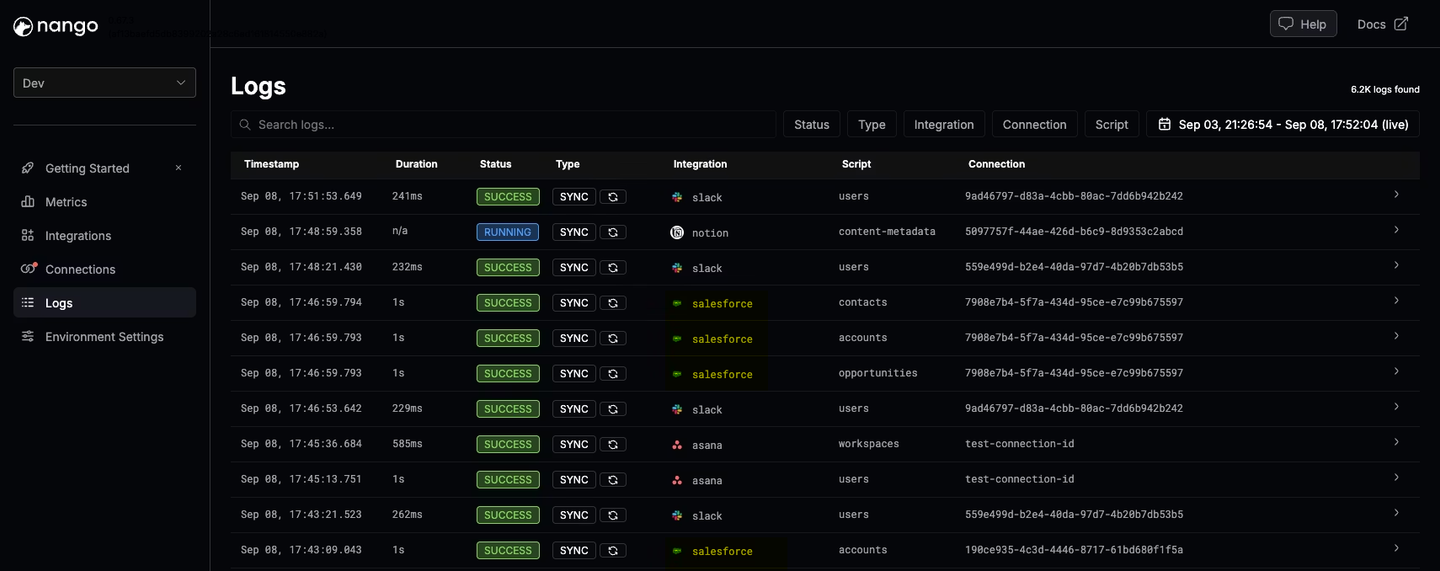
- Observability:Detailed logs for every operation with OpenTelemetry export.
Best embedded iPaaS platforms
The embedded iPaaS market includes several types of platforms:
Code-first platforms prioritize developer experience and treat integrations as code. They support data syncs, tool calls, and modern AI workflows. Example: Nango.
Low-code workflow builders use visual builders for if-this-then-that automations. They’re accessible to non-technical users but limited for complex integrations. Examples: Prismatic, Workato Embedded.
Outsourced integration services combine a platform with dedicated integration engineers who build for you. Example: Albato Embedded.
For a detailed embedded iPaaS comparison with pros, cons, and feature tables, see our best embedded iPaaS platforms for product integrations guide. For scalability-focused evaluation, see the best embedded iPaaS for scalability and flexibility.
Embedded iPaaS pricing
Embedded iPaaS pricing varies significantly, and the wrong model can create serious problems as you scale.
The legacy pricing problem. Most first-generation embedded iPaaS platforms charge 5-figure annual platform fees before you write a single integration. Paragon, for example, requires annual commitments with no public pricing, no free tier, and only a 14-day trial. Additional per-user fees, task executions, and enterprise features (SSO, RBAC, field mappings) can add up quickly.
This means you need to commit to a large investment before you can properly test whether the platform fits your needs.
Usage-based pricing. Modern embedded iPaaS platforms use usage-based pricing. You pay for what you use: connections, syncs, API calls; with no platform fees or annual commitments.
Nango’s pricing is fully transparent and usage-based:
- Free tier for development and testing, with no time limits
- Paid plans starting at $50/month with included usage
- Monthly terms - upgrade, downgrade, or cancel anytime
- Volume discounts at scale
This lets you test the platform thoroughly, launch integrations incrementally, and scale costs predictably as your product grows.
Embedded iPaaS vs. other integration approaches
An embedded iPaaS is one of four ways to build in-app integrations. Here’s how it compares:
Embedded iPaaS vs. unified APIs: Unified APIs normalize data across similar providers using a single schema (e.g., a single GET /contacts call for Salesforce, HubSpot, and Pipedrive). They’re fast to set up for simpler integrations. But when you need deep, custom integrations, custom objects, specific API endpoints, and per-customer configurations, you’ll outgrow unified APIs. An embedded iPaaS gives you full API access and the flexibility to build your own unified API if needed.
Embedded iPaaS vs. building in-house: Building your own integration infrastructure gives you maximum control but costs significantly more in engineering time and ongoing maintenance. Auth alone involves OAuth token refresh race conditions, rate limiting, and credential storage across hundreds of APIs. Teams consistently underestimate these costs.
Embedded iPaaS vs. workflow automation tools: Tools like Zapier and Make are designed for internal automation. They’re not designed to be embedded in your product, don’t run under your brand, and don’t provide the developer tooling or scalability that product integrations require.
FAQ
What is the best embedded iPaaS for AI agents?
For AI agent integrations, look for a code-first platform like Nango that supports custom LLM tool calls, an MCP server, and RAG data syncs. Nango’s AI Integration Builder lets you build custom tool calls using AI coding agents like Claude Code and Cursor. For a detailed comparison, see the best AI integration platforms.
How much does an embedded iPaaS cost?
Embedded iPaaS pricing varies significantly. Legacy platforms like Paragon charge 5-figure annual platform fees with usage charges on top. Modern platforms like Nango use transparent, usage-based pricing starting at $50/month with a free tier for development. See our Paragon pricing analysis for a detailed comparison.
How do I choose an embedded iPaaS for my SaaS product?
Start with your hardest integration use case, not your simplest. Evaluate: Does the platform support your integration patterns (data syncs, tool calls, webhooks, two-way sync)? Can it handle your scalability requirements (rate limits, retries, tenant isolation)? Does the development workflow fit your team (code-first vs. low-code)? And can you test the platform before committing to a large annual contract?
Is an embedded iPaaS better than building integrations in-house?
It depends on your scale. For 1–2 simple integrations, building in-house may work. For 5+ integrations with auth, data syncs, and scale requirements, an embedded iPaaS like Nango saves significant engineering time. Auth infrastructure alone involves complex edge cases that are expensive to build and maintain. See the hidden costs of building integrations in-house.
Do I need an embedded iPaaS or a unified API?
If you need standardized integrations across a category (e.g., all CRMs or all HRIS), a unified API gets you started faster. If you need deep, custom integrations with full API access, per-customer configuration, or AI agent support, an embedded iPaaS like Nango provides more flexibility. Many teams start with a unified API and migrate to an embedded iPaaS as requirements grow. Nango supports both approaches; you can even build your own unified API on the platform.
What is the difference between an embedded iPaaS and platforms like Zapier?
Zapier is an end-user automation tool. Users connect their own apps and build automations for themselves. An embedded iPaaS is infrastructure that your engineering team integrates into your product. Your customers connect their accounts through your UI, and integrations run under your brand. Zapier isn’t designed for multi-tenant, customer-facing API integrations at scale.
Can AI coding agents build integrations on an embedded iPaaS?
On code-first platforms, yes. Nango integrations are code functions that AI coding agents (Claude Code, Cursor, Copilot) can read, write, and modify. Nango’s AI Integration Builder provides context and tooling specifically for this workflow. AI coding agents cannot access low-code platforms with visual builders (Tray.io Embedded, Workato Embedded, and Paragon).
Conclusion
An embedded iPaaS handles the infrastructure complexity of product integrations: auth, data syncs, retries, rate limiting, scaling, so your team can focus on building the integrations your customers need.
The embedded iPaaS category has evolved. Legacy low-code platforms served their purpose, but modern AI products need code-first embedded integration platforms with native data syncs, LLM tool calls, and scalability built in from day one.
If you’re evaluating embedded iPaaS platforms, start with your hardest integration use case. The platform that handles custom Salesforce objects, real-time webhook floods, and AI agent tool calls today will serve you better than one that only handles simple automations.
Related reading:


