
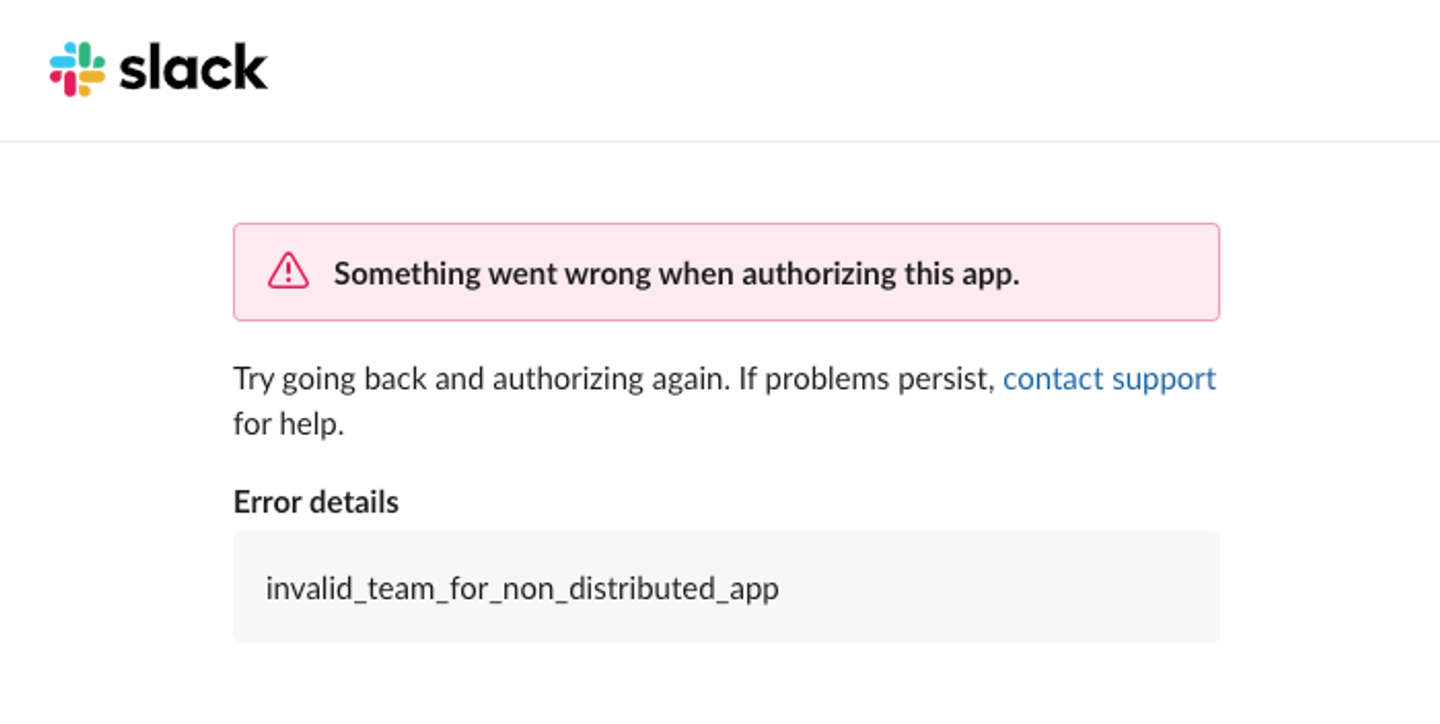
The invalid_team_for_non_distributed_app error occurs when you attempt to install a Slack app in a workspace other than the one where it was created.
By default, Slack restricts new apps to internal use. You must enable distribution to allow external workspace installations.
This article explains what triggers this error, how to fix it, and an easier way to manage Slack integrations using Nango.
What the error looks like
When a user tries to authorize your Slack app on a different workspace, Slack returns a 400 Bad Request with this payload:
{
  "ok": false,
  "error": "invalid_team_for_non_distributed_app"
}
This happens during the OAuth flow when Slack validates the installation request.
Why Slack rejects the installation
By default, Slack OAuth apps are restricted to the workspace that created them.
Slack prevents other teams from installing your app as a security measure until you explicitly opt into distribution. If you try to use the client_id and client_secret to authorize a different workspace (even one you own), the flow will fail with invalid_team_for_non_distributed_app.
How to fix the error: invalid_team_for_non_distributed_app
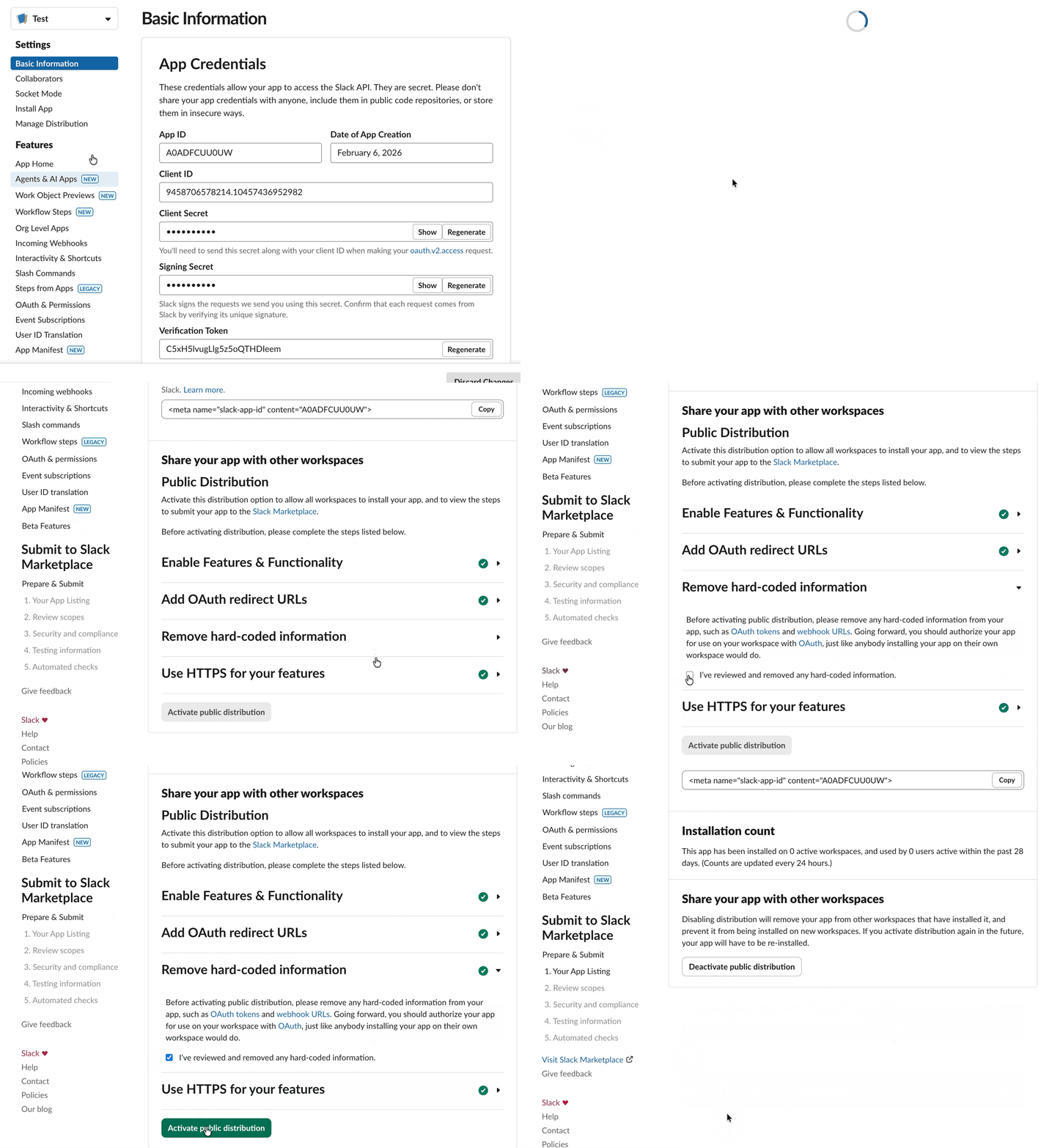
To allow external installations, you must enable “Public Distribution” in your Slack App Settings.
Pre-requisites for distribution:
- Add the required scopes, webhooks, and events to your Slack app.
- Add valid OAuth redirect URLs (Slack requires HTTPS; see OAuth redirects on localhost for local development).
- Remove any hard-coded OAuth tokens and webhook URLs in your codebase. These can pose security risks and prevent multi-tenant scaling.
Enable distribution:
- Navigate to Manage Distribution in the Slack App Dashboard.
- Ensure all “Checklists” are green.
- Click Activate Public Distribution. No review is required to activate distribution and it takes effect immediately.
Source: Official Slack’s distribution guide.
Note: You do not need to submit your app to the Slack Marketplace (App Directory) to fix this error. Activating distribution is enough to enable the OAuth flow for any workspace.
Verify the fix
Test the OAuth flow with an external workspace to ensure your app is ready for public use:
- Open an incognito browser window.
- Log in to a Slack workspace different from the one used for development.
- Initiate the OAuth flow.
- The installation should complete successfully. You should no longer see the
invalid_team_for_non_distributed_apperror.
Common Slack OAuth errors
Below are some common OAuth errors you may encounter when trying to set up a Slack integration on your own:
invalid_grant: The Slack refresh token has been expired or revoked.bad_redirect_uri: The redirect URL doesn’t match the one pre-registered in your App Settings.invalid_client_id: Theclient_idprovided is wrong, or the app does not exist.access_denied: The user manually rejected the installation or clicked “Cancel.”missing_scope: The request is missing thescopeparameter, or the requested scopes are invalid.invalid_auth: When you’re using a bot token for a user-level action (or vice versa). Always ensure you’re using the token that starts withxoxb-for bot actions!
Tip: Intermittent authentication failures often occur due to concurrent OAuth token refreshes. Read our guide on token concurrency to understand how to prevent these race conditions.
Using Nango for Slack integrations
Even after you fix the invalid_team_for_non_distributed_app error, you still have to build a secure system to store tokens, handle automated refreshes, and manage complex webhooks at scale.
Nango is an open-source, developer-first platform that simplifies the management of API integrations for 1,000+ APIs. Instead of writing boilerplate code for every OAuth flow, you can use Nango’s pre-built primitives to handle the entire lifecycle of your Slack connection.
Key benefits of using Nango for Slack:
- Token Management: Automatic refreshes and handling of concurrency race conditions.
- Multi-tenancy: Secure storage and mapping of credentials for multiple workspaces.
- Webhooks: A unified interface for Slack events with built-in retry logic.
- Observability: Real-time logs and error alerts for all API interactions.
Nango guides you through all the necessary steps to enable distribution and provides pre-built actions for Slack channels, messages, users, files, and reactions.
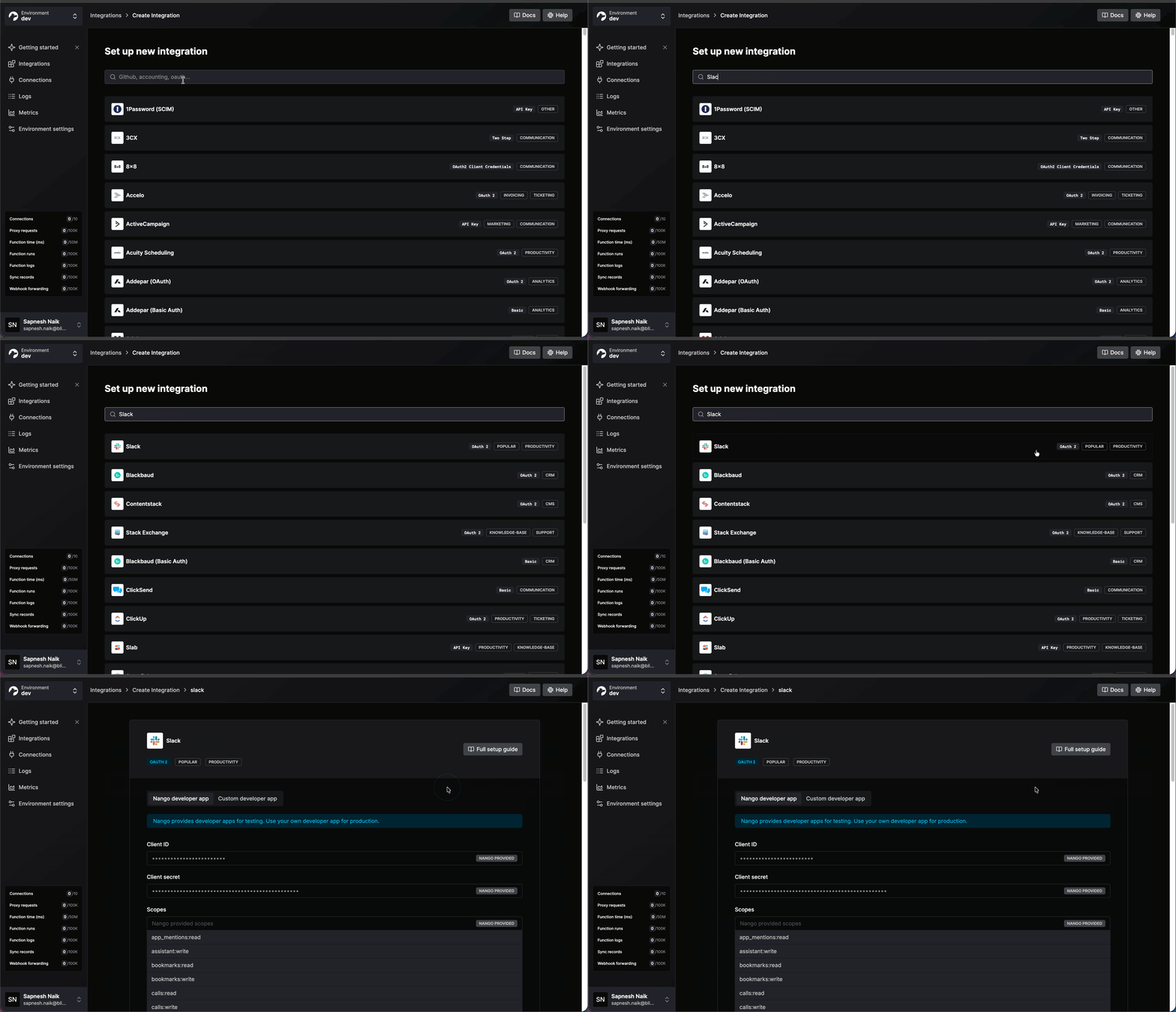
To get started, check out the Nango Slack documentation or follow our guide on how to register your own Slack OAuth app.


