
TL;DR
This guide compares social media and ads API integration platforms for developers who connect customers’ Facebook, Instagram, LinkedIn, Meta Ads, and Google Business Profile accounts to a SaaS product or AI agent.
Nango fits the most use cases: social, ads, CRM, and 1,000+ other APIs on one platform, with pre-built tools agents can call and full control in code. The other four fit narrower niches.
- Nango: The broadest option. 10,000+ pre-built tools across 1,000+ APIs, including Facebook Page and LinkedIn posting tools and a Meta Ads MCP connection. Start with Nango’s pre-approved OAuth apps or bring your own, and coding agents can extend any tool.
- Ayrshare: A social publishing and engagement API across 14 networks. Ads are limited to boosting Facebook and Instagram posts, and customers authorize Ayrshare’s app.
- Composio: A hosted tool catalog for agents with social and ads actions. It has no social or ads event triggers, no Google Business Profile toolkit, and no token export.
- Zernio: Social publishing, inbox, and ads in one vendor-managed API. Customers connect through Zernio’s apps, with one shared rate limit and no per-tool agent scoping.
- Unified.to: A pass-through unified API with normalized ad campaigns and reports. Social writes are patchy, and you build change detection yourself.
Why use an integration platform for social media and ad integrations
A marketing agent can draft a good Instagram caption. But to actually publish, it needs access to customers’ social media accounts.
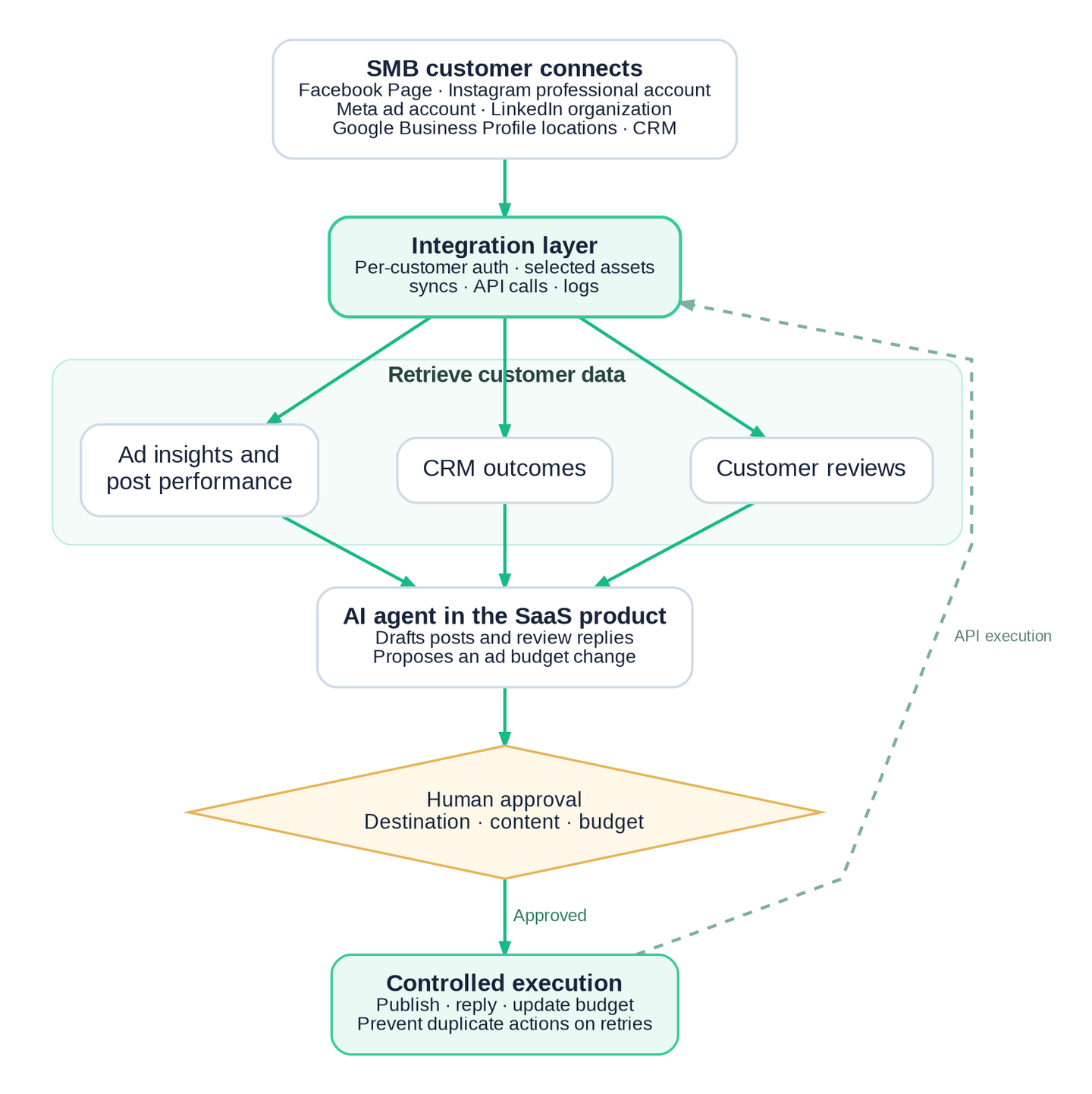
Meta Ads, Instagram, Facebook, LinkedIn, and Google Business Profile each have separate APIs, with their own authentication, permissions, and app review. Connecting a Facebook Page for publishing doesn’t grant access to Meta’s advertising APIs. A LinkedIn posting integration doesn’t cover LinkedIn ads.
| Platform | Operations to evaluate | Key access requirements |
|---|---|---|
| Meta Ads | Read ad accounts and insights; create and manage campaigns, ads, budgets, and ad sets | Marketing API permissions (`ads_read`, `ads_management`), app review, and often business verification |
| Publish images, carousels, and Reels; check publishing status; retrieve insights | A professional account and Instagram publishing permissions | |
| Discover Pages; publish posts, photos, and videos; schedule posts; manage comments | Page permissions such as `pages_manage_posts`; personal-profile publishing isn't supported | |
| Google Business Profile | Manage locations, publish updates, reply to reviews, update hours, and retrieve performance data | Google Business Profile API access approval and the `business.manage` scope |
| Publish member and organization posts; manage comments; retrieve analytics; manage ads | Separate permissions for organization management and advertising |
How to evaluate a social media and ads API integration platform
We evaluated each platform on the workflows a marketing agent or social SaaS product runs in production:
- Coverage per operation: Check the exact operations you need, such as Instagram Reels, Facebook multi-photo posts, LinkedIn organization posts, and Google review replies. Support for a network doesn’t mean support for every operation.
- Paid ads depth: Boosting an existing post is different from creating campaigns, ad sets, and budgets. Check reporting fields, attribution windows, and time zones too.
- OAuth app options: Pre-approved apps let customers connect before you finish provider app review. Your own app puts your brand on the consent screen and keeps connections with you if you switch vendors. The best platforms offer both.
- Asset and agent scoping: Customers often manage many Pages and ad accounts. Each agent should see only the assets and tools its customer approved.
- Failure handling: A post or budget change must not run twice after a timeout. Check retries, duplicate protection, and final status checks.
- Fresh data and events: Check for syncs and webhooks on new comments, reviews, and post status, beyond live reads.
- Custom operations: When a feature isn’t built in, check whether you can build it yourself and where that code runs.
- Integrations beyond social: Most marketing products also need CRM, analytics, or commerce data. Check whether the same platform covers them.
- Deployment and compliance: Check where tokens and data live, and whether you can run the platform in your own cloud.
The best social media and ads API integration platforms in 2026
We compared five platforms on the marketing assistant scenario above, using the evaluation criteria. To support it, a platform needs reliable API access, customer-specific permissions, and controls that prevent unauthorized actions.
1. Nango
Nango connects AI agents to 1,000+ APIs with 10,000+ pre-built tools. It covers every integration type a marketing agent needs: auth, tool calls, triggers, and syncs. You can also customize pre-built tools with coding agents such as Claude Code, Cursor, and Codex.
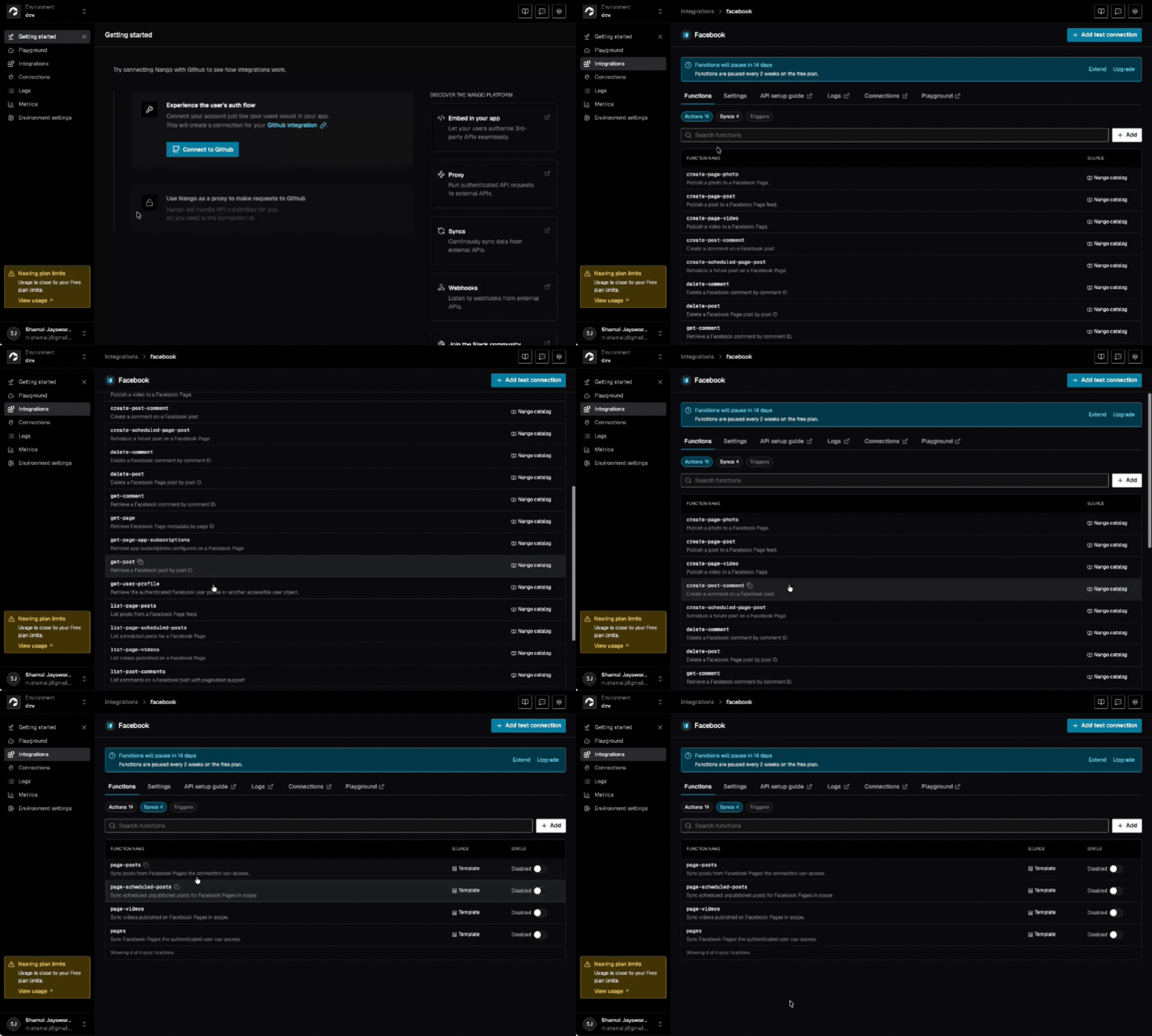
For social and ads, the catalog includes Facebook Page actions and syncs, such as create-page-post, create-page-photo, create-scheduled-page-post, and list-post-comments, plus LinkedIn actions for member and organization posts, comments, and likes. Nango also connects customers to Meta’s Ads MCP server and handles auth for Instagram, Google Business Profile, Google Ads, TikTok Ads, Microsoft Ads, Pinterest, and YouTube.
Best for
Any social media or ads integration for your agent, alongside 1,000+ other APIs. Start with pre-built tools, customize them in code, and run them in your own cloud.
Pros
- Social, ads, and CRM on one runtime: An agent can read Meta Ads insights, publish to a Facebook Page, and pull CRM data from HubSpot or Salesforce through the same auth, execution, and logging. You don’t add a second vendor when customers ask for CRM-attributed results.
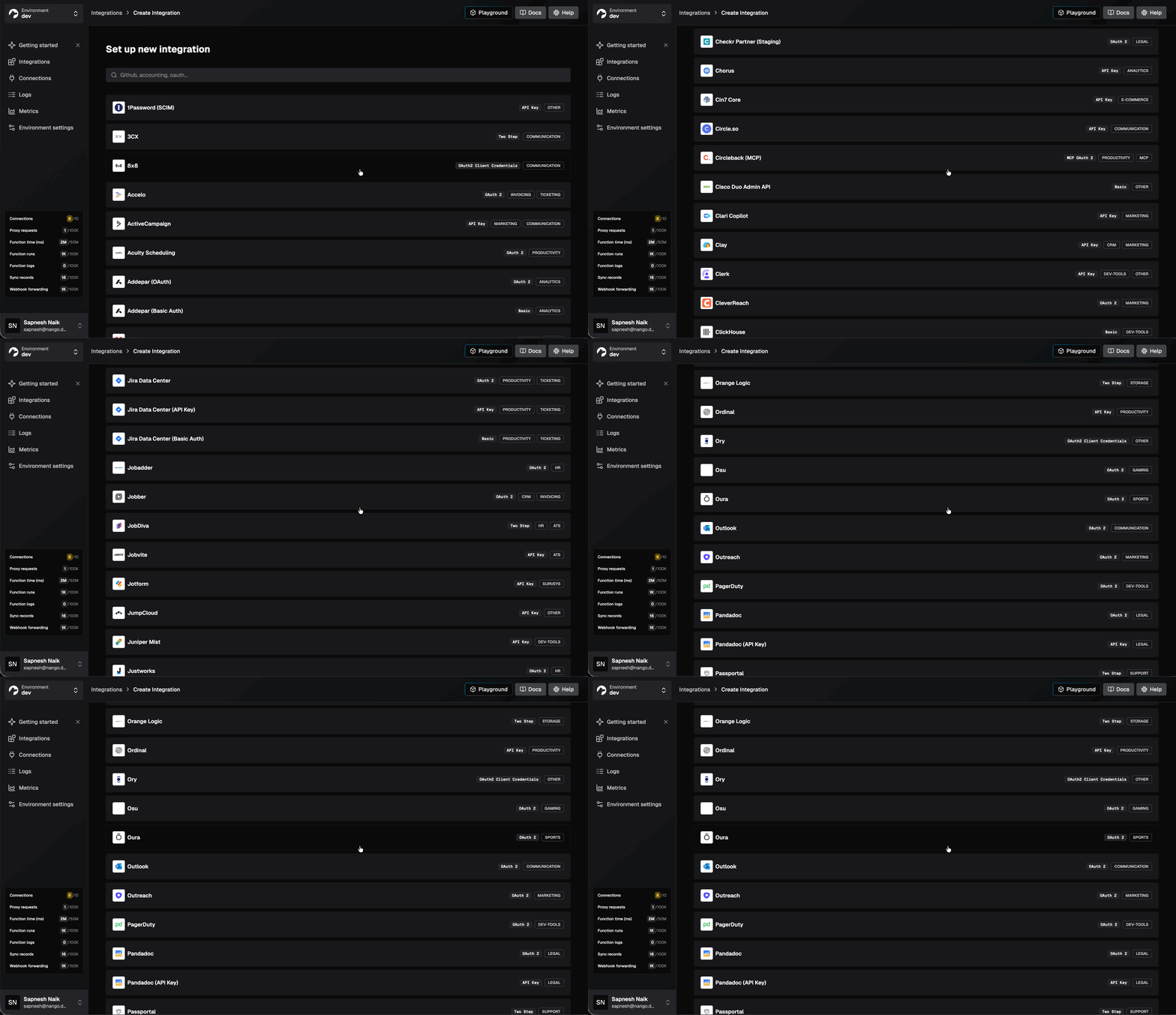
- Meta Ads through Meta’s own MCP server: Each customer’s Meta ad account connects to Meta’s Ads MCP server for campaigns, ad sets, ads, insights, and catalogs. The same connection model works with the Marketing API through the proxy, so reporting and campaign changes use one customer authorization.
- Build custom operations with coding agents: Nango’s skills for coding agents help Claude Code, Cursor, and Codex research provider APIs, generate integration functions, test them against real connections, and deploy them.
/building-nango-functions-locally Build a Nango action for the facebook integration
that publishes a multi-photo Page post: upload each image unpublished, then create
the feed post with attached_media. Add retry protection and return the post ID.- Scoped agent access: Agent Sessions limit each agent to one customer’s connections and an allowlist of tools, with an expiry you set. Your application controls approvals for posts and budget changes, and provider credentials never reach the model.
- Pre-approved OAuth apps, or bring your own: Start with Nango-managed OAuth apps for popular providers like Facebook, Google, and LinkedIn, so customers can connect before you register an app or wait on provider review.
- Fresh context and events: Syncs keep Page posts, scheduled posts, and videos current, and webhooks trigger your agent when something changes. The proxy reaches any endpoint without a pre-built tool, including Google Business Profile hosts via
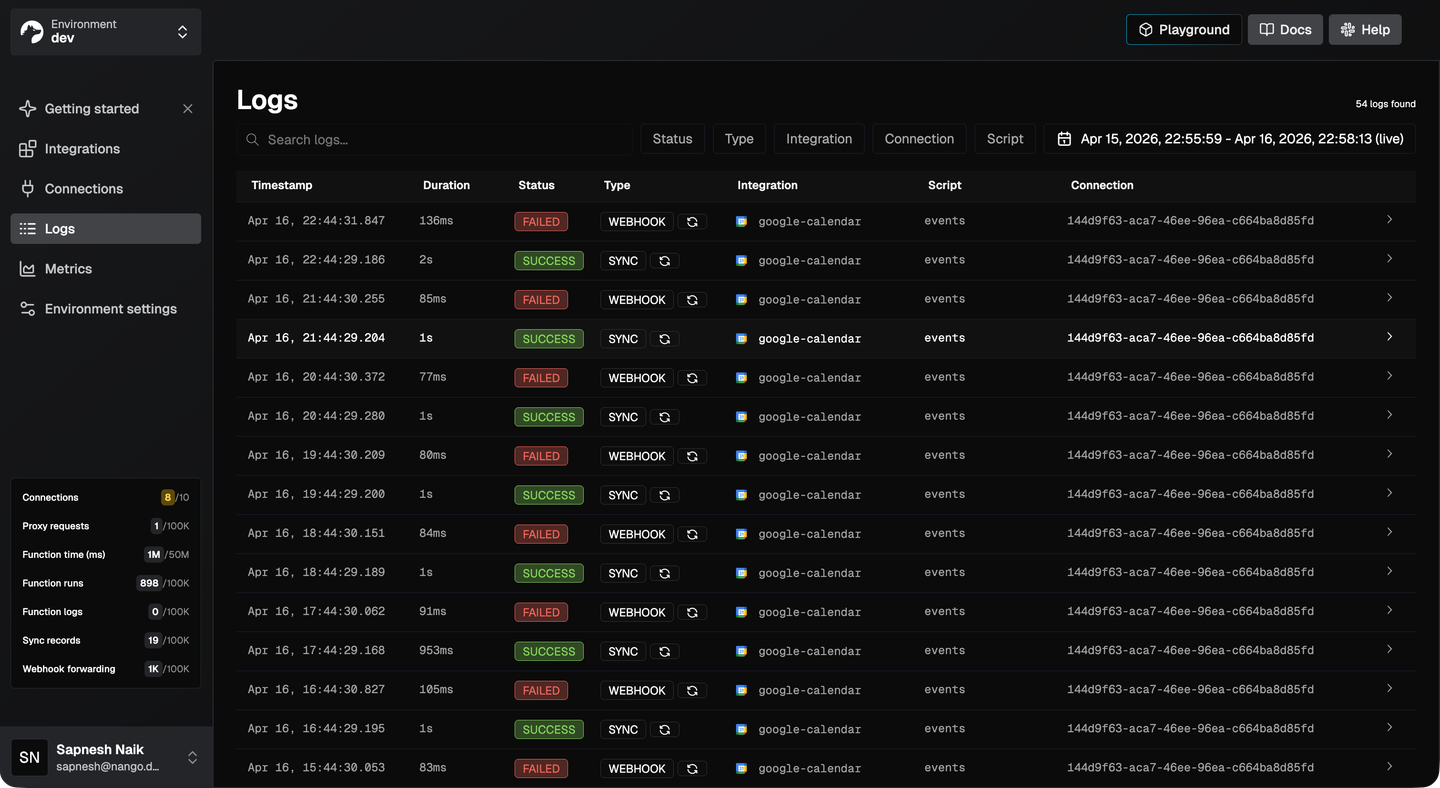
Base-Url-Override. - Per-customer debugging: Logs filter by integration, connection, and function, so support can see why one customer’s post or budget change failed.
- Enterprise-ready deployment: Nango is source-available (Elastic License 2.0) and SOC 2 Type II certified. Run it on Nango Cloud, or in your own cloud and region with BYOC or self-managed deployment on Enterprise.
Cons
- Extra scopes and your own branding need your own app: Nango-managed apps can show Nango on the consent screen. For consent under your own brand you can bring your own OAuth keys. Nango’s app registration guide walks through the requirements.
2. Ayrshare
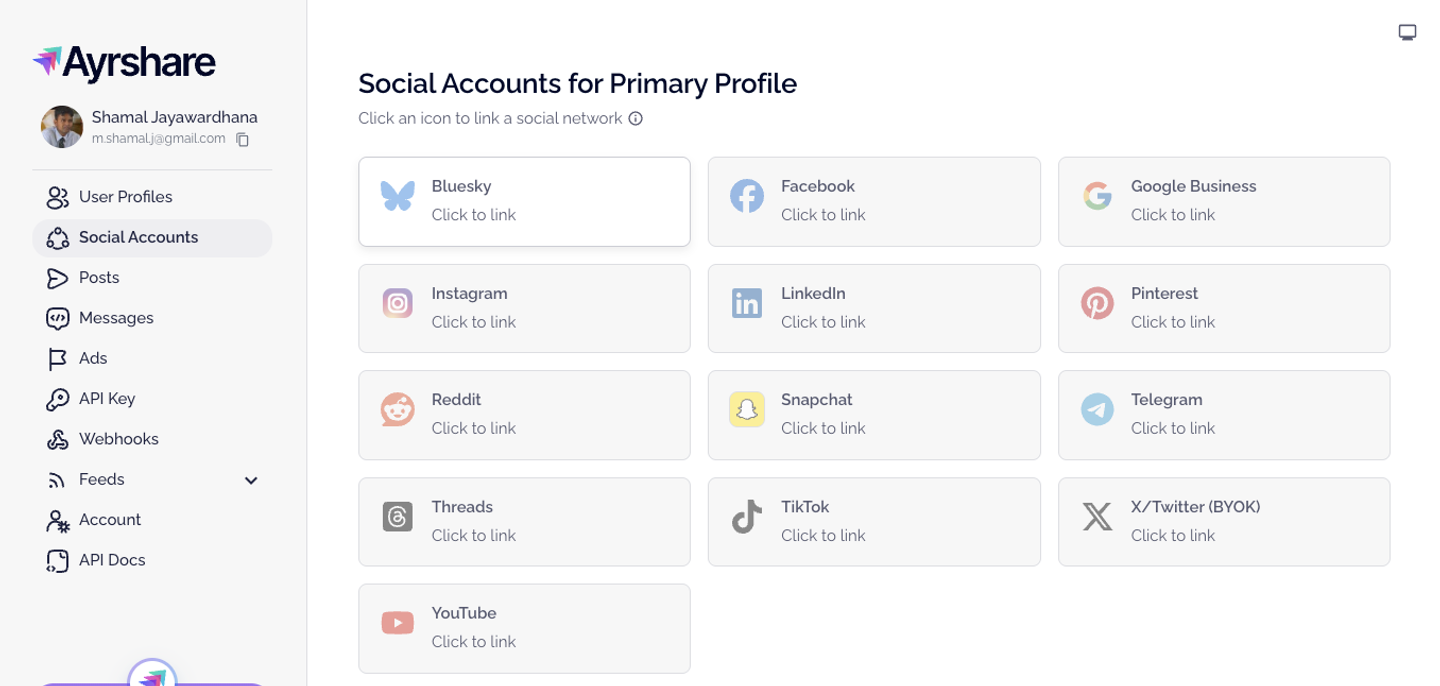
Ayrshare is a unified social media API for publishing, analytics, comments, DMs, and Google Business Profile reviews across 14 networks. Each of your customers is a User Profile that links accounts through an Ayrshare-hosted page, or through an embedded Connect widget with the $300/month Max Pack add-on. A Meta-only Ads add-on boosts Facebook and Instagram posts, and a hosted MCP server exposes 33 fixed tools.
Best for
SaaS products that schedule posts and manage engagement across many social networks, and only need Meta post boosts on the ads side.
Pros
- Network-specific publishing formats: Instagram Reels, Stories, and carousels, plus Facebook Reels, Stories, and multi-image carousels, through one post call.
- Engagement in one API: Comments, DMs, Facebook and Google Business Profile reviews, and post history, including posts not made through Ayrshare.
- Signed webhooks: HMAC-signed webhooks with retries cover post status, account link changes, messages, comments, and mentions.
Cons
- Customers authorize Ayrshare’s app, not yours: LinkedIn consent names Ayrshare, and Facebook Page admins see “Published by Ayrshare” on posts. There’s no documented bring-your-own Meta, LinkedIn, or Google app, and no token export.
- The MCP server can’t be locked to one customer: Every connection uses the account API key, which can reach every User Profile under it. A per-call profile argument overrides the default, and there’s no tool allowlist, so a prompt-injected agent could reach another customer’s accounts.
- No escape hatch for missing operations: There’s no passthrough or proxy for raw provider calls, so any Meta, LinkedIn, or Google field Ayrshare doesn’t wrap is out of reach.
- Ads are Meta boosts, not campaign management: The Ads API covers Facebook and Instagram only, with no campaign creation, no budget edits after a boost, and no LinkedIn or Google Ads.
- Social-only, with stacked add-ons: There’s no CRM or commerce data to join results against. Embedded linking ($300/month), Ads ($100/month), and messaging are each billed on top of the base plan.
3. Composio
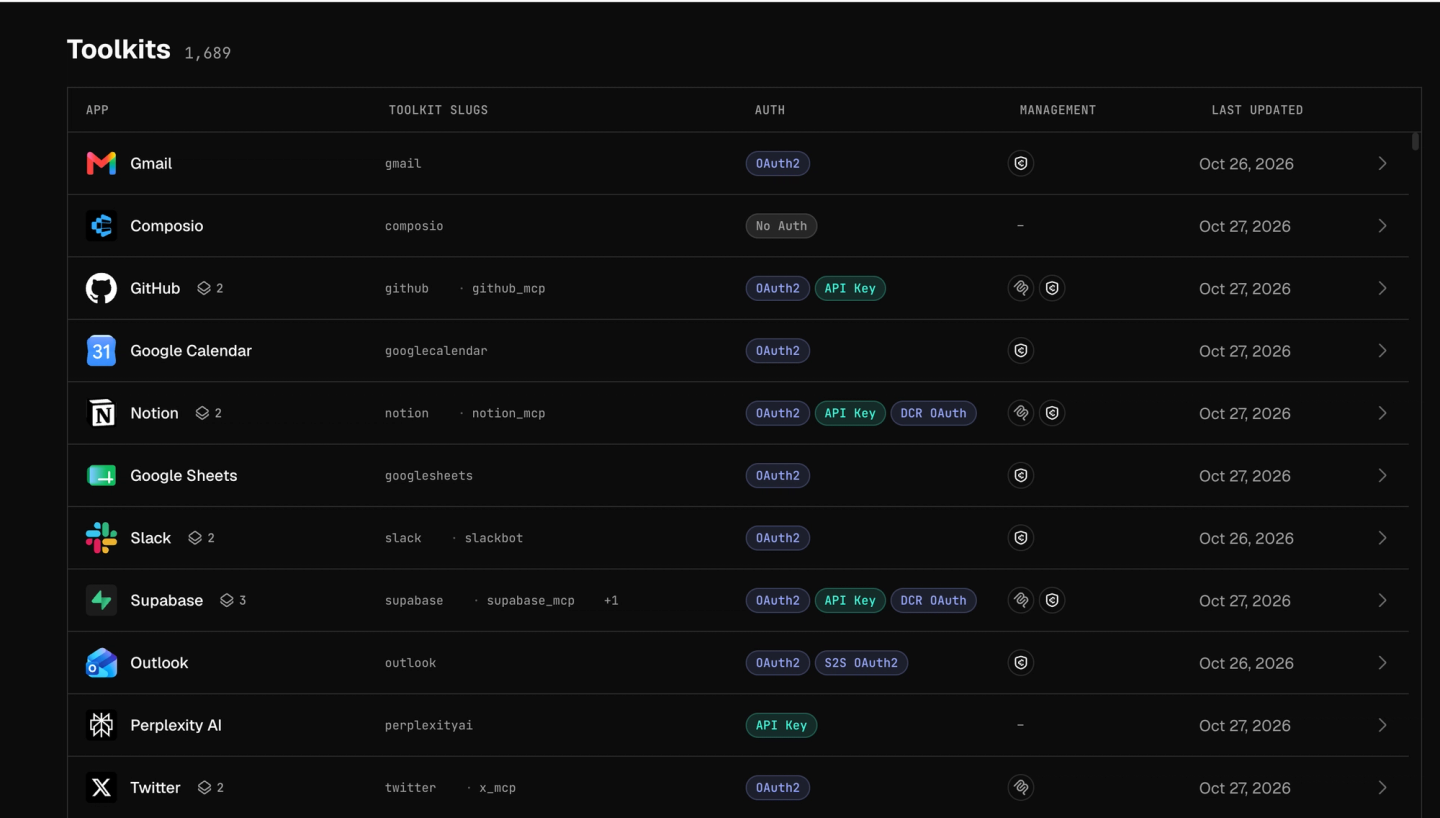
Composio is a managed tool-calling platform for AI agents, with 1,600+ toolkits reached through MIT-licensed SDKs or a per-user MCP endpoint. For social and ads, it has pre-built tools for Facebook Pages, Instagram, LinkedIn, Meta Ads, Google Ads, TikTok Ads, Pinterest, and YouTube. Credentials are stored and tools run in Composio’s cloud.
Best for
Internal or personal agents that call ready-made social and ad-platform actions on request, without reacting to social events or owning customers’ tokens.
Pros
- Pre-built ads actions: Meta Ads and Google Ads toolkits include campaign, ad set, and budget actions plus insights and reporting, so an agent can act on ads from the start.
- Session-level tool scoping: Sessions can allow or deny toolkits and specific tools per user, and the filters are enforced when a tool runs.
- Quick start with managed OAuth: Composio-managed apps cover Facebook, Instagram, LinkedIn, Google Ads, TikTok Ads, and Pinterest for testing.
Cons
- No social or ads event triggers: The Facebook, Instagram, LinkedIn, Meta Ads, Google Ads, and TikTok toolkits list zero triggers. New comments, mentions, and ad events have to be polled with read tools, and there is no data-sync primitive.
- No Google Business Profile toolkit: An agent can’t post updates or reply to reviews. Custom integrations are Enterprise-only, and SDK custom tools run inside your own app.
- You can’t export customer tokens: Since June 2026, the API no longer returns access or refresh tokens, even when you bring your own OAuth app. Moving to another platform means every customer reconnects.
- Managed social apps hit limits in production: The managed Instagram app lacks Meta’s comment-management permission, so comment replies fail until you bring your own approved app. The shared LinkedIn app has strict rate limits, and Meta Ads and LinkedIn Ads have no managed OAuth at all.
- Closed runtime with a recent breach: Composio’s May 2026 security incident exposed about 10,242 credentials and forced customers to rotate keys and have users reconnect. Self-hosting and VPC deployment are Enterprise arrangements.
4. Zernio
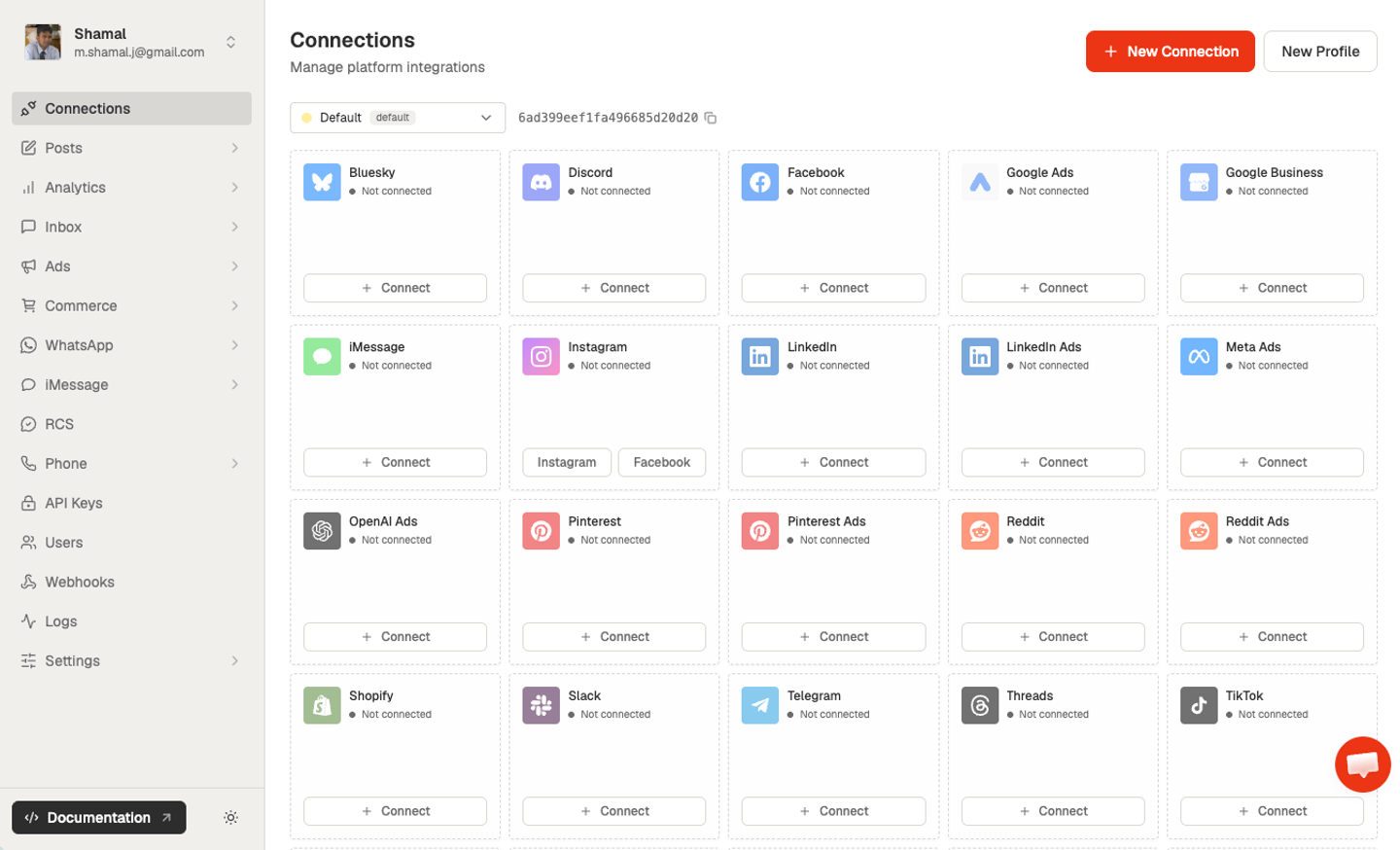
Zernio, renamed from Late (getlate.dev) in March 2026, is a unified API for social publishing, inbox, analytics, and paid ads. Its Ads API, launched in early 2026, covers Meta, Google, LinkedIn, TikTok, Pinterest, X, OpenAI, and Reddit Ads. It also ships a hosted MCP server, and customers connect through Zernio’s own platform apps.
Best for
Social media tools and agencies that want posting, an inbox, and basic ad management from one vendor-managed API.
Pros
- Organic and paid in one API: Publishing, Google Business Profile posts and reviews, and ad campaign creation share one schema, with the most depth on Meta and Google Ads.
- Simple per-account pricing: Two accounts are free, then each connected account is billed on a graduated rate. Ads cost $0.01 per active ad after the first 500, with no cut of ad spend.
- Built-in multi-tenant setup: One profile per customer, API keys scoped to a profile, and webhooks routed per profile.
Cons
- Customers authorize Zernio’s apps, not yours: Zernio documents no bring-your-own OAuth app and no token export. Quotas are shared across Zernio’s customers, every Google Ads account runs on one Zernio developer token, and features depend on Zernio’s own app approvals. Snapchat is unavailable because Snap hasn’t approved Zernio’s app.
- Uneven ad editing: After launch, you can edit targeting and creative only on Meta and TikTok. Elsewhere, you delete and recreate the ad. Campaign-level budget and bid-strategy edits are Meta-only.
- One rate limit for all your customers: 600 requests per minute applies team-wide, whether you have 3 or 2,000 connected accounts. Scoped keys add no throughput.
- Coarse agent scoping: A profile-scoped key isolates one customer, but there’s no per-tool allowlist, so the agent sees the full endpoint surface. You can’t add custom operations in code, and the only raw passthrough is read-only Google Ads queries.
- Social-first and cloud-only: CRM support is limited to syncing HubSpot contacts, and you can’t add an API outside Zernio’s roughly 30 platforms. There’s no self-hosted or BYOC option.
5. Unified.to
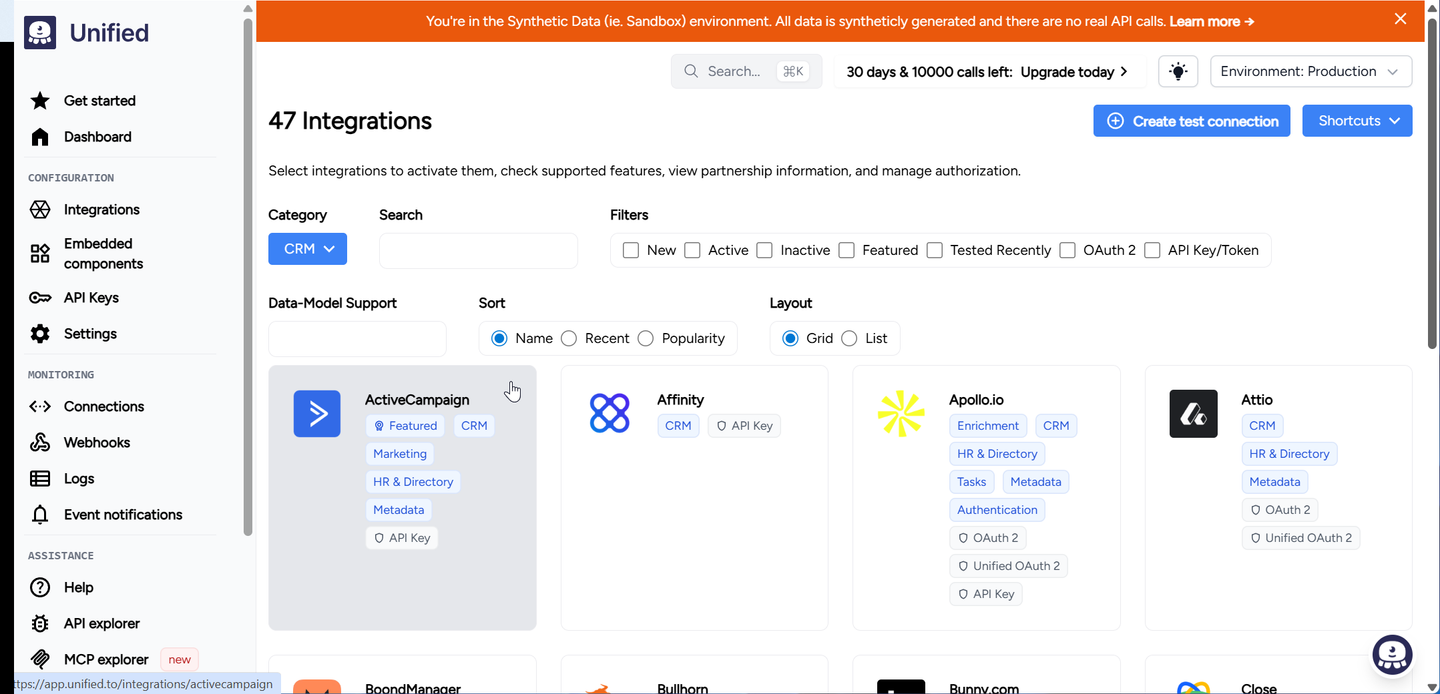
Unified.to is a real-time, pass-through unified API with 1,790+ integrations across 37 categories, including a Social Media API (20 integrations) and an Advertising API (42 integrations). Every call runs live against the source API, and Unified stores no end-customer data. A hosted MCP server exposes each connection’s unified operations as agent tools.
Best for
Teams that want one normalized schema for ad campaigns and reports across many ad networks, with live reads and no vendor-stored data.
Pros
- Campaign management across major ad networks: Meta, Google, LinkedIn, and TikTok Ads support normalized create, update, and delete on campaigns, ad sets, and ads, plus a unified report object.
- No data custody: Every request is live and nothing rests on Unified’s side, which simplifies sub-processor reviews. Regions are US, EU, and AU.
- Per-connection MCP tool controls: The hosted MCP server can restrict tools, narrow permissions, and hide sensitive fields for each connection.
Cons
- Patchy social writes: There is no comments object, so an agent can’t reply to Facebook or Instagram comments through the unified model. Instagram posts are create-only, LinkedIn posts can’t be updated, and TikTok and YouTube are read-only.
- You build change detection yourself: No webhooks are listed for Google Ads, LinkedIn Ads, Facebook, Instagram, or Google Business Profile. Meta Ads has polling-based virtual webhooks. To keep agent context fresh, you build the polling, storage, and backfill.
- One MCP server per connection: An SMB customer with Meta Ads, a Facebook Page, Google Business Profile, and a CRM means four separate MCP endpoints for one agent. Connection tokens don’t expire, and revoking one means deleting the connection.
- No custom logic in code: Beyond the unified models, you get raw fields and a passthrough proxy. There’s no hosted runtime for multi-step operations like a multi-photo post.
- Every agent call is billed: Plans start at $750/month for 750,000 API calls, and every MCP tool call and data-carrying webhook delivery counts toward that quota.
Side-by-side comparison
| Capability | Nango | Ayrshare | Composio | Zernio | Unified.to |
|---|---|---|---|---|---|
| Organic publishing | Yes (Facebook, LinkedIn pre-built; others in code) | Yes (14 networks) | Yes (Facebook, Instagram, LinkedIn, YouTube) | Yes (15+ networks) | Partial (Instagram create-only, no comments) |
| Ad campaign management | Yes (Meta Ads MCP; Google Ads in code) | No (boost posts only) | Yes (Meta, Google, TikTok Ads) | Partial (8 networks, uneven edits) | Yes (Meta, Google, LinkedIn, TikTok) |
| Google Business Profile | Partial (auth and proxy; actions in code) | Yes (posts, review replies) | No | Yes (posts, reviews) | Yes (posts, review replies) |
| Agent tools and MCP | Yes | Yes (33 fixed tools) | Yes | Yes | Yes (one server per connection) |
| Scoped agent access per customer | Yes (Agent Sessions, tool allowlists) | No (account key) | Yes (session allowlists) | Partial (profile keys, no allowlist) | Partial (one connection per server) |
| Custom operations in code | Yes (TypeScript functions) | No | Partial (runs in your app) | No | No (passthrough only) |
| Syncs and webhooks | Yes | Partial (webhooks, no syncs) | No (no social or ads triggers) | Partial (Zernio events) | Partial (polling, Meta Ads only) |
| CRM and other APIs | Yes (1,000+ APIs) | No | Yes | Partial (HubSpot contacts) | Yes |
| Pre-approved and own OAuth apps | Yes (both, with token export) | Partial (Ayrshare's apps; own app on X only) | Partial (both, no token export) | Partial (Zernio's apps only) | Partial (own app; shared apps for testing only) |
| Self-host or BYOC | Yes (Enterprise) | No | Partial (Enterprise) | No | Partial (Enterprise) |
How to choose
- If you need social, ads, CRM, and other APIs for an agent or product, with full control in code: pick Nango.
- If you only publish and engage across many social networks, and Ayrshare’s name on the consent screen is fine: pick Ayrshare.
- If you’re building an internal agent that calls ready-made social and ads actions on request: pick Composio.
- If you want posting, an inbox, and basic ads from one vendor-managed API: pick Zernio.
- If you need normalized ad campaign data across networks and will build change detection yourself: pick Unified.to.
FAQ
What is the best social media API for developers building AI agents?
Nango is the best fit when an AI agent or SaaS product acts across social, ads, and business systems. It combines pre-built Facebook and LinkedIn tools, a Meta Ads MCP connection, scoped Agent Sessions, and custom functions that coding agents build. Ayrshare and Zernio fit products that only publish to social networks, and Composio fits agents that call actions on request without event triggers.
How do I get Meta Ads API access for my customers’ ad accounts?
You need a Meta app with Advanced Access to ads_read or ads_management and a verified business, either your own app or a vendor’s app you rely on. With your own app, customers authorize your product and the access stays with you. Nango’s Meta setup guide walks through registering it.
Is a Facebook connector enough for Meta Ads?
No. Facebook Page publishing uses Page permissions such as pages_manage_posts. Reading insights and managing campaigns use the Marketing API with ads_read and ads_management, which need their own review. With Nango, you connect both through the Facebook and Meta Marketing API integrations.
Does Instagram have an API for posting?
Yes, for professional accounts only. The Instagram API publishes to Business and Creator accounts through a create-container, check-status, publish flow. Meta retired the Basic Display API for personal accounts in December 2024, so customers need to switch a personal account to a professional one first.
Conclusion
Dedicated social APIs are a fast start when posting to many networks is the whole product. Ayrshare covers publishing and engagement, Zernio adds basic ad management, Composio gives agents ready-made actions, and Unified.to normalizes ad campaigns across networks.
Most marketing agents don’t stay there. Customers ask for campaign changes, review replies, and results joined with CRM data. Nango gives you pre-built tools for the first workflow, pre-approved or your own OAuth apps, and coding agents that build the next operation on the same auth, sync, and logging infrastructure.
To try it, follow the Nango quickstart and connect a Facebook Page in a few minutes.
